How do business applications use load balancer
During business operations, high-concurrency scenarios may arise. Baidu Load Balance (BLB)'s traffic distribution and balancing functionalities enable multiple WebServers to handle concurrent services, thereby facilitating horizontal business scaling.
Currently, there are two ways to create business applications: One is via kubectl, and the other is through the Kubernetes dashboard. Hence, the methods for creating and using load balancers are also divided as follows:
kubectl uses load balancer during service application deployment
Create a load balancer and elastic public IP (EIP)
In a public cloud environment, you can create a service of LoadBalancer by entering a command. This will also trigger the public cloud to create a load balancer and a public IP. The specific operation command is as follows:
1kubectl expose deployment my-nginx --port=80 --type=LoadBalancerView a load balancer and elastic public IP (EIP)
Run the command to view the service status and the public IP assigned to the service.
1$ kubectl get services
2NAME         CLUSTER-IP    EXTERNAL-IP      PORT(S)        AGE
3kubernetes   ClusterIP      172.16.0.1      <none>                       443/TCP        21d
4my-nginx     LoadBalancer   172.16.72.193   106.13.134.33,192.168.0.75   80:31787/TCP   3m16s
By accessing the link 180.76.139.247, the created service can be viewed as shown in the figure:
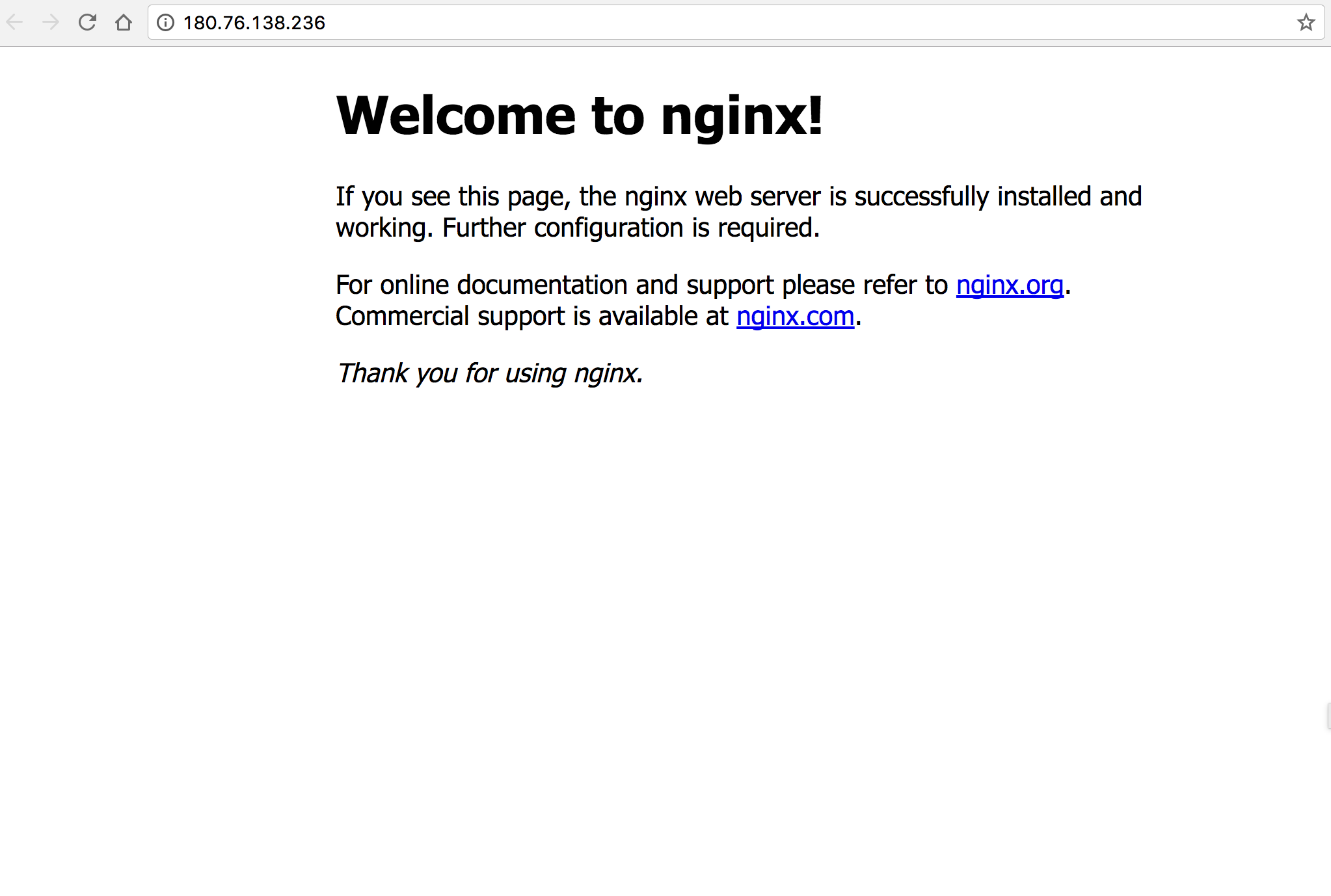
Note: The symbol "$" represents the input command, while other lines display the service information after entering the command. Here, 180.76.139.247 is the internet service URL.
Use load balancer during service application deployment via Kubernetes dashboard
Create a load balancer and elastic public IP (EIP)
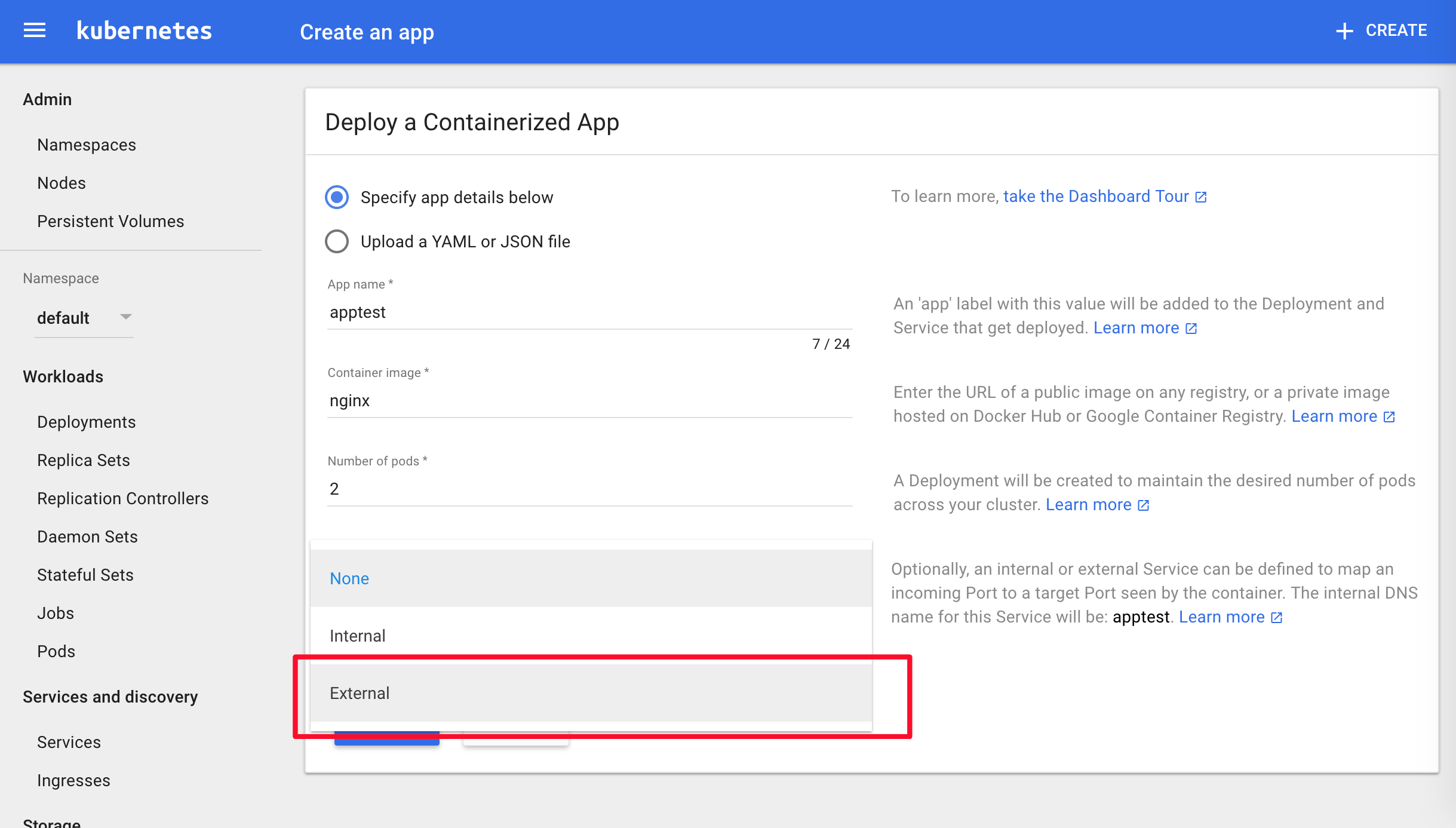
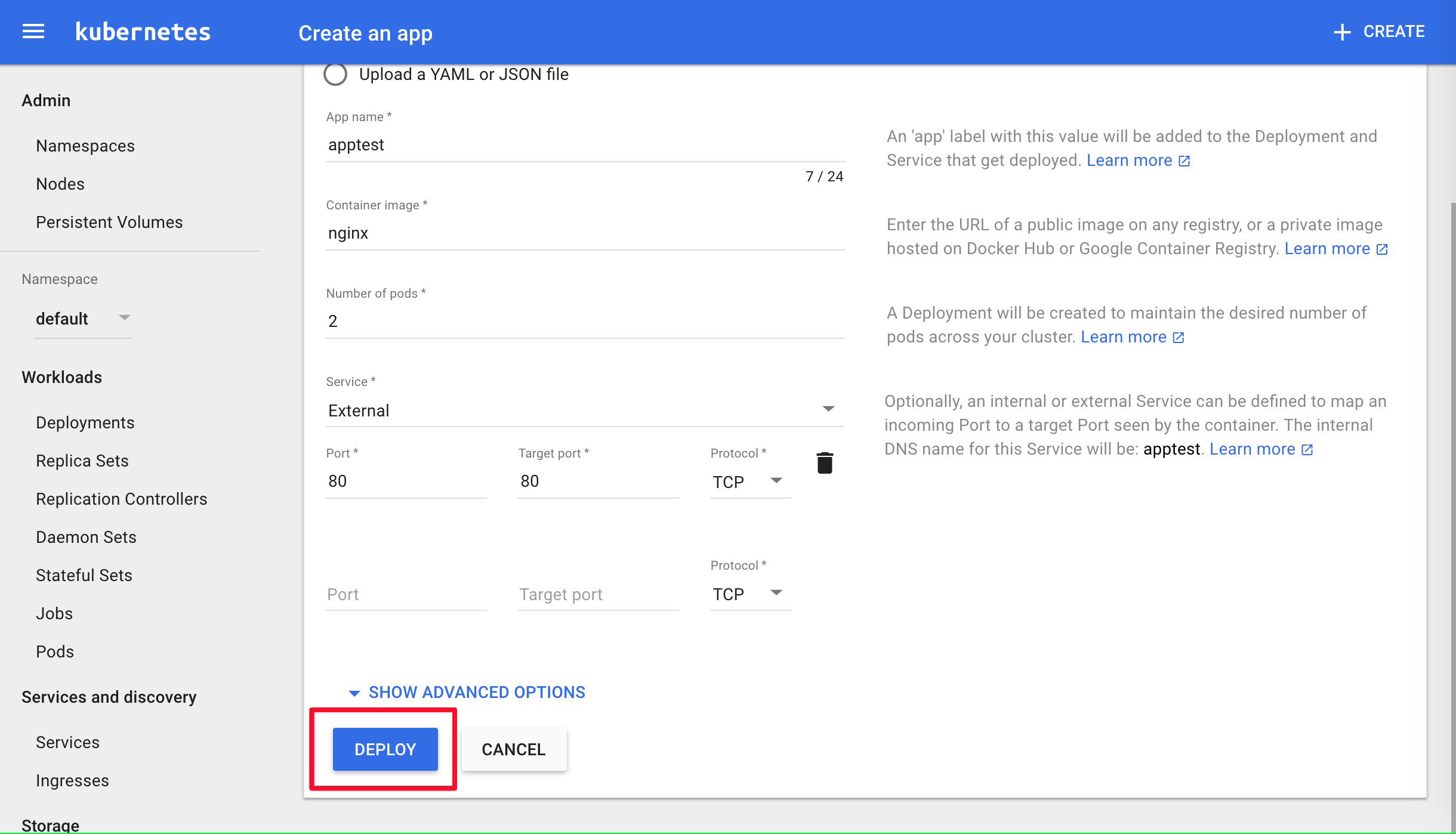
In the Service, select External to complete EIP and BLB configuration. The port page will appear to enter 80 80 and click Deploy to initiate service creation;
View a load balancer and elastic public IP (EIP)
On the creation success page, click the Services button to enter the services page
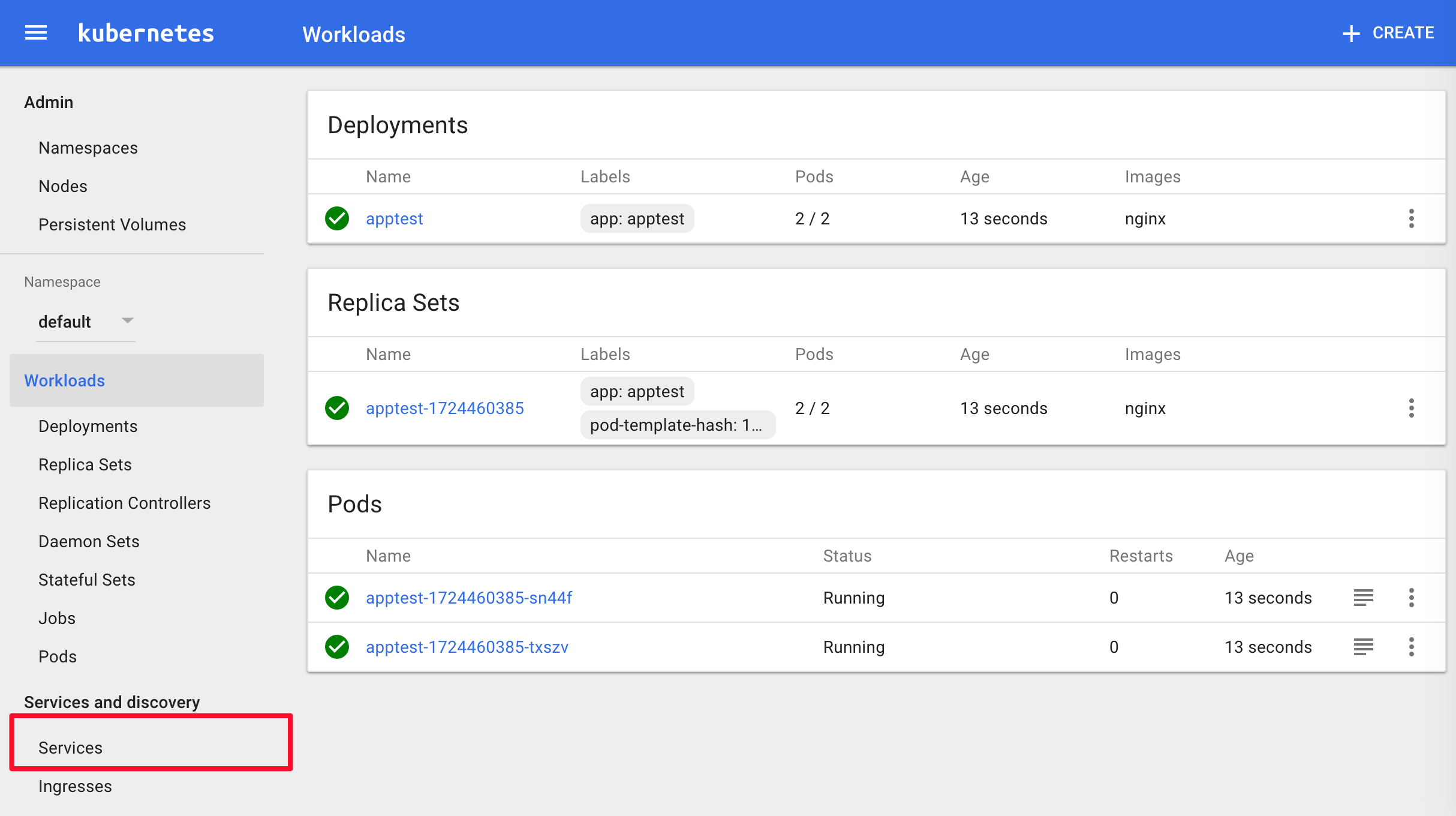
View load balancer and EIP in Baidu AI Cloud console
After completing the service creation, users can sign in to the Baidu AI Cloud Platform, select Product Services > Baidu Load Balance (BLB)", enter the BLB console to view detailed information about the Baidu Load Balance (BLB). For specific steps, refer to the [Load Balancer Operation Guide](BLB/Operation guide/Certification.md)
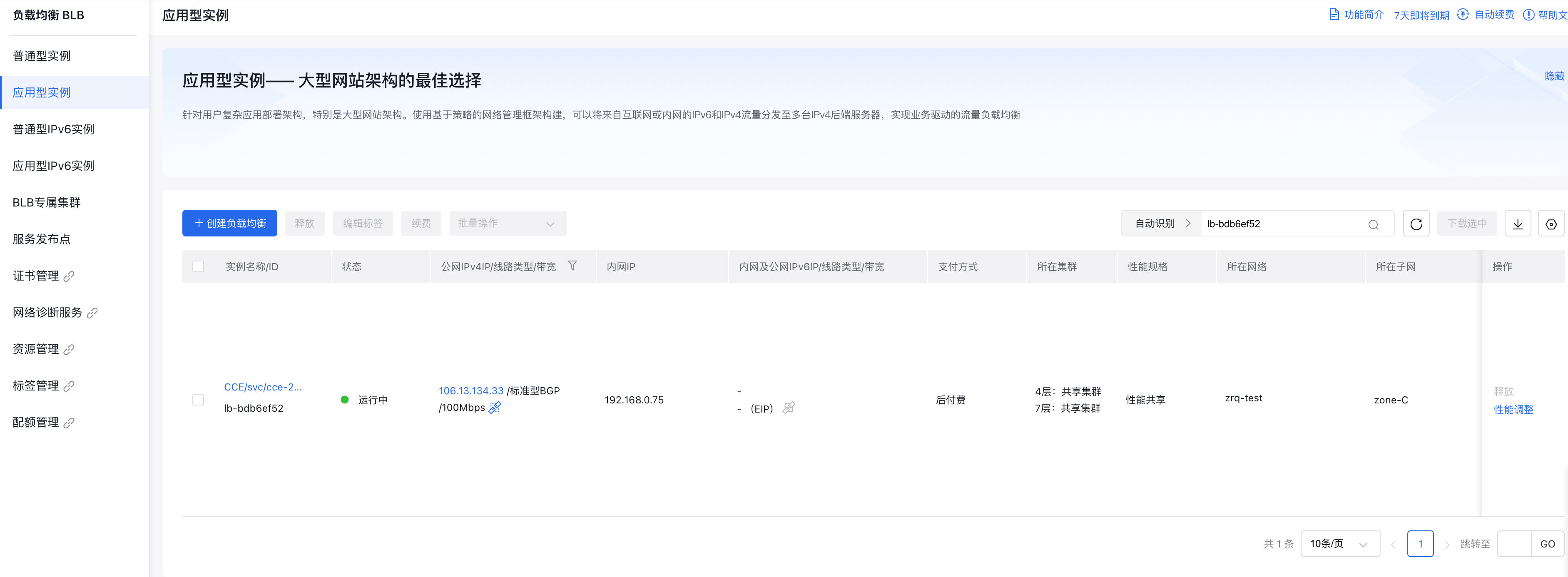
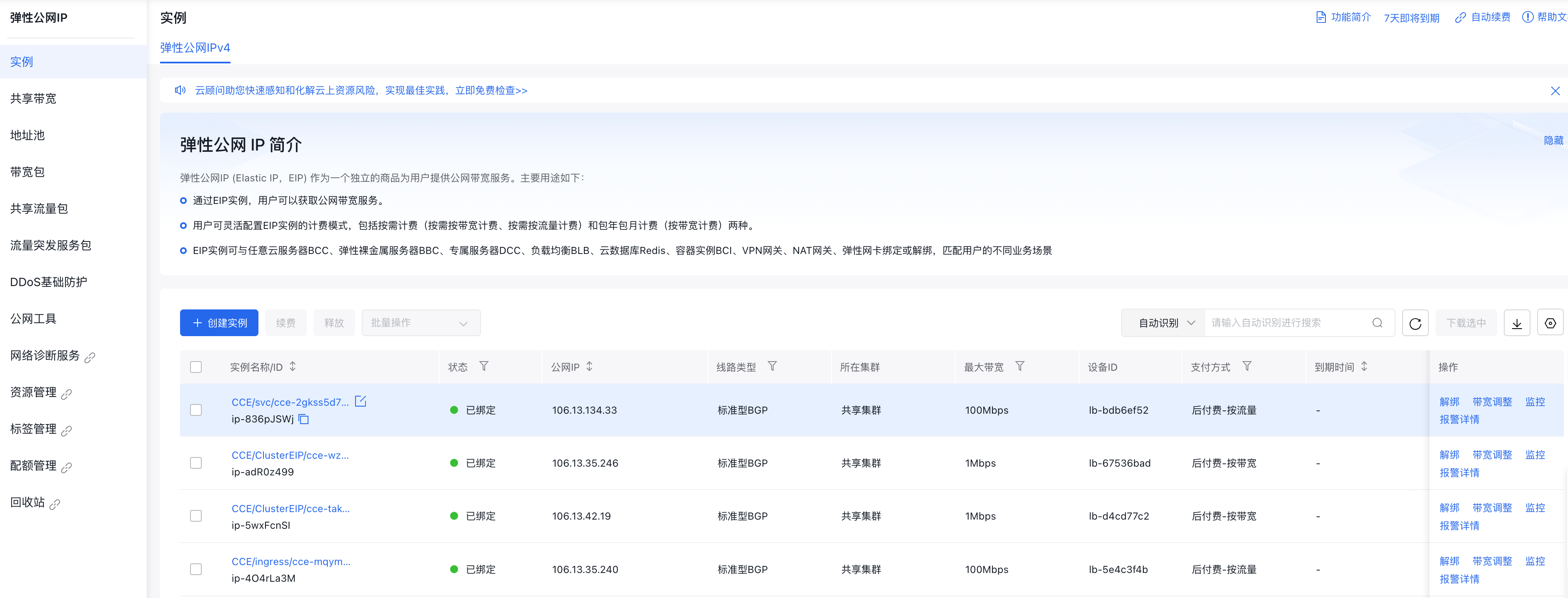
Select Product Services > Elastic Public IP (EIP), and navigate to the console's instance list to view node (instance) public IP information