

Creating a Serverless Cluster
Updated at:2025-10-27
This document provides instructions on creating a Baidu AI Cloud CCE Serverless Kubernetes cluster.
Prerequisites
Activate the BCI product and select a region where BCI purchases are available.
Create cluster
- Sign in to CCE Management Console.
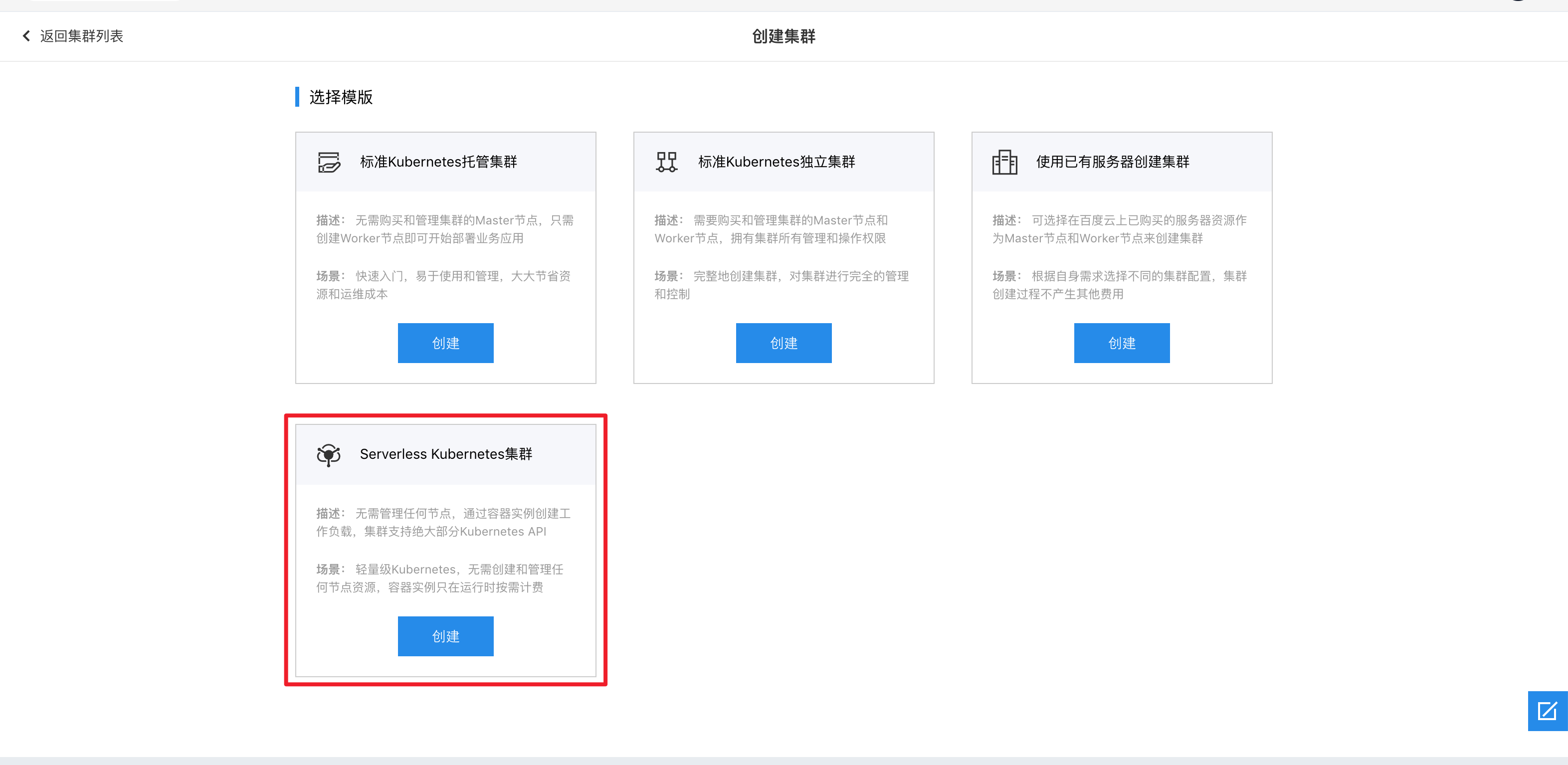
- Click on "Create Cluster" and select the option to create a Serverless Kubernetes cluster. If BCI resources have not been activated or are unavailable in your selected region, the "Create" button will appear grayed out. Hover over the button to see the specific reason for the unavailability.
- Set up the parameters for creating the cluster.
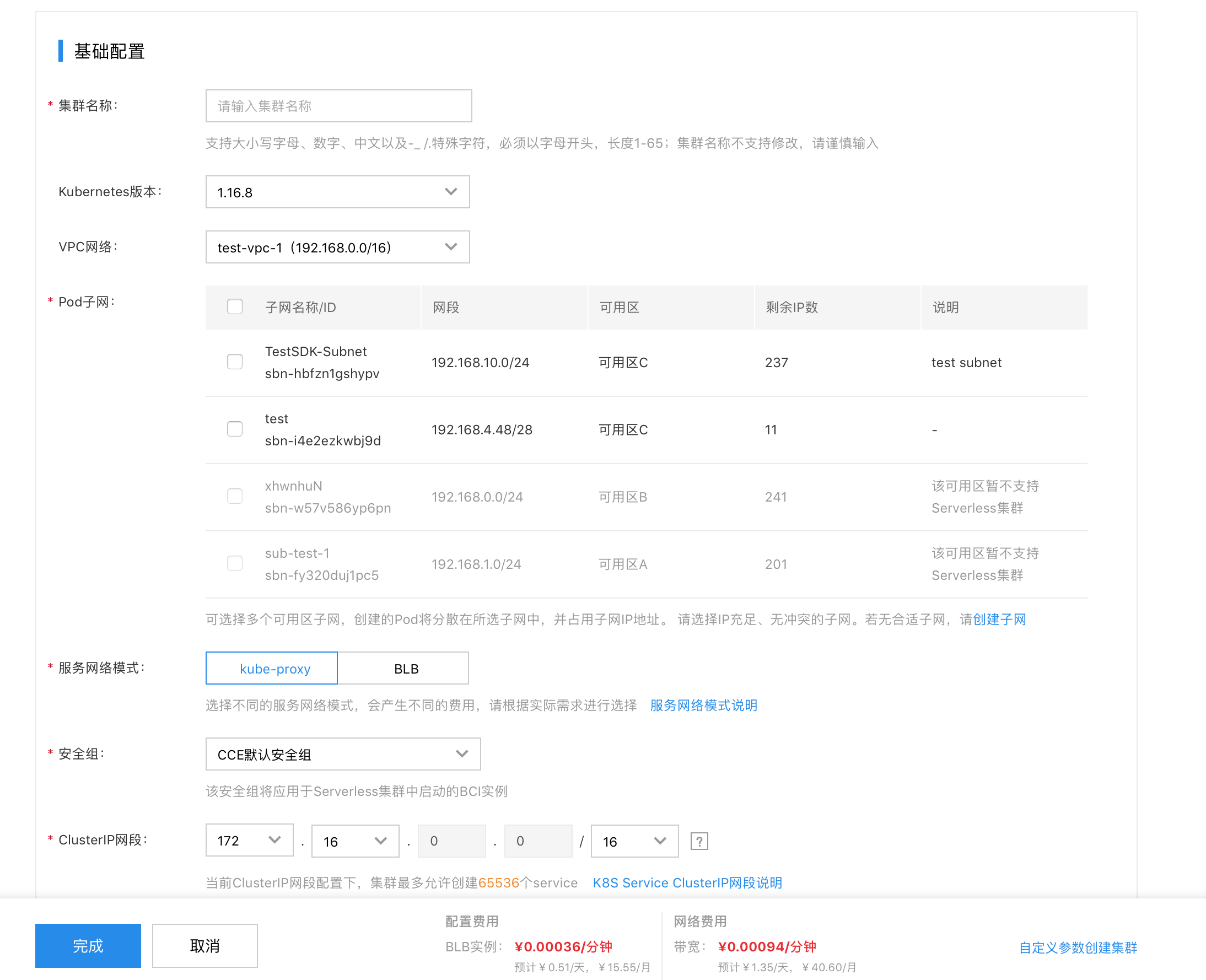
| ConfigMap | Description |
|---|---|
| Cluster name | Specify the cluster name. This cannot be changed later and supports uppercase and lowercase letters, numbers, Chinese characters, as well as -_/special characters. The name must start with a letter and have a length of 1-65 characters. |
| Remarks | Add optional cluster remarks. These will appear on the cluster details page and can be edited after the cluster is created. |
| Kubernetes version | Choose the Kubernetes version. Currently, Serverless Kubernetes only supports version 1.16.8 and above. |
| VPC network | Select the VPC network where the cluster will be located. |
| Subnet | Only availability zones with open BCI resources and their corresponding subnets can be selected. If the VPC does not have subnets in the desired availability zone, you must create a subnet in that zone via the VPC page before proceeding. |
| Public network access | Decide whether to enable public access for the cluster master. If enabled, an EIP will automatically be assigned to the cluster master’s BLB. |
| Security group | Choose the security group to be applied to BCI Pods started within the cluster. |
| ClusterIP network segment | Specify the Kubernetes Service Cluster IP network segment. |
| Service network mode | The service network mode determines the cost type when using services. In kube-proxy mode, a kube-proxy container is injected into each Pod behind the service, and users are charged for the resources consumed by this container. In BLB mode, each service binds to a BLB, and users are charged for the BLB. |
After completing the configuration, click the "OK" button to create the Serverless Kubernetes cluster.
Once created, the cluster will include a virtual node (Virtual Kubelet). Pods scheduled on virtual nodes will be deployed in BCI format.

For more BCI Pod configuration items, please refer to [Configure BCI Pod](CCE/Operation guide/Virtual Node/Configuring BCIPod.md).