

Permission Overview
After registering a Baidu AI Cloud account, the system automatically creates a super administrator user as the account's primary user, which by default has all permissions of the cloud account and can manage all cloud resources. In scenarios where multiple personnel share resources and collaborate on management, administrators can create IAM users to ensure account and resource security. Then, different IAM users can use distinct usernames/passwords and possess varying cloud resource access permissions. For more information, refer to Baidu AI Cloud Account Identity System.
By default, IAM users have no permissions to access CCE. Administrators must grant the necessary permissions to IAM users.
CCE authorization system
CCE permission management involves Baidu AI Cloud Identity and Access Management (IAM) policy authorization and Kubernetes Role-Based Access Control (RBAC) authorization, enabling fine-grained authorization for IAM users or groups at both the cluster and namespace levels. CCE authorization is divided into two phases of use:
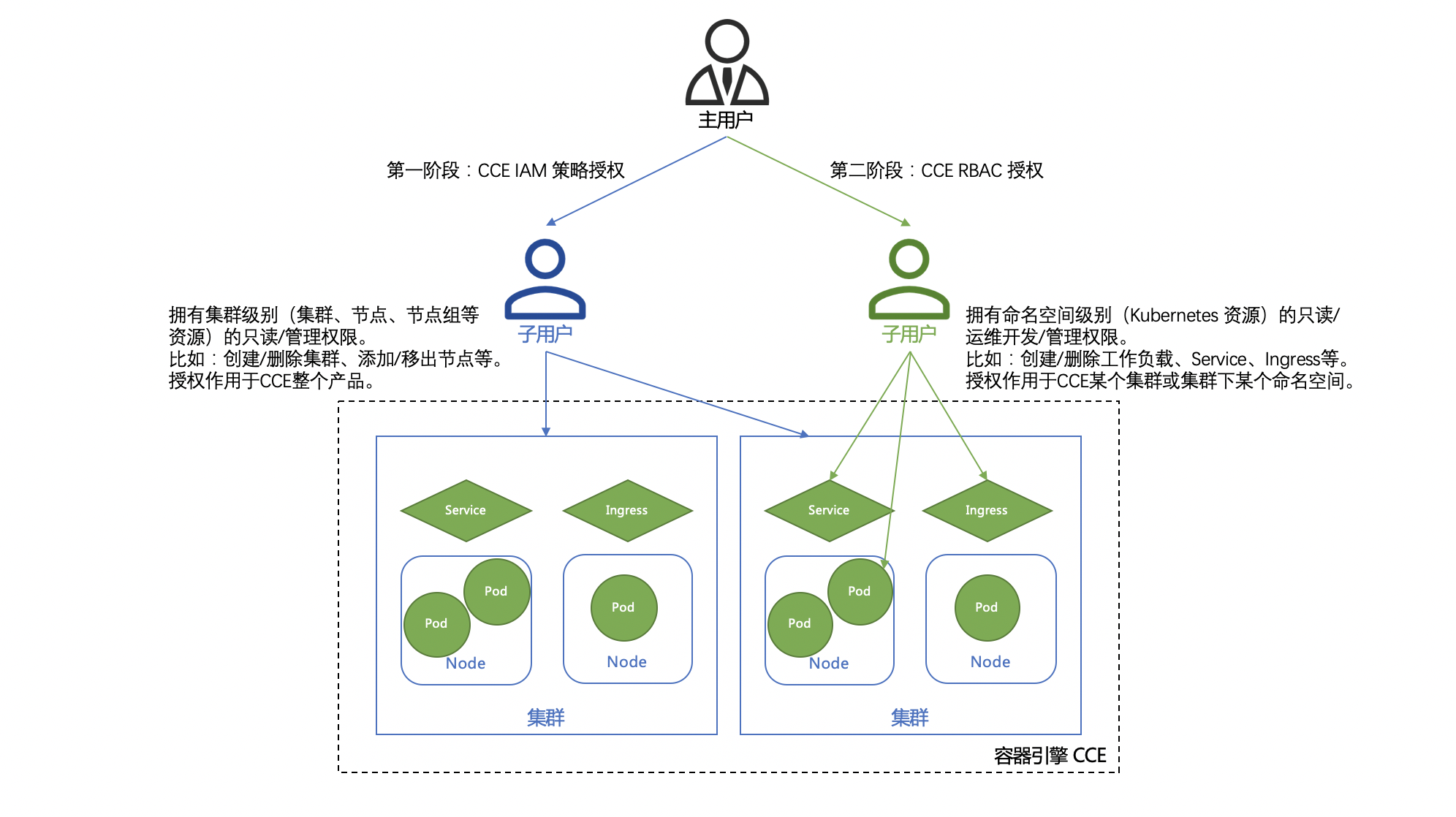
- The first phase is authorization based on the IAM strategy, where administrators grant read-only/administrative permissions (e.g., creating/deleting clusters, adding/removing nodes, creating/deleting node groups) at the K8S Cluster CCE level (resources such as clusters, nodes, node groups) to IAM users/groups. The authorization will apply to the entire CCE product. For more information, refer to Configuring IAM Preset Permission Policies.
- The second phase is authorization based on Kubernetes RBAC, where administrators grant read-only/operations & development/management permissions (e.g., creating/deleting workload, service, ingress) at the K8S Cluster CCE namespace level (Kubernetes resources) to IAM users. The authorizations applies to specific clusters or namespaces within CCE. For more information, refer to Configuring Preset RBAC Permission Policies.