Configuration dictionary
Configuration dictionary
Operate ConfigMaps
-
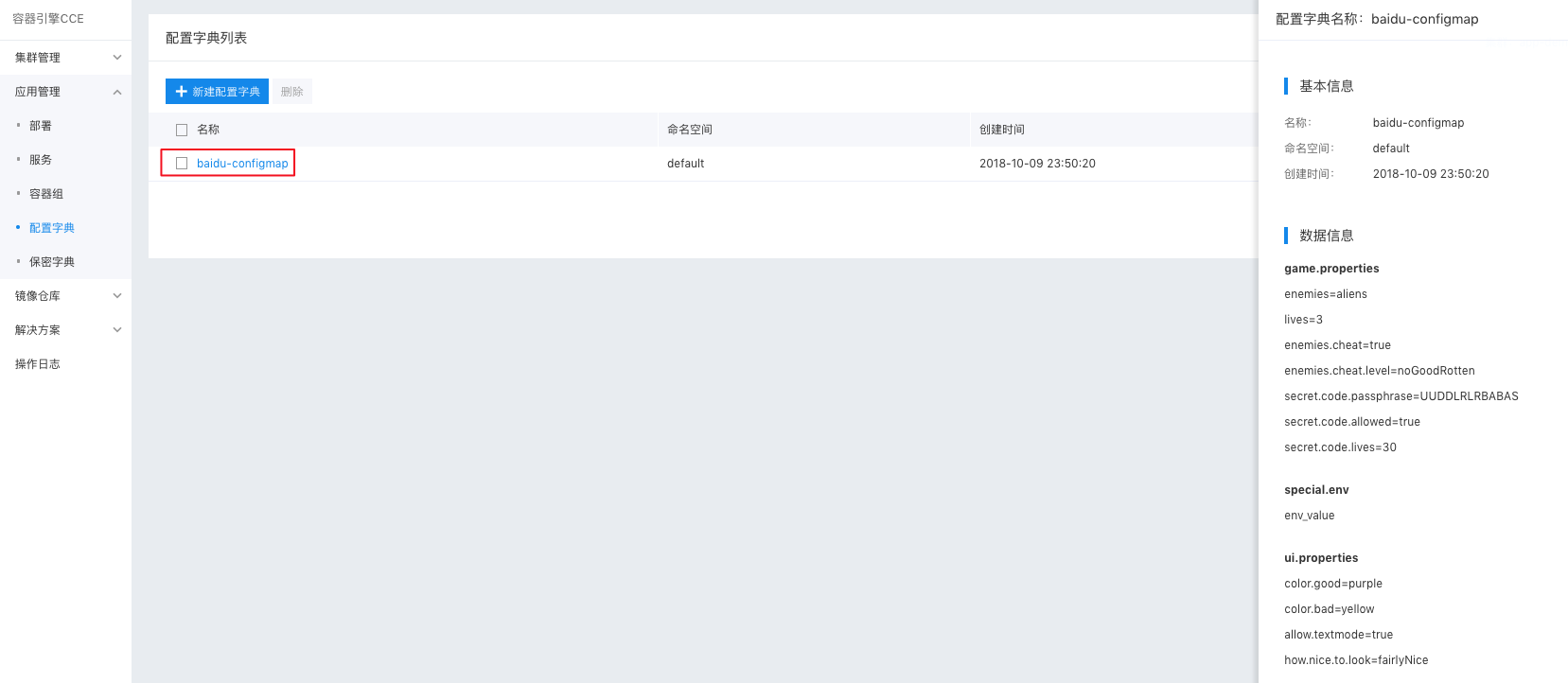
Navigate to Product Services > Cloud Container Engine (CCE). Then, click Application Management > ConfigMaps to access the ConfigMaps list page.
To view the ConfigMaps list: First, select a cluster and namespace. The list will display ConfigMaps under the chosen cluster and namespace.
Plain Text1 -
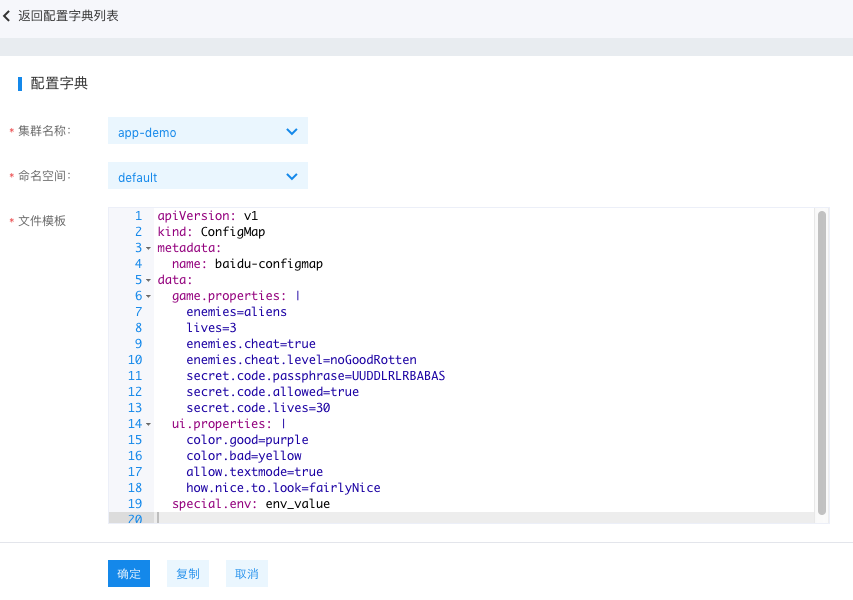
Click on Create ConfigMap. Users can create a new ConfigMap using YAML by selecting the cluster and namespace, filling out the YAML file, clicking OK to submit, and then returning to the ConfigMaps list page.
- Copy: Duplicate the contents of the current YAML file.
- Cancel: Return to the list page.
If there is an error in the submission, a pop-up window will display the error message and the request ID. If the error message does not provide enough information for troubleshooting, you can submit a ticket to seek support from the customer service team.
Plain Text1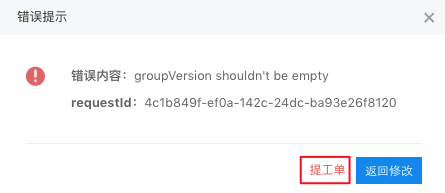 -
Click any ConfigMap name in the list page to open the ConfigMap details page in the right sidebar, which includes:
- Basic details: Name, namespace, and creation time.
- Data details.
Relevant operations
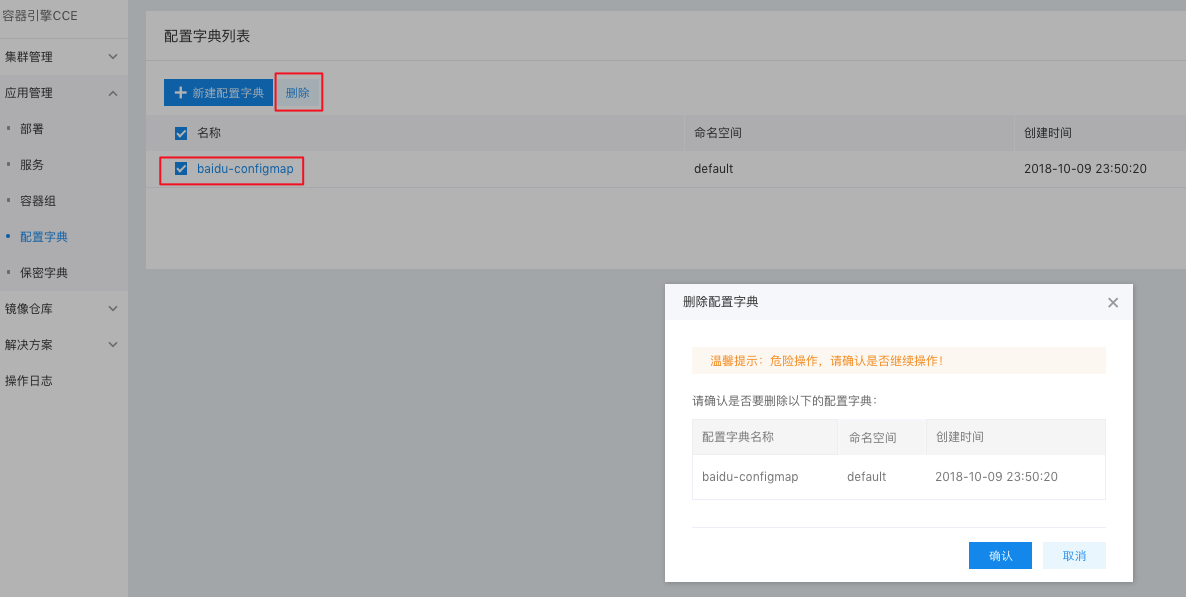
To delete a ConfigMap: On the ConfigMaps list page, select the ConfigMap to be deleted, click the Delete button, confirm the action, and then click OK.
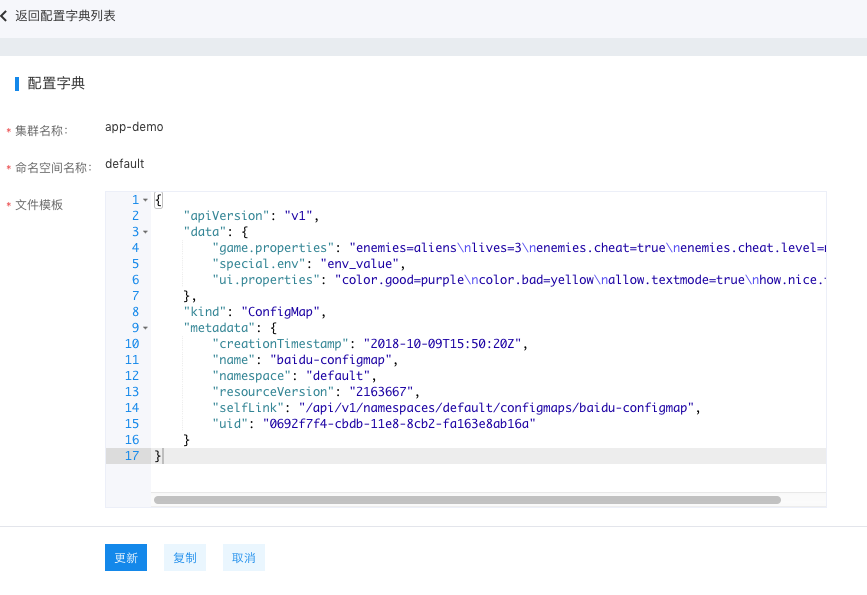
To modify a ConfigMap: On the ConfigMaps list page, click the Modify button for the desired ConfigMap. After completing the changes, click Update to submit. After successful submission, you'll be redirected back to the list page.