

Cluster Audit
Overview
Cluster auditing allows for storing and retrieving JSON-structured logs generated by Kubernetes Audit from the kube-apiserver based on configurable policies. It records daily user operations in the cluster through API Server audit logs, helping administrators perform security audits and maintain secure and stable cluster operations. This document explains how to configure the cluster audit function.
Usage restrictions
- This document is applicable only to CCE managed clusters and standalone clusters.
-
Ensure the Baidu AI Cloud Log Service (BLS) resources under your account do not exceed the quota; otherwise, the cluster audit function cannot be enabled.
- Currently, Baidu AI Cloud Log Service (BLS) allows up to 50 logstores per accountID. To request more, submit a ticket.
- Due to limitations of the Baidu AI Cloud Log Service (BLS), the new cluster audit function is not supported in the Chengdu, Hong Kong, and Nanjing regions. As a result, these regions will continue to display the old cluster audit page by default.
Prerequisites
- Successfully Create CCE cluster.
- If the Baidu AI Cloud Log Service (BLS) has been activated, you can log in to the Baidu AI Cloud Log Service (BLS) Console to confirm its status.
Charge
- After enabling cluster audit, cluster audit logs will be collected and delivered to the Baidu AI Cloud Log Service (BLS). Baidu AI Cloud Log Service (BLS) will be charged based on actual usage. For billing standards, refer to Charging Overview.
Operation steps
Enable cluster audit
- Sign in to Cloud Container Engine console.
- Select Cluster List in the left navigation bar.
- On the Cluster List page, click on the desired cluster to open the cluster management page.
- In the left navigation bar in the cluster management page, select Security Management - Cluster Audit.
-
In the Cluster Audit page, click Enable Now for clusters without authorized audit function; click Upgrade for clusters with authorized audit function to upgrade cluster audit and deliver audit logs to Baidu AI Cloud Log Service (BLS).
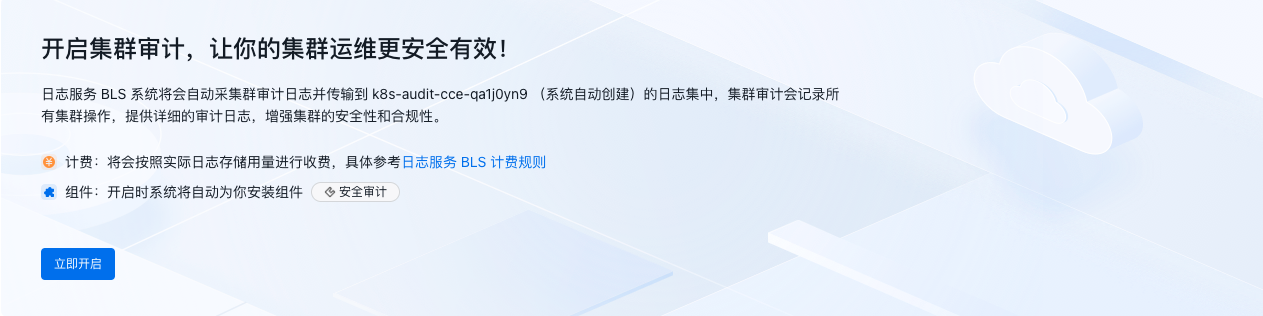
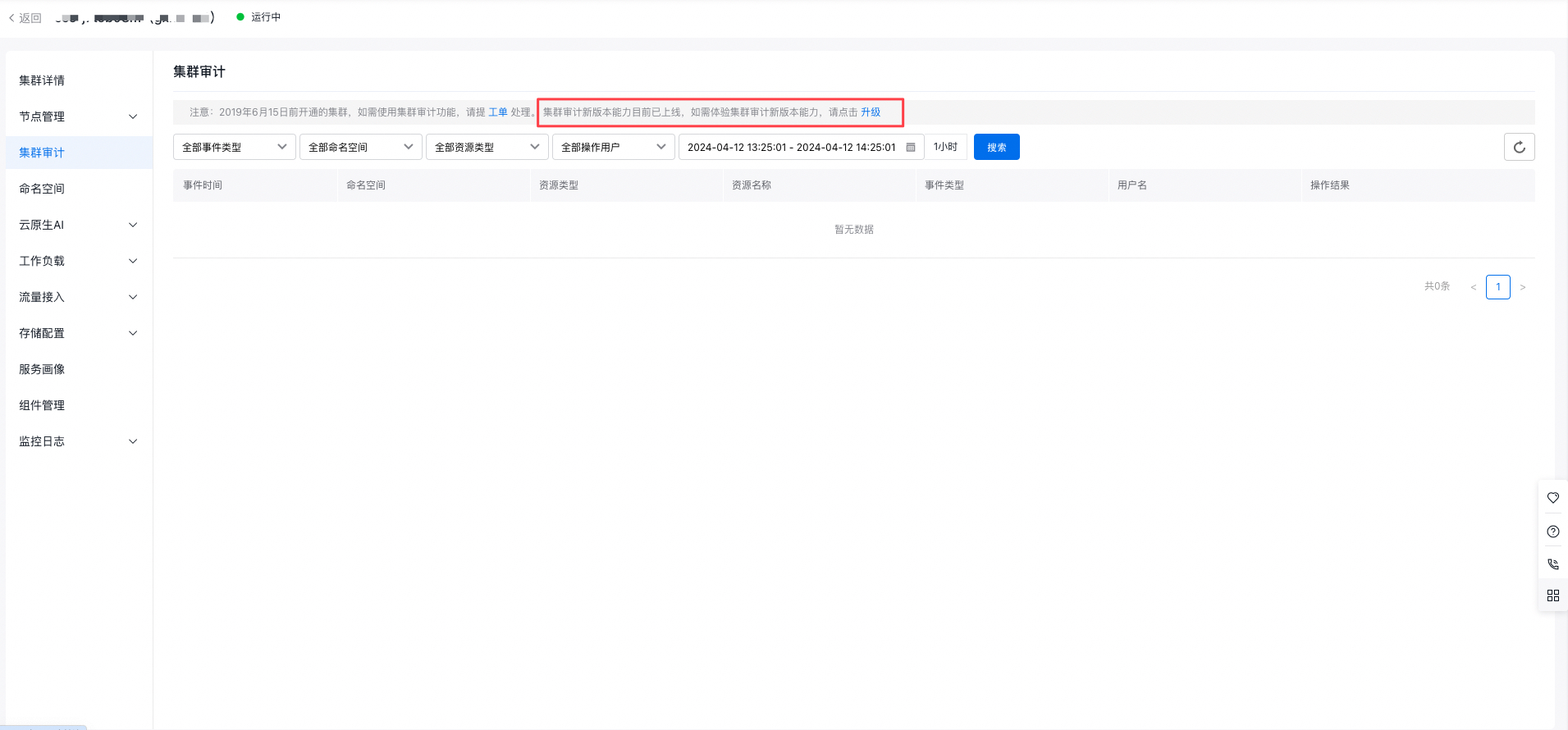
Description
- Enabling the cluster audit function will reboot the API Server for standalone clusters, rendering it temporarily inaccessible. Avoid frequently enabling or disabling the cluster audit feature.
- After enabling the cluster audit function, the container service will automatically create a logstore named
k8s-audit-{ClusterID}under your account to ensure more secure and efficient cluster operations. The logstore will come with pre-configured index settings for log topics enabled. Do not modify these indexes to prevent report failures.
View audit logs
After configuring the cluster audit function, you can view cluster audit log information in the Cluster Audit page.
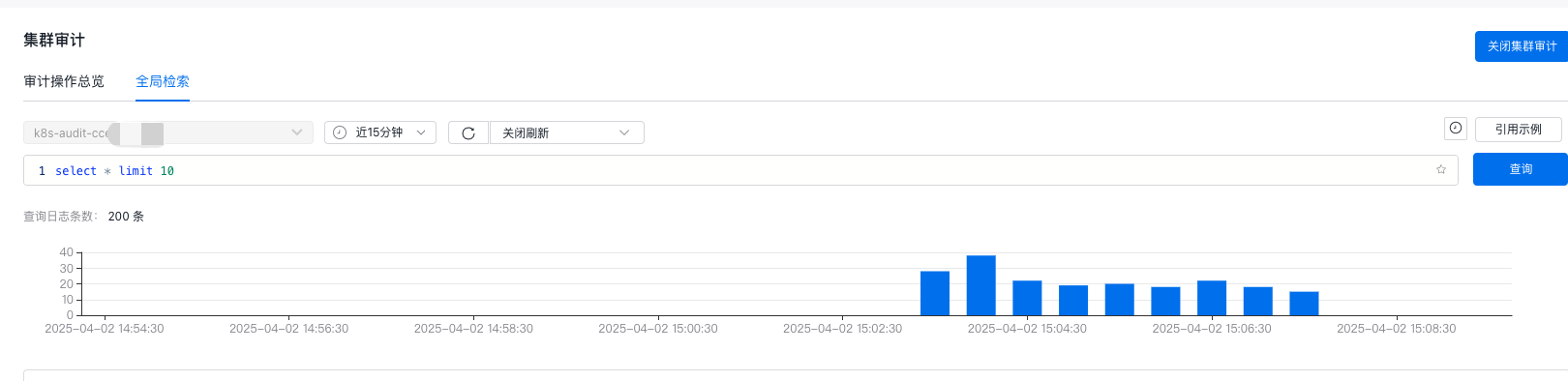
Description
- Cluster audit logs in the corresponding logstore in Baidu AI Cloud Log Service (BLS) have a default retention period of 180 days. To modify the default log retention period, refer to the document Logstore.
- Cluster audit logs in BLS have default index fields such as ObjectRef, ResponseStatus, User, Verb, Namespace, Resource, and UserID. Disabling these fields will affect audit log queries.
- If you require custom queries or audit log analysis, access the Baidu AI Cloud Log Service (BLS) console to view detailed log records.
Disable cluster audit
If you no longer need the audit function for the cluster API Server, you can disable it using the following method.
- In the cluster audit page, click Disable Cluster Audit in the upper right corner.
-
A secondary confirmation dialog box will pop up. Click OK to complete the configuration.
Description
- Disabling the cluster audit function will cause the API Server to reboot, temporarily making it inaccessible. Avoid frequently enabling or disabling the cluster audit feature.
- Disabling the cluster audit function does not delete the logstore in Baidu AI Cloud Log Service (BLS). To delete the logstore, you can log in to the Baidu AI Cloud Log Service (BLS) console to confirm deletion of the relevant logstores.