

Adding Alternative Models
Updated at:2025-10-27
The Cloud Container Engine (CCE) node group allows active-standby configurations for server types BCC and EBC. This means, in addition to the active models, multiple standby models can be set. Models with identical specifications in different availability zones can be selected to minimize expansion failure risks caused by resource shortages.
The node configuration specified during node group creation defaults to the active model. After successful creation, you can add multiple standby models based on the active models. This document uses BCC as an example to demonstrate configuring standby models.
Prerequisites
- Successfully create K8S Cluster CCE.
- The node group has been successfully created.
Usage restrictions
- Standby models must adhere to the specifications of active models, including CPU, memory, architecture, and GPU card count.
- A node group can accommodate a maximum of 10 standby models. Plan your setup accordingly based on requirements.
- If you modify the active model's CPU, memory, or GPU card count, you'll need to re-add standby models, though existing nodes will remain unaffected.
- Standby models cannot select instance specifications that are sold out.
Operation steps
- Sign in to Cloud Container Engine Console.
- Select Cluster List in the left navigation bar.
- On the Cluster List page, click on the desired cluster to open the cluster management page.
- Select Node Management > Node Group from the left navigation bar in the cluster management page.
- On the Node Group page, click the desired node group to open the Node Group Details page.
- In the Node Configuration, click Add Standby Models.
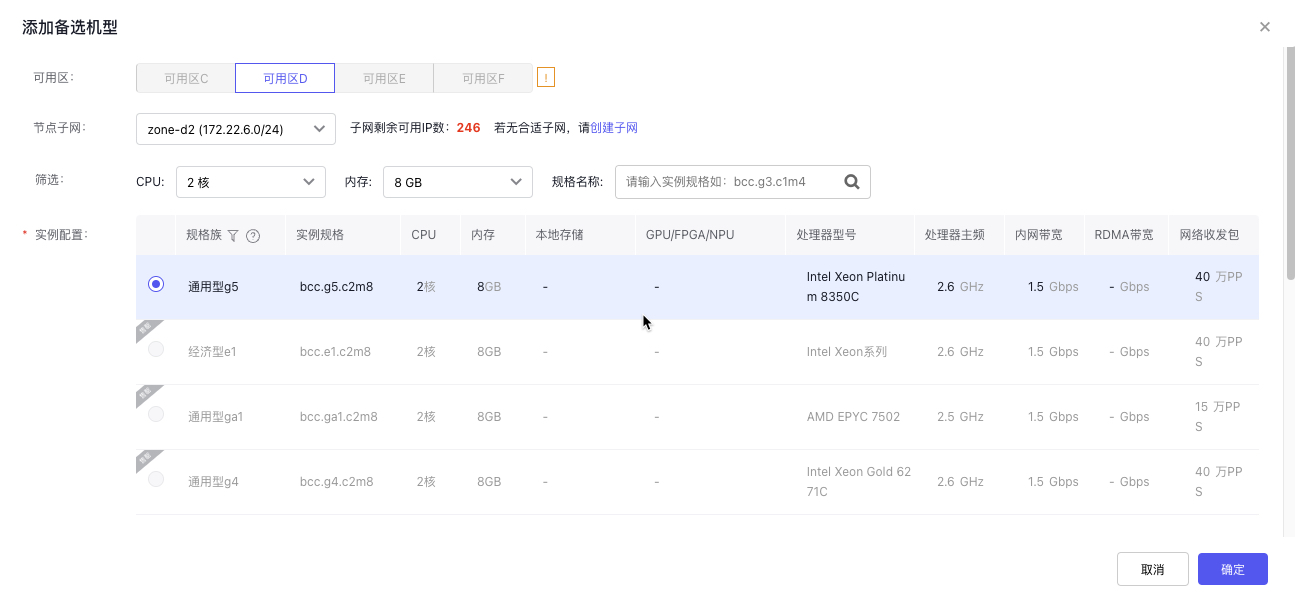
- In the Add Standby Models pop-up window, complete configurations, such as node subnet and instance specification, as shown below:
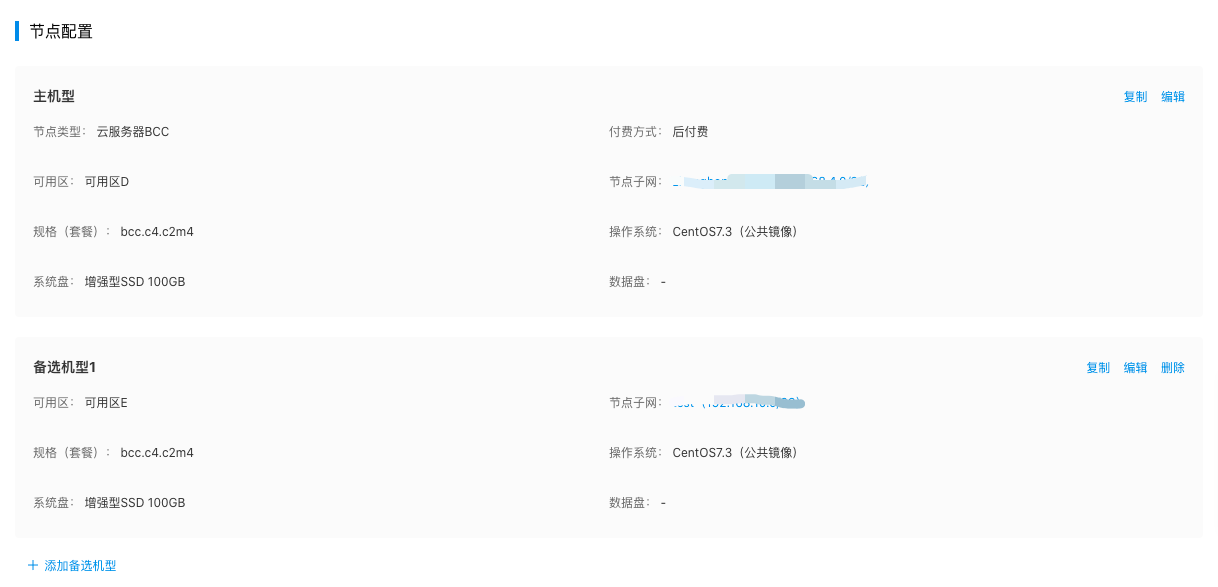
- Click the Confirm button to complete adding standby models. You can view the configured standby models on the Node Group Details page, as shown below:
Description
- When modifying standby models, if the selected instance specification configuration for a standby model is sold out, choose one that matches the instance specification configuration of the active model (CPU, memory, architecture, GPU card count).