Data access trend analysis
Overview
BOS's data access trend analysis helps users determine optimal times to transition data to suitable storage classes by analyzing access trends at bucket or prefix levels, thus lowering overall storage costs. Moreover, the analysis results can assist users in evaluating business-level changes based on access patterns.
Upon enabling data access trend analysis rules for a bucket or prefix, a full access data analysis typically requires about 14 days, during which sufficient information is gathered for comprehensive analysis results. Partial analysis outcomes can also be viewed in the console during this time.
Description:
- This function is charged based on the number of analyzed objects (files). For price details, refer to BOS Price Description
- Currently, this function is available in the North China (Beijing), East China (Suzhou), and South China (Guangzhou) regions.
- For buckets storing a large number of files, a one-to-two-day delay in generating full results is normal
- For buckets with versioning enabled, the data access trend function is temporarily unavailable for configuration
Application scenarios
- Reduce storage costs by analyzing data access trends, helping users decide when to transition data between storage classes based on their needs.
- Help business units analyze operational changes based on data access trend variations
Configuration of data access trend analysis rules
- Sign in to the Baidu AI Cloud Object Storage (BOS) Management Console.
- From the bucket list on the left, select the bucket for which you want to set permissions, then click its name to enter the bucket management directory.
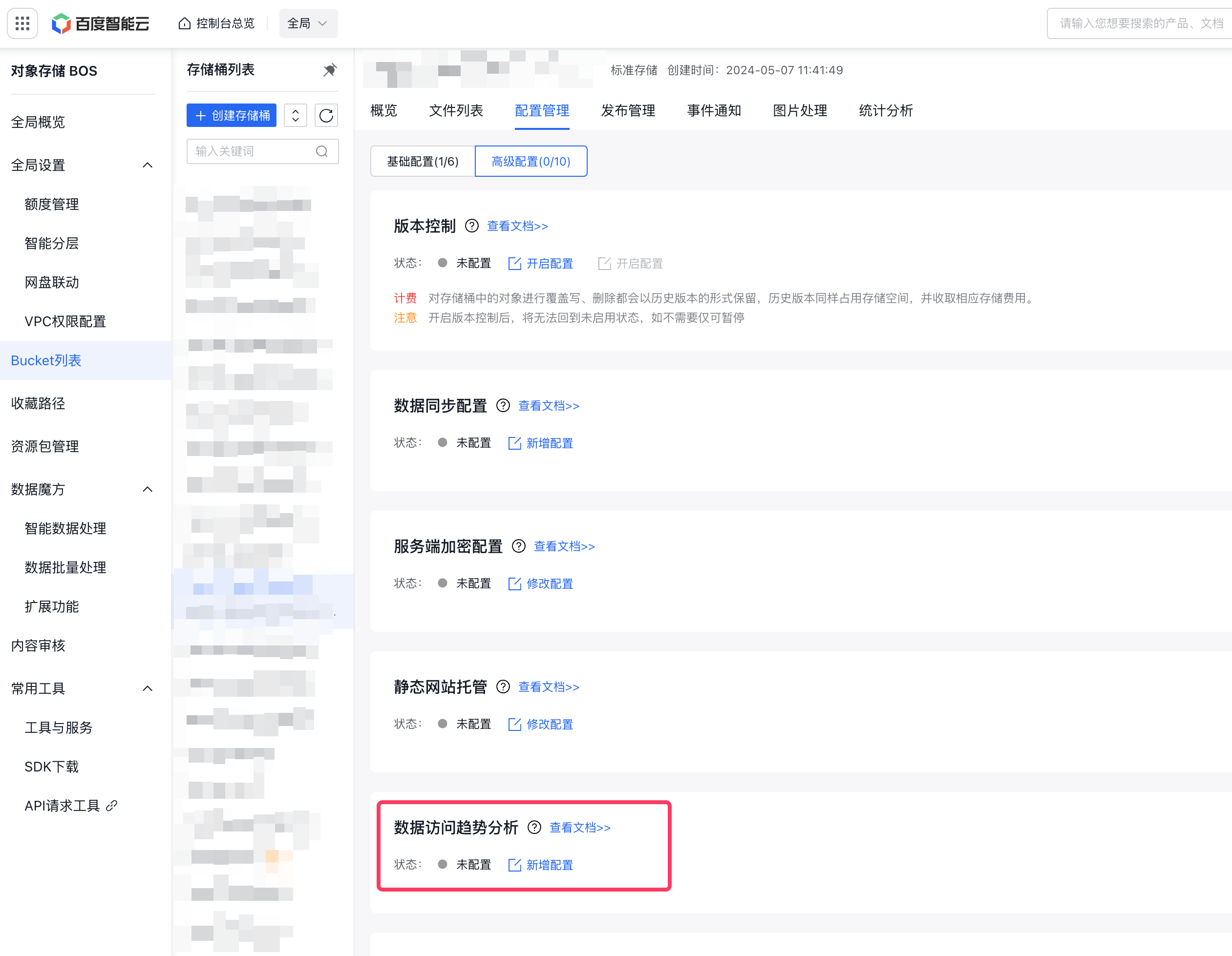
- Select the Configuration Management tab in the top navigation bar.
- On the Configuration Management page, select Advanced Configuration, and click Add Configuration in the data access trend analysis area to create a rule.
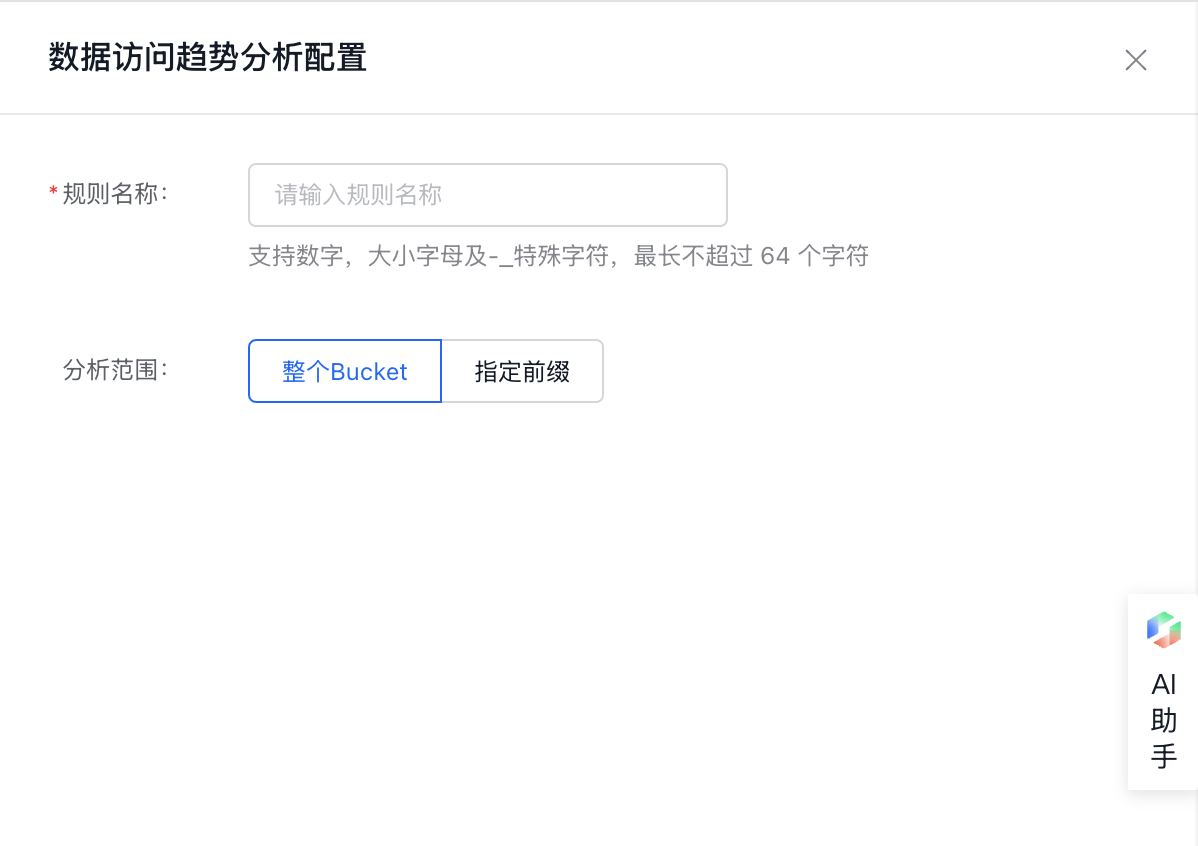
- Set rules
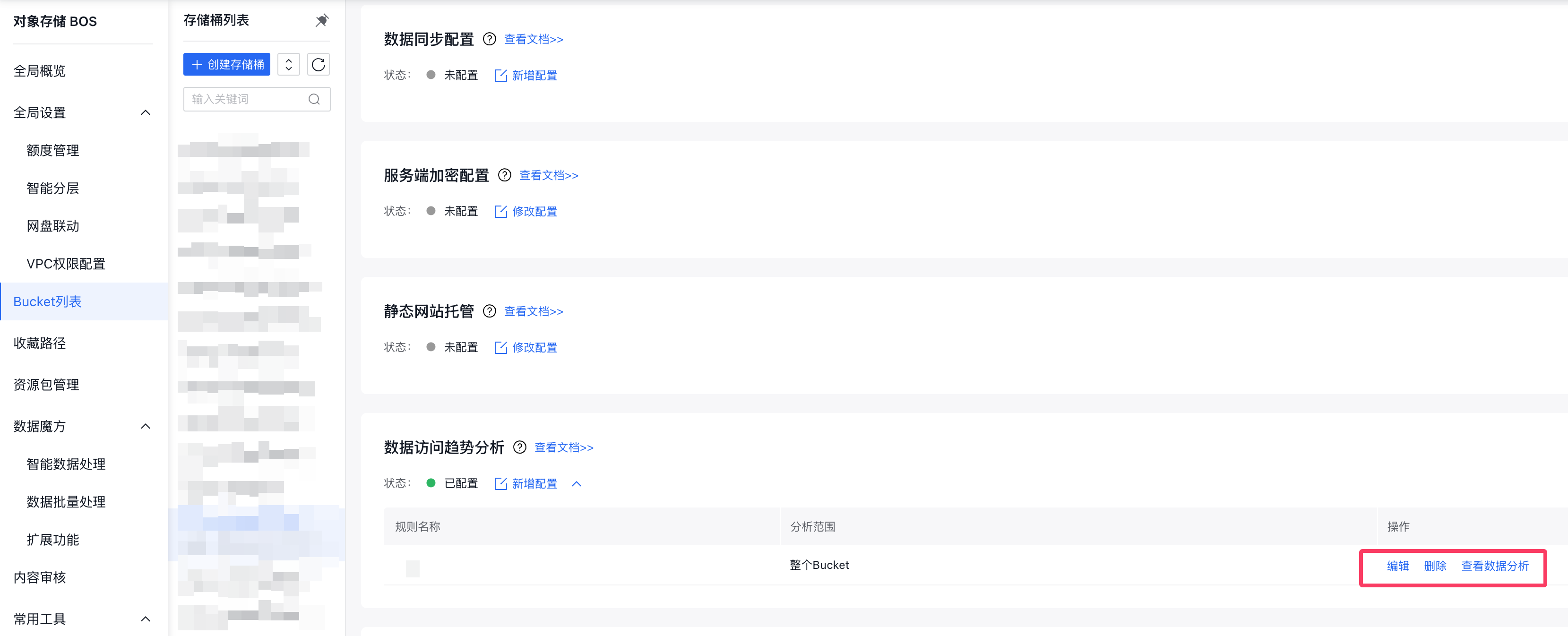
- Edit or delete rules
Existing rules can be modified or removed as needed.
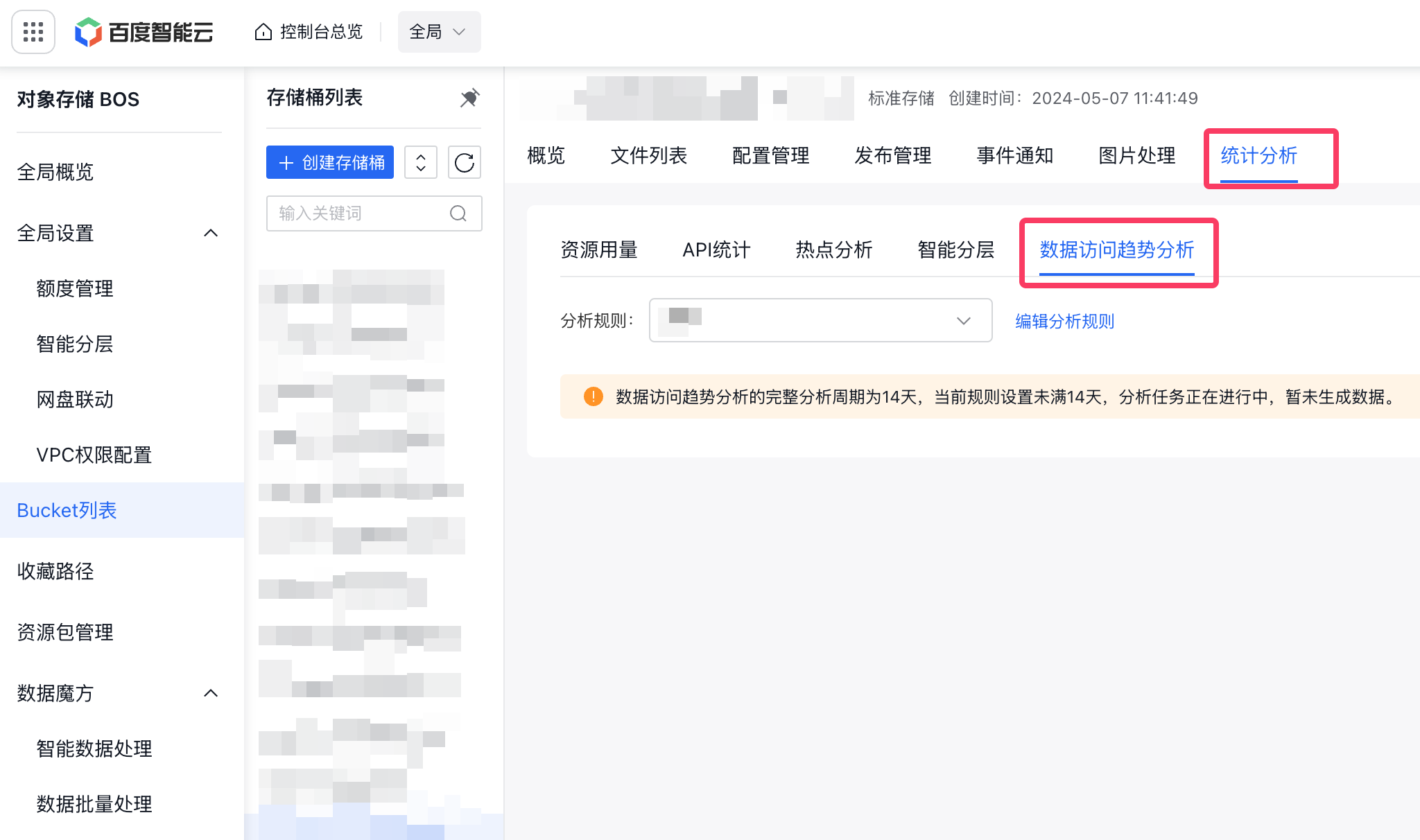
- View analysis results
You can click View Data Analysis in the rule operation bar or click Data Access Trend Analysis in the Statistical Analysis area to view.