Enabling CDN Official Acceleration Domain Name
Updated at:2025-11-03
Overview
BOS supports enabling CDN/DRCDN services for a bucket's official domain name. Once enabled, you can use Baidu AI Cloud's CDN/DRCDN global edge nodes to accelerate the downlink distribution of content in BOS. After enabling domain name acceleration for a bucket, the DNS resolution of the bucket's domain name will automatically switch to the CNAME domain provided by CDN, enabling access to CDN nodes.
Note
- Domain name acceleration is not enabled by default when creating a bucket. To enable this feature, first activate it in the CDN/DRCDN console.
- BOS provides an official accelerated domain name in the format bucketname.cdn.bcebos.com. In this case, configuring CNAME resolution is unnecessary, and the domain name cannot be changed.
- If the expiration time is not configured in CDN and the origin server does not explicitly provide an HTTP cache control header, CDN will not cache data. In this scenario, CDN acceleration cannot be automatically applied after data in the Bucket is updated. You need to manually refresh the cache in CDN. For specific operations, please refer to [Cache Refresh](CDN/API Reference/Cache Management Interface/Refresh Cache.md).
- You can configure the expiration time in CDN to automatically update the cache. For specific operations, please refer to [Configure Cache Expiration Time](CDN/Operation guide/Configure Domain Name/Cache configuration/Configure Cache Expiration Time.md).
Enable official domain name acceleration
- Sign in to the BOS Management Console and navigate to the Global Overview page.
- In the left navigation bar of the BOS console, select the target bucket, then click to open the bucket’s file list page.
- Expand the Release Management category in the left Bucket Configuration navigation bar to enter the Release Management page.
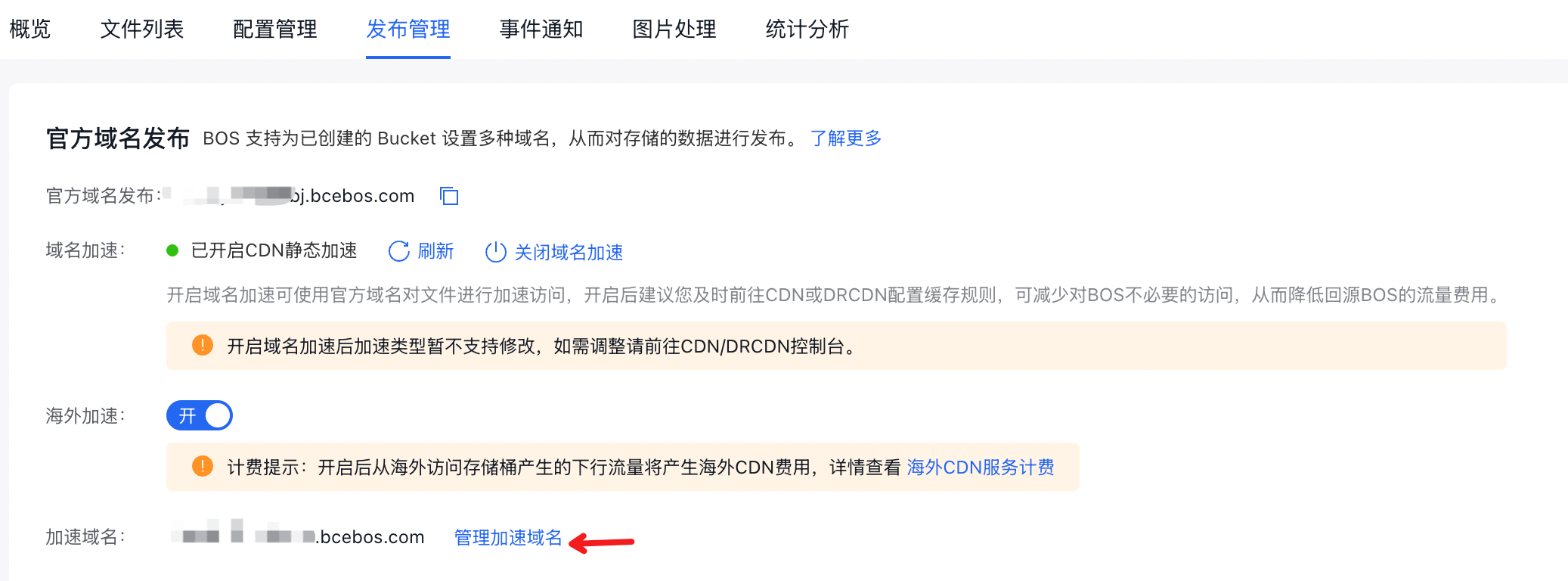
- Click the Domain Name Acceleration toggle in the Official Domain Name Release module to begin configuring official domain name acceleration.
- Choose the acceleration type based on your needs. If you need accelerate static data only, select CDN Service; if you need accelerate both static and dynamic data, select DRCDN Service. Refer to the corresponding service documentation for details.
- After successfully enabling acceleration, refresh the page and you can see that a Manage Accelerated Domain Name button appear behind the accelerated domain name under CDN. Click it to enter the CDN Domain Name Management page for management of domain name details.