

AWS Lambda Synchronizing S3 Data to BOS
Overview
Use AWS Lambda to synchronize files uploaded by users to an S3 bucket with a BOS bucket in real-time.
Requirement scenarios
AWS Lambda is a compute service that executes your code without the need to set up or manage servers. You can set up triggers for AWS Lambda to run the function code you upload. Use AWS Lambda to synchronize objects uploaded by users to an S3 bucket with a BOS bucket in real-time.
Solution overview
Log in to AWS, use Lambda to configure file upload listening rules, and trigger the operation to synchronize files to BOS based on these actions.
Practice steps
-
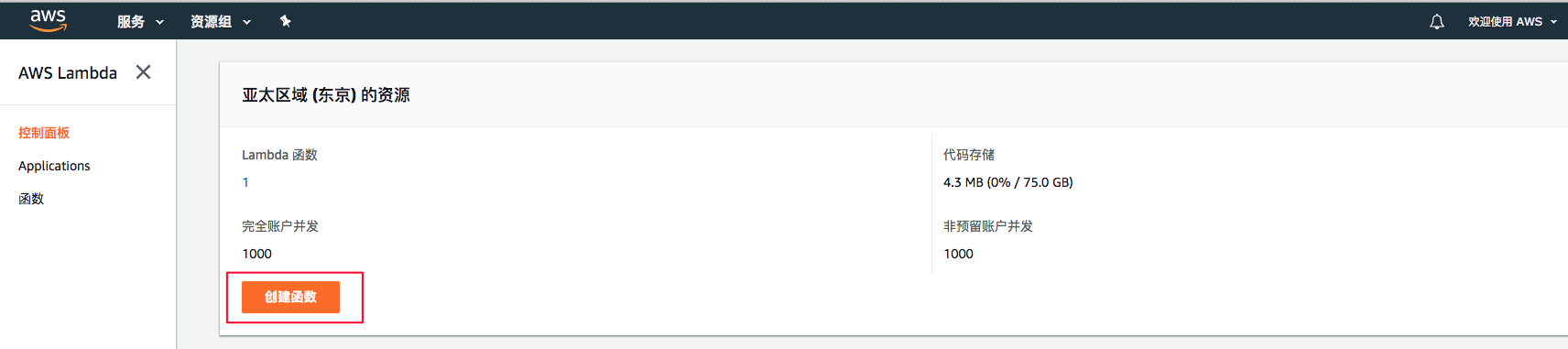
Log in to the AWS console, enter the Lambda Service Console, and click Create Function
-
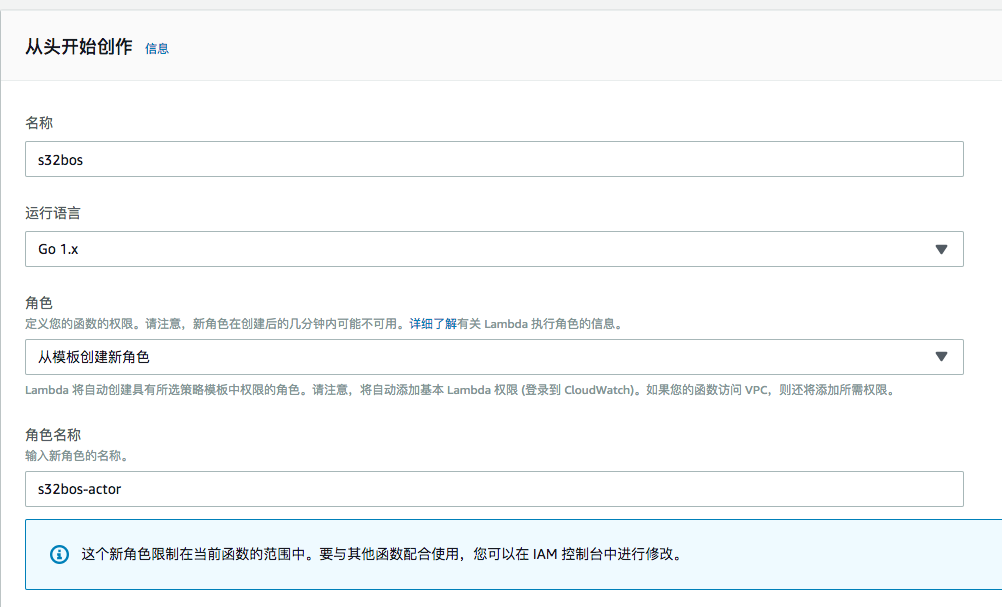
Create a function from scratch. In this example, select Go 1.x as the runtime language (the subsequent example lambda program is also a Go program; users can choose a language they are proficient in to implement the lambda function). For the role, select Create A New Role From Template
-
Configure the Lambda function designer, function code, concurrency, memory allocation, timeout period, environment variables, etc., as needed
-
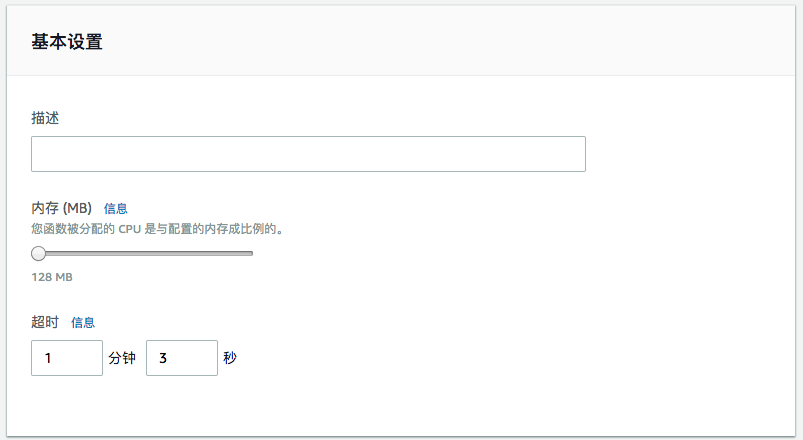
Basic configuration: Configure as needed, such as the memory size required for code execution, timeout period, and environment variables
 Plain Text
1 >Note 2 > 3 >1. It is recommended to set the timeout period to more than 1 minute. The time taken by the Lambda function to download files from S3 and then upload them to BOS is related to the size of the object and can sometimes be relatively long, so set it according to the actual situation; 4 >2. When a Lambda function saves an object to the disk, it can only select the /tmp/ directory; other directories do not have write permissions; 5 >3. Memory configuration is tied to the memory required for the function to operate, so configure it based on actual requirements. -
Upload lambda code: The uploaded code must be in zip format, and the handler should be filled with the filename of the Go file

-
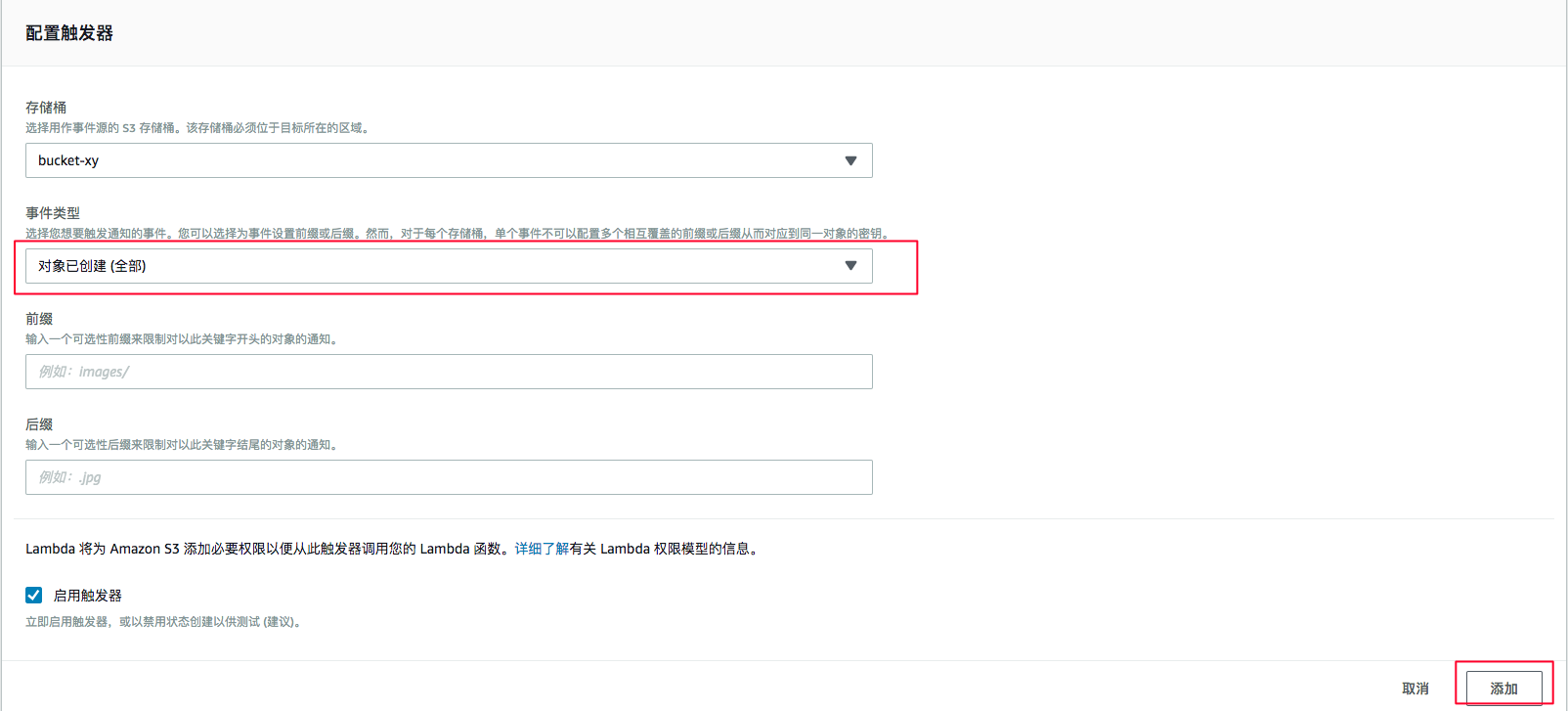
Configure triggers: We select the S3 trigger, further select the S3 bucket to be monitored, and can also narrow the scope of monitored events through object prefixes and suffixes. After adding, you will see the trigger content as: bucket: s3/bucket-name; event type: ObjectCreated

-
-
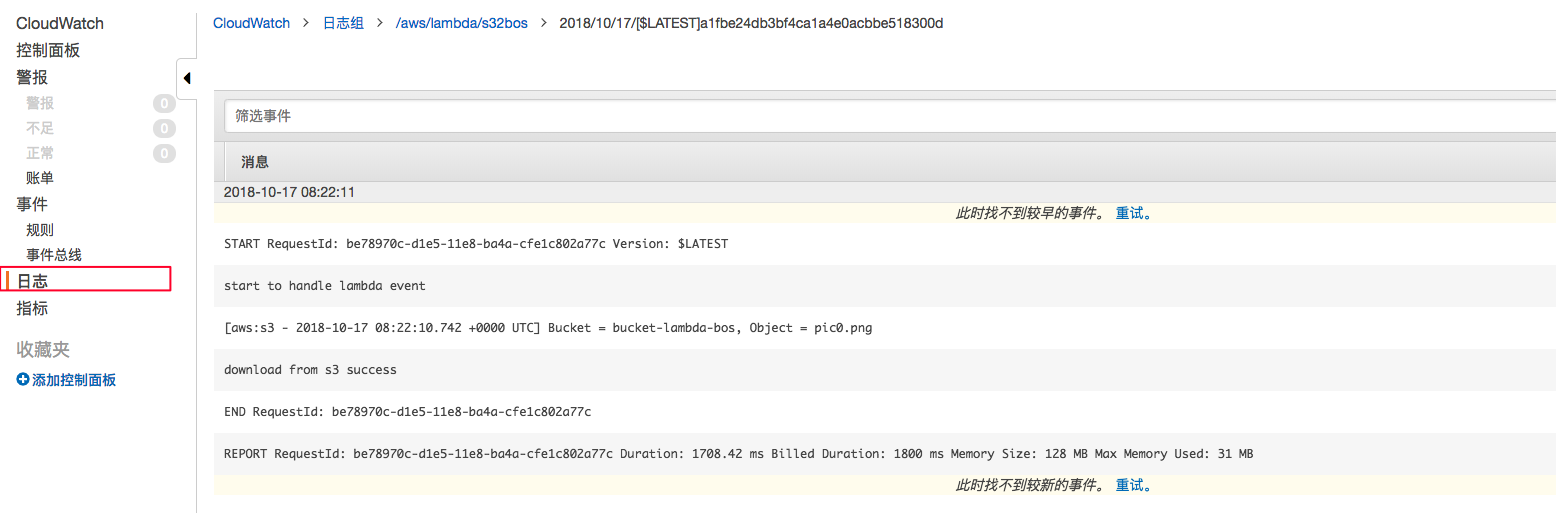
Save the configuration. Every time a user uploads an object to the S3 bucket, the uploaded Go lambda code will be executed to synchronize the object to BOS. You can enter the CloudWatch console to view the logs of program execution
Lambda function code
-
Library environment preparation: Refer to the AWS S3 Golang SDK and BOS Golang SDK usage tutorials
Plain Text1go get -u github.com/aws/aws-sdk-go/... 2go get github.com/aws/aws-lambda-go/lambda 3go get github.com/baidubce/bce-sdk-go -
The code is saved in the s32bos.go file. After compiling into a binary file, compress it into a zip file and upload it. The commands are as follows
Plain Text1GOOS=linux GOARCH=amd64 go build -o s32bos s32bos.go 2zip s32bos.zip s32bos -
s32bos.go code:
Plain Text1package main 2import ( 3 "context" 4 "fmt" 5 "os" 6) 7import ( 8 "github.com/aws/aws-lambda-go/events" 9 "github.com/aws/aws-lambda-go/lambda" 10 "github.com/aws/aws-sdk-go/aws" 11 "github.com/aws/aws-sdk-go/aws/credentials" 12 "github.com/aws/aws-sdk-go/aws/session" 13 "github.com/aws/aws-sdk-go/service/s3" 14 "github.com/aws/aws-sdk-go/service/s3/s3manager" 15 "github.com/baidubce/bce-sdk-go/services/bos" 16) 17var ( 18 S3_REGION = "ap-northeast-1" 19 S3_AK = "AKIAJ*****LWGRYAULYTA" 20 S3_SK = "ABZrI****RqhrE8VzvuESvQMWXcsOPiMJ7" 21 BOS_AK = "388e4e0b*****cfff3cbecb5" 22 BOS_SK = "2db53e648c53456e***5b7d378" 23 BOS_ENDPOINT = "http://bj.bcebos.com" 24 BOS_BUCKET = "bucket-name" 25) 26func downloadFromS3(bucket string, object string) { 27 file, err := os.Create("/tmp/" + object) 28 if err != nil { 29 fmt.Printf("Unable to open file, err %v", err) 30 } 31 defer file.Close() 32 // init s3 downloader 33 sess, err := session.NewSession(&aws.Config{ 34 Region: aws.String(S3_REGION), 35 Credentials: credentials.NewStaticCredentials(S3_AK, S3_SK, ""), 36 }) 37 downloader := s3manager.NewDownloader(sess) 38 numBytes, err := downloader.Download(file, 39 &s3.GetObjectInput{ 40 Bucket: aws.String(bucket), 41 Key: aws.String(object), 42 }) 43 if err != nil { 44 fmt.Printf("Unable to download object %s, size %d, err %v", object, numBytes, err) 45 } 46 fmt.Println("download from s3 success") 47} 48func upload2Bos(bucket string, object string) { 49 bosClient, err := bos.NewClient(BOS_AK, BOS_SK, BOS_ENDPOINT) 50 if err != nil { 51 fmt.Printf("create bos client err %v", err) 52 return 53 } 54 etag, err := bosClient.PutObjectFromFile(bucket, object, "/tmp/"+object, nil) 55 if err != nil { 56 fmt.Printf("put object to bos err %v", err) 57 return 58 } 59 fmt.Printf("upload2Bos success etag: %s", etag) 60} 61func HandleLambdaEvent(ctx context.Context, s3Event events.S3Event) { 62 fmt.Println("start to handle lambda event") 63 for _, record := range s3Event.Records { 64 s3 := record.S3 65 fmt.Printf("[%s - %s] Bucket = %s, Object = %s \n", record.EventSource, record.EventTime, s3.Bucket.Name, s3.Object.Key) 66 downloadFromS3(s3.Bucket.Name, s3.Object.Key) 67 upload2Bos(BOS_BUCKET, s3.Object.Key) 68 } 69 fmt.Println("handle lambda event success") 70} 71func main() { 72 lambda.Start(HandleLambdaEvent) 73}