

HBase Uses BOS as Underlying Storage
Updated at:2025-11-03
HBase
HBase is a columnar distributed database designed for fast, random access to large-scale structured data. Its underlying storage is typically implemented using HDFS.
Prerequisites
First, refer to the document BOS HDFS to install and configure BOS HDFS. The Hadoop version installed on the local machine is hadoop-3.3.2. Refer to the “Getting Started” section in the document to complete the basic trial of BOS HDFS and set environment variables:
Bash
1export HADOOP_HOME=/opt/hadoop-3.3.2
2export HADOOP_CLASSPATH=`$HADOOP_HOME/bin/hadoop classpath
Install
1. HBase environment preparation
Bash
1# Download to a path
2wget https://www.apache.org/dyn/closer.lua/hbase/2.6.0/hbase-2.6.0-bin.tar.gz
3# Unzip
4tar zxvf hbase-2.6.0-bin.tar.gz
2. Configuration
Configure JAVA_HOME in conf/hbase-env.sh:
Bash
1# Select the java environment installed on the machine, version 1.8 or above
2export JAVA_HOME=/usr/java/jdk1.8.0/
Configure it in conf/hbase-site.xml to use BOS for data storage:
Bash
1<property>
2    <name>hbase.rootdir</name>
3    <value>bos://{bucket}/hbase</value>
4 <description>This item is used to set the persistent storage path for HBase data. When using BOS, it must be set as a path </description>
5 prefixed with “bos://{bucket}/” </property>
6
7 <property>
8     <name>hbase.wal.dir</name>
9     <value></value>
10 <description>This items is used to set the WAL data path, requiring low latency - typically using HDFS storage. If using BOS, it is required to ensure that the cluster’s BOS-HDFS version supports the hflush/hfsync API </description>
11 </property>
12
13 <property>
14     <name>hbase.zookeeper.property.dataDir</name>
15     <value>/var/zookeeper</value>
16 <description>This item is used to set the metadata for ZooKeeper storage. If it is not set to be stored under /tmp by default, data will be lost upon restart. </description>
17</property>
18 <property>
19     <name>hbase.cluster.distributed</name>
20     <value>false</value>
21 <description>This item is used to set the distributed cluster mode, false indicates standalone or pseudo-distributed mode, and true indicates fully distributed mode</description>
22 </property>
Use
1. Start HBase
Bash
1./bin/start-hbase.sh2. Create a table
Bash
1./bin/hbase shell
2 >status           # View cluster status
31 active master, 0 backup masters, 1 servers, 0 dead, 2.0000 average load
4Took 0.7840 seconds
5 >create 'students','name','age' # Create students table
62024-09-02 19:23:25,153 INFO  [main] client.HBaseAdmin (HBaseAdmin.java:postOperationResult(3746)) - Operation: CREATE, Table Name: default:students, procId: 9 completed
7Created table students
8Took 2.4410 seconds
9=> Hbase::Table - students
3. Insert data
Bash
1>put 'students', 'row1', 'name:lastname', 'zhang'
2Took 0.0820 seconds
3> put 'students', 'row1', 'name:firstname', 'san'
4Took 0.0900 seconds
5> put 'students', 'row1', 'age', '23'
6Took 0.0990 seconds
7> put 'students', 'row2', 'name:lastname', 'li'
8Took 0.0710 seconds
9> put 'students', 'row2', 'name:firstname', 'si'
10Took 0.0520 seconds
11> put 'students', 'row2', 'age', '30'
12Took 0.0920 seconds
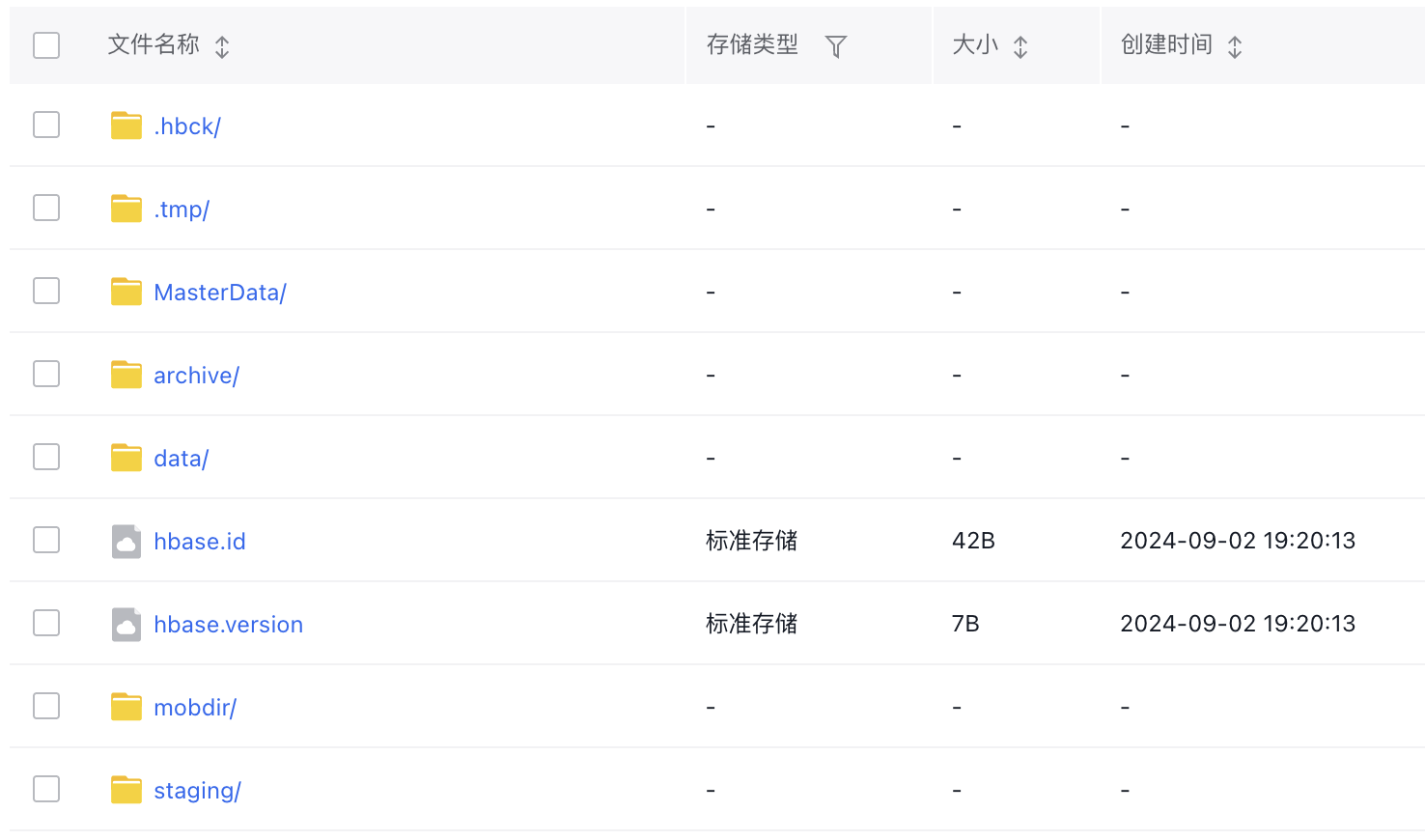
View the data stored on BOS
4. Full table scan
Bash
1>scan 'students'
2ROW                                                          COLUMN+CELL
3 row1                                                        column=age:, timestamp=2024-09-02T19:37:56.571, value=23
4 row1                                                        column=name:firstname, timestamp=2024-09-02T19:37:31.480, value=san
5 row1                                                        column=name:lastname, timestamp=2024-09-02T19:36:09.318, value=zhang
6 row2                                                        column=age:, timestamp=2024-09-02T19:38:50.066, value=30
7 row2                                                        column=name:firstname, timestamp=2024-09-02T19:38:38.772, value=si
8 row2                                                        column=name:lastname, timestamp=2024-09-02T19:38:24.245, value=li
92 row(s)
10Took 0.0350 seconds
5. Exit
Bash
1>quit