

Setting Meta Information
Updated at:2025-11-03
Overview
Data meta information (object meta) is the metadata information carried by files to identify file data characteristics. The attribute description of files uploaded to BOS can be divided into two types: system-defined Meta and user Meta (user-defined meta information). Meta information can be set during various upload methods or file copying processes. For detailed descriptions about Meta, please refer to [Metadata](BOS/Developer Guide/Object Basic Operations/Managing Files/Obtaining Data Metadata.md).
Set Meta information
- Sign in to BOS Management Console and enter the Bucket List page.
- In the left navigation bar of the BOS console, select the bucket where the target file is located, then click to open the bucket’s file list page.
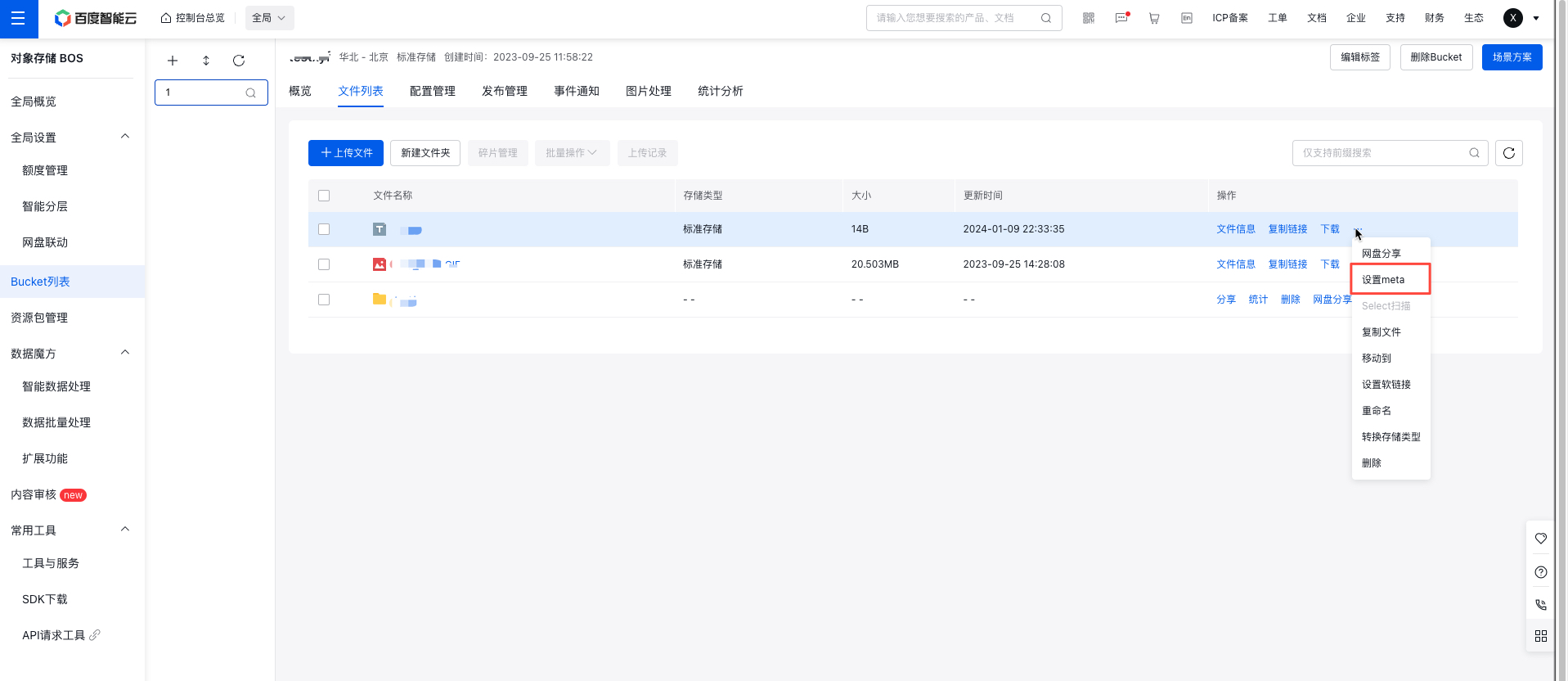
- Click More -> Set Meta button in the operation bar on the right side of the target file.
- In the pop-up window, you can Add Meta or modify the file Meta information. The detailed description of Metadata is as follows:
| Parameters | Description |
|---|---|
| Content-Type | Content-Type is a crucial HTTP header parameter that specifies the type of transmitted or received data, influencing how browsers handle the file. Common Content-Types include image/jpeg, text/xml, text/html, application/octet-stream, and others. |
| Expires | Expires is a parameter used to define the cache expiration time for files. If not manually set, BOS assigns a dynamic expiration time that users can customize through the Expires parameter. Example format: Fri, 09 Sep 2022 06:37:19 GMT. |
| Content-Disposition | Content-disposition, an extension of the MIME protocol, provides instructions to MIME user agents on how to present attached files. For instance, it can enable saving a user's request output as a file: attachment; filename="image.jpg". |
| Cache-Control | Cache-Control manages website caching policies. Common values include private, no-cache, max-age, and must-revalidate. |
| x-bce-meta | User-defined metadata allows storage of custom information. For example, the parameter "x-bce-meta-tag" with the value "cats" stores file tags. |
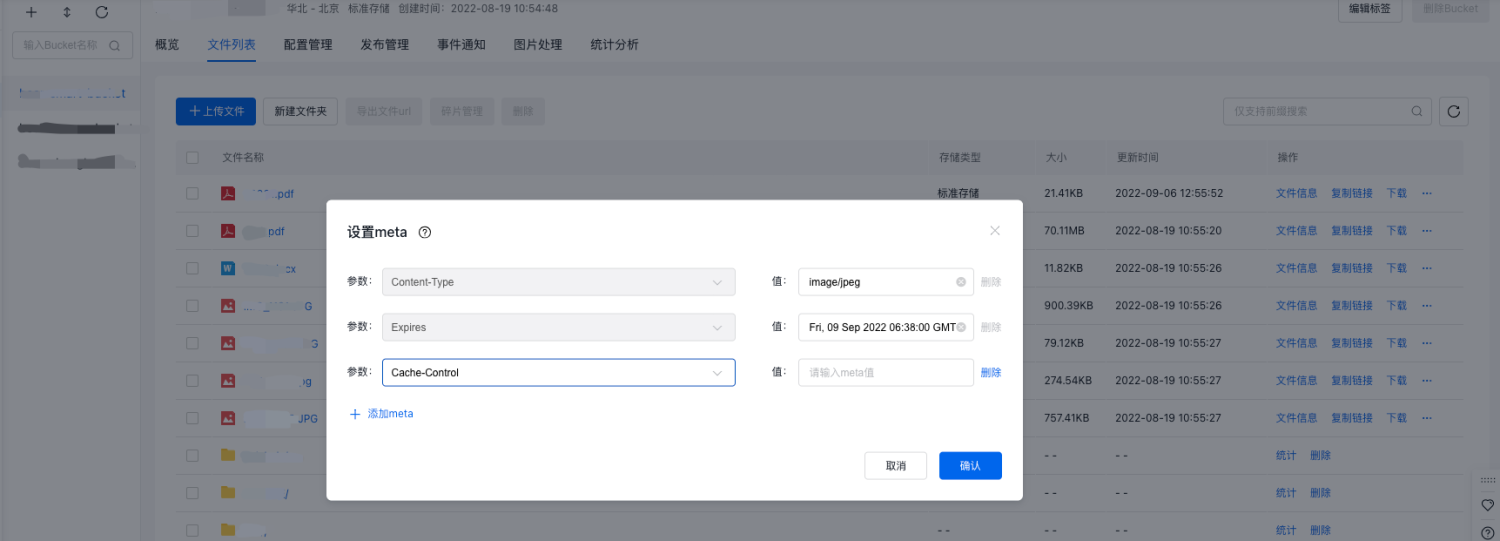
- After configuration, click OK, a "Meta Configured Successfully" message will appear in the top-right corner of the page. The Meta information is now configured successfully.