

Requester Pays
Updated at:2025-11-03
Overview
The requester payment mode allows the requester to cover traffic and request fees when reading data from the storage space (bucket), while the bucket owner only pays for storage fees. This function is ideal for sharing data without incurring traffic and request fees yourself.
Application scenarios
- For large dataset sharing scenarios, such as computer vision image training datasets or remote sensing geographic data, an academic institution can enable the requester payment function for the bucket containing the dataset. This allows the institution to only cover storage costs, while third-party users pay for traffic and request fees when accessing or downloading the dataset.
- In large-scale data delivery cases, if a company needs to share stored data with partners or clients, it can enable the requester payment function for the relevant bucket. Once enabled, partners or clients pay for data download and access costs.
Note
- Anonymous access is not allowed when the requester payment function is enabled; all visitors must provide authentication information;
- When a requester accesses via a Baidu AI Cloud IAM role, request and traffic fees will be charged to the account (root account) of the role;
- Buckets with requester billing enabled do not support setting permissions to Public-read, or Public-read-write;
- When bucket access permission is set to Public-read, or Public-read-write, requester billing cannot be enabled.
Set requester payment
- Sign in to the Baidu AI Cloud Object Storage (BOS) Management Console.
- From the left bucket list, select the target bucket to enable requester payment, then click the bucket name to access the management directory.
- Select the Configuration Management tab in the top navigation bar.
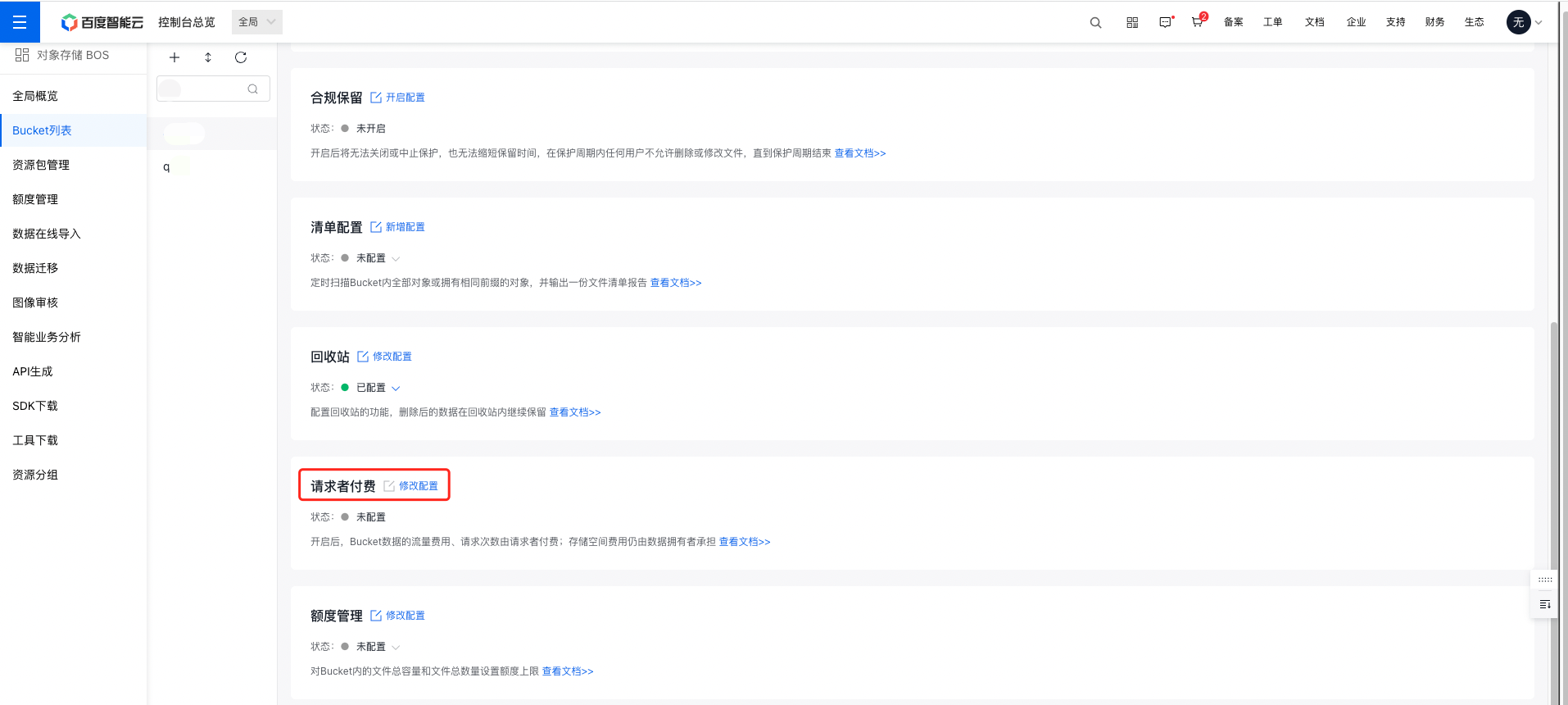
- On the Configuration Management page, select Advanced Configuration, and click Modify Configuration in the Requester Payment region to configure the requester payment of the bucket. The requester payment function is disabled by default.
- In the Requester Payment operation bar, enable the function.
Note:
- The requester payment function can be disabled anytime after activation.
- After the settings are completed, click OK to finish the configuration.
Related APIs
- PutBucketRequestPayment API: Use the PutBucketRequestPayment API to create the requester payment function.
- GetBucketRequestPayment API: Use the GetBucketRequestPayment API to retrieve the bucket requester billing rules.