

Delete folders in batches
Updated at:2025-11-03
Overview
Folders can be deleted in batches via the console.
Note
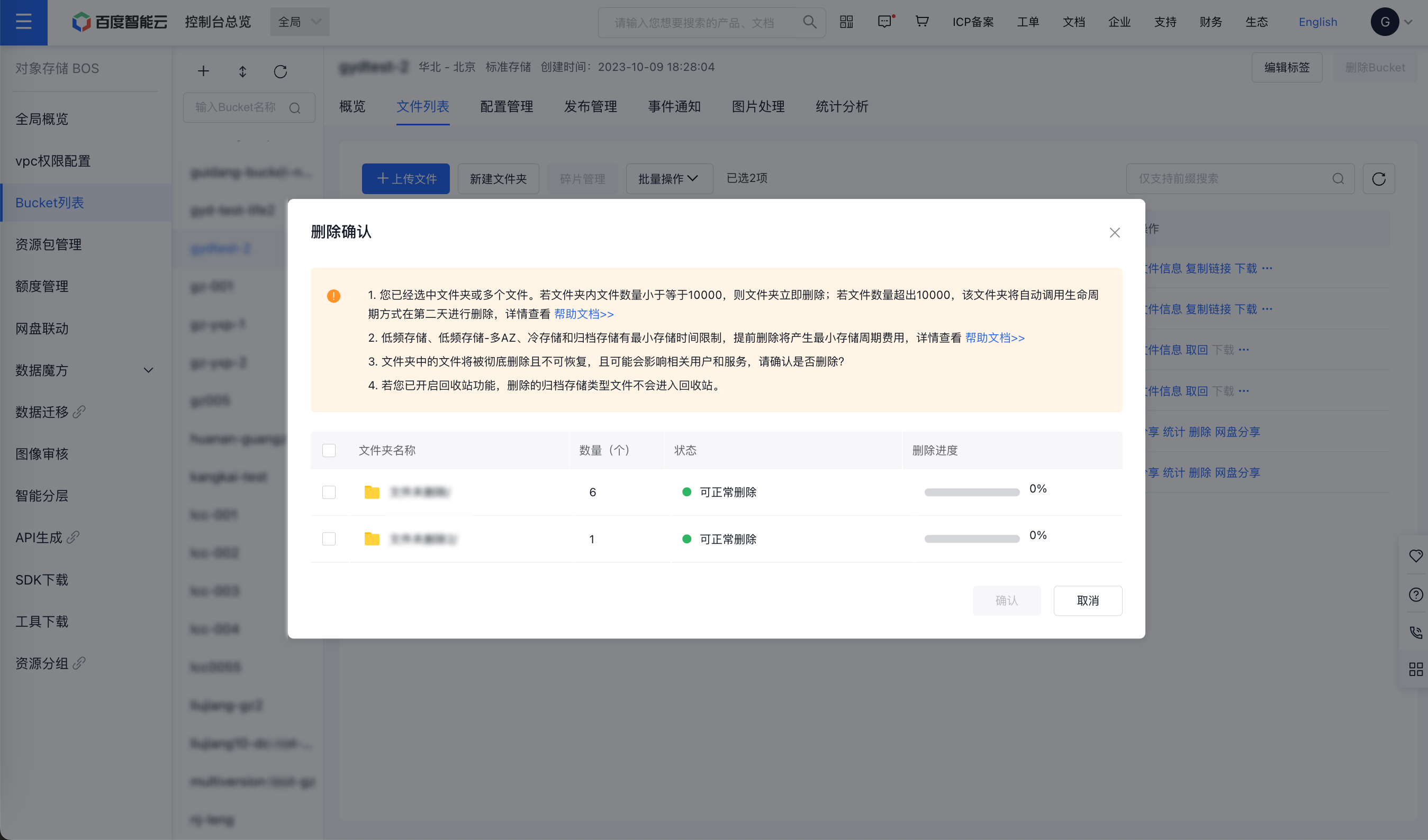
- If the number of files in the folder is less than or equal to 10,000, the folder will be deleted immediately. If the number of files exceeds 10,000, the folder will be automatically deleted the next day via lifecycle rules;
- Infrequent access storage, infrequent access storage-multi-AZ, cold storage, and archive storage have the minimum storage duration restrictions. Early deletion will incur the minimum storage duration fees. For details, please refer to Charge Item Documentation;
- If you have enabled the recycle bin function, deleted archive storage class files will not enter the recycle bin;
- If selecting nested folders, carefully check the files within them to avoid accidental deletion;
- Deleting folders will permanently remove all files within them, which cannot be restored. This action may impact related users and services, so please proceed cautiously.
Delete folders in batches
- Sign in to the BOS Management Console and navigate to the Global Overview page.
- In the left navigation bar of the BOS console, select the target bucket where the folders to be deleted in batches are located, then click to open the bucket’s File List page.
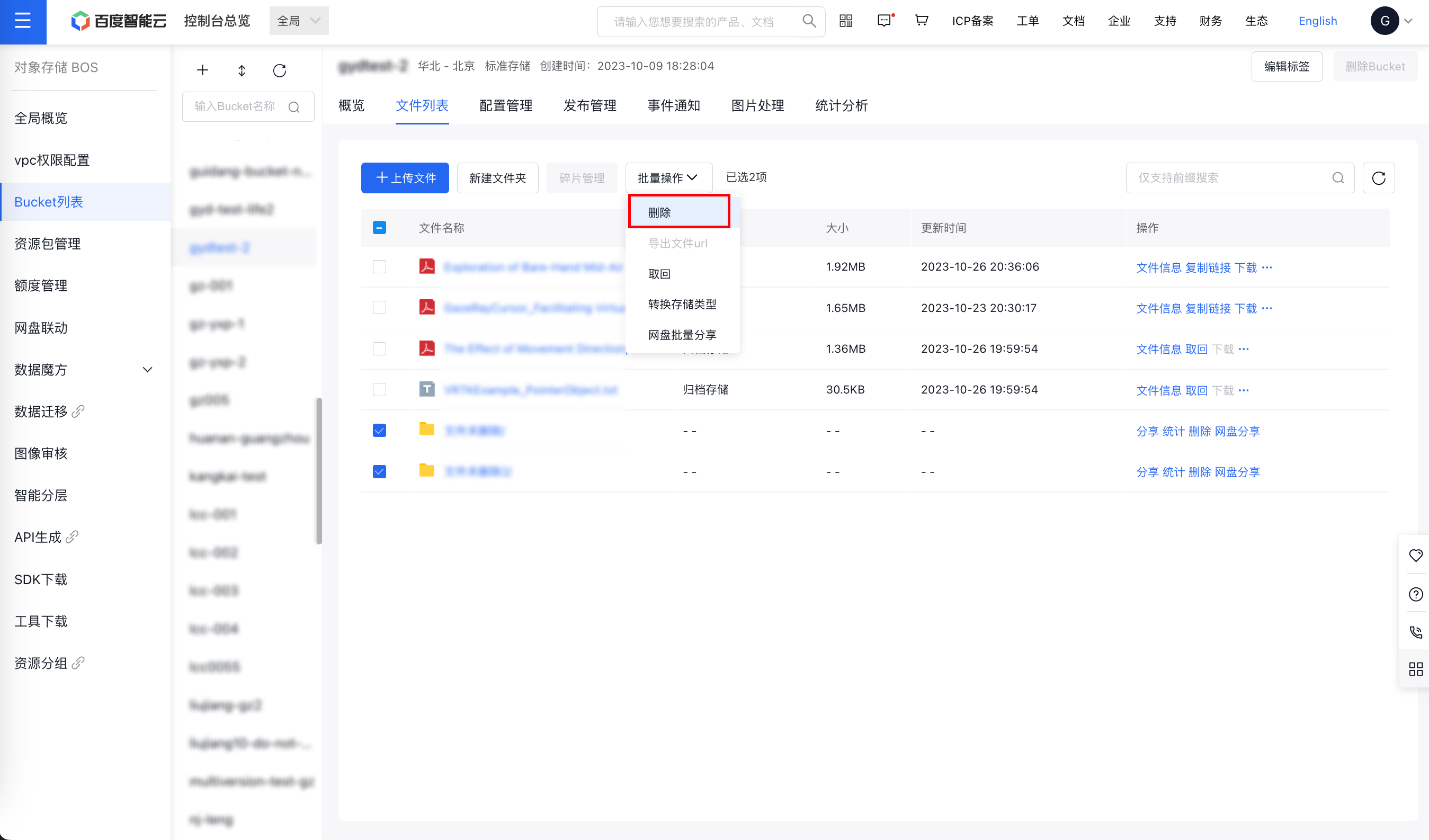
- Check the boxes in front of the folders you wish to delete in batch, and then click Batch Operation > Delete at the top of the page.
- Upon clicking Delete, a confirmation popup will appear. Please carefully review the provided notices.
- Deletion has been successfully completed.