

Set bucket trash
Updated at:2025-11-03
Overview
To enhance BOS data reliability, users can enable the recycle bin feature, allowing deleted data to remain in the recycle bin for potential recovery.
Note
- Files moved to the bucket trash will continue to be charged until they are completely deleted by you. If you need to delete files in the bucket trash regularly, it is recommended to configure lifecycle rules to remove outdated files.
Set bucket trash
- Sign in to the Baidu AI Cloud Object Storage (BOS) Management Console.
- From the bucket list on the left, select the bucket for which you want to set permissions, then click its name to enter the bucket management directory.
- Select the Configuration Management tab in the top navigation bar.
- On the Configuration Management page, select Advanced Configuration, and click Modify Configuration in the bucket trash region to configure the bucket trash of the bucket.
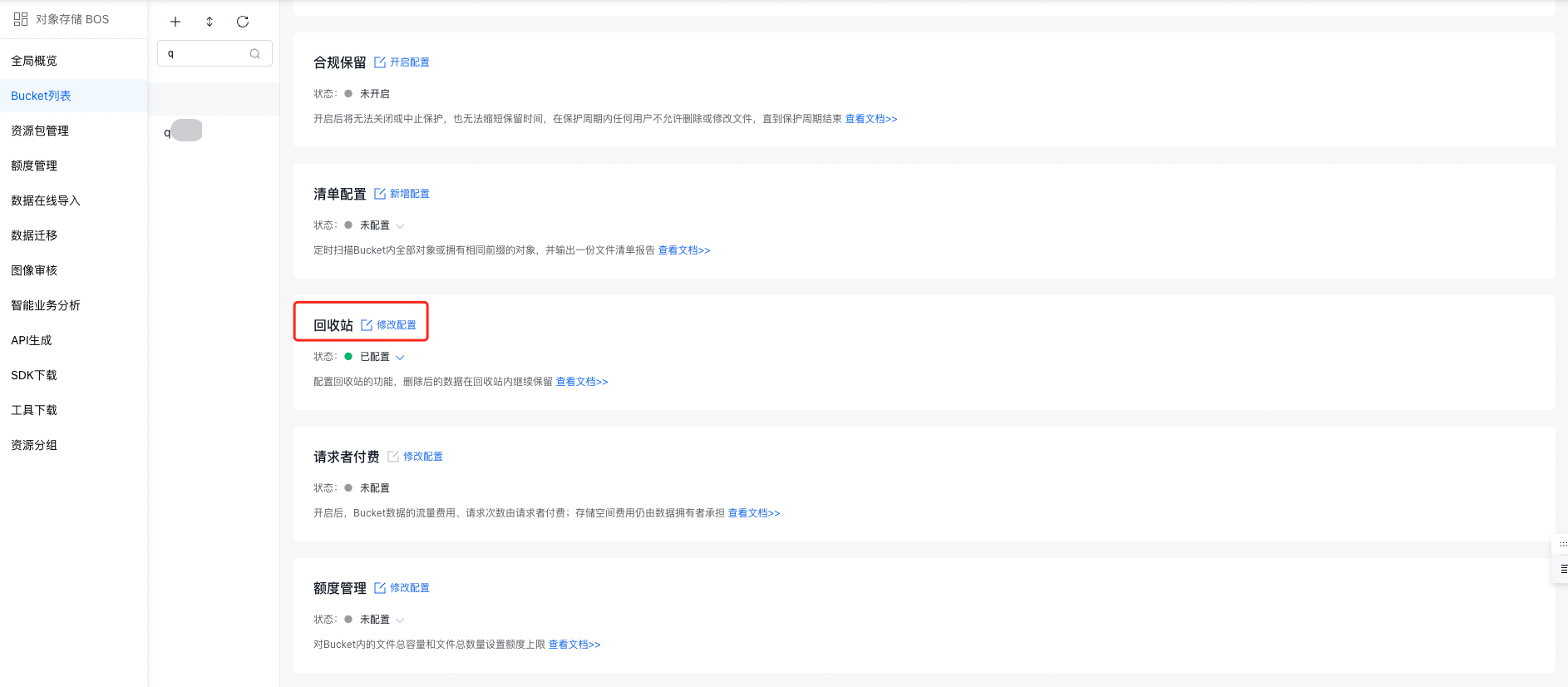
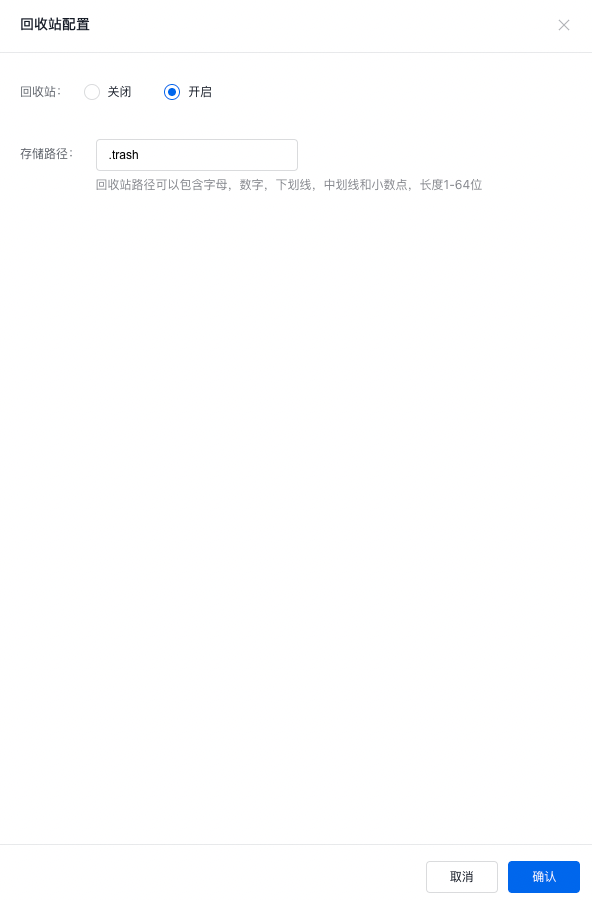
- In the Recycle Bin Configuration operation bar, enable the recycle bin.
After enabling the recycle bin, files deleted from this bucket will remain in the recycle bin storage path. The default storage path is bucket/.trash/. Users can change this storage path but must follow the path naming rules. Only the bucket owner and users with full control permission can configure the recycle bin.
Note:Archive storage class files, whether restored or not, will not enter the recycle bin after deletion.
- When a file in a bucket is deleted, it will no longer appear in the console File List but will appear with the same filename in the console Recycle Bin.
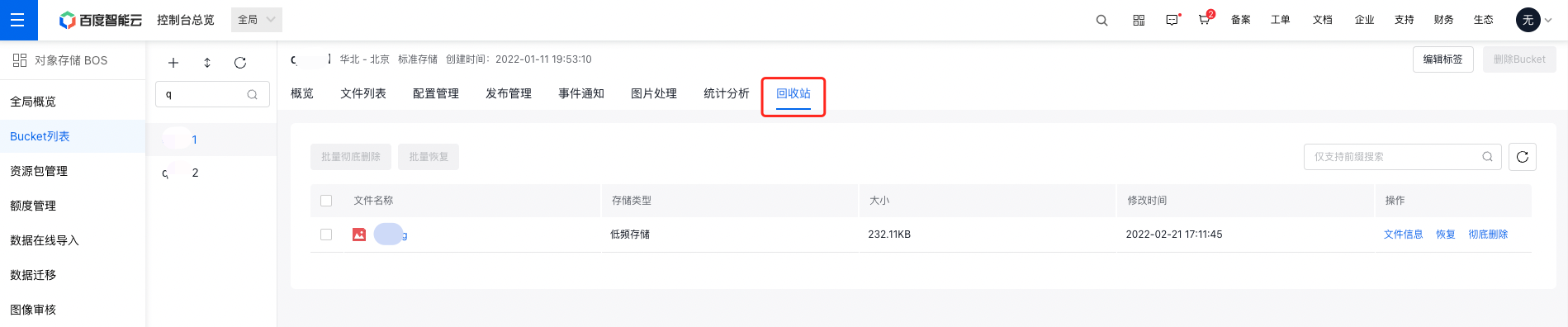
- You can manage junk files in the recycle bin as needed.
-
Plain Text
1 You can query file information; -
Plain Text
1 You can restore files, supporting single or batch **restoration**. When the restoration operation is successful, the file will appear in the file path before deletion and disappear from the bucket trash; -
Plain Text
1 You can completely delete files. When you perform the **permanent deletion** operation on a file, the file will be completely cleared, so please operate with caution. 
Related APIs
- PutBucketTrash API: Use the PutBucketTrash API to enable the bucket trash function.
- GetBucketTrash API: Use the GetBucketTrash API to get the bucket trash function enabling status.
- DeleteBucketTrash API: Use the DeleteBucketTrash API to disable the bucket trash function.[