

Setting Up Versioning
Updated at:2025-11-03
Overview
The versioning function offers data protection at the bucket level. When enabled, deleting or overwriting files generates new versions without impacting the original files. If you need to recover data, any historical version can be restored to the current state.
Note
- At present, versioning is only available in Guangzhou and Beijing. Enabling this feature in Beijing requires applying for inclusion in a whitelist.
- Once versioning function is enabled, it can only be suspended and cannot be disabled.
- Versioning is not currently supported for files in the archive storage class. By default, versioning is disabled for archive storage class buckets. After enabling versioning for a bucket, uploading or converting files into the archive storage class will be restricted, and deletion will permanently remove archive storage class files.
- Appending content to append class files does not create new versions.
- If the historical version option is unavailable in the function settings, actions will default to affect only the most recent version.
- For product function details, refer to Versioning Overview.
Operation steps
Enable versioning
Follow these steps to enable versioning function of a bucket:
- Sign in to the Object Storage Console.
- In the Bucket List, click the name of the bucket requiring versioning function.
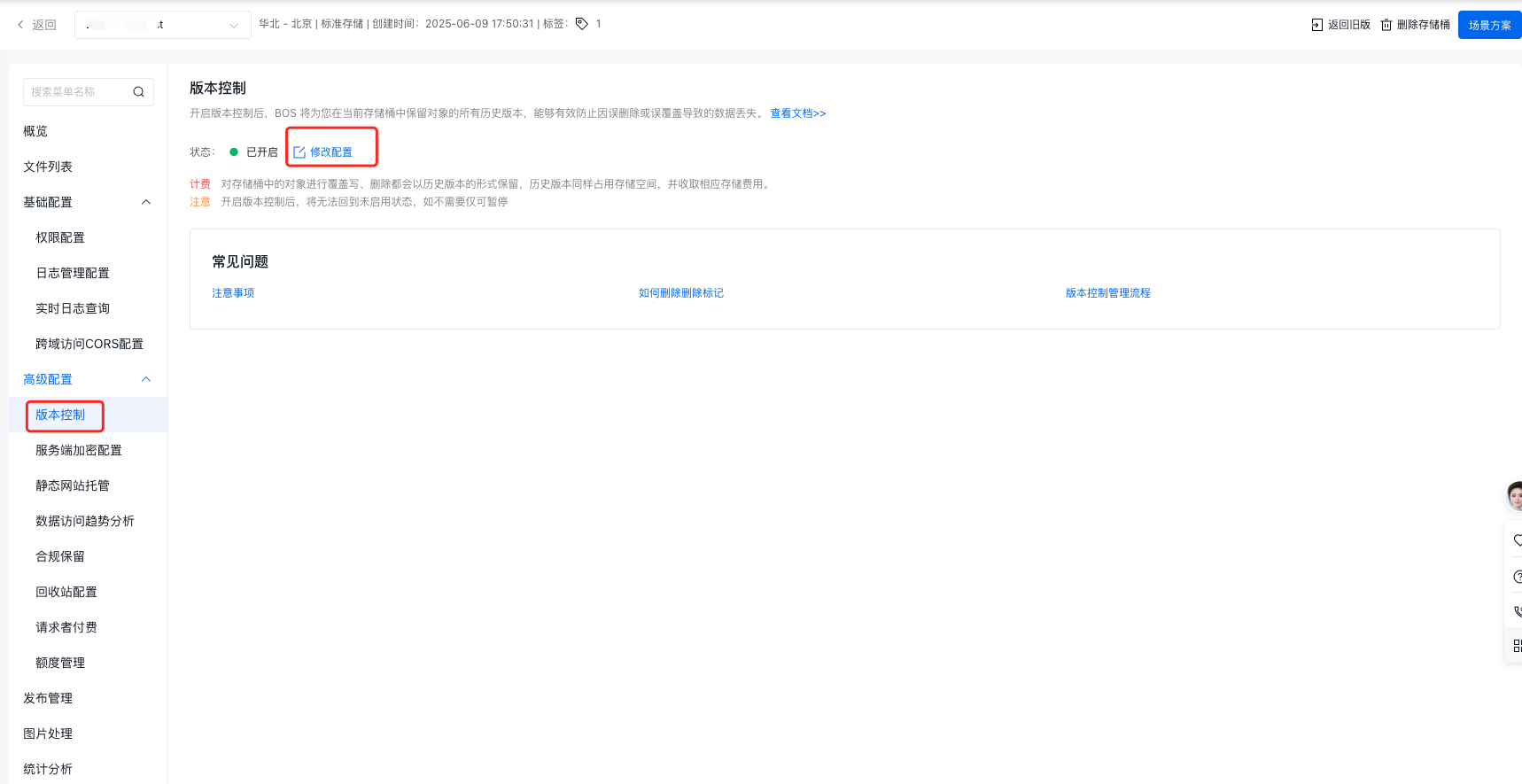
- In the Advanced Configuration > Versioning page of the left navigation bar, click Modify Configuration, then select Enable in the pop-up sidebar to enable the bucket versioning function.
Suspend versioning
- In the Bucket List, click the name of the bucket requiring versioning function.
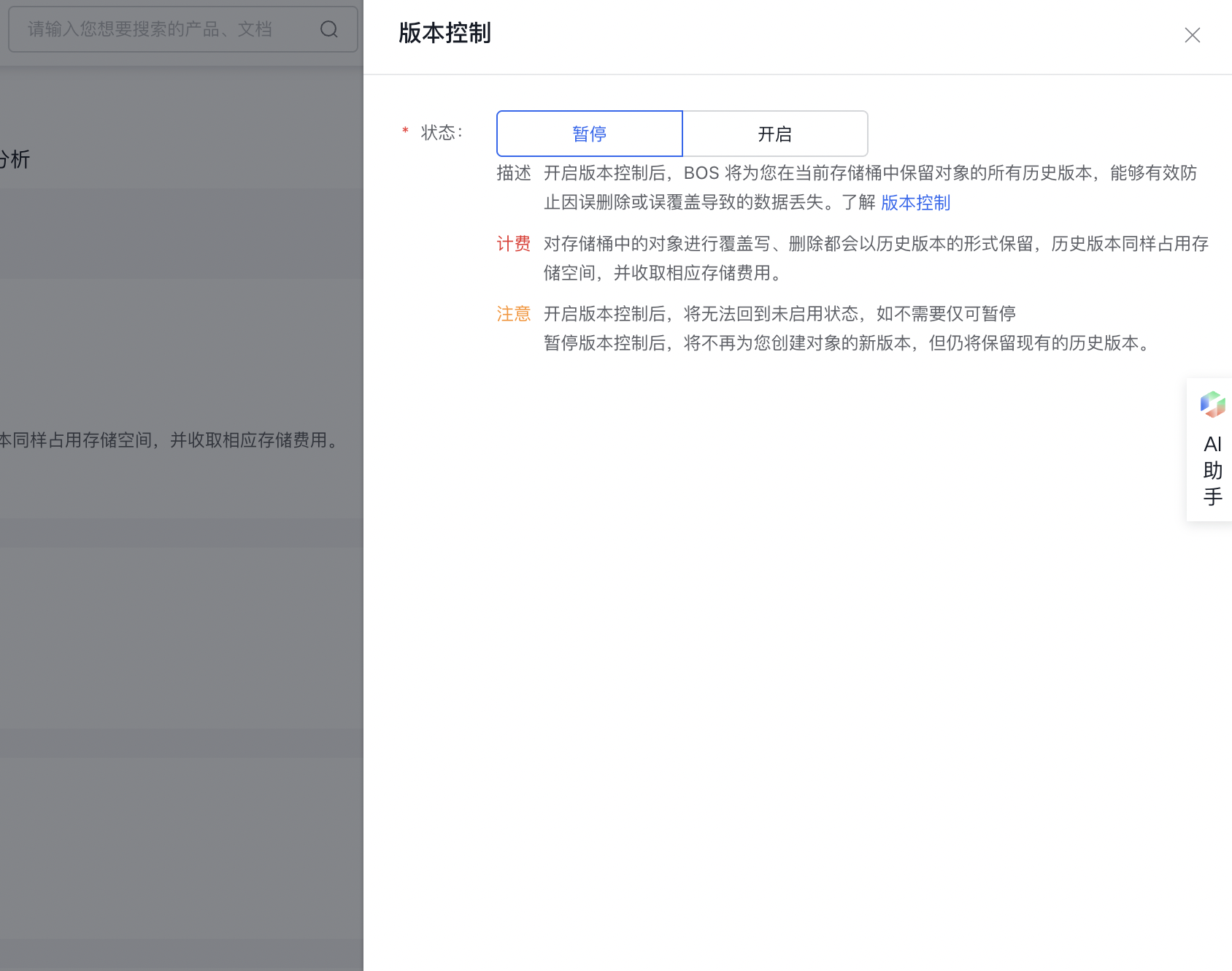
- In the Advanced Configuration > Versioning page of the left navigation bar, click Modify Configuration, then switch to Suspension in the pop-up sidebar to suspend the bucket versioning function.
Charge
The versioning function itself incurs no fees, but historical versions, like current versions, occupy storage space, incurring storage costs. In addition, if you perform operations such as downloading or restoring historical versions of files, additional request fees, traffic fees, etc., will be generated. For billing details, please refer to Charge Item Overview.