

Simple upload
Updated at:2025-11-03
Overview
After creating a bucket, users can upload files to store in the bucket. A single file smaller than 5 GB can be uploaded using the PutObject API.
Operation types
Users can upload a single file through the console. Meanwhile, BOS also supports uploading a single object using APIs and SDKs. The specific methods are as follows:
-
Upload a single file via the console
- Sign in to the management console and go to Products - Cloud Foundation - Baidu AI Cloud Object Storage (BOS).
- In the “Storage Management” section, click the bucket where you want to upload the file. On the file list page on the right, click the Upload File button. The Upload File window will appear as shown below.
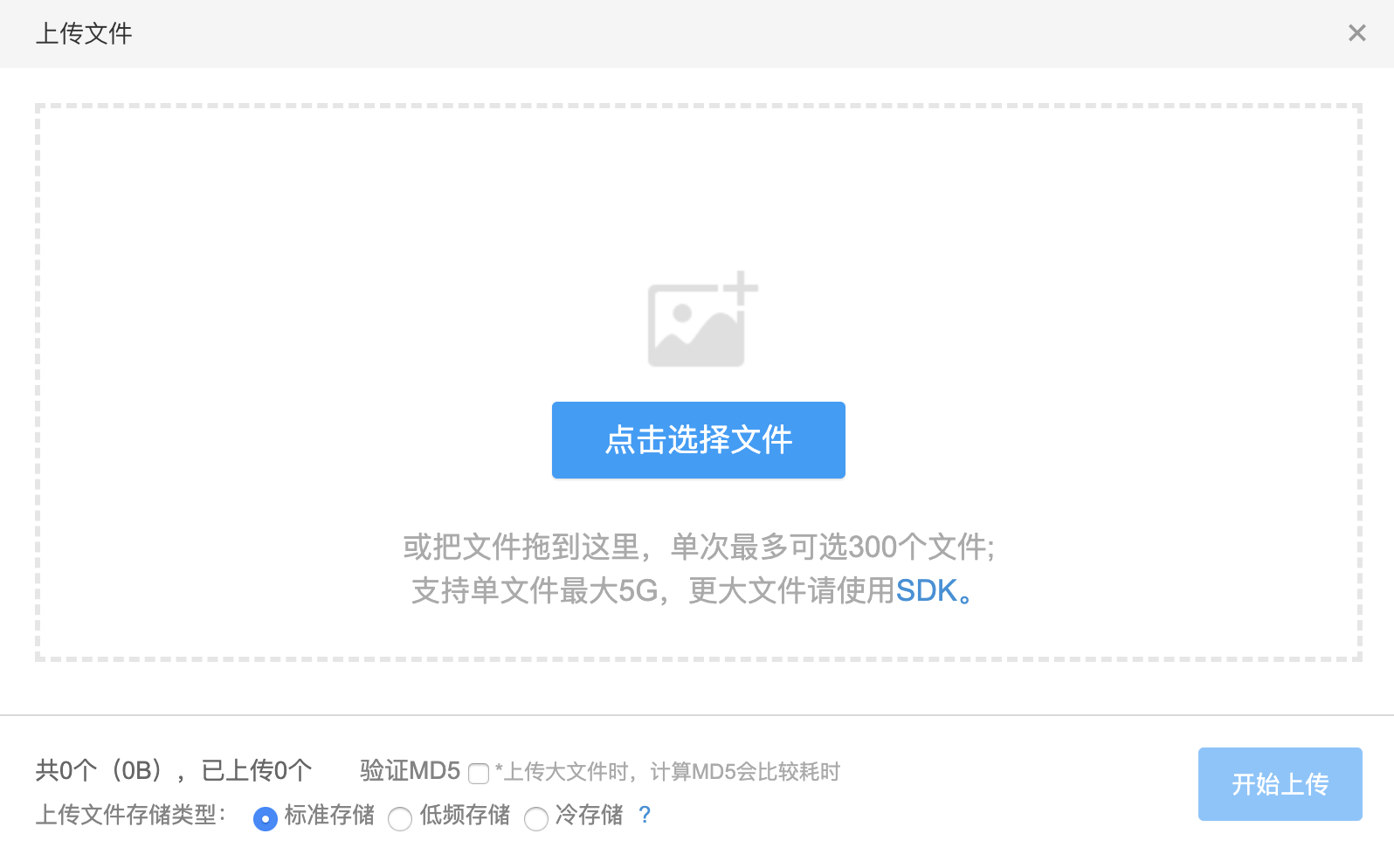
- You can upload files by dragging and dropping them or by selecting files directly. During the upload process, you can optionally enable MD5 verification and change the file storage class.
- Upload an object using the PutObject API
-
Upload an object using SDK:
- [Java SDK](BOS/SDK/Java-SDK/File management/Upload files.md#Simple upload)
- [Python SDK](BOS/SDK/Python-SDK/File management/Upload files.md#Simple upload)
- [PHP SDK](BOS/SDK/PHP-SDK/File management.md#Simple upload)
- [C# SDK](BOS/SDK/C-Dotnet-SDK/Object management.md#Simplest upload)
- [Android SDK](BOS/SDK/Android-SDK/File management/Upload Object.md#Simplest upload)
- [iOS SDK](BOS/SDK/IOS-SDK/File management/Upload Object.md#Simplest upload)
- [Ruby SDK](BOS/SDK/Ruby-SDK/File management/Upload files.md#Simple upload)
- [GO SDK](BOS/SDK/GO-SDK/File management.md#Simple upload)
- [C++ SDK](BOS/SDK/C++-SDK/File management/Upload files.md#Simple upload)
Example
The following is a code example using Java SDK:
Java
1    public void PutObject(BosClient client, String bucketName, String objectKey){
2 // Get specified file
3        File file = new File("/path/to/file.zip");
4 // Upload object as a file
5        PutObjectResponse putObjectFromFileResponse = client.putObject(bucketName, objectKey, file);