

Folder statistics
Updated at:2025-11-03
Overview
You can calculate the total number of files and the total capacity under a specific prefix in the bucket via the console.
Folder statistics
- Sign in to the BOS Management Console and navigate to the Global Overview page.
- In the left navigation bar of the BOS console, select the target bucket where the folders to be counted are located, then click to open the bucket’s File List page.
- Click the "Statistic" button next to the folder you want to analyze to check its capacity and file count.
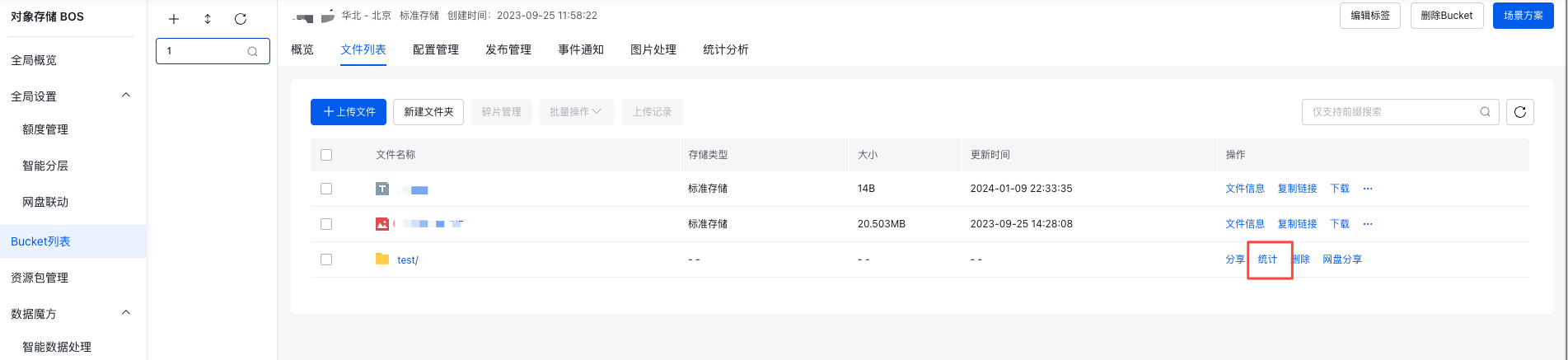
- After clicking Statistics, a pop-up window will display the total number of files and their combined capacity in the current folder.
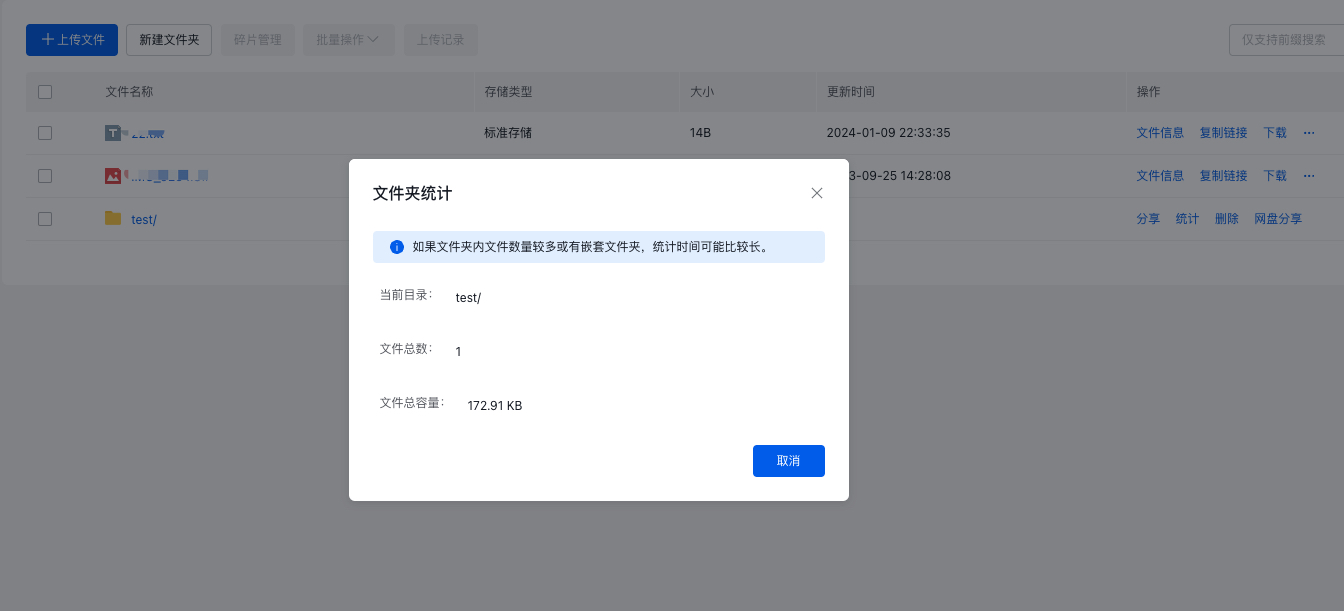
- The statistics process is complete.