Document preview
Overview
The document preview feature, powered by Baidu AI Cloud DOC (Document Service), supports processing multiple document formats and offers services such as converting documents to HTML, converting documents to images, and online browsing. Without needing to understand technical details like document storage, transcoding, distribution, or online viewing, you can quickly build a secure, reliable, and highly customizable document processing platform and applications, helping transform and enhance industries like online education and enterprise cloud storage.
Description:
- Support for multiple formats
The supported source document formats include doc, docx, ppt, pptx, xls, xlsx, vsd, pot, pps, rtf, wps, et, dps, pdf, txt, and epub.
- File size limit
File previews are not supported for files larger than 200 MB.
- File page limit
File previews are not supported for files exceeding 200 pages.
Charge type
The document preview service will officially start charging at 00:00 on September 23, 2022. You can sign in to the Console - Finance to view usage data. BOS fees are billed hourly. For specific prices, refer to Data Processing Fees.
Usage method
Request parameters
Operation name: doc/preview
| Parameter | Values | Description |
|---|---|---|
| tt | h5, image |
|
| st | doc, docx, ppt, pptx, xls, xlsx, vsd, pot, pps, rtf, wps, et, dps, pdf, txt and epub |
|
| p | 1-200 |
|
Request example
1GET https://bj.bcebos.com/bucket/object.pdf?x-bce-process=doc/preview,tt_image,p_11GET https://bj.bcebos.com/bucket/object.pdf?x-bce-process=doc/preview,tt_h51GET https://bj.bcebos.com/bucket/object?x-bce-process=doc/preview,tt_h5,st_docRequest flow
- The client application or web terminal initiates a preview request to the application server and provides the file name to be previewed.
- The application server generates a signed URL based on the requested file and provides it to the client application or web terminal.
- The client application or web terminal uses the signed URL to directly access and preview the BOS file.
Console experience instructions
You can try the document preview feature in the BOS console by following these steps:
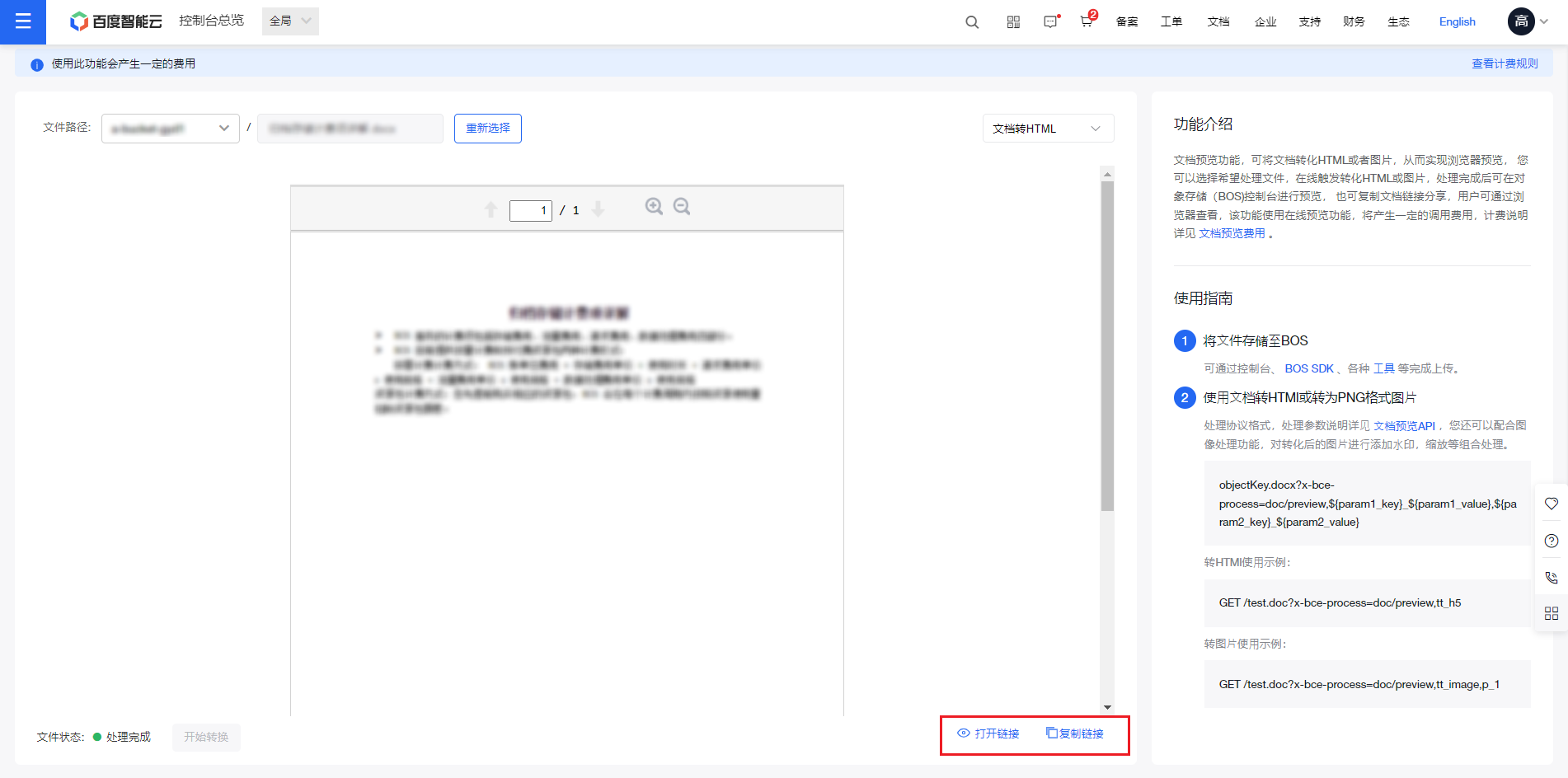
Document-to-HTML preview
- Sign in to the Baidu AI Cloud Object Storage (BOS) Console.
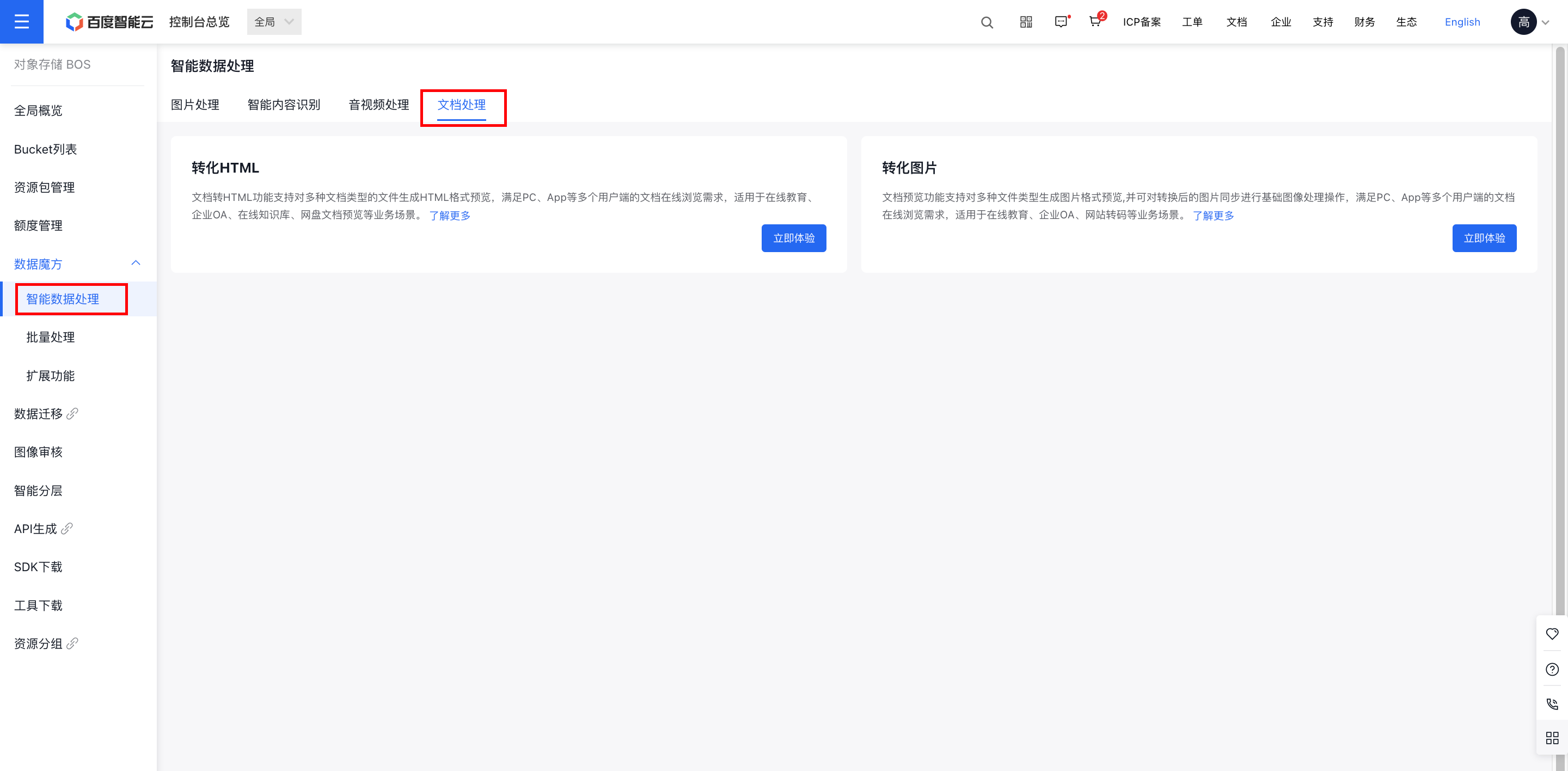
- From the left navigation bar, select Data Cube - Intelligent Data Processing to open the intelligent data processing page.
- Select Document Processing, then click Experience Now under the Convert HTML module to enter the function page.
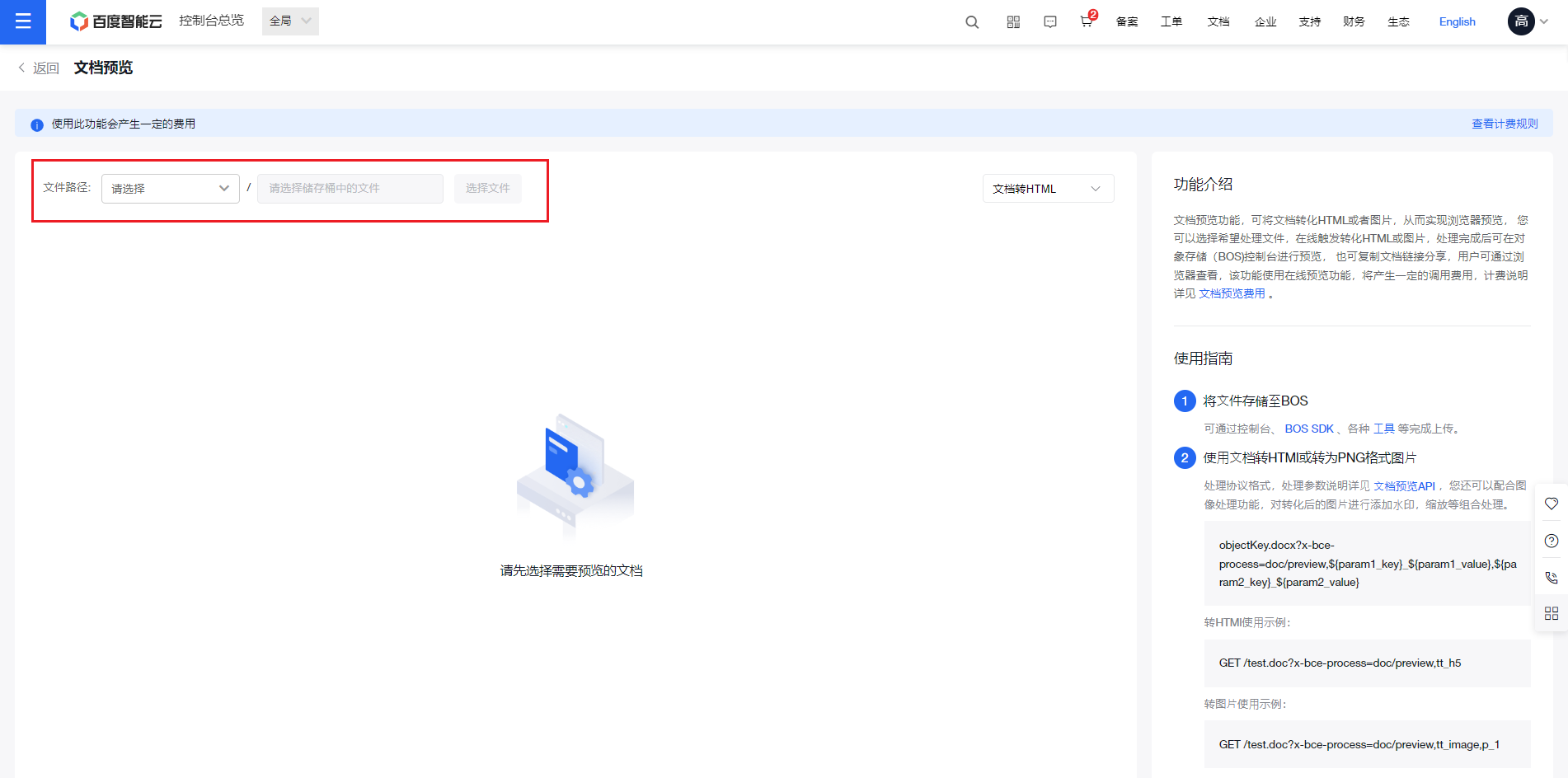
- In the top dropdown list, select the bucket where your documents are stored, then click Select File to choose files from the bucket for processing.
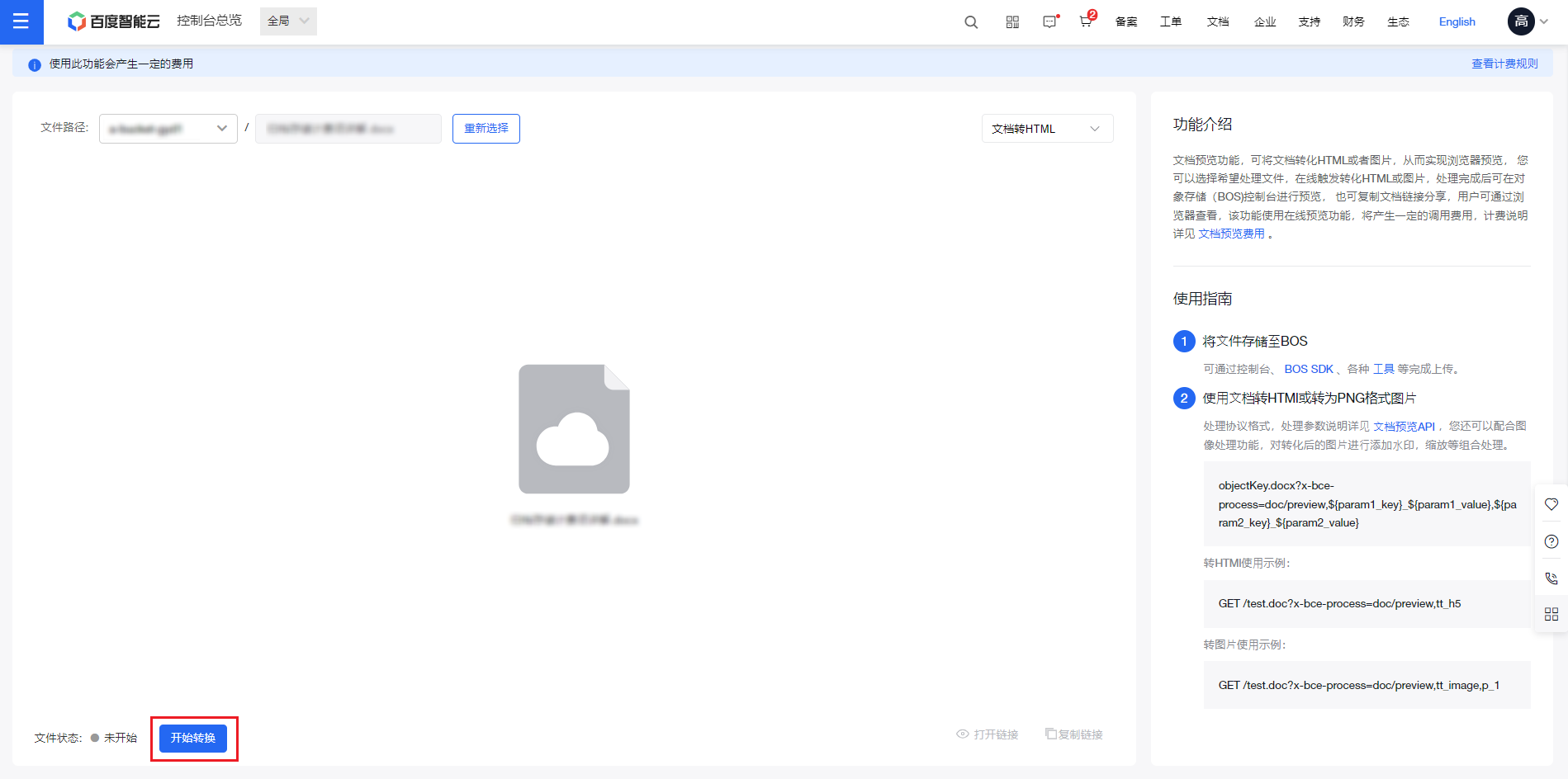
- Click Start Conversion to convert the document to HTML format.
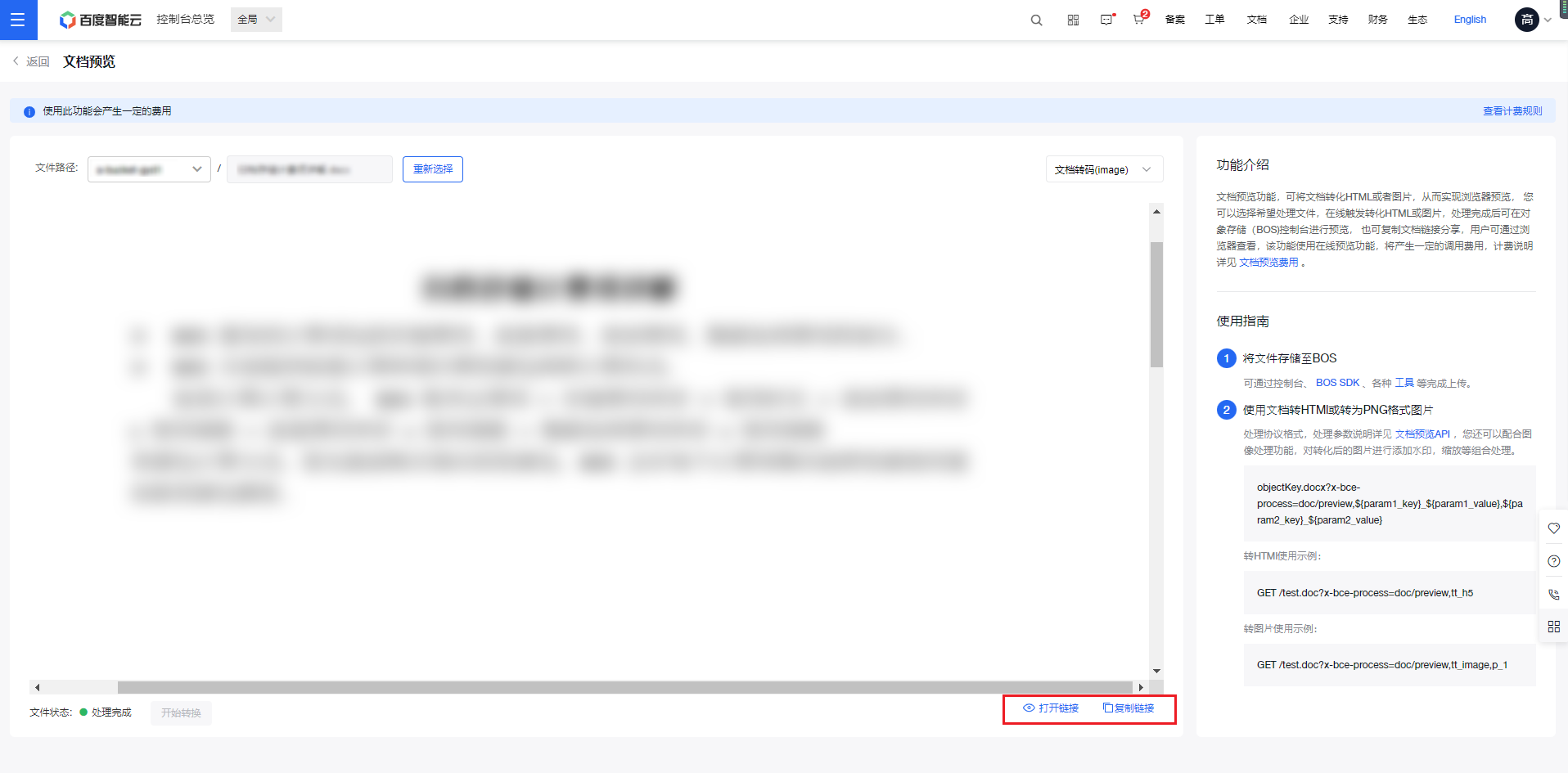
- Once the processing is complete, you can click Copy Link or Open Link in the bottom right corner to share or view the document in a browser for real-time online preview.
Document-to-image preview
- Sign in to the Baidu AI Cloud Object Storage (BOS) Console.
- From the left navigation bar, select Data Cube - Intelligent Data Processing to open the intelligent data processing page.
- Select Document Processing, then click Experience Now under the Convert Image module to enter the function page.
- In the top dropdown list, select the bucket where your documents are stored, then click Select File to choose files from the bucket for processing.
- Click Start Conversion to transform the document into an image.
- Once the processing is complete, you can click Copy Link or Open Link in the bottom right corner to share or view the document in a browser for real-time online preview.