Object Tag
Updated at:2025-11-03
Overview
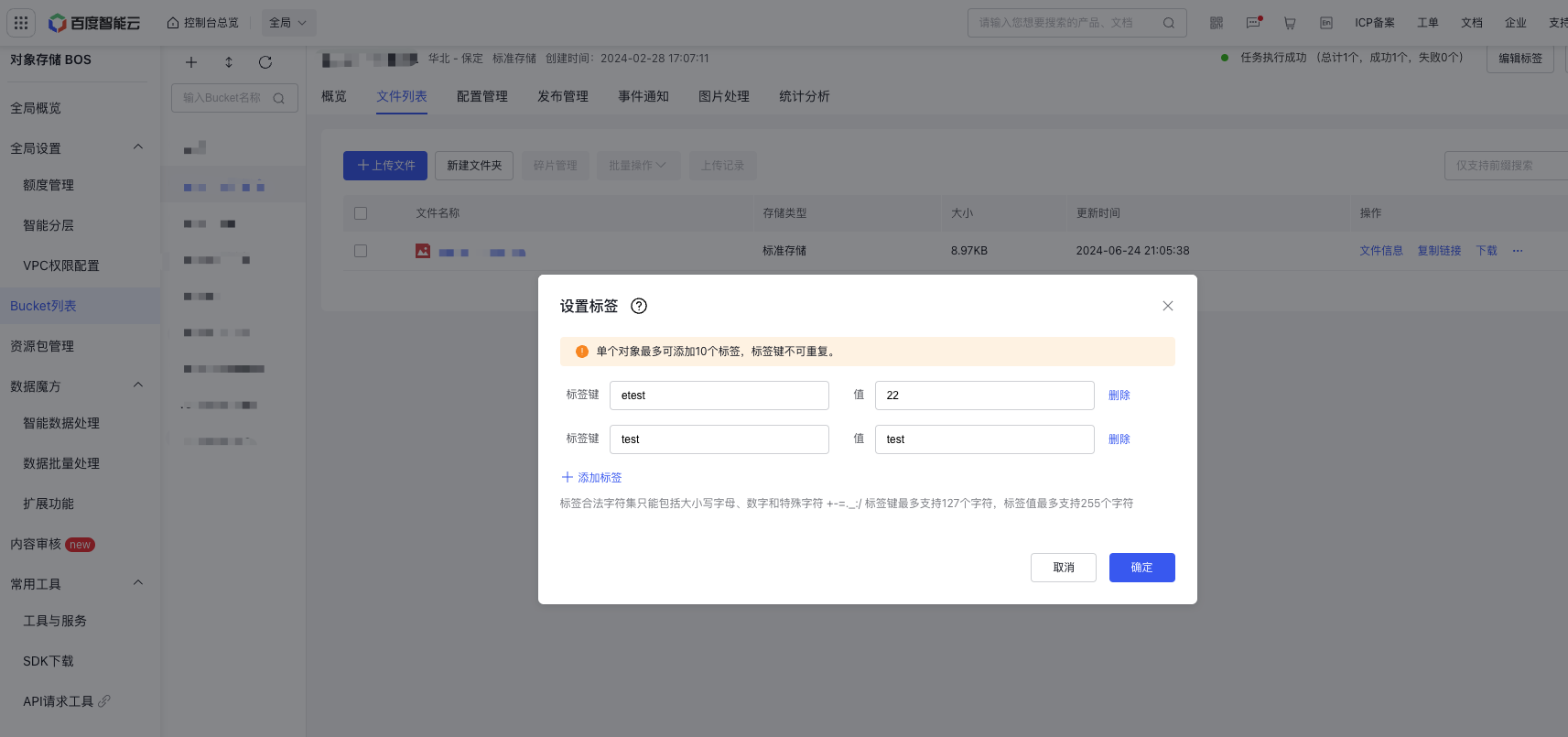
Object tags are essentially key-value pair identifiers for objects. They enable functions like data synchronization and batch operations to specify object tags, streamlining resource management by defining the resource scope effectively.
Note
- A maximum of 10 tags can be assigned to each object.
- Tag keys must be unique and can have a length between 1 and 127 characters. They support uppercase and lowercase letters, numbers, spaces, and the symbols: +‑=._:/.
- Tag values can contain 1 to 125 characters, supporting uppercase and lowercase letters, numbers, spaces, and the symbols: +‑=._:/.
- Tags cannot be set for objects stored in the archive storage class before they are restored. Please restore the objects first to enable tagging.
- You need the PutObjectTagging permission to set object tags.
Operation steps
- Sign in to the BOS Management Console and navigate to the Global Overview page.
- In the left navigation bar of the BOS console, select the target bucket where the object is located, then click to open the bucket’s file list page.
- Click More -> Set Tags in the operation bar of the target file to add new tag keys/values or modify existing ones, and then click OK to submit the modification.
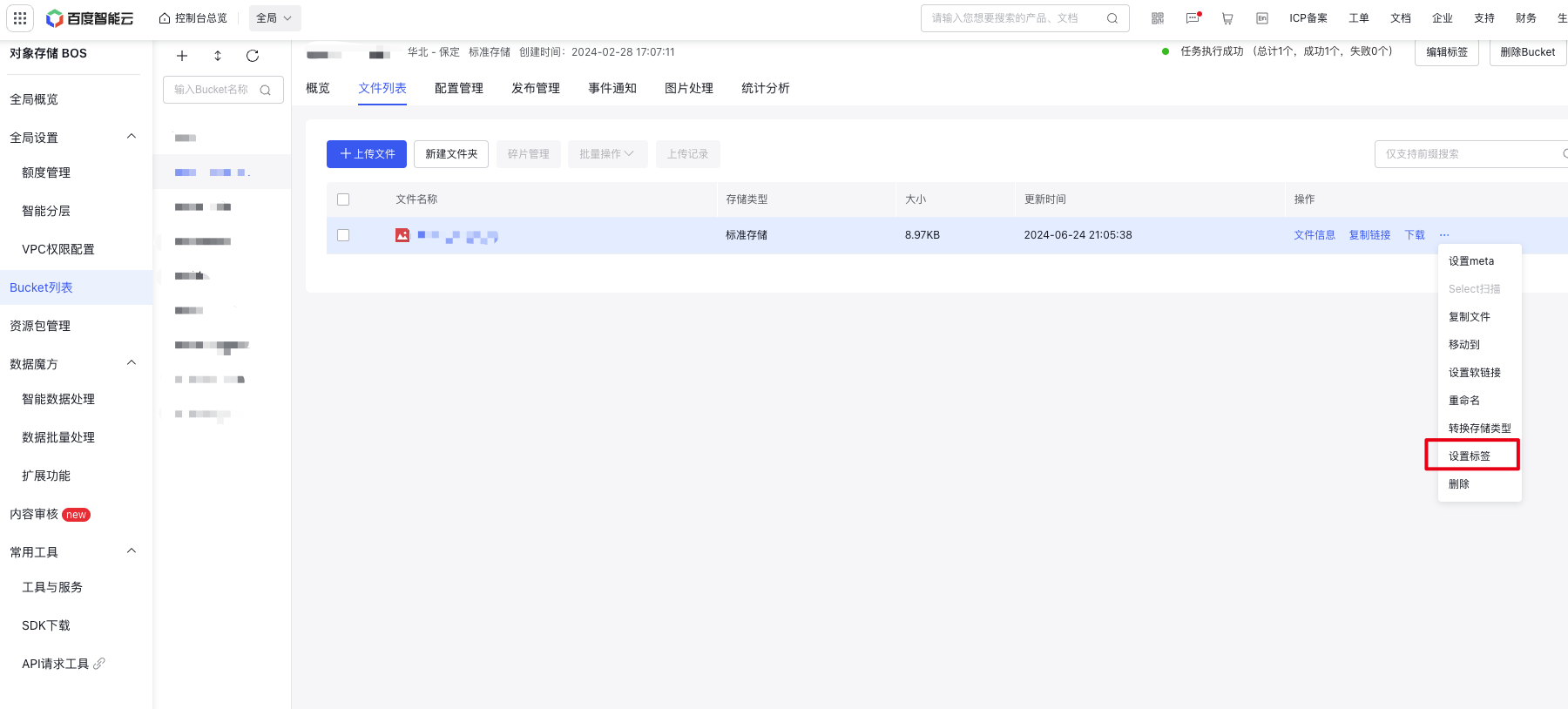
- You can click Set Tags again to view, edit, or delete existing tags.