

MoonBox Operation Process
Overview of the operation flow
| Steps | User's task | Baidu AI Cloud tasks |
|---|---|---|
| Step 1 | User public beta application review | Public beta application review |
| Step 2 | Provide the IDC data center address, the volume of data to be migrated to the cloud, contact information, etc. | Deliver an appropriate count of MoonBox devices to the user |
| Step 3 | Please check the device upon receipt and pay the shipping fee | None |
| Step 4 | Refer to the instructions below to copy local data to the MoonBox | Monitor the user migration process and respond to user inquiries |
| Step 5 | Return the MoonBox filled with data to the Baidu AI Cloud data center (the data center address can be obtained from the Baidu AI Cloud contact) and pay the postage | Monitor the user migration process and respond to user inquiries |
| Step VI | None | Receive devices returned by users and copy data to the intended cloud location |
Detailed operation process
1. Public beta application
- MoonBox is currently in public beta. Please click Public Beta Application or contact your account manager;
- After a preliminary screening, we will contact you via email or phone to obtain your IDC data center address for delivering the MoonBox device to your data center;
- The shipping cost for the device will be your responsibility.
2. Environment configuration
- Connect the MoonBox device to your IDC network environment. Each MoonBox device includes two 1 GbE electrical ports and two 10 GbE optical ports. Standard computer network cables are required for the electrical ports, while the optical ports use SFP+ AOC-type general-purpose optical cables.
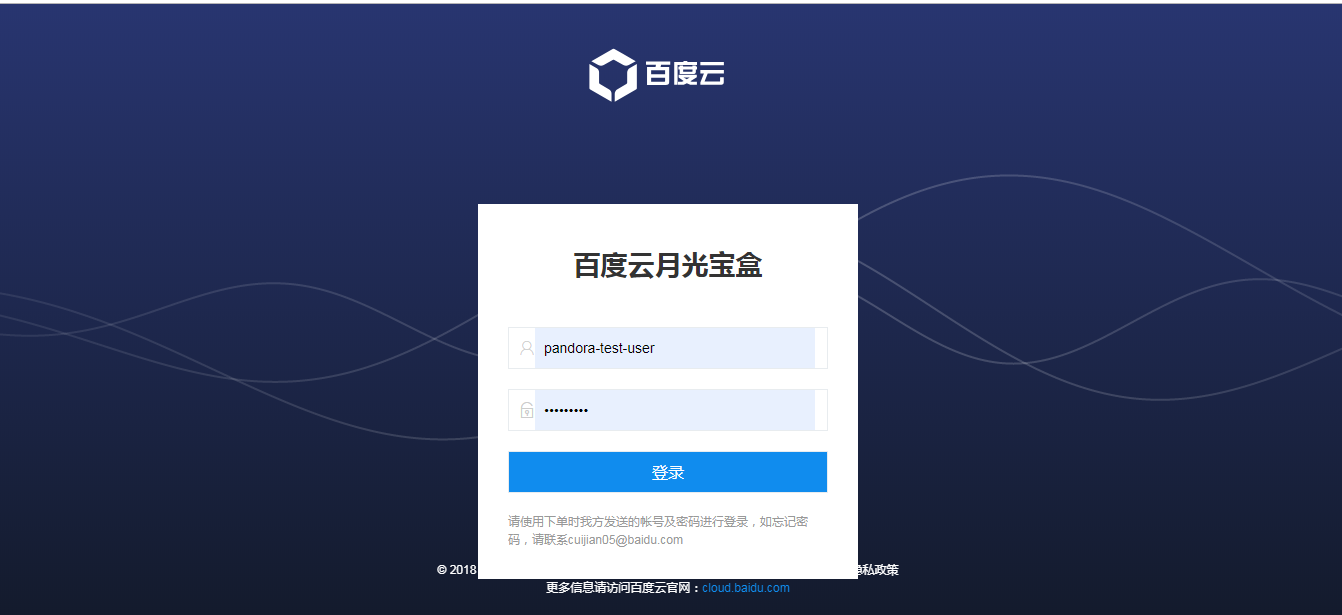
- The MoonBox comes pre-installed with an Ubuntu operating system. You can attach any monitor to the MoonBox and access its assigned IP address in the data center via a web browser, or use 127.0.0.1:8080 to reach the MoonBox login page.
- The MoonBox login password can be obtained by contacting Baidu AI Cloud staff.
3. Create Task
After logging into MoonBox, click "New Upload Task" in the upper left corner to create and define a data upload task on the newly opened page.
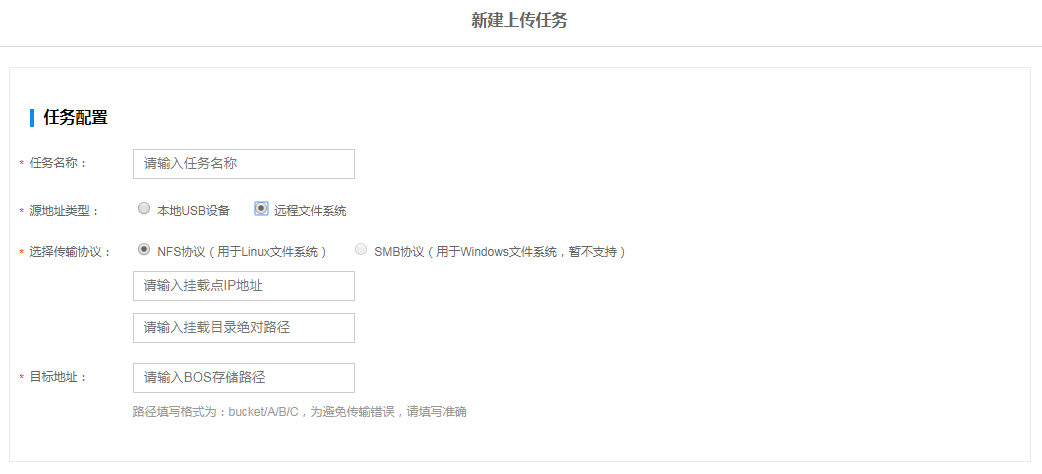
- Task name: Name the migration task for subsequent management
- Source address type: Storage management method of the data to be uploaded to the cloud in the local IDC. If it is a block device that can be directly connected via network cable or a device with a USB plug, and can be directly connected to the MoonBox for copying, select "Local USB Device." At this point, you need to fill in the local absolute path of the data to be uploaded at the same time. If the data to be uploaded is stored in the local file system, select the local file system protocol or OS, and fill in the mount target IP and the absolute path of the data to be uploaded in the file system. Currently, MoonBox supports migration of local Linux file systems but does not yet support Windows file systems.
- Destination address: Address where the data is expected to be stored after data migration to the cloud Currently, MoonBox supports data migration to Baidu AI Cloud Object Storage (BOS), so users can fill in the storage path of the BOS product in the "destination address." If "Bucket/A/B/C" is entered, the data migrated by the MoonBox will subsequently be uploaded to the corresponding BOS path.
- Custom encryption: To ensure unexpected situations during device transmission (e.g., device theft), we provide custom encryption capabilities. You need to define a custom key for the current Task. All data uploaded for this task will be encrypted using this key by default. The key must consist of letters and numbers, with a length of 6-64 characters.
4. Manage tasks
User-created tasks will appear in the MoonBox task list.
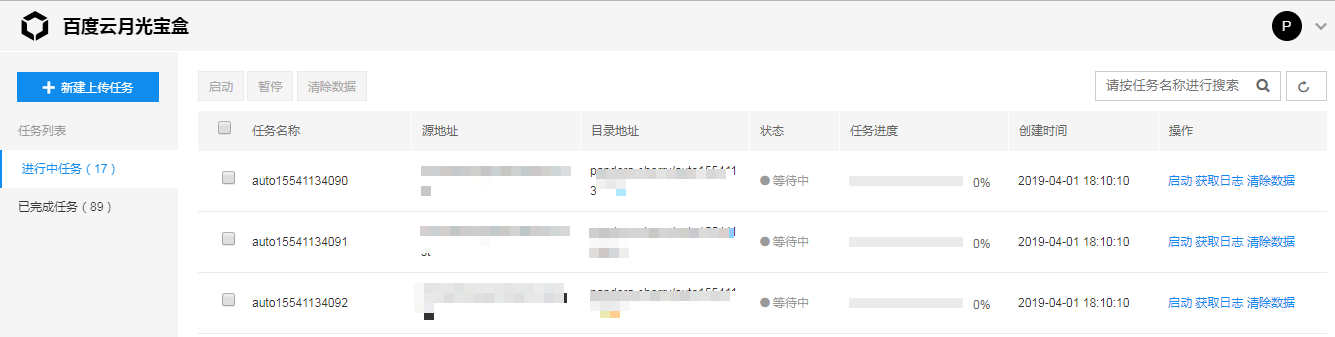
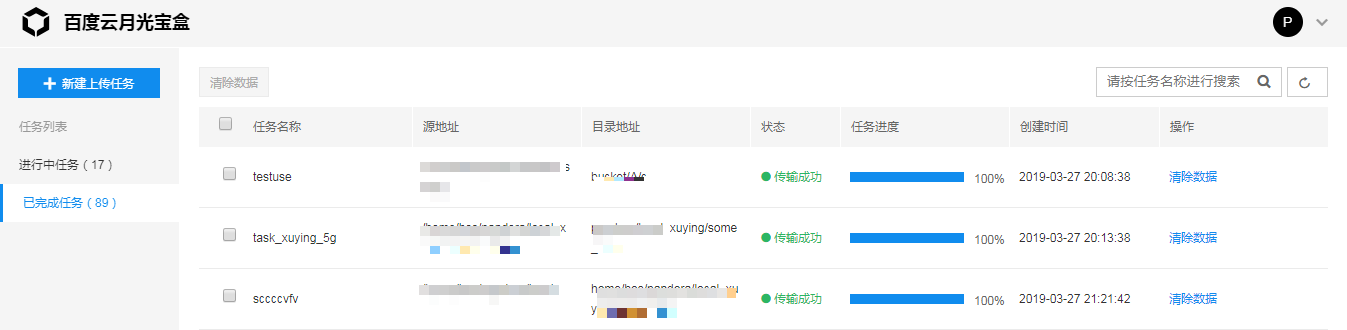
You can start/stop a task in the list or print a log based on the task's transmission status. If the user believes the created task is incorrect and wants to clear the data already copied to the MoonBox for this task, simply click the Clear Data button. Tasks that have been transmitted can be viewed in the Completed Tasks list, and copy tasks that you want to recall can also be cleared of data.
5. Device return
Once the local data copy to MoonBox is complete, you can contact Baidu AI Cloud staff via phone or email and return the device to the Baidu AI Cloud data center through logistics. The data center team will then complete the task of transferring the data to cloud-based BOS. Upon completion of the migration, Baidu AI Cloud will promptly notify you.
Description:
- MoonBox also supports use as an NFS client. If you need this functionality, please contact us in advance.