

Bucket quota management
Updated at:2025-11-03
Overview
For enterprise scenarios requiring customized control over finances and resources, BOS provides bucket-level quota management features. This feature allows configuring the maximum number of files and storage capacity for a single bucket, enabling tailored control over the flexibility of storage services.
Usage restrictions
- By default, there is no upper limit on the number of files stored in a single bucket;
- By default, there is no upper limit on the storage capacity in a single bucket;
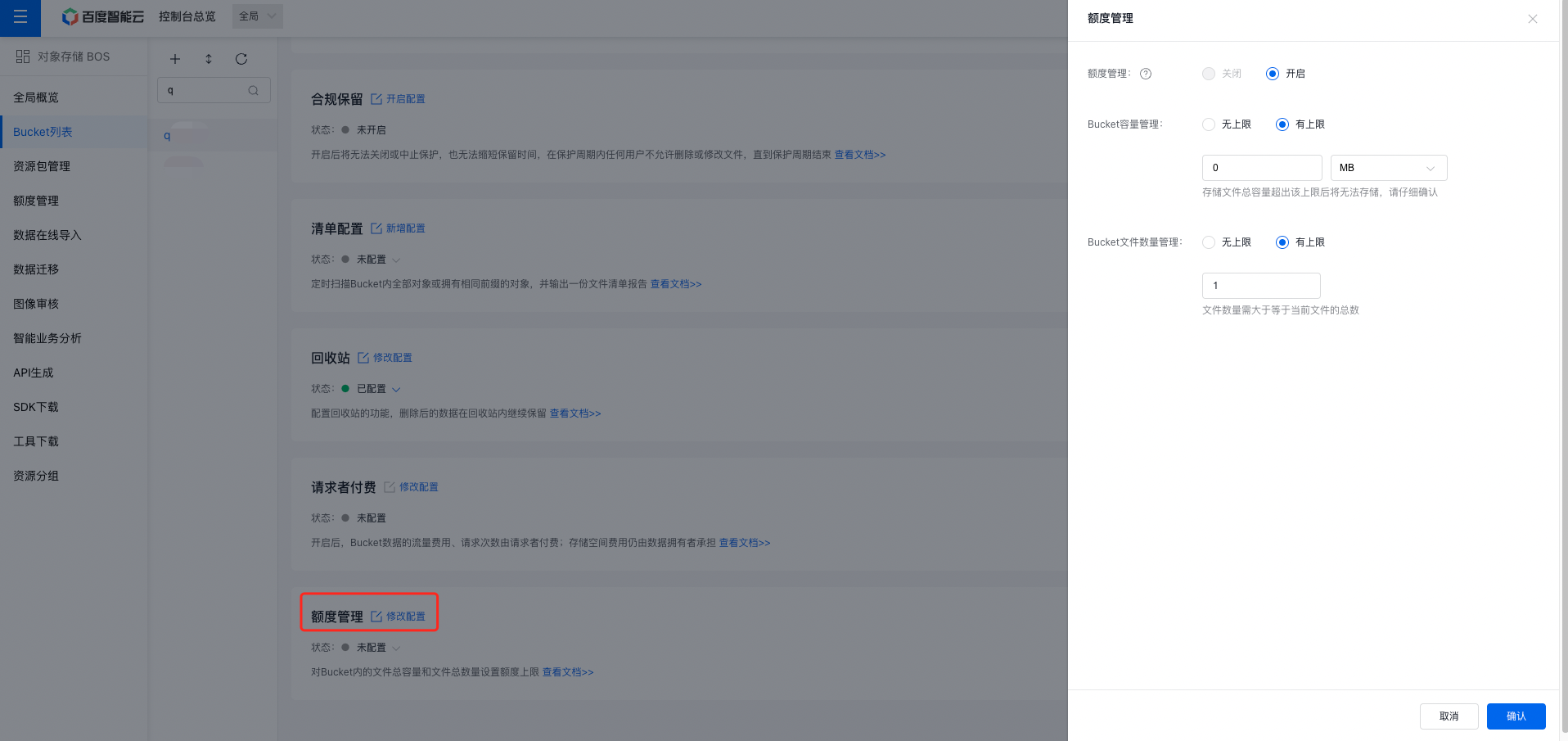
- To change the total capacity limit of a bucket to a specific value, the value must be greater than or equal to the current total storage capacity used. When the bucket's total capacity reaches the set limit, uploading new files or copying existing files will no longer be possible.
- To change the total number of files limit in a bucket to a specific value, the value must be greater than or equal to the current total number of files in the bucket. Once the total file count reaches the set limit, uploading new files or copying existing files will not be allowed.
Operation guide
- Sign in to the Baidu AI Cloud Object Storage (BOS) Management Console.
- From the bucket list on the left, select the bucket for which you want to set permissions, then click its name to enter the bucket management directory.
- Select the Configuration Management tab in the top navigation bar.
- On the Configuration Management page, select Advanced Configuration, and click Modify Configuration in the Quota Management region to configure the quota of the bucket.
Related APIs
- PutBucketQuota API: Use the PutBucketQuota API to set the bucket capacity limit.
- GetBucketQuota API: Use the GetBucketQuota API to get the bucket quota configuration information.
- DeleteBucketQuota API: Use the DeleteBucketQuota API to delete bucket quota configuration.