Favorite Path
Updated at:2025-11-03
In the BOS console, you can quickly locate target resources by adding favorite paths. Both bucket paths and directory paths can be configured as favorite paths.
Application scenarios
If sub-accounts or other accounts have already been authorized to read/write files in a specific path (directory) via the access control feature, you can directly access these authorized resources by adding that path as a favorite.
Add a favorite path
Sign in to BOS Management Console.
In the left navigation bar, click Favorite Paths.
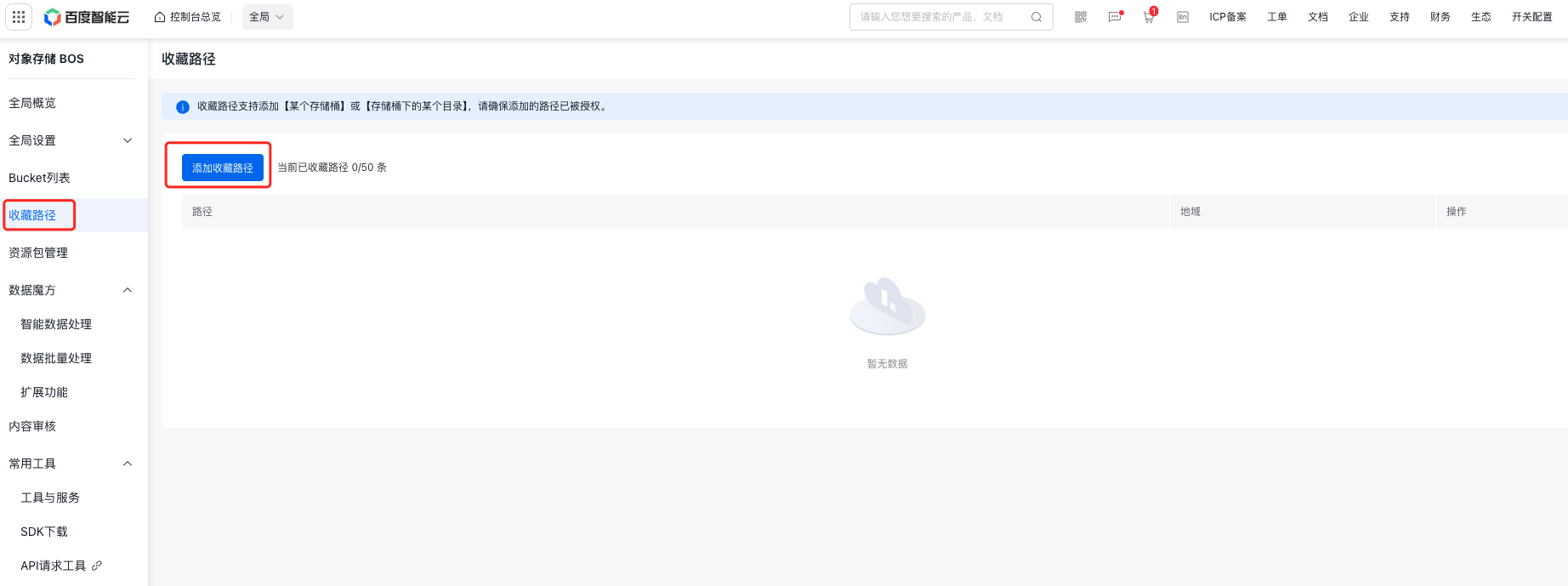
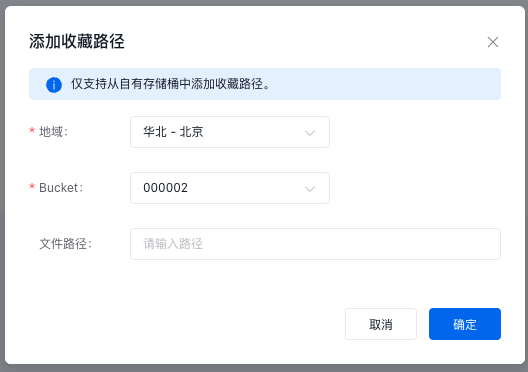
Click the Add Favorite Path button. In the pop-up window, configure the relevant parameters.
| Parameters | Description |
|---|---|
| Region | Region of the bucket |
| Bucket | Bucket name: Select a bucket under the current account for configuration |
| File path | Optional, only directory-level path configuration is supported |
Managing favorite paths
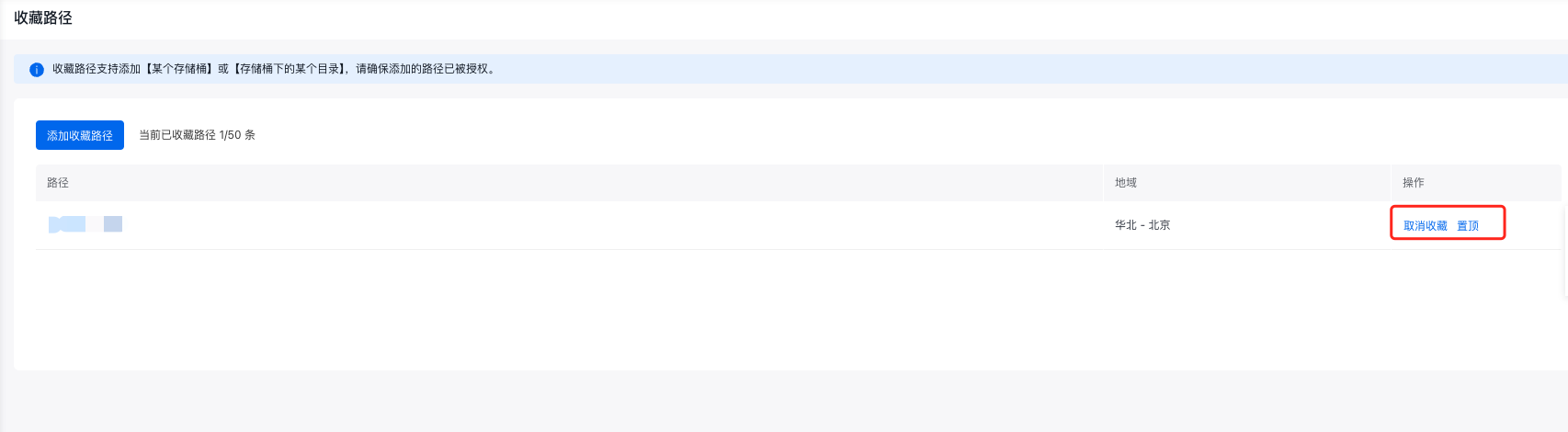
- Once a file path is added, click its corresponding path name to navigate directly to that file path.
- For multiple paths, click Pin next to a specific path to pin it to the top of the list;
- Click Unfavorite to delete the path from the list.