

Share files - get file URLs
Updated at:2025-11-03
Once files (objects) are uploaded to a storage space (bucket), you can retrieve their URLs to share them with third parties for preview or download.
Method 1: Use BOS console
Operation steps
- Sign in to BOS Management Console.
- In the BOS console's left navigation bar, select the bucket containing the desired file and click to access the bucket’s File List page.
-
Get file URL
-
Get Single File URL
- Click on the name of the target file.
- In the file information pop-up window, configure the necessary parameters, then click Copy Link.
Parameters Description Link validity period For private files, you can set a validity period for the file URL. The value range is 1–43,200 minutes, with -1 indicating permanent validity. Select domain name Defaulting to the official domain name. This option can only be configured after the bucket is bound to a custom domain name. For more information, please refer to Create Custom Domain Name. Plain Text1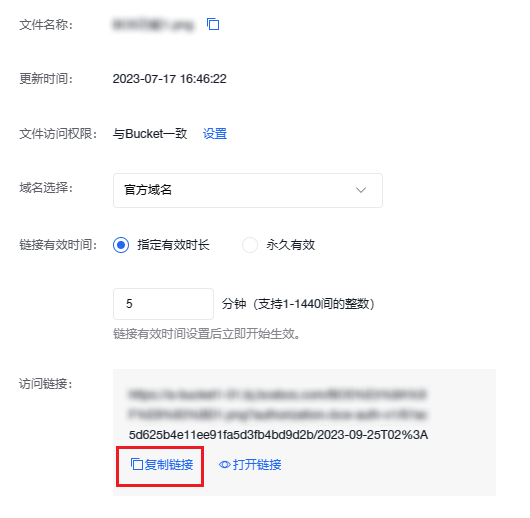-
Get file URLs in batches
- On the file list page, select multiple target files and choose Export URLs from the Batch Operation menu at the top.
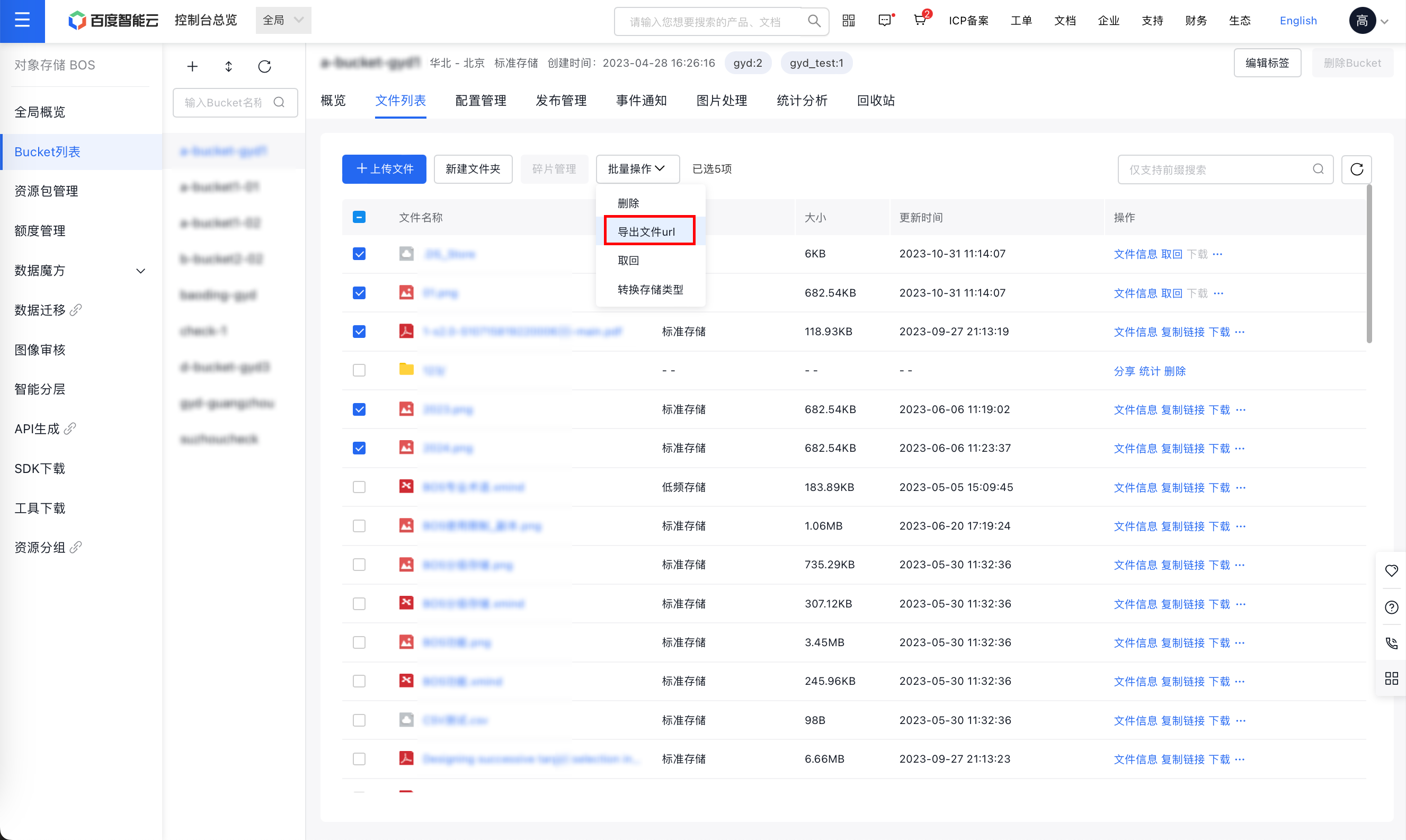
- Configure the following parameters in the Export File URL List panel
Parameters Description Specify protocol By default, URLs are generated using the HTTPS protocol. To generate URLs with the HTTP protocol, select HTTP. Expiration time When the target file is private, set a validity period for the file URL. Value range: 1-1,440 min. If you need file URLs with longer validity, it is recommended to use the Command Line Interface. Custom domain name Defaulting to the official domain name. This option can only be configured after the bucket is bound to a custom domain name. For more information, please refer to Create Custom Domain Name. CDN accelerated domain name This configuration is only available when the CDN official acceleration domain name is enabled for the bucket via BOS. For more information, please refer to Activate CDN Official Accelerated Domain Name. Plain Text1* Click OK, and the browser will automatically generate a CSV file containing the URLs, which you can save locally. -
- Share the file URL with third parties for preview or download purposes.
Method 2: Use the graphical desktop tool BOS Browser
- BOS Browser supports sharing individual files. For specific operations, please refer to the BOS Desktop Tool User Guide.
Method 3: Use SDK
- You can use the mainstream language SDKs provided by Baidu AI Cloud Object Storage (BOS) to retrieve file URLs and share them with third parties for preview or download.
| Language | Related documents |
|---|---|
| Java | Java-SDK Get File URL |
| Python | Python-SDK Get File URL |
| PHP | PHP-SDK Get File URL |
| C# | C#-SDK Get File URL |
| Android | Android-SDK Get File URL |
| iOS | iOS-SDK Get File URL |
| Ruby | Ruby-SDK Get File URL |
| GO | GO-SDK Get File URL |
| C++ | C++ SDK Get file URL |
Method 4: Use the Command-Line Interface BOS CMD/CLI
- You can get file URLs via BOS CMD/CLI to share file URLs with third parties for preview or download. For specific operations on using BOS CMD/CLI, please refer to Use BOS Service via CMD and Use BOS Service via CLI.