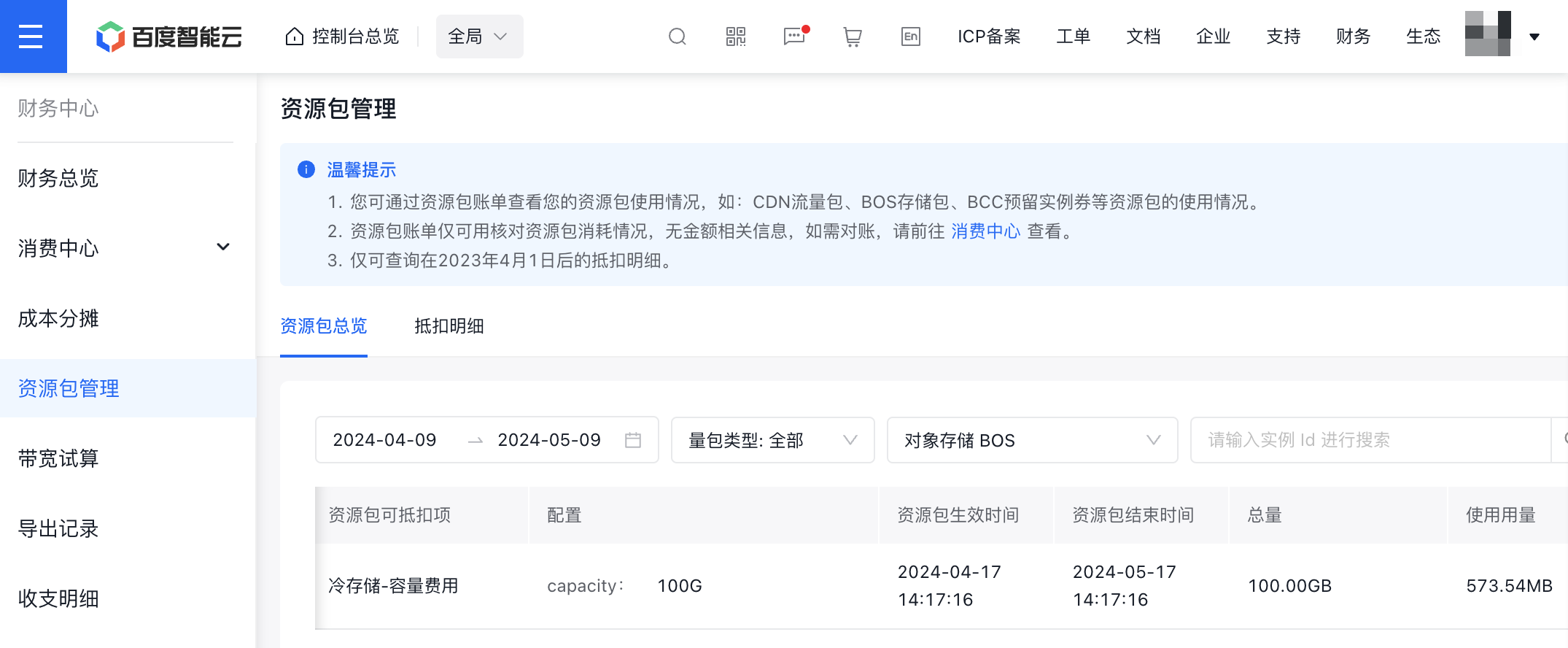
View Consumption Details
Overview
You can log in to the Baidu AI Cloud Console and access the financial page to view consumption details. You can check detailed metering and charge information of BOS in the financial center, including request numbers, traffic, image processing and storage fees. For instructions on using Baidu AI Cloud’s financial functions, please refer to Finance - Bill View. Based on Baidu AI Cloud’s financial functions and combined with the usage of BOS, this article explains how to view BOS usage, bill amount and export methods.
Introduction to concept
- Charge item: A charge item is the smallest charge unit of a product. For BOS, there are about 60 charge items, which charge for storage capacity, traffic, request numbers, data processing, etc. A bill specifically reflects the amount distribution of each charge item of the product and displays the usage data corresponding to the amount. If you want to view the detailed bill of the product, please first understand All BOS Charge Items.
- Summary bill: A summary bill is the amount summary of a specific charge item within a certain time period. For example, the standard storage fee in July 2021 is the summary data of this charge item in July.
- Hour bill: An hour bill displays amounts based on the smallest charge unit of the product. BOS pushes data at the minute level and generates hour bills at the hour level.
View the summary bill of time dimension (monthly level) BOS charge item
You can review monthly data usage and related charge amounts for each previous calendar month by checking the resource month bill. The resource monthly bill can be viewed directly in the console or exported as an Excel file for further analysis and comparison.
1. Log in: Log in to the Baidu AI Cloud Object Storage (BOS) Management Console.
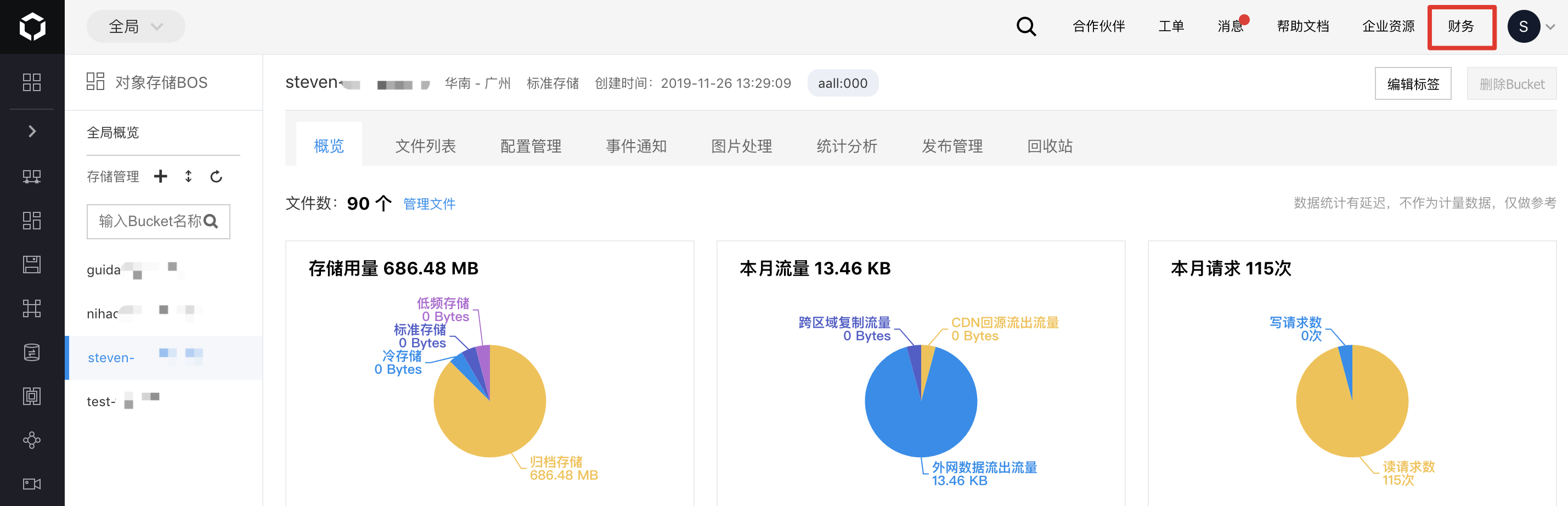
2. Access finance: Find "Finance" in the upper right corner of the console and click to enter the financial page.
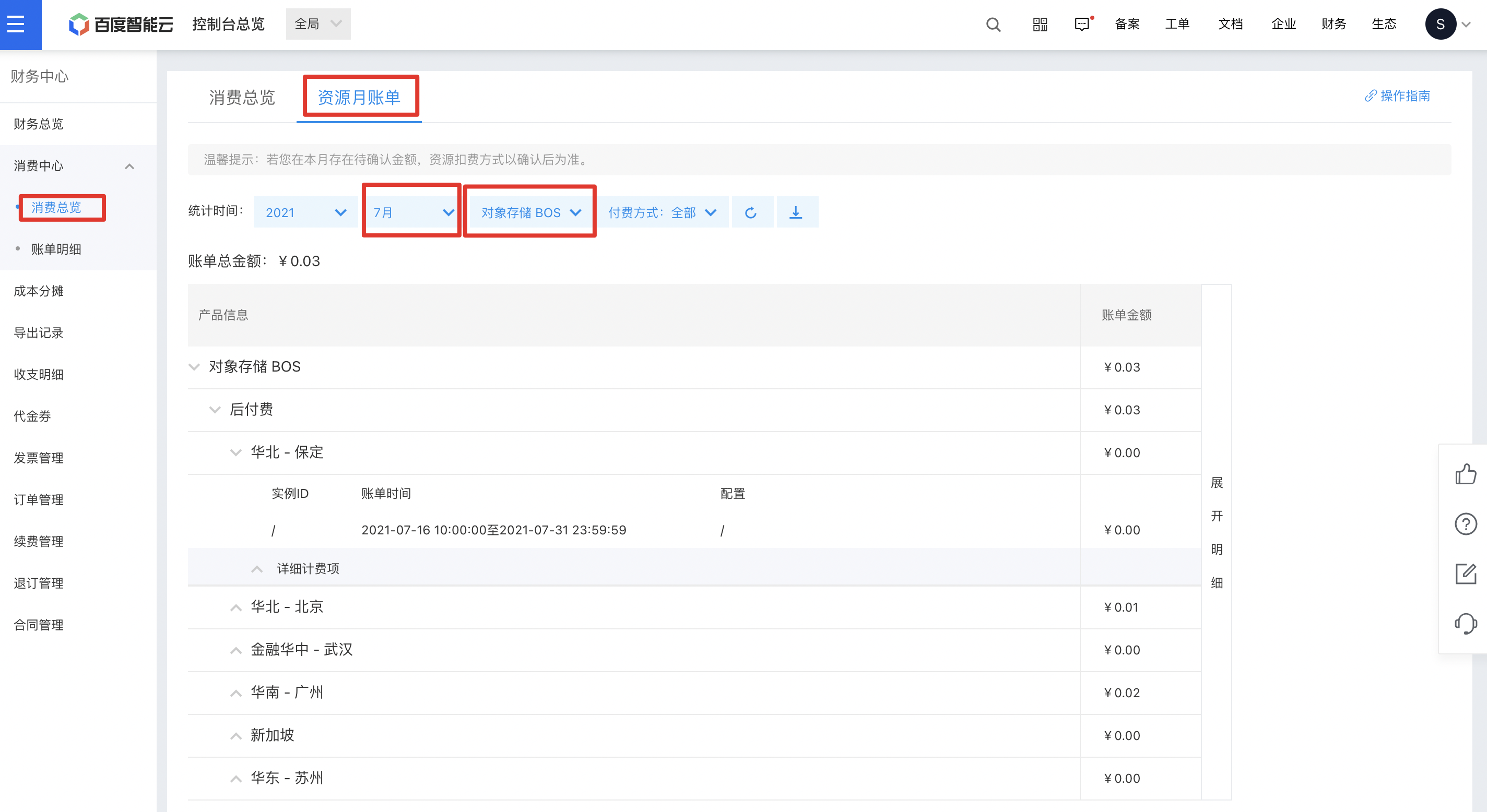
3. Enter resource month bill: Click "Consumption Center - Consumption Overview" on the left, and then select "Resource Month Bill" at the top of the page. You can filter the product "Baidu AI Cloud Object Storage (BOS)" at the top and select a time to view the BOS resource month bill for the corresponding month.
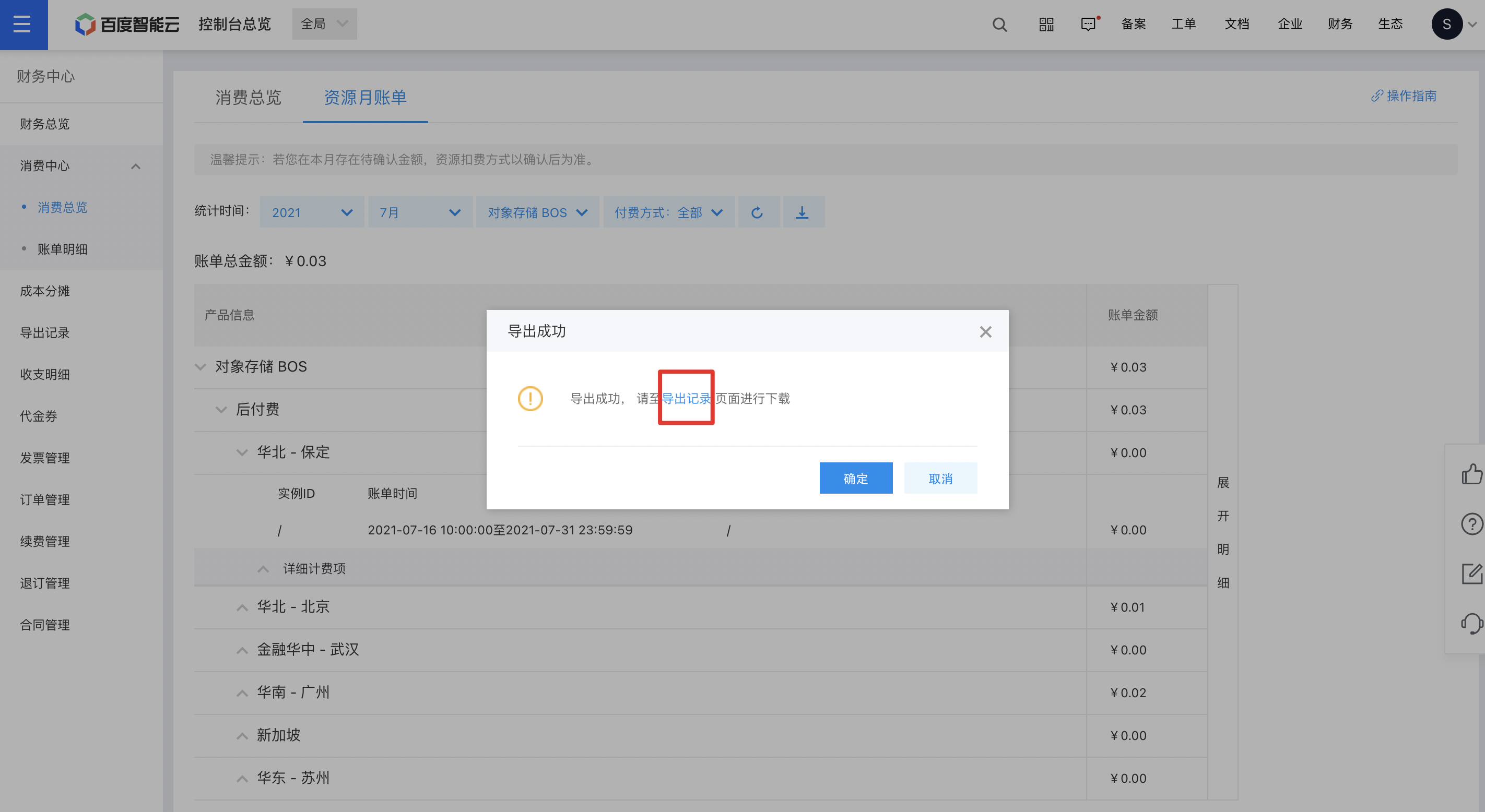
4. Download resource month bill: After filtering, click the download button at the top, and then the BOS resource month bill for the corresponding month will be automatically generated as an Excel.
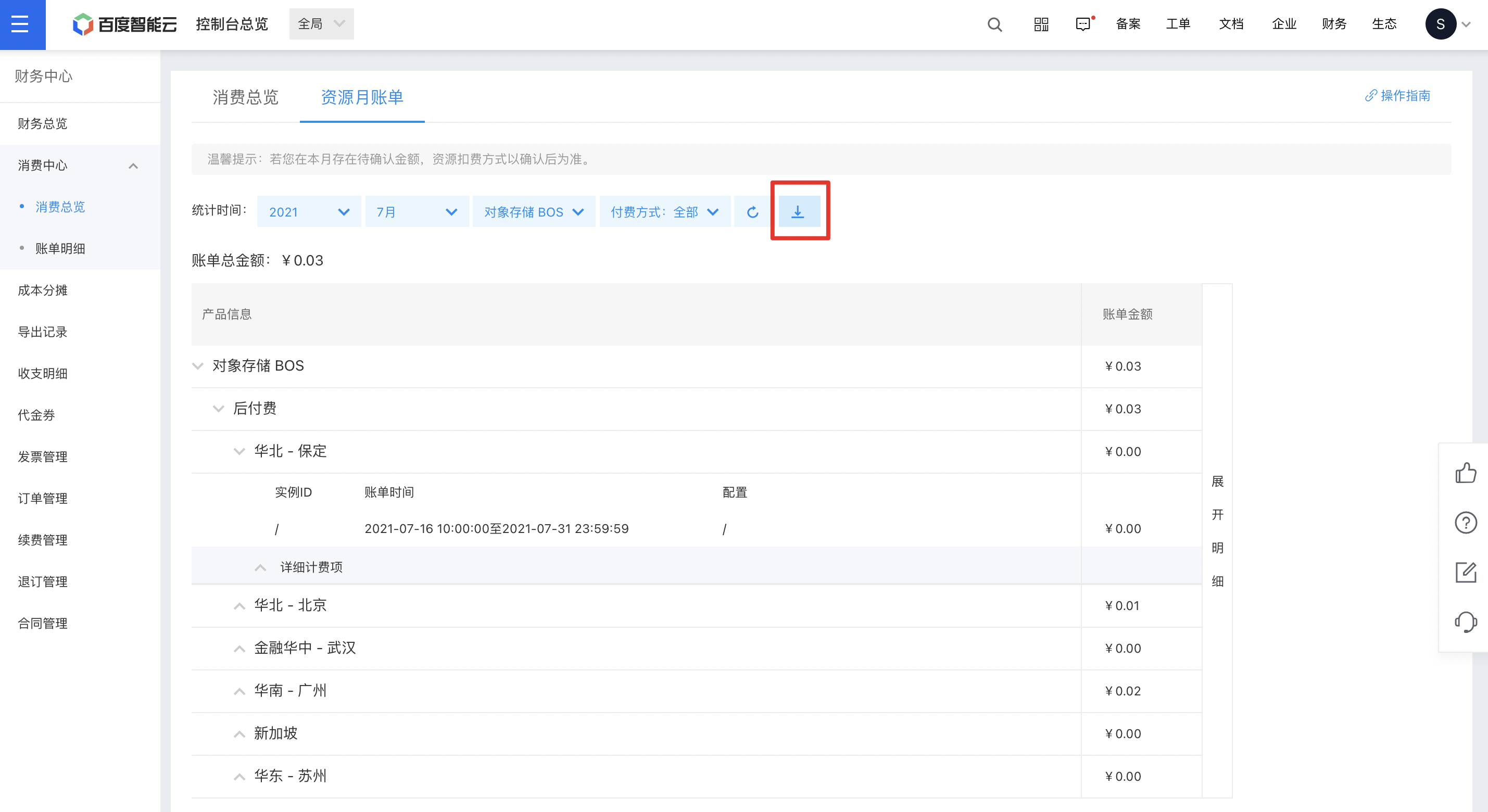
Click the download button, then select "Export Records" in the pop-up window. Once the resource month bill is generated, click the download button next to it to save the bill locally.
5. Use the resource month bill: You can view the usage data of all BOS charge items for a specific month in the resource month bill and check the bill amount generated by each charge item for easy reconciliation.
6. Analyze through resource month bill: You can also download monthly resource bills for consecutive months, compare bills across months, check changes in resource usage of each charge item, and analyze the reasons for increases or decreases in bill amounts.
Case study: Financial analysis using monthly resource bills
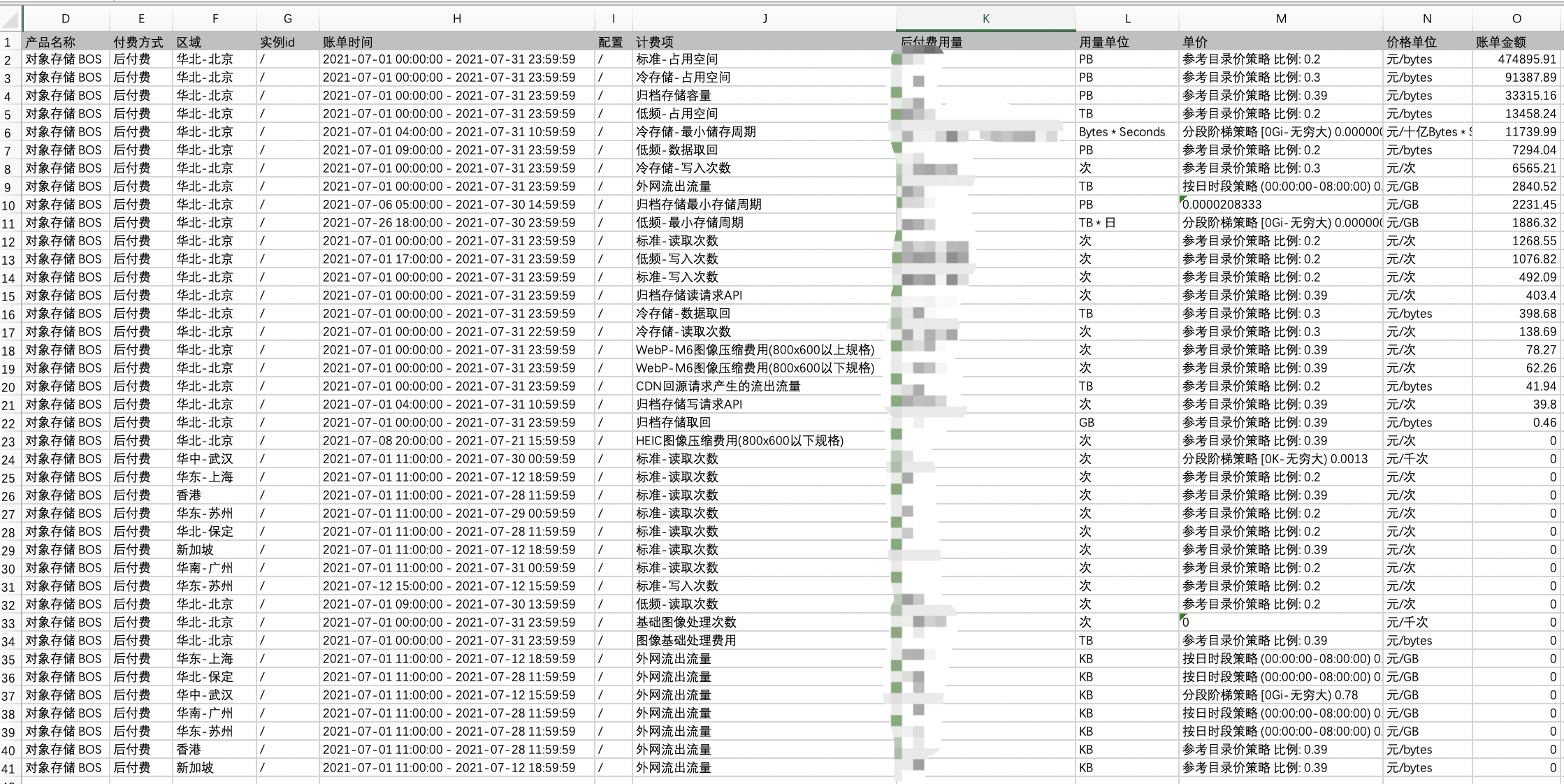
The figure below illustrates a customer’s BOS resource month bill for July 2021. Based on customer feedback, the bill for July was nearly RMB 15,000 higher than the expected amount for June. The customer sought to determine the reason for this increase. From the July bill, it was evident that:
- The customer used 4 storage types: standard storage, infrequent access storage, cold storage and archive storage. The total storage capacity fees for these four types accounted for about 88% of the total bill. Therefore, BOS storage fees account for a significant proportion of the total bill, which is normal for BOS usage. Although BOS has nearly 60 charge items, "Standard - Space Usage", "Infrequent Access - Space Usage", "Cold - Occupied Space" and "Archive - Space Usage" generally generate the highest fees. To learn about BOS charge items, please refer to Charge Item Details.
- The July bill included a charge item labeled "Cold Storage - Minimum Storage Period" with a fee of approximately RMB 11,000. Additionally, there were charges of roughly RMB 1,800 for "Infrequent Access - Minimum Storage Period" and about RMB 2,200 for "Archive Storage - Minimum Storage Period." The total fees for the three storage types in July were around RMB 15,000. Upon reviewing the June resource month bill, the customer found no such fees in June, thereby identifying the cause of the unexpected increase.
- After checking BOS official help documentation, the customer further learned that infrequent access storage, cold storage and archive storage have Minimum Storage Durations: 30 days for infrequent access storage, 60 days for cold storage, and 180 days for archive storage. If data is deleted before meeting this duration, the storage fees for the remaining not fully stored duration will be charged once at the time of deletion, which is reflected in the bill as "Minimum Storage Duration". Based on bill analysis, the customer reselected appropriate storage types according to their usage and data deletion plans to avoid such fees in the future.
View the bill of time dimension (hour-level) BOS charge item
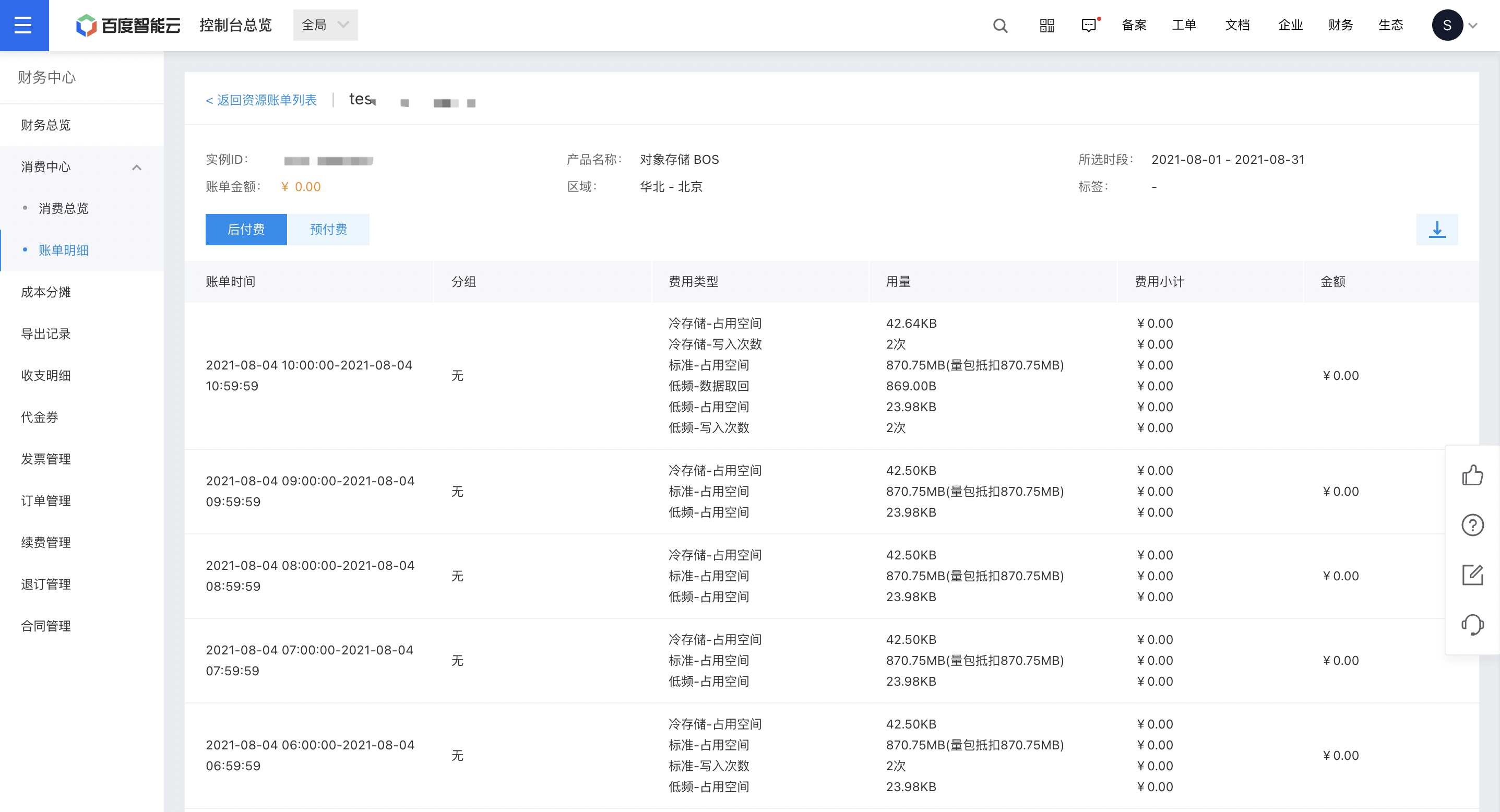
In this bill, BOS fees under your account are broken down by the hour. The system shows the usage data for each BOS charge item by the hour, allowing you to review the cost details for any specific hour.
1. Log in: Log in to the Baidu AI Cloud Object Storage (BOS) Management Console.
2. Access financial page: Find "Finance" in the upper right corner of the console and click to enter the financial page.
3. View BOS hour-level hour bills: Click "Consumption Center - Bill Details" on the left to view the bills. Filter the product "Baidu AI Cloud Object Storage (BOS)" in the hour bills to view BOS hour bills.
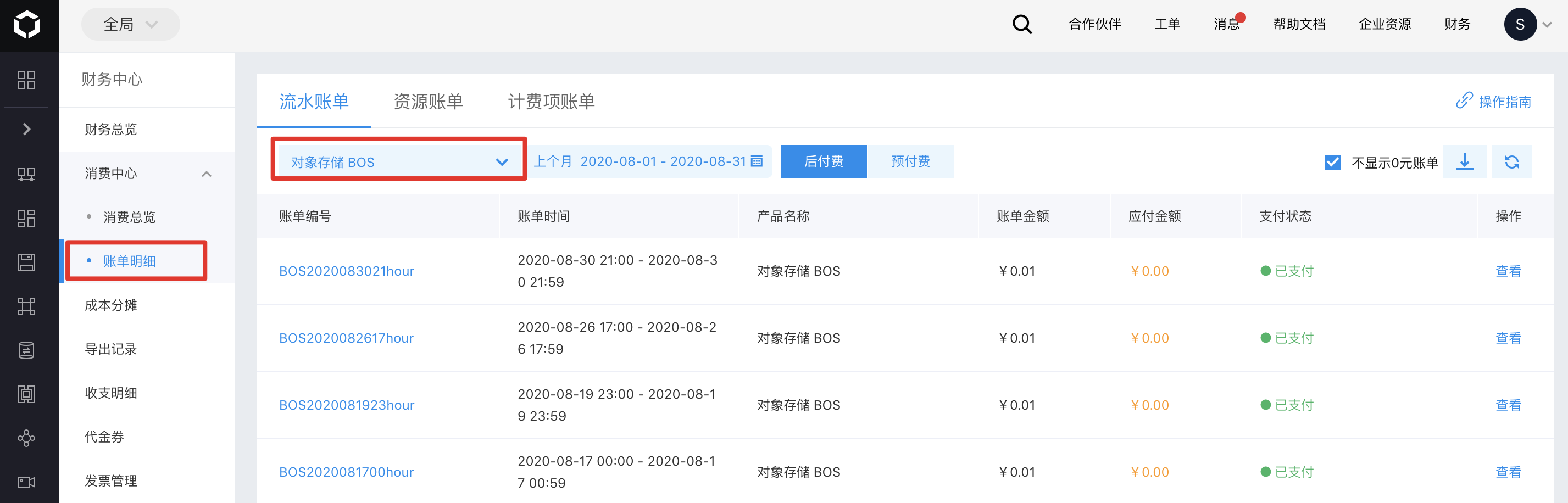
4. View BOS hour-level hour bill details: Postpaid bills are issued hourly, and prepaid bills are issued based on your prepaid orders. You can click the bill ID to access the hourly bill and view detailed charge information.

View the bill of bucket-level charge item
This bill also provides charge details based on the bucket level. You can view the charge items generated for each bucket under your account for the current or past months and see the usage data and cost details for each charge item by the hour.
1. Log in: Log in to the Baidu AI Cloud Object Storage (BOS) Management Console.
2. Access financial page: Find "Finance" in the upper right corner of the console and click to enter the financial page.
3. View BOS resource bills: Click "Consumption Center - Bill Details" on the left. Click "Resource Bills" at the top and filter for "Baidu AI Cloud Object Storage (BOS)" to view BOS resource bills.
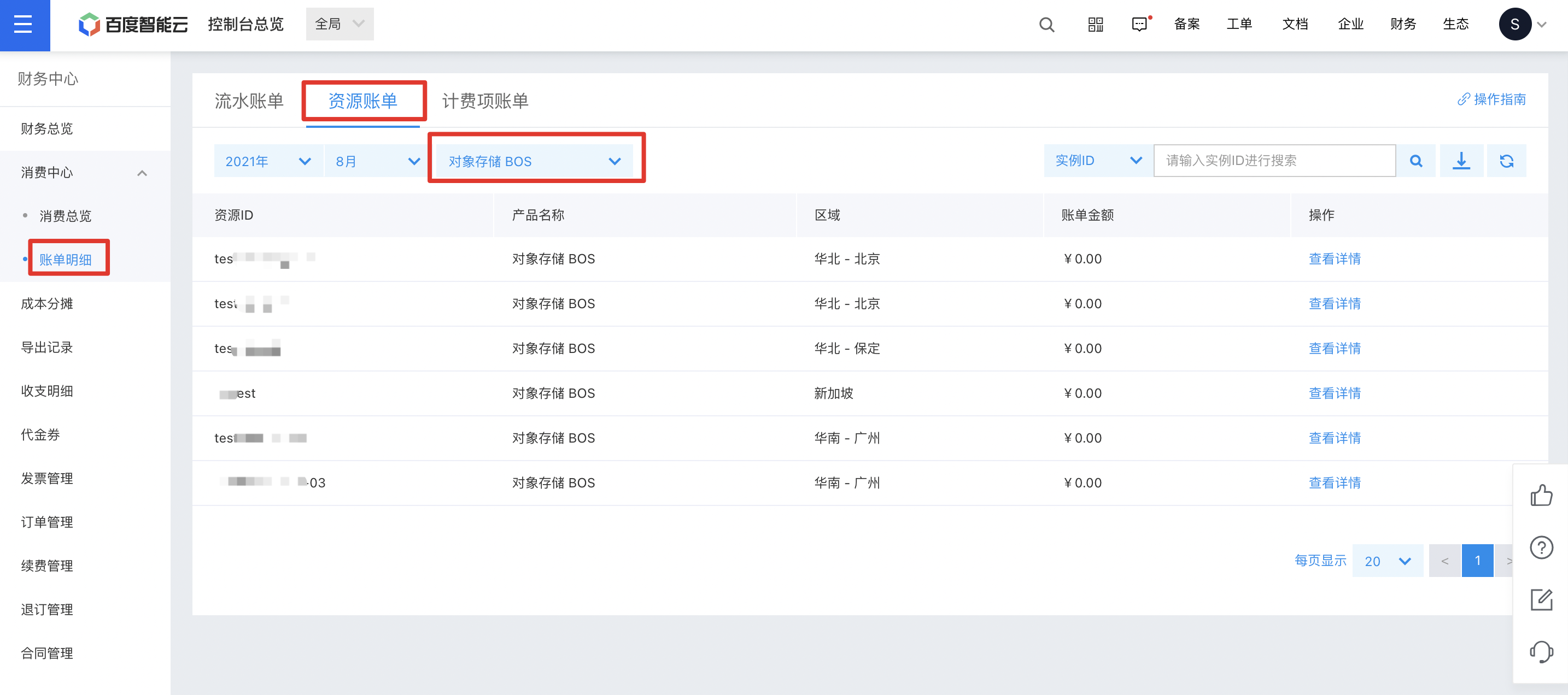
4. View bucket hour-level charge item bills: Click "View Details" next to each bucket resource bill to check the hour-level billing item bills for that bucket.
View and export CSV usage data
The BOS console supports viewing and exporting monthly statistical information of all buckets under your account, including total capacity, total traffic, total request numbers of each bucket, and granular statistical data for each bucket, such as the capacity of standard storage, infrequent access storage, etc. This function is currently in public beta via the allow list. To use it, please submit a Ticket Application. For an introduction to this function, refer to View and Export Usage Data.
Description:
- The Global Overview page of the BOS console allows you to view resource usage data, including storage volume, request counts, and upload/download traffic. However, the displayed data may have delays and is intended for reference only, not as actual measurement data.
Check COS resource package usage
You can monitor the usage and deduction of BOS resource packages through the console. The specific navigation path is as follows:
Log in to the Baidu AI Cloud Console, click on Finance in the upper right corner to access the financial overview page, then select Resource Package Management from the left menu. On the details page, search and review the overview and usage details of BOS-related resource packages as required.