

Set file permissions
Overview
You can configure file access settings in the BOS Console. The BOS Console allows coarse-grained permission settings: public read, private, or custom permissions. If file permissions are not changed, they will align with the permissions of the bucket where the file resides.
Note
- Files in the archive storage class do not support file access permission configuration.
Set file permissions
- Sign in to BOS Management Console and enter the Bucket List page.
- In the left navigation bar of the BOS console, select the bucket where the target file is located, then click to open the bucket’s file list page.
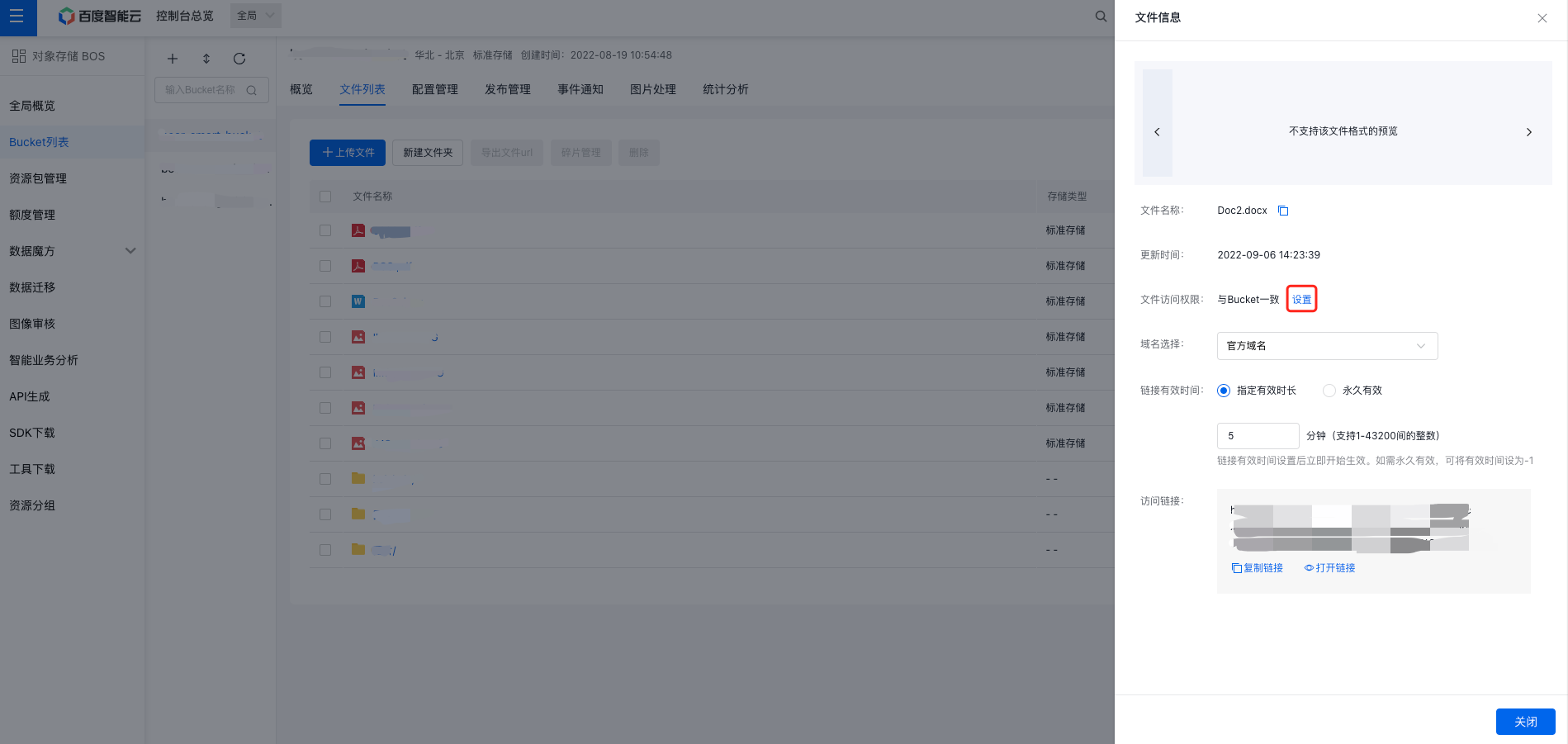
- Click the target File Name or File Information in the operation bar, "File Information" window appears on the right side of the page.
- On the File Information page, click the Settings button behind the "File Access Permission" to adjust read permissions.
-
In the file permission settings, the file permission matches its bucket permission by default. You can set the file access permission to Public Read, Private, or Custom as needed. When the read permission of a file conflicts with its bucket permission, the file permission shall prevail. Description of permissions are as follows:
- Public Read: Any user is allowed to read this object.
- Private: Only the owner has the right to read this object; other users cannot access it.
-
Custom: Enables fine-grained permission management at the object level, allowing users to grant permissions to specific users by adding their Baidu AI Cloud account ID.
- Read-only: Users are permitted to read the object but cannot make changes.
- Read/Write: Users granted FULL_CONTROL permission can both read and write to the object.
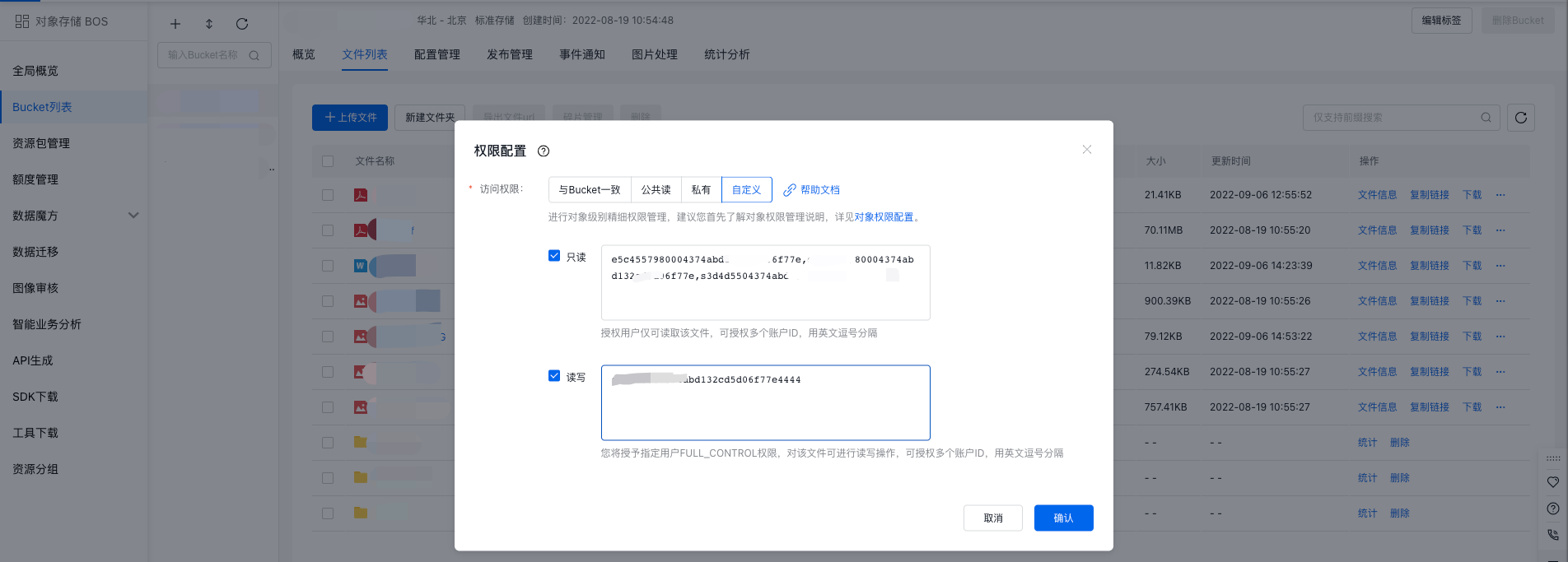
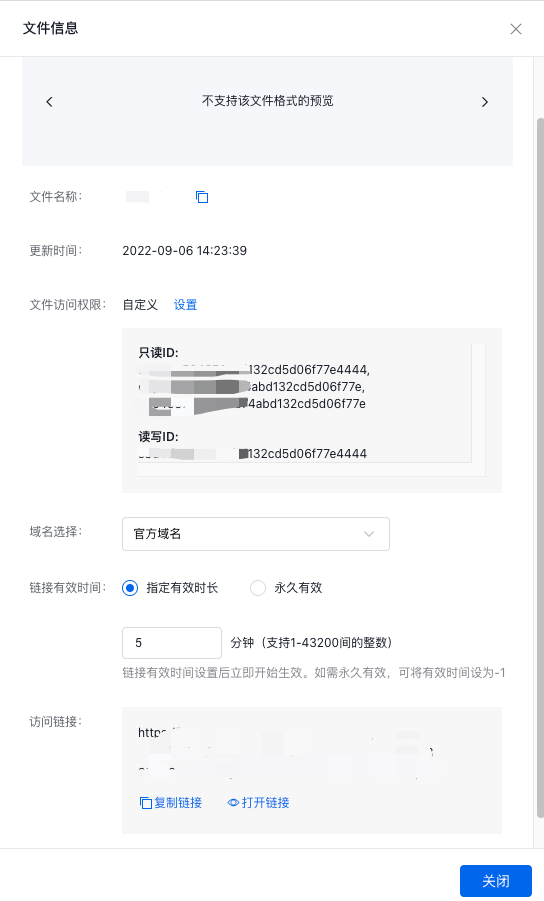
- Click OK to complete the modification. A "Saved Successfully" prompt will appear, and the File Access Permission on the File Information page will change immediately.
Related APIs
- [PutObjectAcl API](BOS/API Reference/Object-Related Interface/Permission control/PutObjectAcl.md): Use the PutObjectAcl API to set the access permission of an object.
- [GetObjectAcl API](BOS/API Reference/Object-Related Interface/Permission control/GetObjectAcl.md): Use the GetObjectAcl API to get access permission of an object.
- [DeleteObjectAcl API](BOS/API Reference/Object-Related Interface/Permission control/DeleteObjectAcl.md): Use the DeleteObjectAcl API to delete access permission of an object.