

Versioning Overview
Versioning is a bucket-level data protection feature. Once enabled, overwritten and deleted data is preserved as historical versions. In the event of accidental overwrites or deletions, you can restore data to any historical version stored in the bucket.
Application scenarios
It is recommended to enable versioning in specific scenarios to enhance data protection.
- Accidental data deletion
- When needing to recover deleted BOS data, the versioning feature allows for the restoration of deleted data effectively.
- File overwriting
- For network disks and online collaboration tools, frequent edits can generate numerous temporary file versions. The versioning function lets you retrieve specific versions created at particular times.
Note
- Cost description
The versioning feature itself is free, but storage fees apply for both current and historical file versions. Additional fees, such as request and traffic charges, may apply for downloading or restoring historical versions. For detailed billing information, refer to Metering Items and Billing Items.
- Permission
Only the bucket owner and RAM users with the PutBucketVersioning permission can set up versioning.
- Feature mutually exclusivity
Versioning and compliance retention policies cannot be configured at the same time within the same bucket.
When versioning is enabled for a bucket, the x-bce-forbid-overwrite request header (used to prevent overwriting files with the same name when uploading) does not work. For more details, refer to Request Headers.
In the same bucket, versioning and the bucket trash cannot be activated at the same time.
During the initial phase of multi-versioning, several features are mutually exclusive, and multi-versioning is not supported in certain AZs. For detailed information, consult the relevant technical staff. Multi-versioning can be enabled in GZ clusters.
Versioning status
A bucket can have one of three versioning states: disabled, enabled, or suspended.
The default versioning state of a bucket is “Disabled.” Once a bucket’s versioning is set to “Enabled,” it cannot be switched back to “Disabled.” However, you can suspend the versioning state.
When a bucket’s versioning is set to “Enabled,” BOS generates a globally unique random string as the version ID for every new object uploaded.
When a bucket’s versioning is set to “Suspended,” BOS assigns a special string “null” as the version ID for every new object uploaded.
Managing objects with versioning enabled
Writing objects
Each object uploaded to a bucket with versioning enabled is assigned a unique version ID.
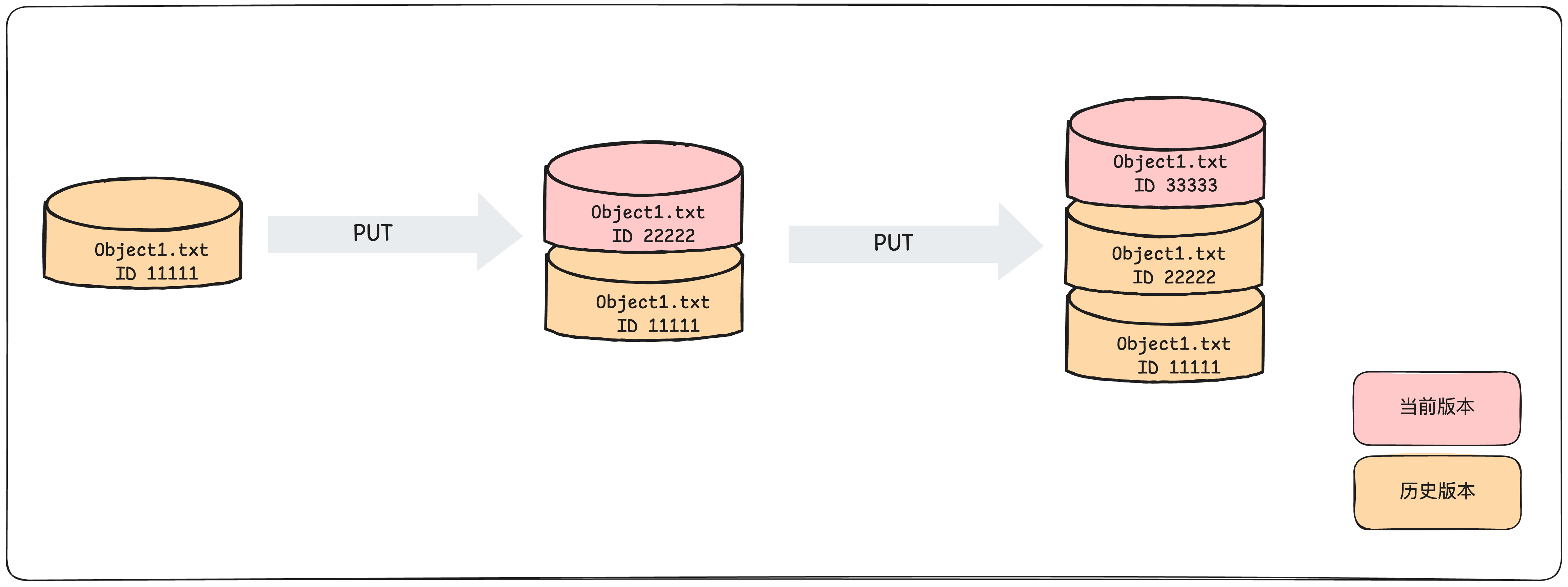
Listing objects
Object version details are stored in the “versions” parameter associated with the bucket. Objects are listed in the order they were stored, and items with the same name are sorted by the most recent write time.
Download objects
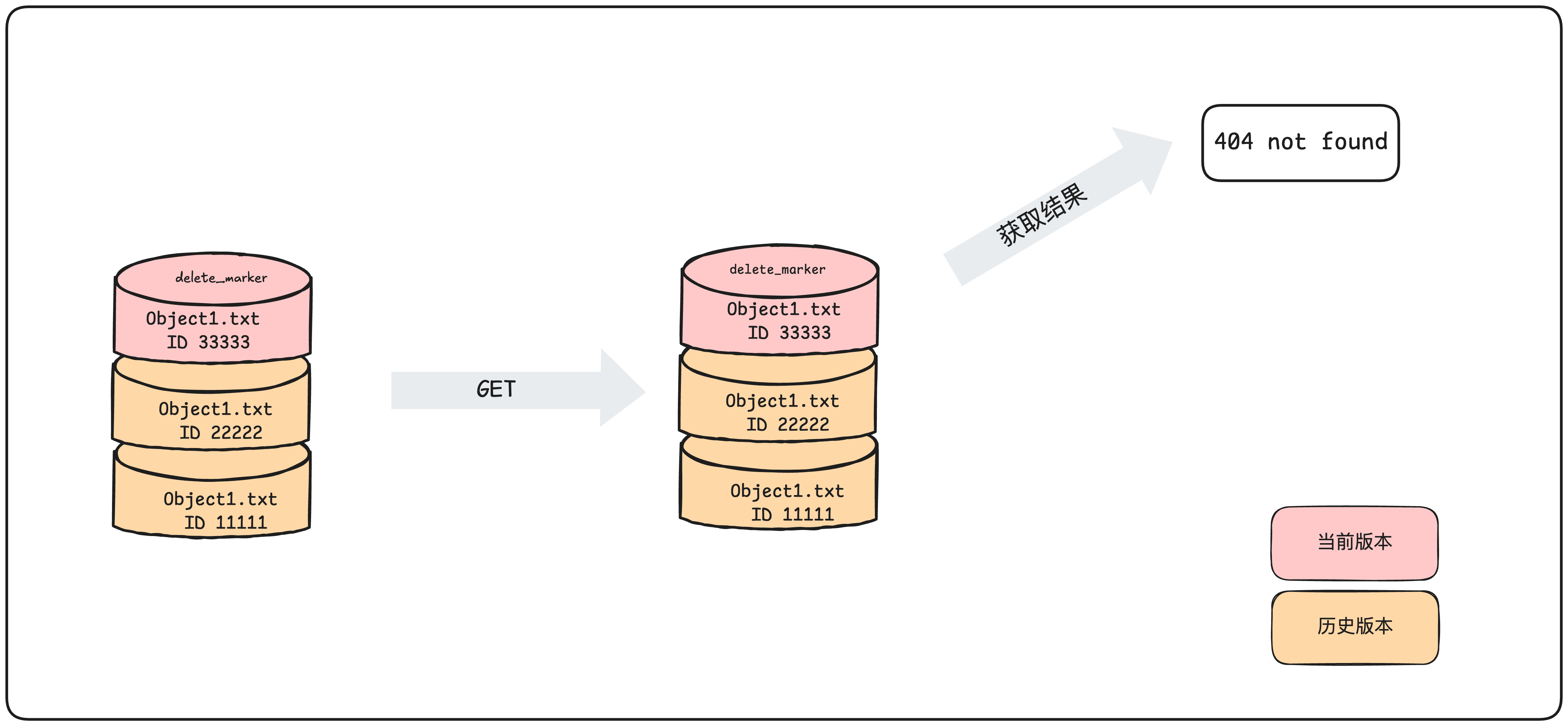
When downloading an object using a GET request without specifying a version ID, the latest version of the object is returned by default.
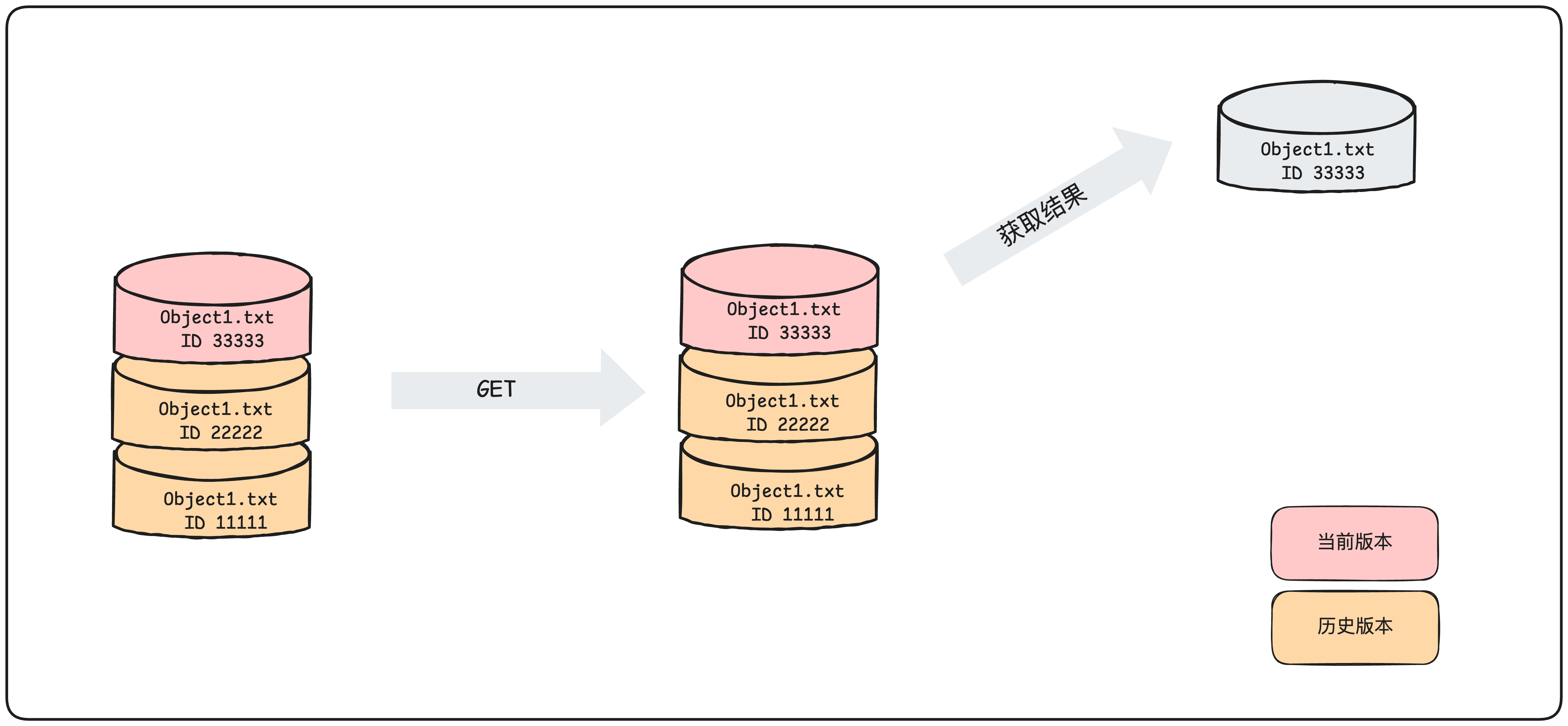
If the latest version is a delete marker, a 404 error is returned
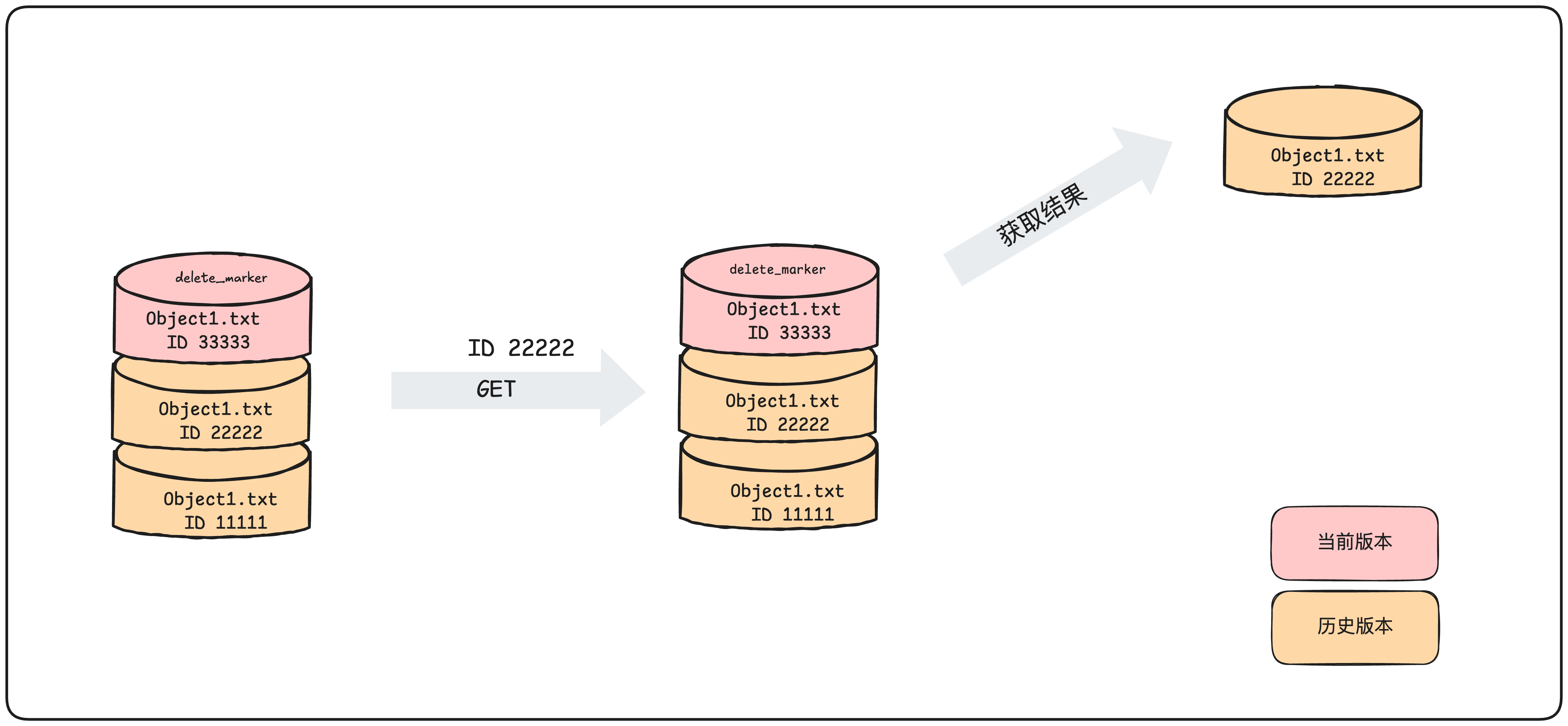
When a specific version ID is specified, the content of that version is returned.
Delete file
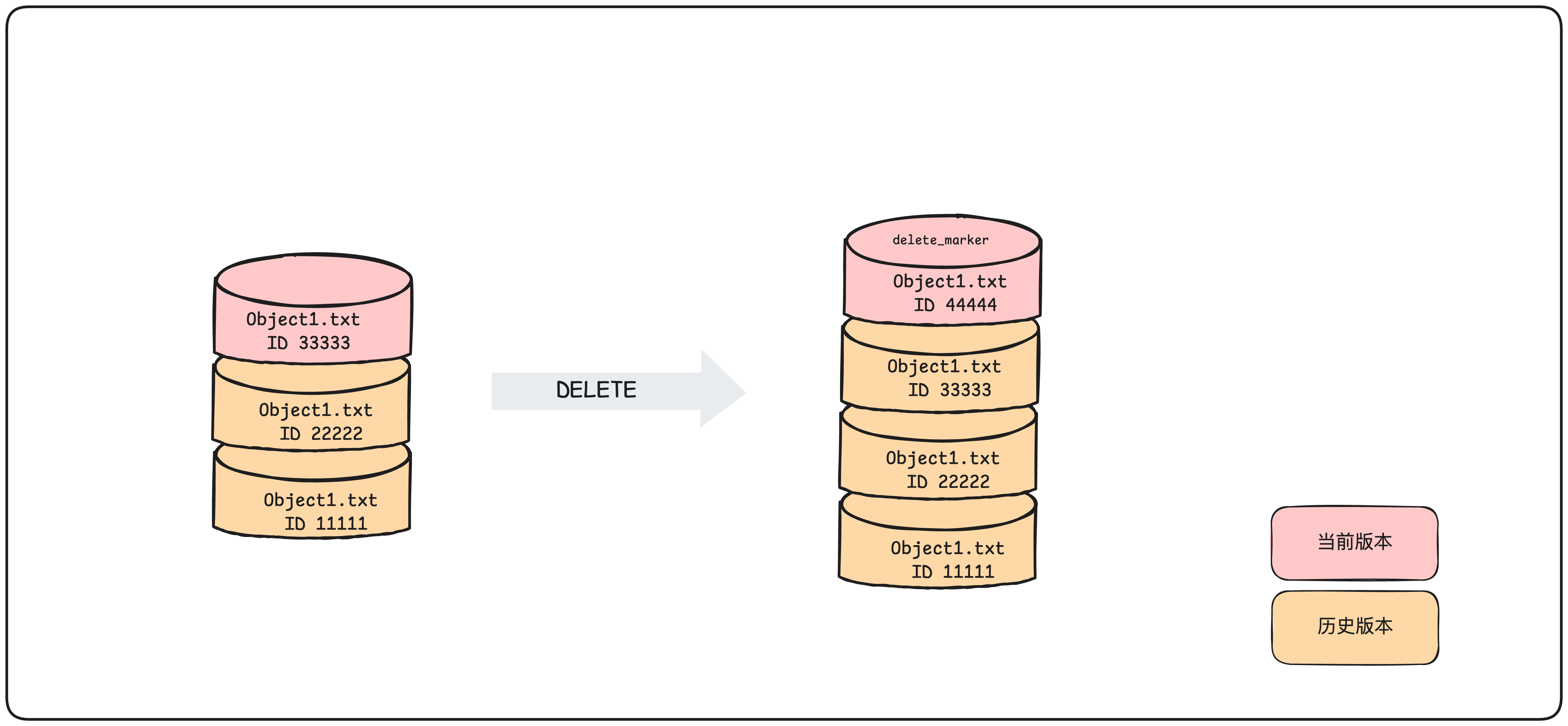
If no version ID is specified during an object deletion, a Delete Marker is added to the bucket as the current version.
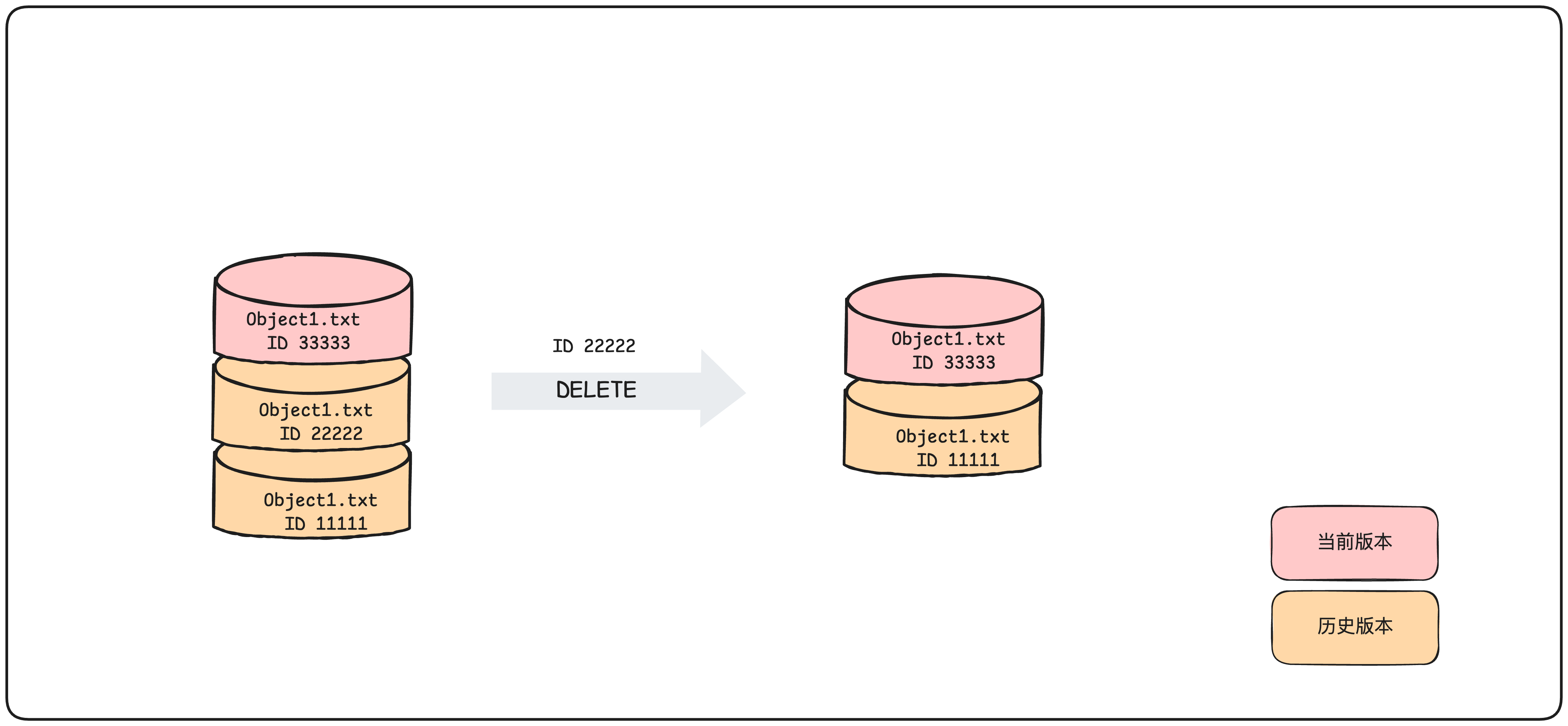
When a specific version ID is specified during an object deletion, that particular version is permanently deleted.
Restoring files
There are two methods to restore files:
- Use the copy API to copy an earlier version of the object to the same bucket.
- To delete an object permanently, specify its current version ID; the historical version then becomes the latest version.
Managing objects with versioning suspended
Writing objects
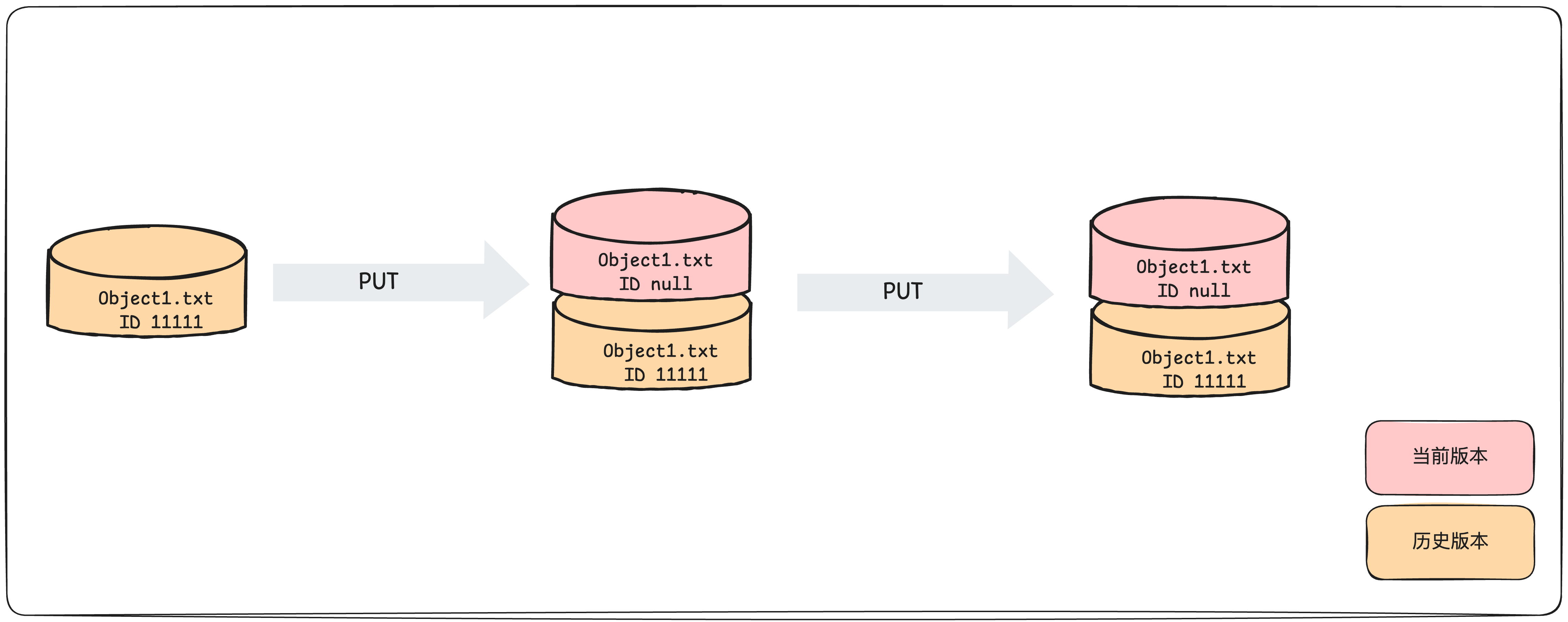
When uploading an object to a bucket with versioning suspended, the object’s version ID remains empty.
Listing objects
Object version details are stored in the “versions” parameter associated with the bucket. Objects are listed in the order they were stored, and items with the same name are sorted by the most recent write time.
Download objects
This behavior is consistent with that when versioning is enabled
Delete file
If a version ID is not specified when deleting an object, a Delete Marker with a version ID of “null” will be added to the bucket as the current version.
When a specific version ID is specified during an object deletion, that particular version is permanently deleted.
Restoring files
There are two methods to restore files:
- Use the copy API to copy an earlier version of the object to the same bucket.
- To delete an object permanently, specify its current version ID; the historical version then becomes the latest version.