

Configure Cache Management
Overview
When enabling CDN service, common service requirements include:
- When new data is added to the origin server, CDN cache nodes must be refreshed immediately, preferably through automation;
- When files are changed at the origin server, CDN cache nodes need to update the cached old data to ensure users access the correct service information;
- If non-compliant files are identified during source inspection and subsequently removed by administrators on the origin server, the corresponding caches on CDN nodes must also be promptly cleared.
In scenarios like these, Baidu AI Cloud BOS and CDN provide cache management capabilities. When both Baidu AI Cloud BOS and CDN are enabled, and BOS is assigned as the origin server for CDN service, smart cache management operations can be performed.
When using CDN cache management, please note the following:
- The CDN cache auto-refresh feature does not guarantee the successful submission of refresh tasks or the timeliness of task processing.
- The CDN cache auto-refresh function supports submitting refresh tasks only for a small number of file updates. A large volume of file updates may trigger flow control, leading to the discarding of some tasks.
Note: For users requiring page update or a large number of file update, it is recommended to directly recall CDN cache refresh to update the file content on nodes. You may also recall CDN quota query to check the current quota value of th user.
Configure cache management
- Sign in to the BOS Management Console and navigate to the Global Overview page.
- In the left navigation bar of the BOS console, select the target Bucket, then click to open the bucket’s file list page.
- Click the Release Management tab in the top navigation bar to enter the Release Management page.
- In the "Release Cache Configuration" module, click the Edit button to configure cache management.

- For events occurring at the origin servers, including new file upload, file update, and file deletion, define the coordination logic for CDN nodes.
| Scenario | Description |
|---|---|
| New file upload |
|
| File update |
|
| File deletion |
|
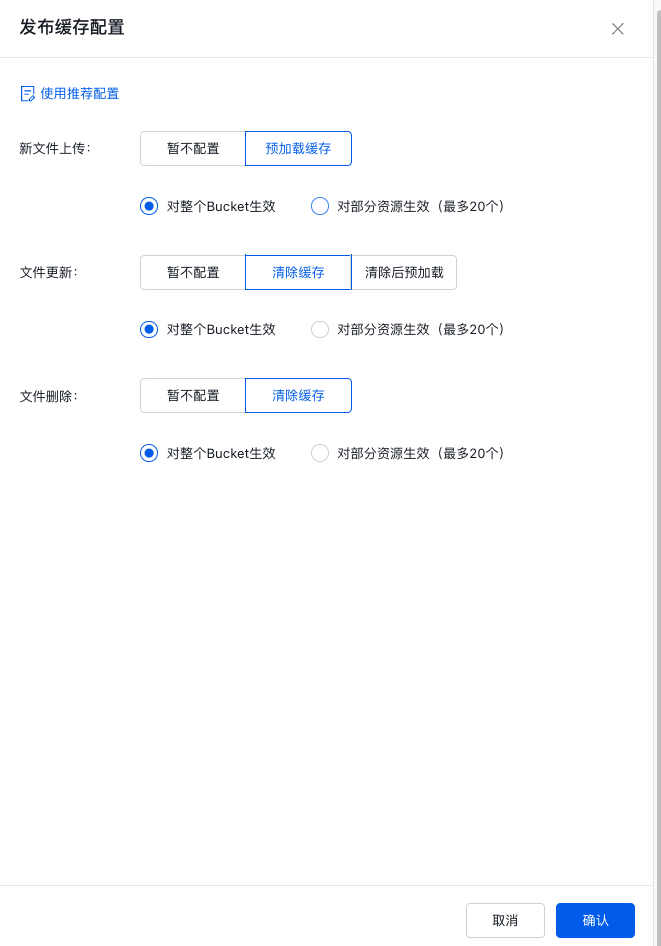
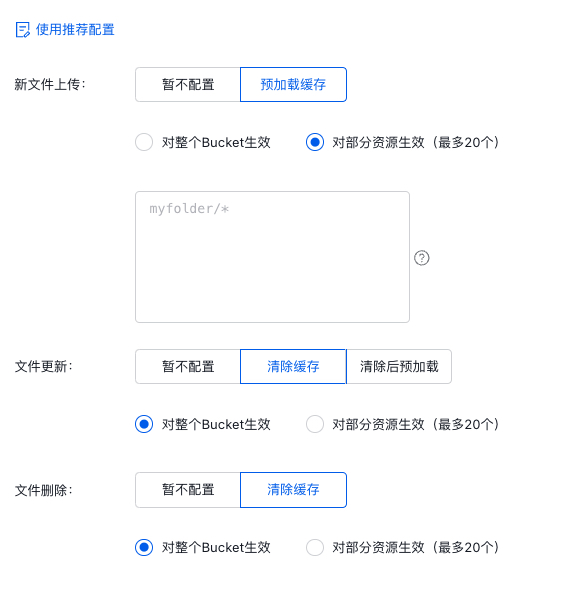
- After configuring the cache node linkage logic, you can also specify effective resources. Currently, it supports applying to the entire bucket or partial resources within the bucket.Each entry of resource is separated by a line break, and 20 entries of resources can be added at maximum.
- When clicking Save, the message "Configured Successfully" will appear in the upper right corner of the page, and the released cache configuration module information will also be updated accordingly, indicating that cache management configuration is completed successfully.
Note: After cache management is enabled, BOS will automatically coordinate with CDN to perform back to origin based on the configuration, and the generated back-to-origin traffic will incur corresponding fees. For pricing standards, please refer to [BOS Product Pricing](BOS/Product pricing/Product price/Pay-As-You-Go Charge Type.md).