

Querying Bucket
Updated at:2025-11-03
Overview
BOS allows the creation of up to 100 buckets to organize and differentiate various types of data. You can see all buckets created in the Baidu AI Cloud Object Storage (BOS) console.
Viewing all buckets in the console
- Sign in to the Baidu AI Cloud Object Storage (BOS) Management Console.
- All buckets you have created are displayed in a list in the left navigation bar of the BOS console. For the created buckets, you can sort them in reverse order by name, refresh the bucket list, or create a new bucket via Create New Bucket.
- A bucket search box is located above the list. It supports fuzzy searches and displays all buckets whose names include the entered text.
- When you hover over a bucket name, details such as the bucket’s name, associated region, and creation time will automatically appear.
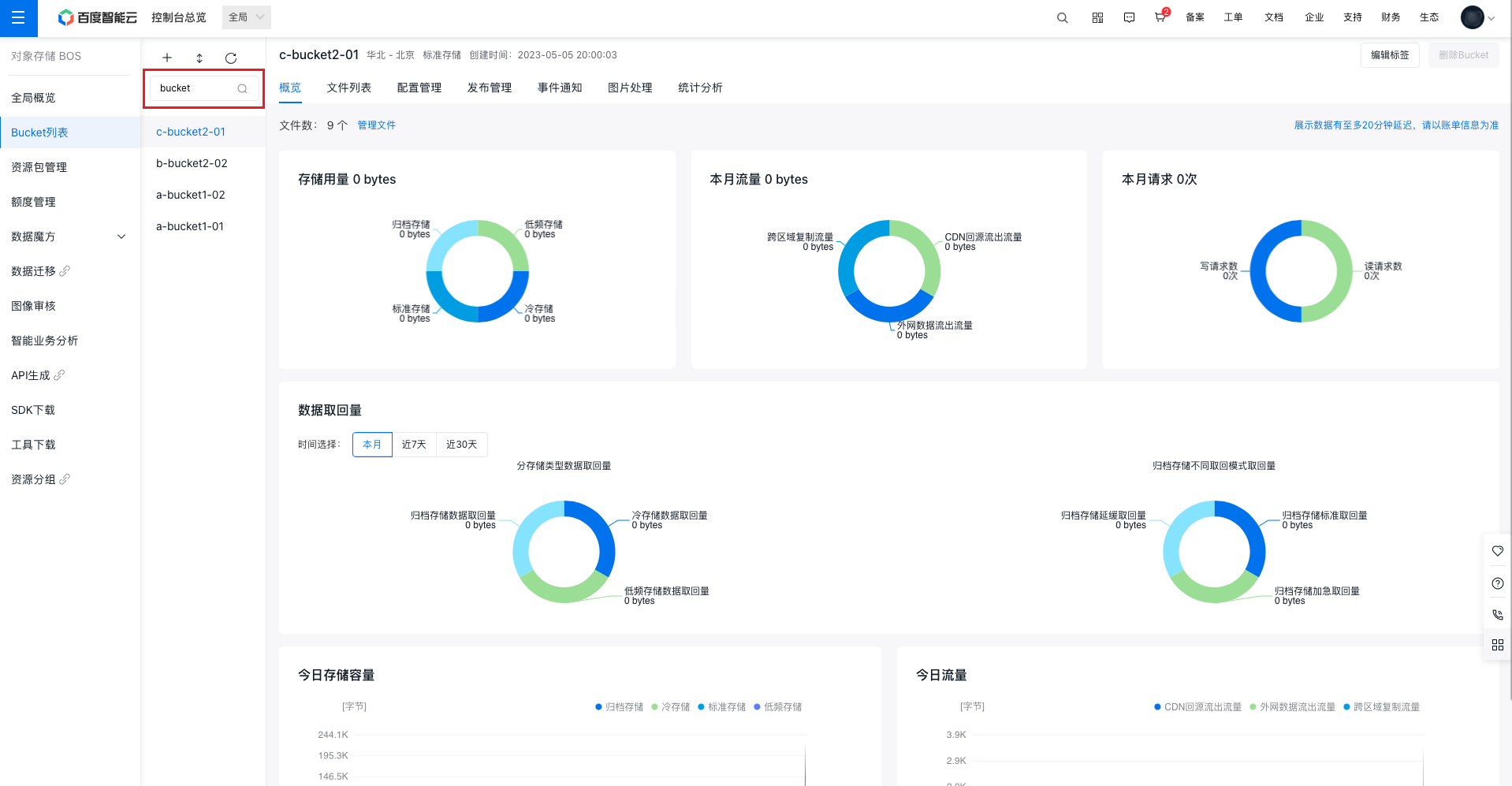
Description:
- If you log in to the console with a root account, BOS will display all buckets. If you log in with a sub-account, BOS will only display the buckets you have access rights to view; other buckets will be hidden.
Related APIs
- ListBucket API: Use the ListBucket API to list all current buckets.