

Delete file
Updated at:2025-11-03
Overview
You can delete uploaded files through the BOS console.
Note
- Deleted files cannot be recovered. Please proceed with caution.
- Files of infrequent access storage, cold storage, and archive storage classes have a minimum storage duration. Deleting files before this duration will incur additional fees. For details, please refer to BOS Billing Documentation.
Delete file
- Sign in to the BOS Management Console and navigate to the Global Overview page.
- In the left navigation bar of the BOS console, select the bucket where the target file is located, then click to open the bucket’s file list page.
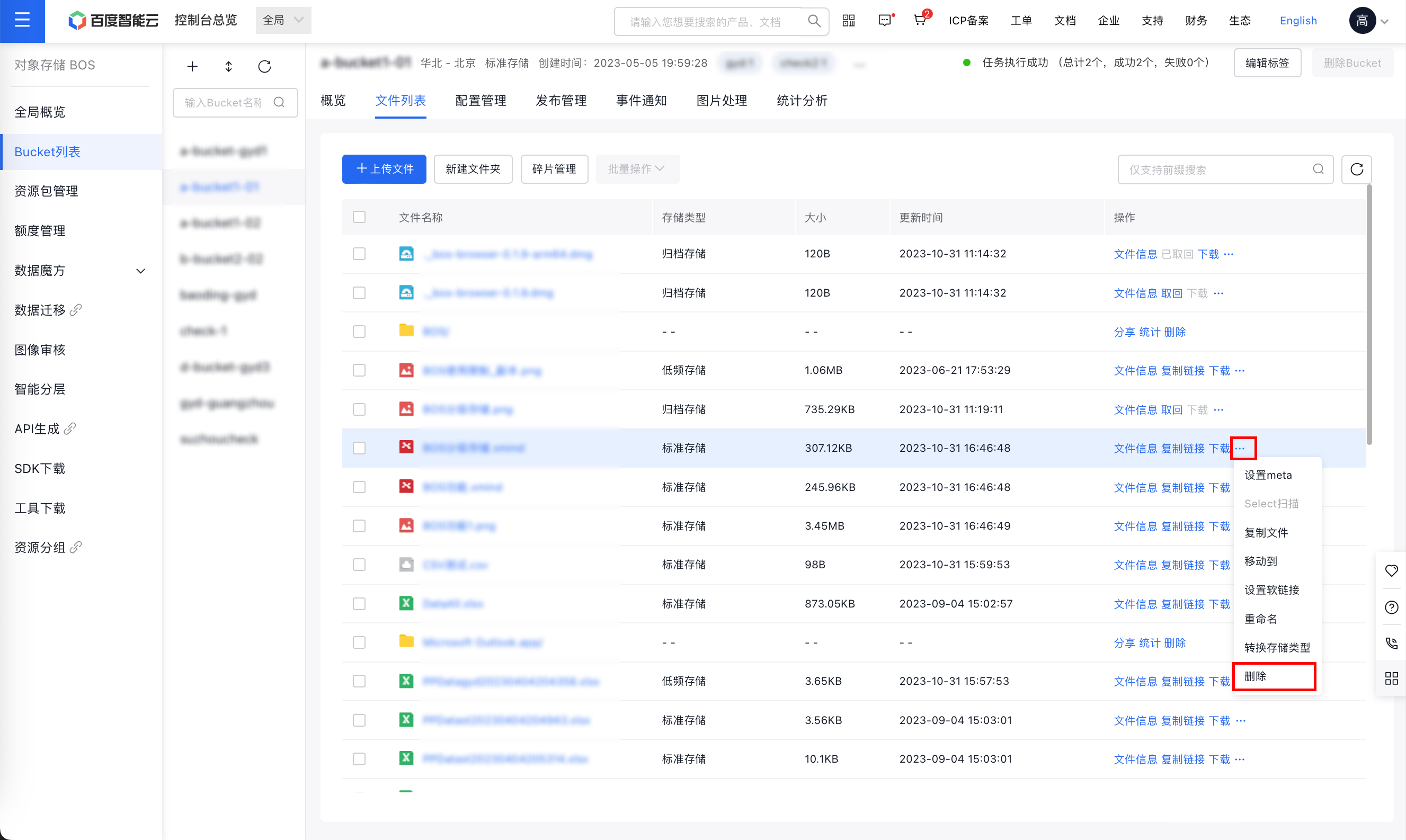
- Click the ... > Delete button located in the operation bar to the right of the target file.
- In the file deletion dialog box, click OK to delete the corresponding files.
Delete folder
- Sign in to the BOS Management Console and navigate to the Global Overview page.
- In the left navigation bar of the BOS console, select the bucket where the target folder is located, then click to open the bucket’s file list page.
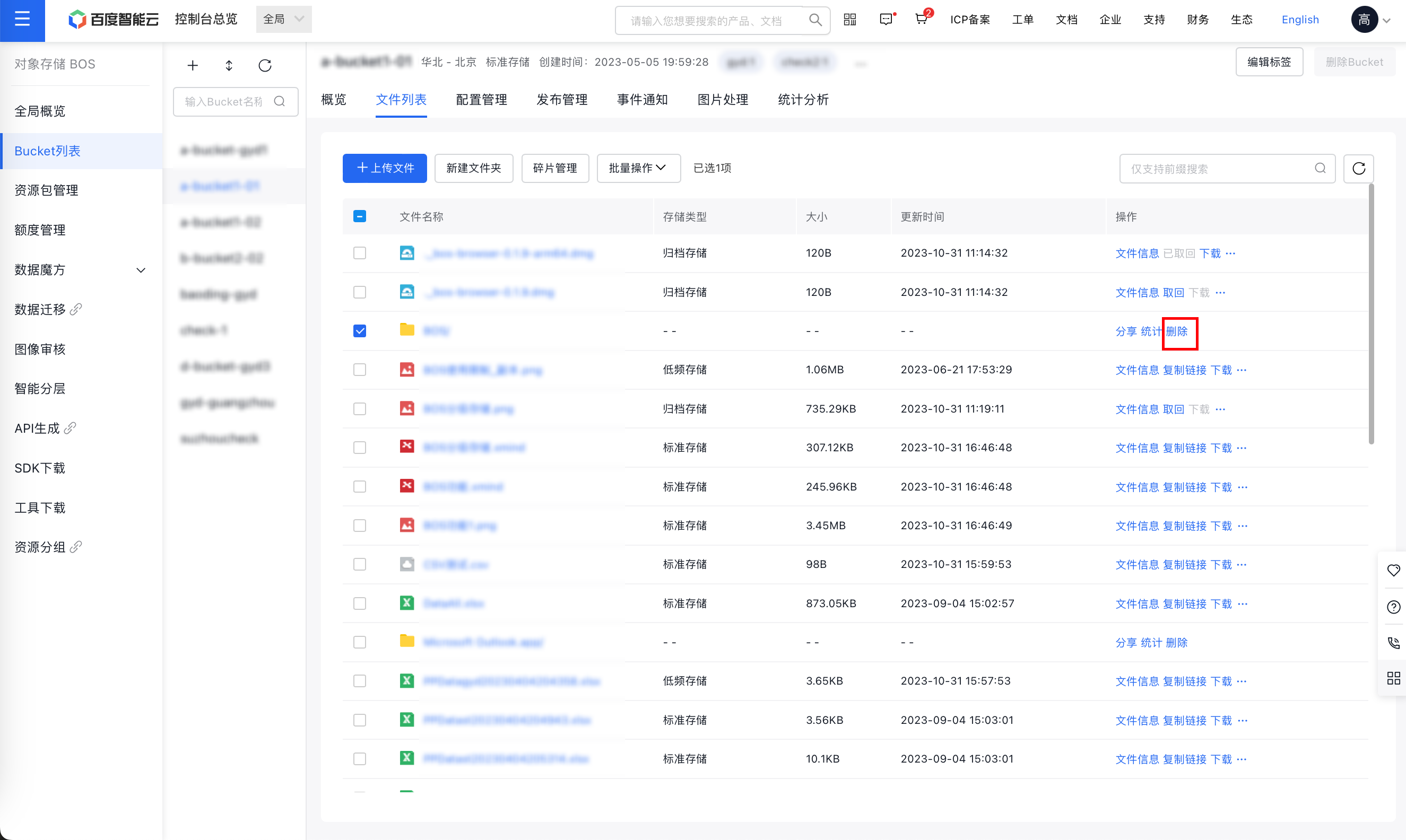
- Find the folder you want to delete, then click the Delete button in the folder operation bar.
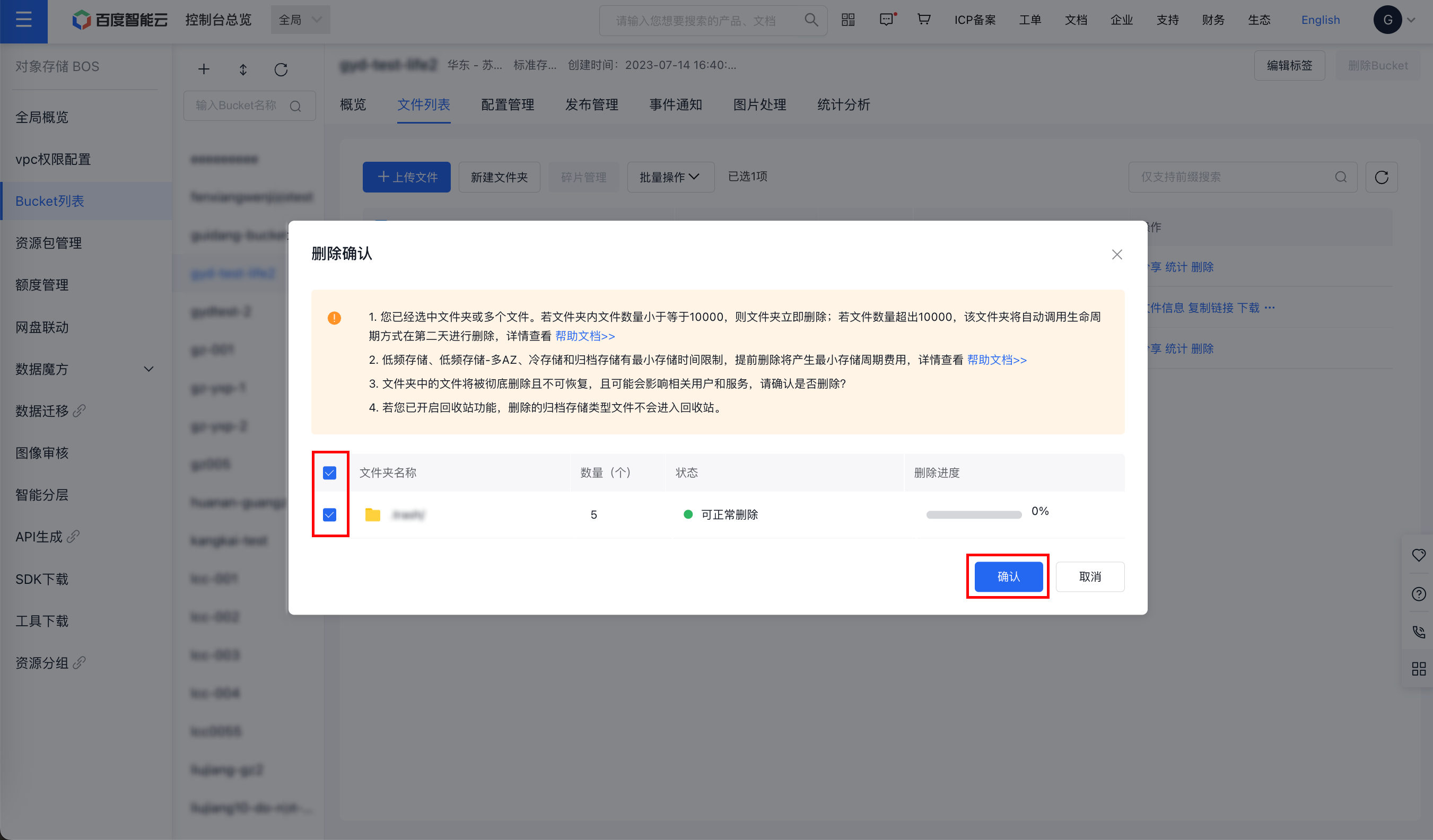
- In the folder deletion confirmation dialog box, select the folders to be deleted and click OK. Please note that all files contained within the folders will also be deleted. Proceed with caution.
Delete files/folders in batches
- Sign in to the BOS Management Console and navigate to the Global Overview page.
- In the left navigation bar of the BOS console, select the bucket where the target file is located, then click to open the bucket’s file list page.
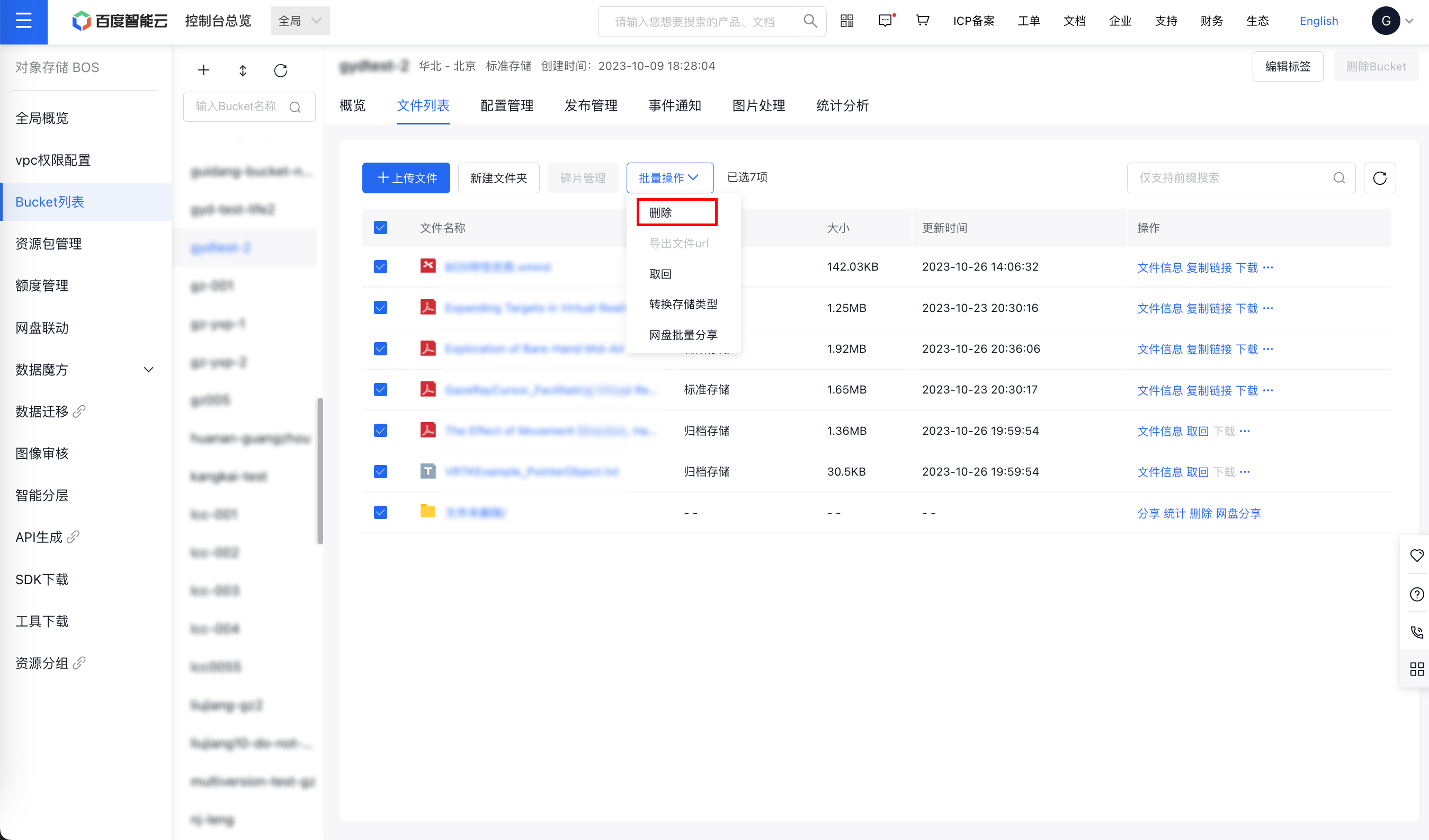
- Select one or more files/folders and click Batch Operation > Delete button above to proceed.
- In the file deletion dialog box, check the files/folders to be deleted, and then click OK to complete the batch deletion.
Related APIs
- [DeleteObject API](BOS/API Reference/Object-Related Interface/Basic Operations/DeleteObject.md): Delete an object in a specified bucket.
- [DeleteMultipleObjects API](BOS/API Reference/Object-Related Interface/Basic Operations/DeleteMultipleObjects.md): Delete multiple objects under the same bucket.