

Intelligent Processing Usage Rules
Overview of intelligent image processing
The image processing service offers flexible, diverse, and real-time image processing capabilities integrated with the Baidu AI Cloud Object Storage (BOS) system. Users can upload the original image to BOS, then perform real-time processing via a simple RESTful interface—such as resizing, cropping, format conversion, rotation, and adding text/image watermarks. The processed image is delivered back to users in real-time through CDN. Intelligent image processing further leverages Baidu’s advanced AI image capabilities via the BOS platform.
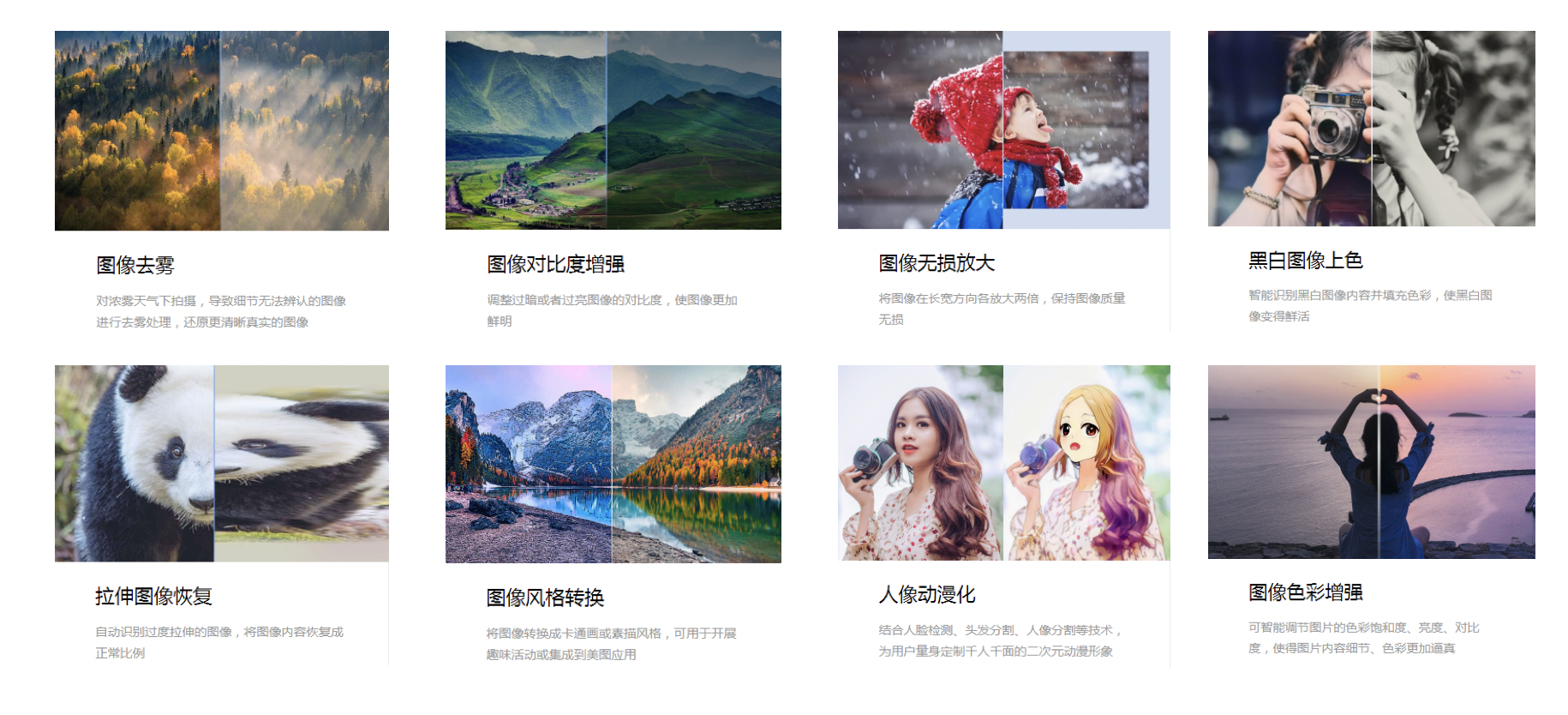
Scenarios and solutions
Intelligent image processing provides two key aspects: intelligent effects and intelligent usage scenarios. Choose the appropriate processing method based on your application needs.
| Typical scenarios | Scenario requirements | Solution | Recommended functions |
|---|---|---|---|
| Mobile cloud album | Mobile albums support processing functions such as cropping, rotation and contrast adjustment | The mobile APP stores the photos uploaded by the user in BOS. When the user reads again, the BOS native image processing function is directly called for processing, and the processed image is stored as a replica in the cloud album |
|
| Security | Low image clarity captured in rainy or foggy weather | Security equipment stores captured videos or images in BOS and calls on BOS’s native image processing capabilities such as image defogging to improve file clarity |
|
| E-commerce | Image distortion, watermark removal and image size scaling | Store images in BOS; automatically perform lossless magnification, add watermarks, or apply other basic processing styles when reading images; |
|
| Social | Social products need certain fun to attract and retain users | Social APPs store images in BOS; automatically perform portrait animation or style conversion when reading images |
|
| Promotional activities | During major holidays or promotional scenarios, businesses need to add some fun to their operational activities | Store images in BOS; automatically perform lossless magnification, add watermarks, or apply other basic processing styles when reading images; |
|
Usage method
You need to upload original images to BOS first. Each BOS bucket has image processing functions enabled by default, and there is no need to enable them separately or access them using a specific domain name. When accessing an image URL, you can trigger the BOS image processing function by specifying the image processing command through the x-bce-process parameter in the Querystring. BOS supports accessing image services in two ways: command mode and style mode.
- Command mode access format:
http://${domain}/${objectkey}?x-bce-process=image/${action},${key}_${value}. Example: http://bucket-A.bj.bcebos.com/sample.jpg?x-bce-process=image/resize,m_fill,w_200,h_300. - Style mode access format:
http://${domain}/${objectkey}?x-bce-process=style/${stylename}. Example: http://bucket-A.bj.bcebos.com/sample.jpg?x-bce-process=style/stylename.
Description:
- Intelligent image processing supports only version V2.0; it is not yet available for version V1.0.
Rules and limit
- Original image formats supported for intelligent processing include PNG, JPG, JPEG, and BMP.
- Supported output formats include PNG, JPG, JPEG, and BMP.
- The size of an image for processing (after Base64 encoding) must not exceed 4 MB. The shortest side should be at least 64 px, the longest side up to 4,096 px, and the aspect ratio within 3:1, unless stated otherwise.
- The width and height of the output image, including intermediate images processed in pipelines or subcommands, must not exceed 4,096 px.
- BOS image processing V2.0 allows specifying up to 4 sets of operations (i.e., 4 actions) at the same time, but only a maximum of one set of actions related to intelligent processing can be specified simultaneously.
- A single action cannot specify the same parameter more than once.
- For lossless magnification, the pixel dimensions of the image for processing must not exceed 1,600 px × 1,600 px.
- For intelligent defogging, the image's shortest side must be at least 200 px, while the longest side must be no greater than 4,096 px.
- For black-and-white colorization, the shortest side of the image must be at least 64 px, and the longest side up to 800 px.
- For sky segmentation, the shortest side of the image must be at least 64 px, the longest side no more than 2,049 px, and the pixel dimensions must remain within 2,049 × 2,049.
- When using position parameters for object erasure repair, the shortest side must be at least 100 px, with the longest side no greater than 2,000 px, and the aspect ratio must be within 3:1.