

Fluentd Collects Data Storage to BOS
Tool overview
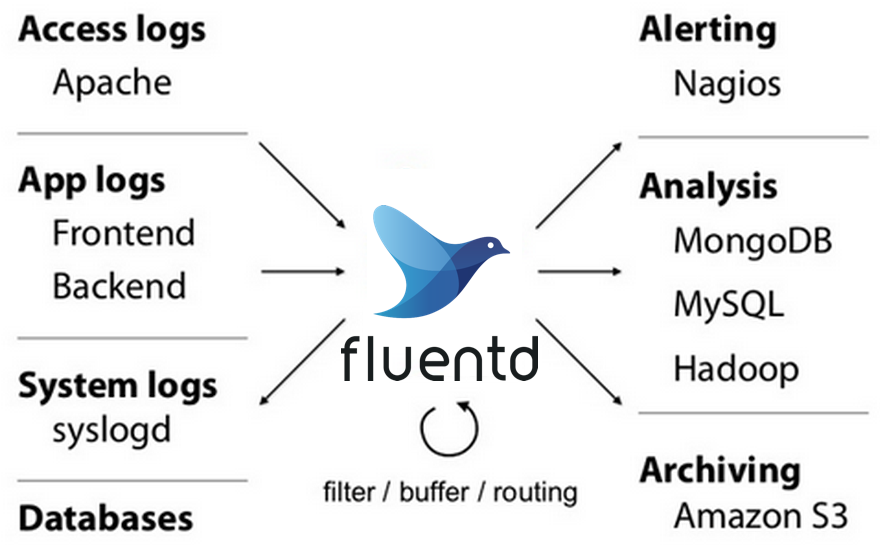
Fluentd is an open-source agent that can collect events from various data sources. After unified data collection, it can write to storage systems such as files, RDBMS, NoSQL, Hadoop, and S3 for better data utilization. This document elaborates on how to use Fluentd’s fluent-plugin-s3 plugin to output log data to BOS buckets.
Configuration guide
- Prerequisite: Ruby version 2.7 or above, with multiple Ruby versions managed via rvm.
-
Install Fluentd and the fluent-plugin-s3 plugin via gem. The default gem source may be unavailable, requiring to replacement with an available image source using
gem source.Shell1gem install fluentd 2gem install fluent-plugin-s3 --no-document -
Fluentd’s input/output methods are primarily based on the
/etc/fluent/fluent.confconfiguration file. First, modify the input source tag in the configuration file. For convenience, we use the built-in HTTP input for demonstration, as shown below:Shell1# HTTP input 2# http://localhost:8888/<tag>?json=<json> 3<source> 4 @type http 5 @id http_input 6 port 8888 7</source> -
Modify the output match tag in the configuration file to use BOS as the output storage. For details, see Configuration: Output. Execute the following command:
Shell1<match bos.*.*> # Match all logs with tags prefixed by bos 2 @type s3 3 aws_key_id bos-ak 4 aws_sec_key bos-sk 5 s3_bucket bos-bkt 6 s3_endpoint bos-endpoint # e.g. https://s3.bj.bcebos.com 7 path logs/${tag}/%Y/%m/%d/ 8 s3_object_key_format %{path}%{time_slice}_%{index}.%{file_extension} 9 <buffer tag,time> 10 @type file 11 path /var/log/fluent/bos 12 timekey 60 # 1 min partition 13 timekey_wait 10s 14 timekey_use_utc true # use utc 15 </buffer> 16 <format> 17 @type json 18 </format> 19</match> -
Restart the Fluentd process by executing the following command:
Shell1fluentd -c /etc/fluent/fluent.conf -
Build input logs to test whether they can be written to BOS normally. Execute the following command:
Shell1curl -X POST -d 'json={"message":"hello world!"}' http://localhost:8888/bos.tag.0 2curl -X POST -d 'json={"message":"hello world!"}' http://localhost:8888/bos.tag.1 -
View the log import results on the BOS console:
Plain Text1bos-bkt/logs/bos.tag.0/2024/08/27/20240827080526_0.gz 2bos-bkt/logs/bos.tag.1/2024/08/27/20240827080531_0.gz
Parameter description
| Parameter name | Parameter meaning |
|---|---|
| match tag-pattern | tag-pattern is a custom regular expression used to find matching tags. In the case of a mismatch, it will report: no patterns matched tag |
| type | Specify the output type as S3 object storage |
| s3_endpoint | BOS Endpoint,Reference document |
| aws_key_id | For BOS Access Key ID, Refer to How to Obtain AKSK |
| aws_sec_key | BOS Secret Access Key |
| s3_bucket | BOS bucket name |
| path | Specify the storage path in BOS |
| s3_object_key_format | Set the naming format for objects written to BOS |
| buffer | Specify log splitting rules, time formats, etc. For details, see buffer config |
| format | Specify the format of each line |