Managing Folder
Updated at:2025-11-03
Overview
To streamline data management, the BOS console includes folder functionalities. You can create folders within buckets to organize files and delete them as needed.
New folder
- Sign in to the BOS Management Console and navigate to the Global Overview page.
- In the left navigation bar of the BOS console, select the target bucket, then click to open the bucket’s file list page.
- At the top of the file list page, click New Folder to create a new folder in the pop-up window as required.
Delete folder
- Sign in to the BOS Management Console and navigate to the Global Overview page.
- In the left navigation bar of the BOS console, select the bucket where the target file is located, then click to open the bucket’s file list page.
Delete a single folder
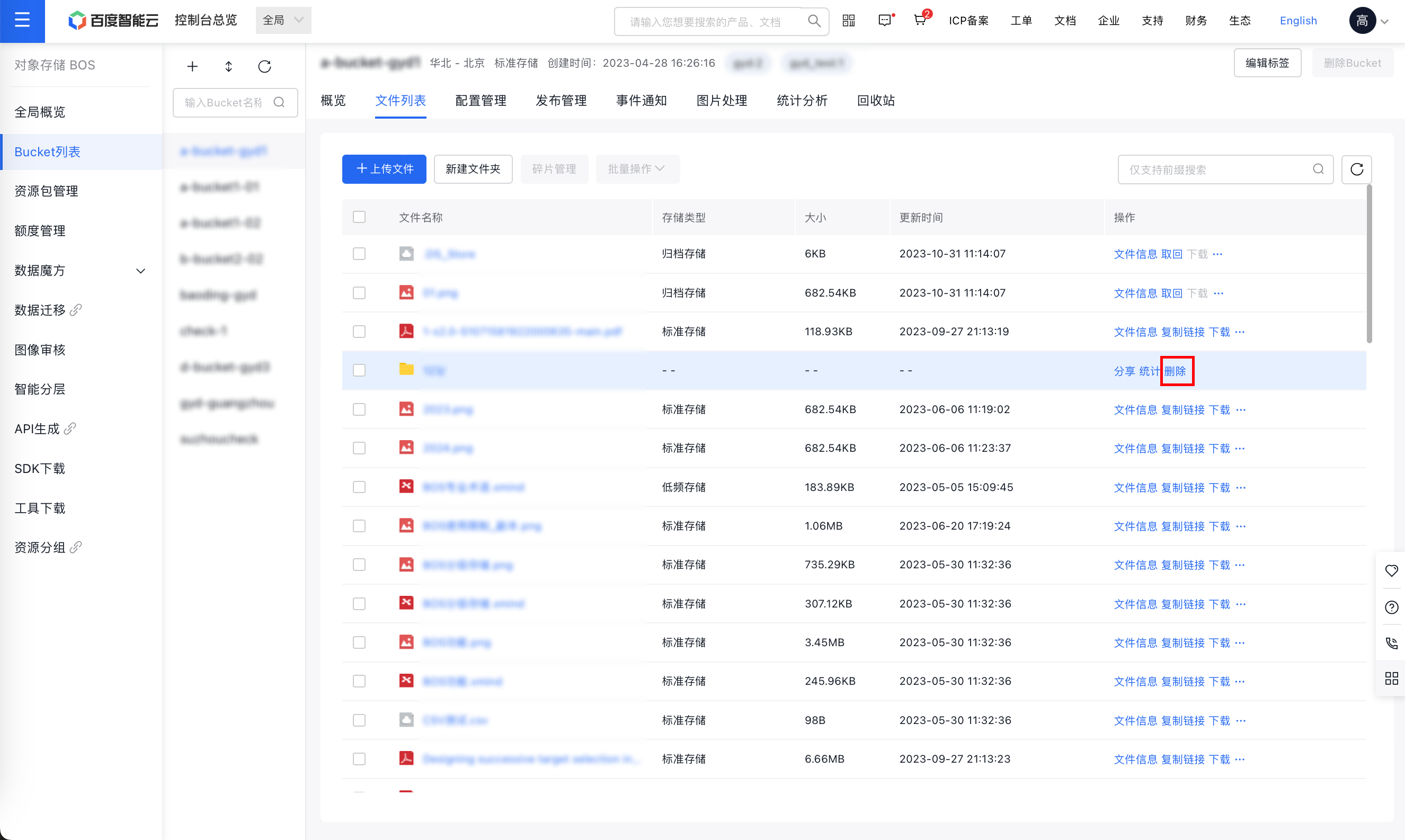
- Find the folder you wish to delete and click Delete in the operation column on the right.
- In the file deletion dialog box, click OK to confirm deletion of the folder. Once a folder is deleted, all files inside it will also be removed. Please proceed with caution.
Delete multiple folders
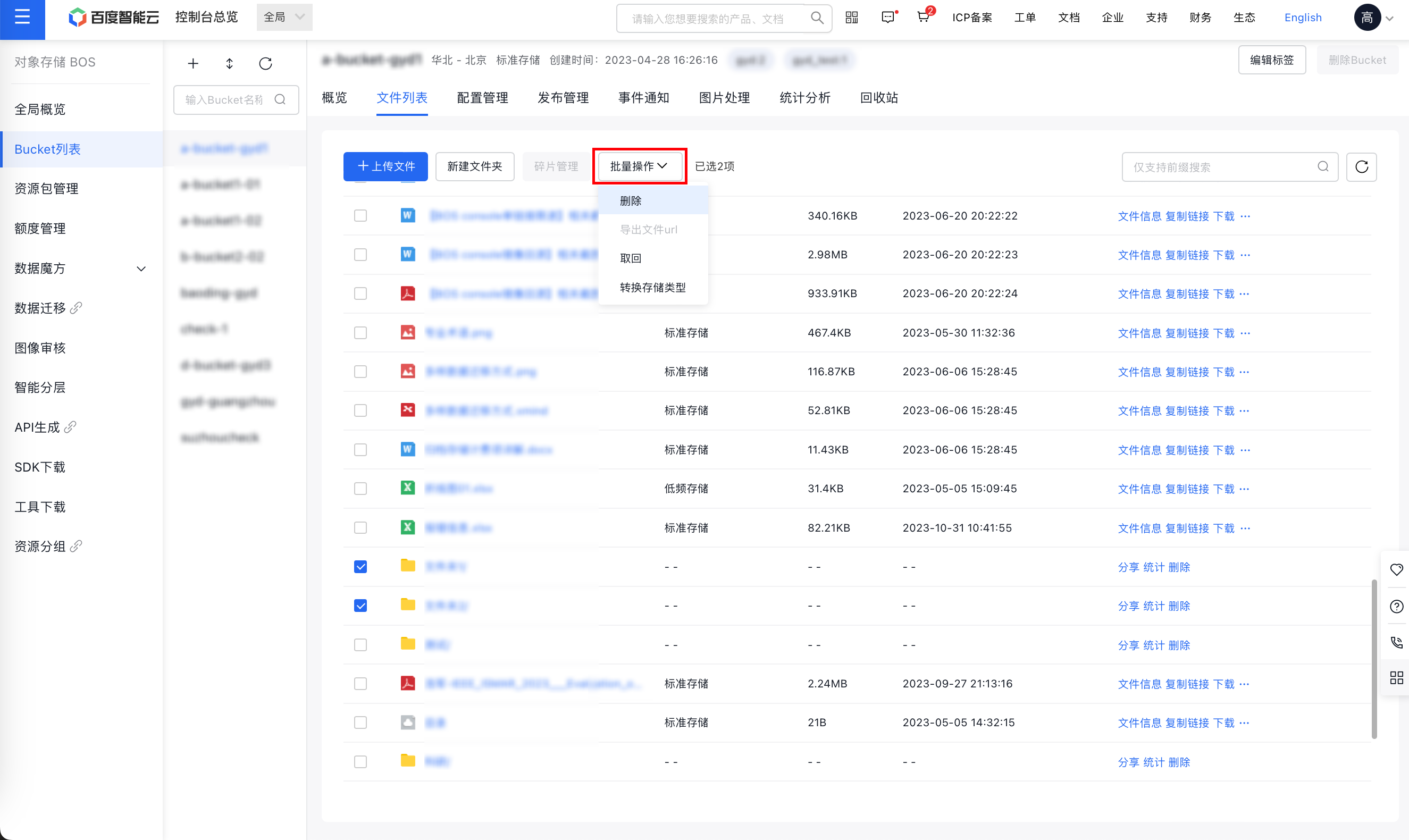
- Select the folders you wish to delete, then click Batch Operation > Delete at the top.
- In the file deletion dialog box, click OK to confirm deletion of additional folders. Once a folder is deleted, all files inside it will also be removed. Please proceed with caution.