Linkage with Baidu Netdisk sharing
Overview
The network disk sharing feature enables file sharing through a collaboration between Baidu AI Cloud Object Storage (BOS) and the Baidu Netdisk Enterprise Customization Platform. You can batch-synchronize files or folders from BOS to the dedicated space of the Netdisk customization service and then generate shareable links for data distribution and delivery.
Description
Currently, the network disk linkage feature is in the allow list trial phase. You can apply for the trial by contacting your account manager or submitting a ticket. We welcome you to experience it.
Note
- Since the network disk linkage feature relies on the data sharing capability of the Baidu Netdisk Enterprise Customization Service Platform, the temporary exclusive cloud drive space provides you with 7 days of free data storage, and you can obtain a sharing link valid for 7 days. If you need a longer storage period, you must purchase the paid network disk service to extend the storage duration
- Sharing data via network disk links will incur charges from Baidu Netdisk, which include high-speed download traffic fees and long-term storage fees (for durations exceeding 7 days) in the exclusive space of the Baidu Netdisk Enterprise Customization Platform. These charges are uniformly billed by Baidu Netdisk. To ensure uninterrupted and reliable service, it’s advised to purchase the official features of the Baidu Netdisk Enterprise Customization Service.
- When using the network disk linkage feature, files are uploaded to the Baidu Netdisk Customization Service space through the intranet. While this feature is provided free of charge by BOS, the synchronization process will incur BOS data read request fees.
- Files stored in the Archive Storage class must be restored before they can be synchronized to the network disk. If retrieval fails, the data upload to the network disk will not succeed.
- Currently, only data in buckets located in the North China - Beijing and North China - Baoding regions can be synchronized to the network disk. If you need support for more regions, please contact us by reaching out to your account manager or submitting a ticket.
Operation steps
Authorize BOS to synchronize files to network disk
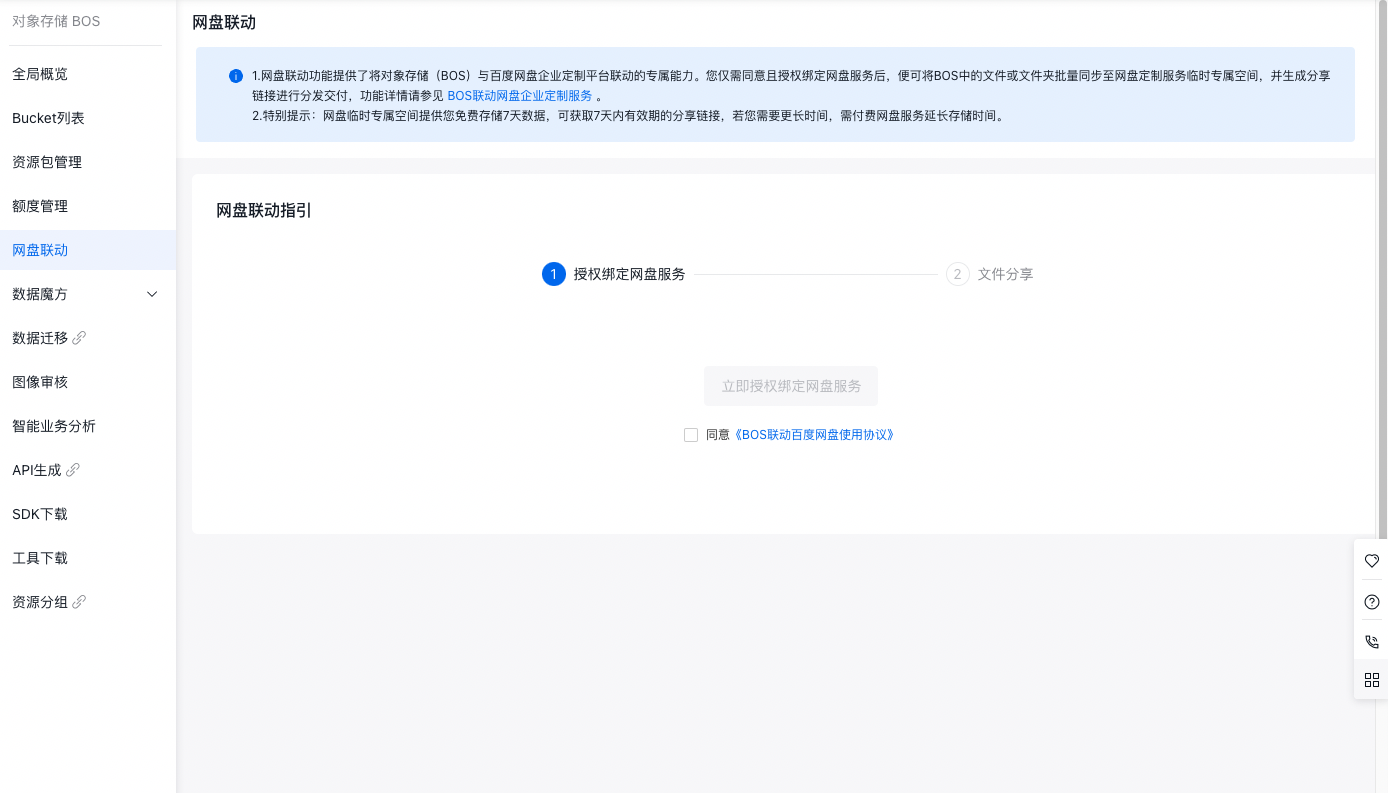
- After being added to the feature allow list, sign in to the Baidu AI Cloud Object Storage (BOS) Management Console. In the left navigation bar of the BOS console, select Network Disk Linkage.
- Check the Product Feature Usage Agreement, then click to authorize and bind the network disk data synchronization service with one click to complete the activation.
-
Once saving is successful, the root account and sub-accounts with the network disk linkage feature enabled can directly choose files or folders from the bucket’s file list for sharing via the network disk. The shared content will then be synchronized to the authorized and exclusive space of the Baidu Netdisk Enterprise Customization Service.
Note: Only the primary user can activate this feature. IAM users can share data after the primary user enables the permission. To synchronize data, IAM users must have at least bucket file list and file read permissions.
Share to network disk
- Sign in to the Baidu AI Cloud Object Storage (BOS) Management Console. In the left navigation bar of the BOS console, select the Target Bucket, then click to open the bucket’s file list page.
- The network disk sharing feature supports sharing: a single file, a single folder, or multiple files/folders. To share a single file: In the operation column of the file to be shared, click ... and Network Disk Share. To share a single folder: In the operation column of the folder, click Network Disk Share. To share multiple files/folders: Check the boxes next to the files/folders to be shared in batches, then click Batch Network Disk Share
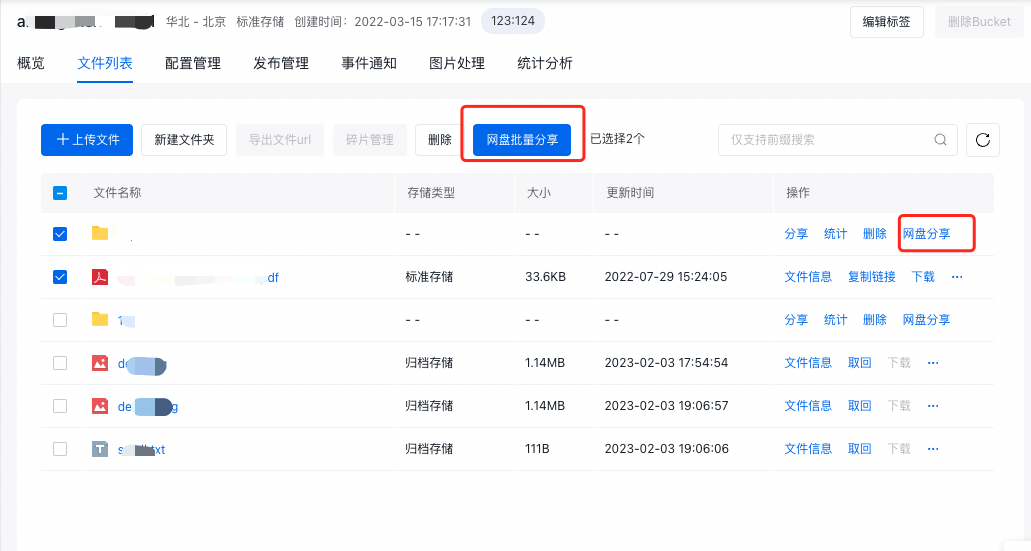
For a single sharing operation, select no more than 5,000 files, and each file must not exceed 2 TB in size
-
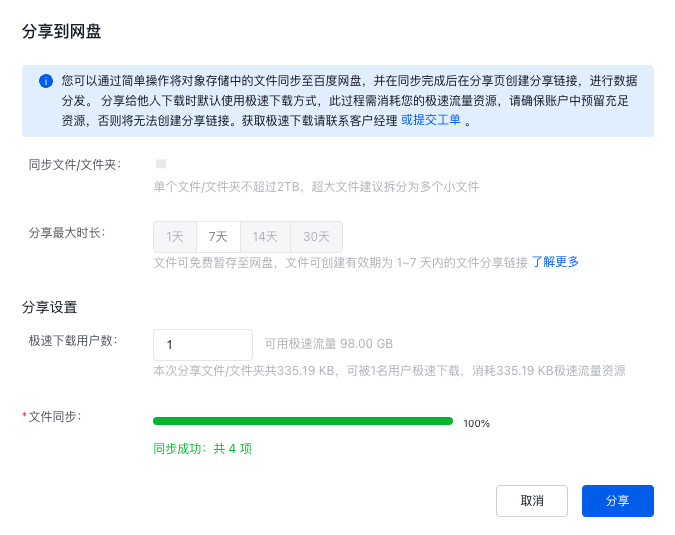
Configure the network disk storage duration, then click Synchronize Now.
- Storage periods of 1 to 7 days are free. For longer durations, Baidu Netdisk will charge storage fees. Storage space must be purchased in advance through Baidu Netdisk. The storage duration of the network disk determines the maximum validity period for the sharing link of synchronized files. For example, if a sharing link is set to be valid for 30 days, you can configure it to remain valid for up to 30 days after synchronization is complete.
- If files are large or numerous, data synchronization might take some time. Please wait patiently and avoid closing or refreshing the browser window during the synchronization process.
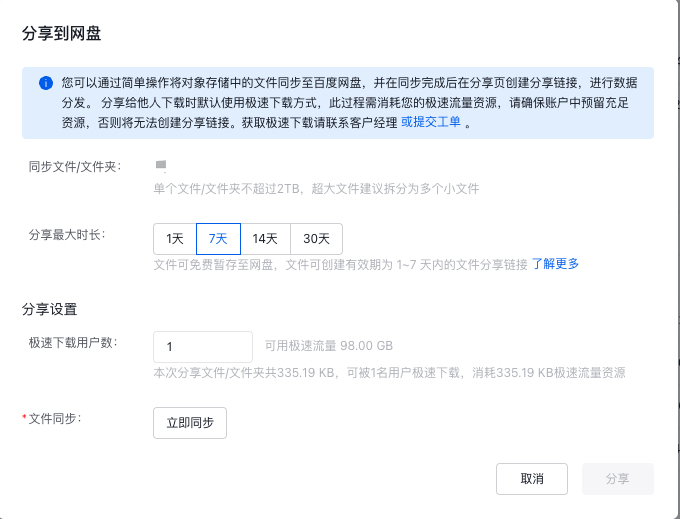
- After synchronization is completed, click the Share button to configure the sharing link settings: validity period of the sharing link, and whether to use high-speed traffic for delivery (note: you must have purchased a high-speed traffic package from Baidu Netdisk to ensure sufficient resources). Then click Create Link.
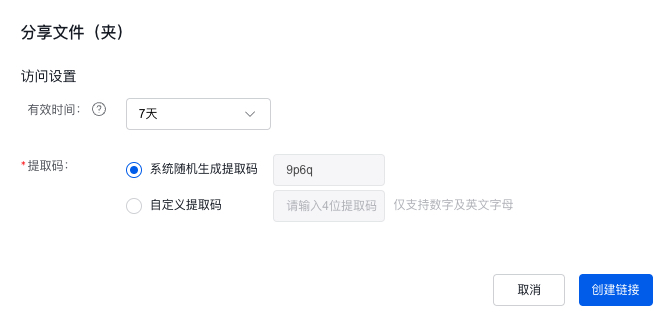
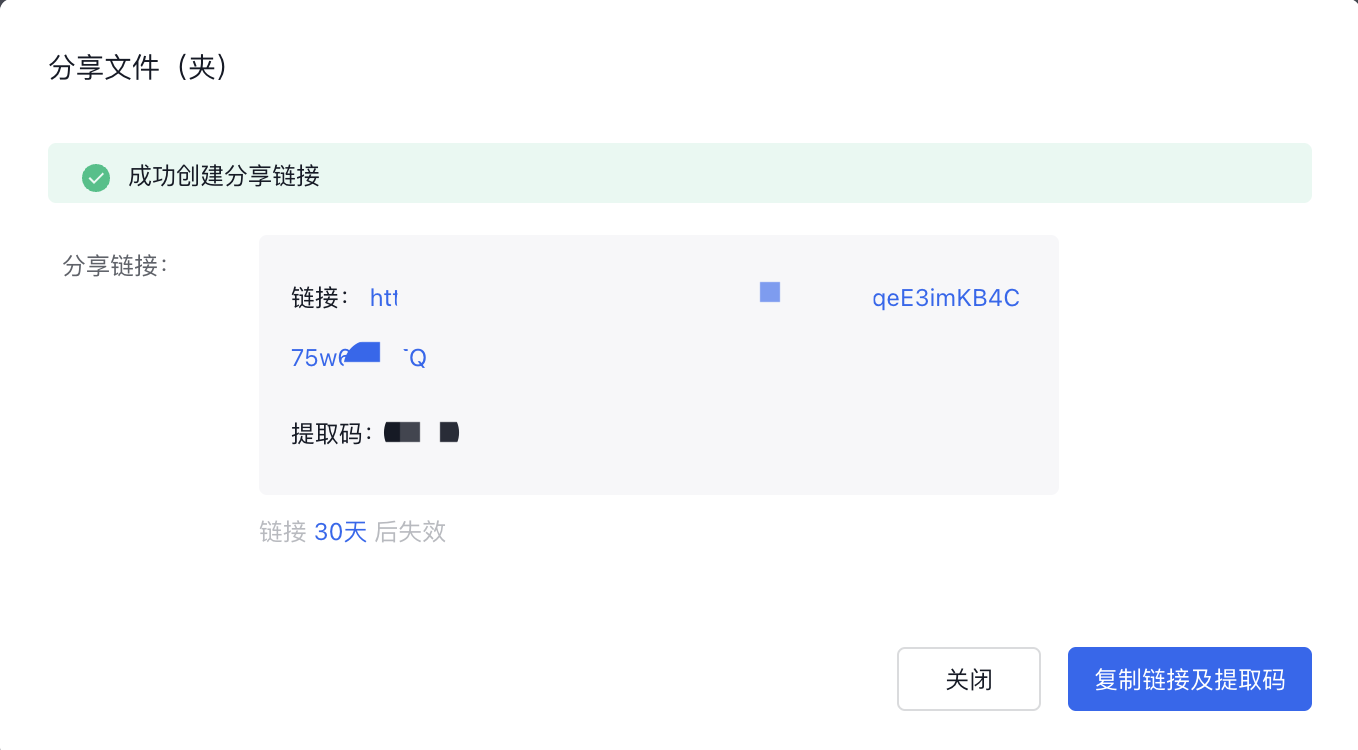
- Click Copy Link and Extraction Code, then send them to the recipient. The recipient can open the link and save the files to their Baidu Netdisk.