

Querying Object
Updated at:2025-11-03
Overview
A single bucket in BOS supports unlimited files/folders. Use the console to view all uploaded objects in a specified bucket
Use the console to view all objects
- Sign in to the Baidu AI Cloud Object Storage (BOS) Management Console.
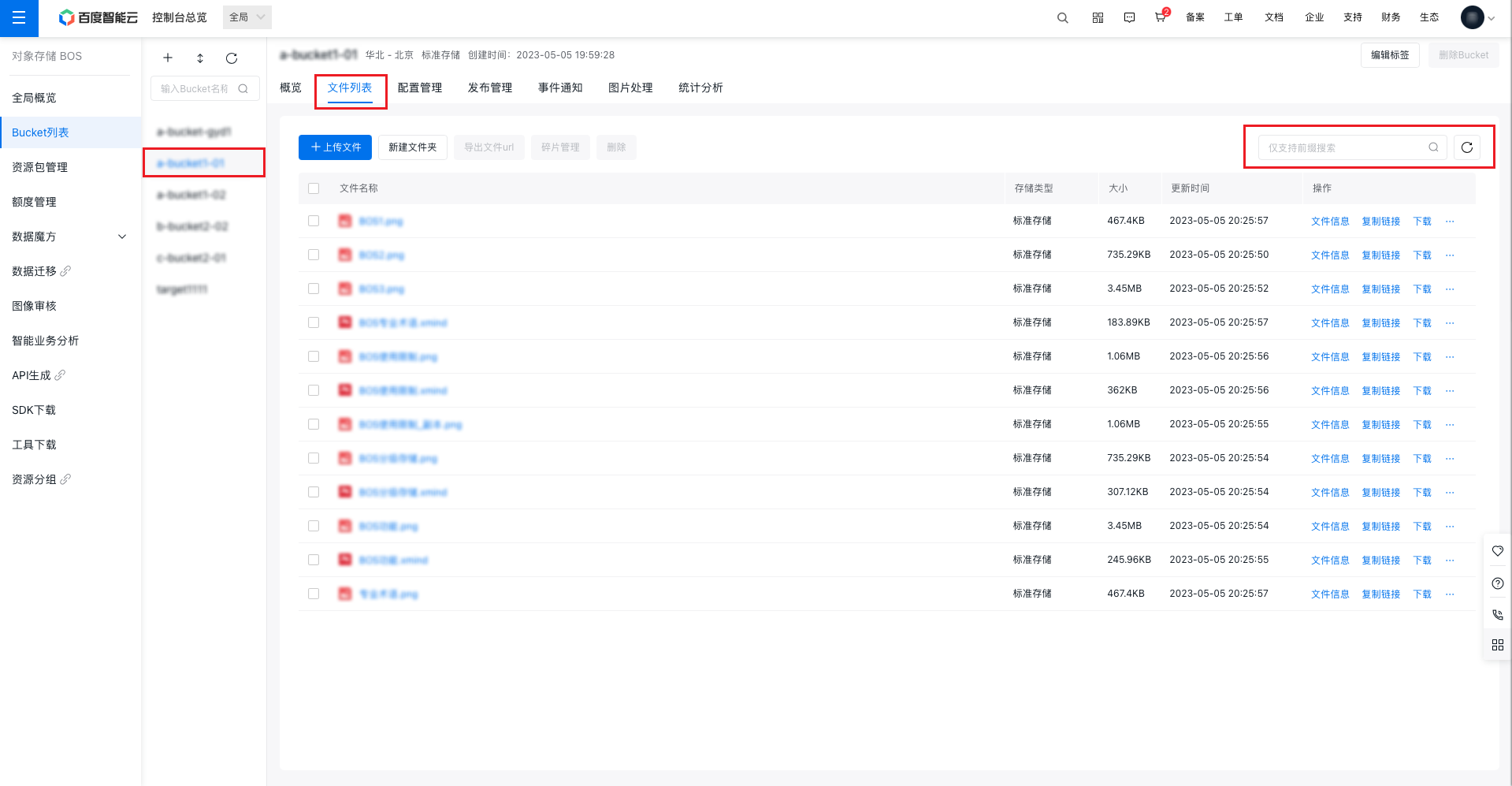
- Select a bucket from the left-side list, and then click File List in the top-right navigation bar. BOS will display all objects in the current bucket
- An object search box is available in the upper right corner of the page. It supports prefix-based searches. For instance, entering "BOS" will display all objects whose names start with "BOS".
- The object list can also be refreshed using the refresh button at the right of the search box
Related APIs
- ListObjects API: Use the ListObjects API to retrieve the object information list of a specified bucket