

VPC
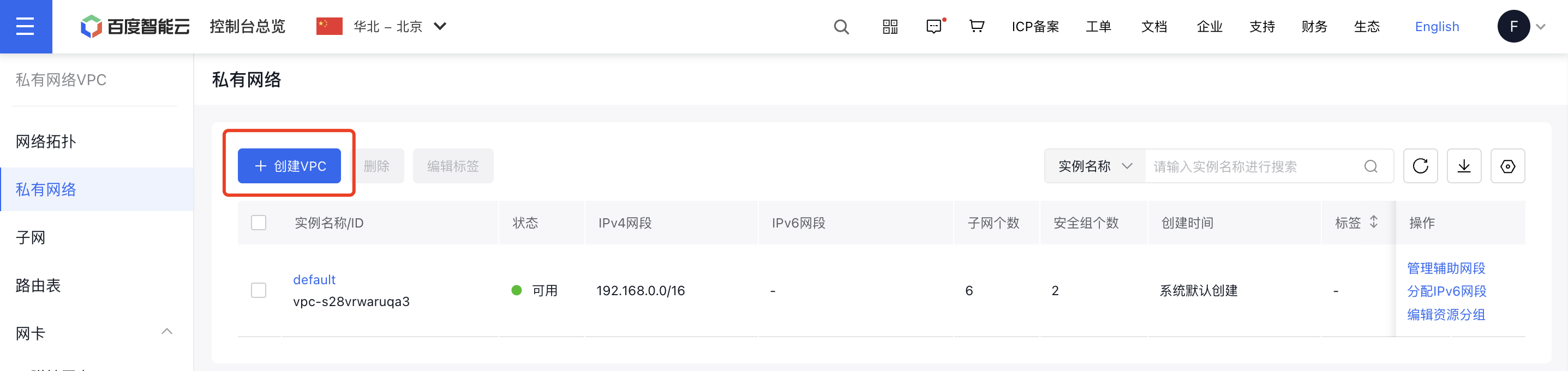
Create VPC
- Sign in to the Baidu AI Cloud console.
- Go to Products & Services - Virtual Private Cloud (VPC), and select Virtual Private Cloud from the left navigation bar to display the VPC List page.
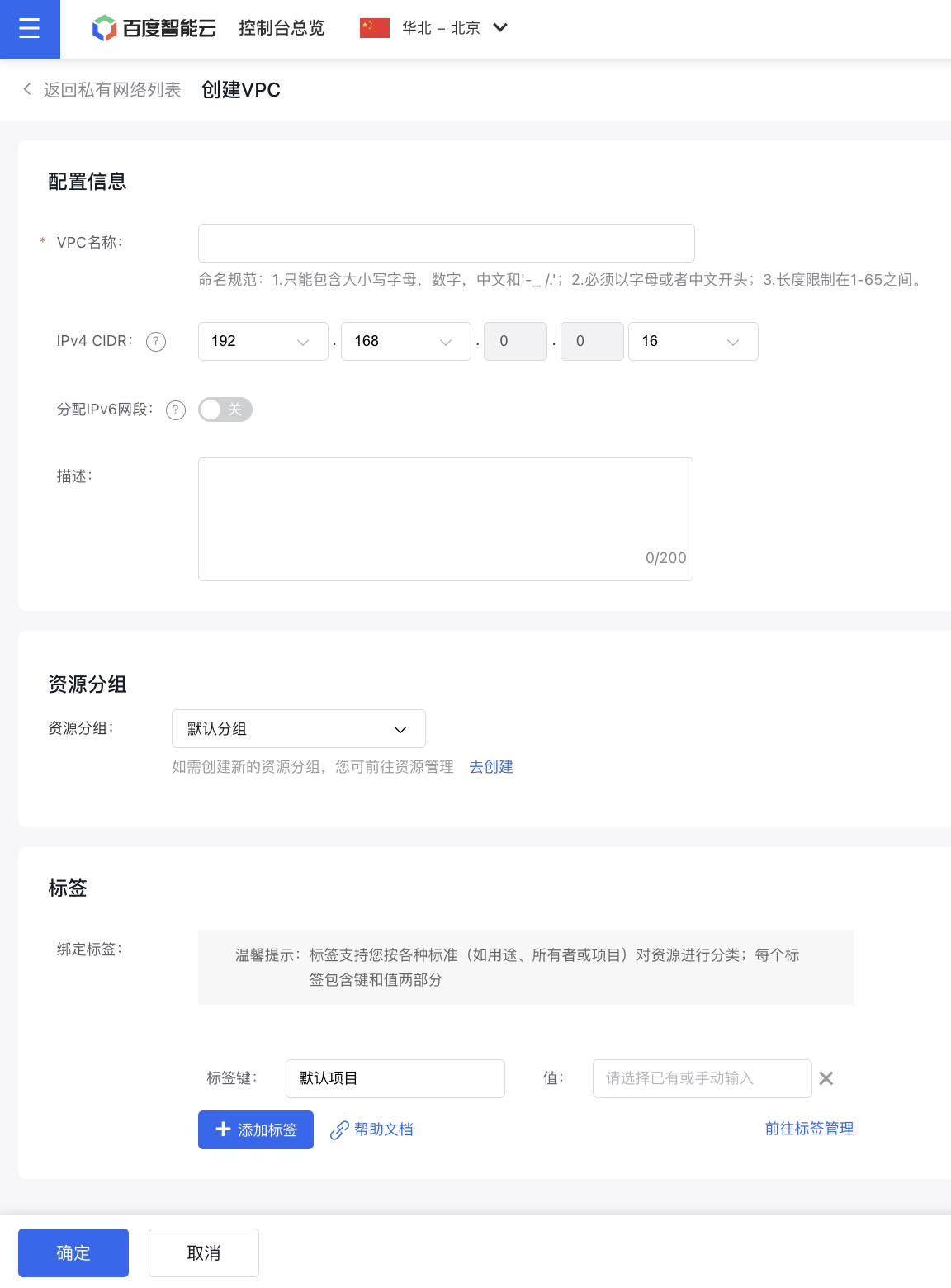
- Click the Create VPC button, then enter details such as the VPC name, CIDR address, resource group, tags, and other information to create a VPC.
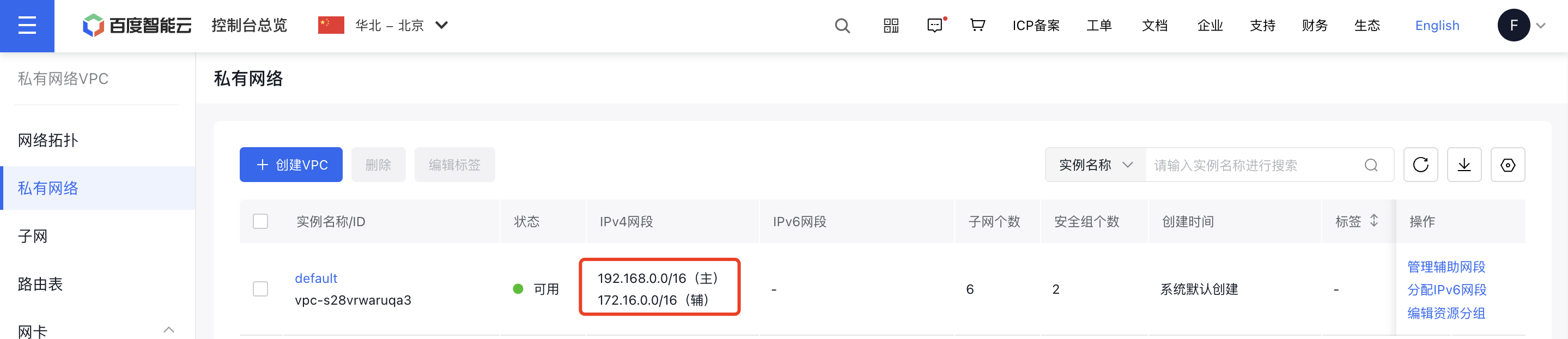
Classless inter-domain routing (CIDR) is mainly used to assign IP addresses to users and efficiently route IP data packets, making it a practical method for organizing IP addresses. It's recommended to use the ranges 192.168.0.0/16, 172.16.0.0/12, 10.0.0.0/8, and their subnets as virtual private cloud segments, with allowed block sizes ranging from /28 to /8 netmasks. Public IP address ranges can also be configured as VPC address ranges, though caution is advised when using public IPs as private network segments. For example, create a VPC using a "/24" CIDR block by selecting "172.16.0.0/24" as the CIDR address.
Description:
- VPCs created after May 15, 2021, have multicast disabled by default. To enable multicast, please submit a ticket for application.
Manage secondary network segments
- Sign in to the Baidu AI Cloud console.
- Go to Products & Services - Virtual Private Cloud (VPC), and select Virtual Private Cloud from the left navigation bar to open the VPC List page.
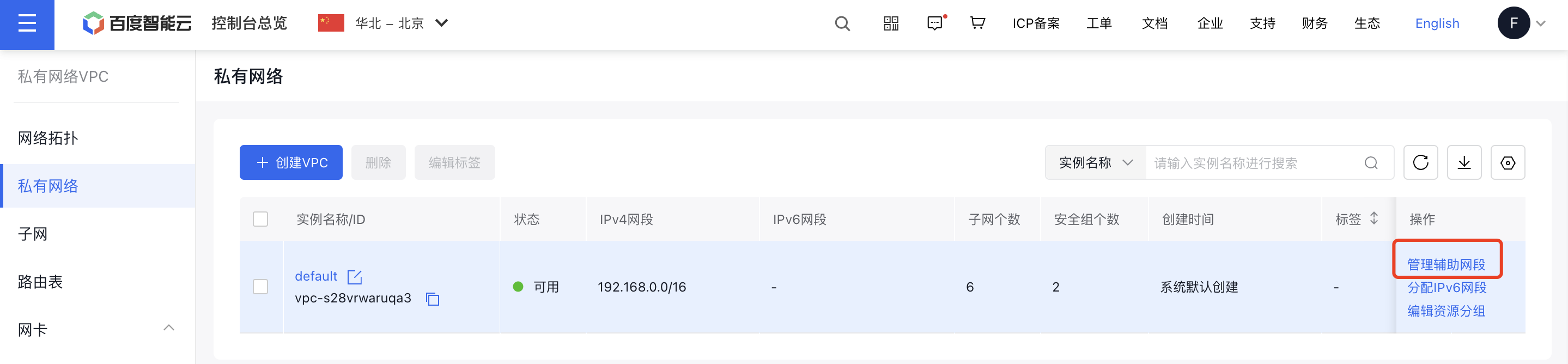
- Locate a specific VPC, then go to the action column and click the Manage Secondary Network Segment button.
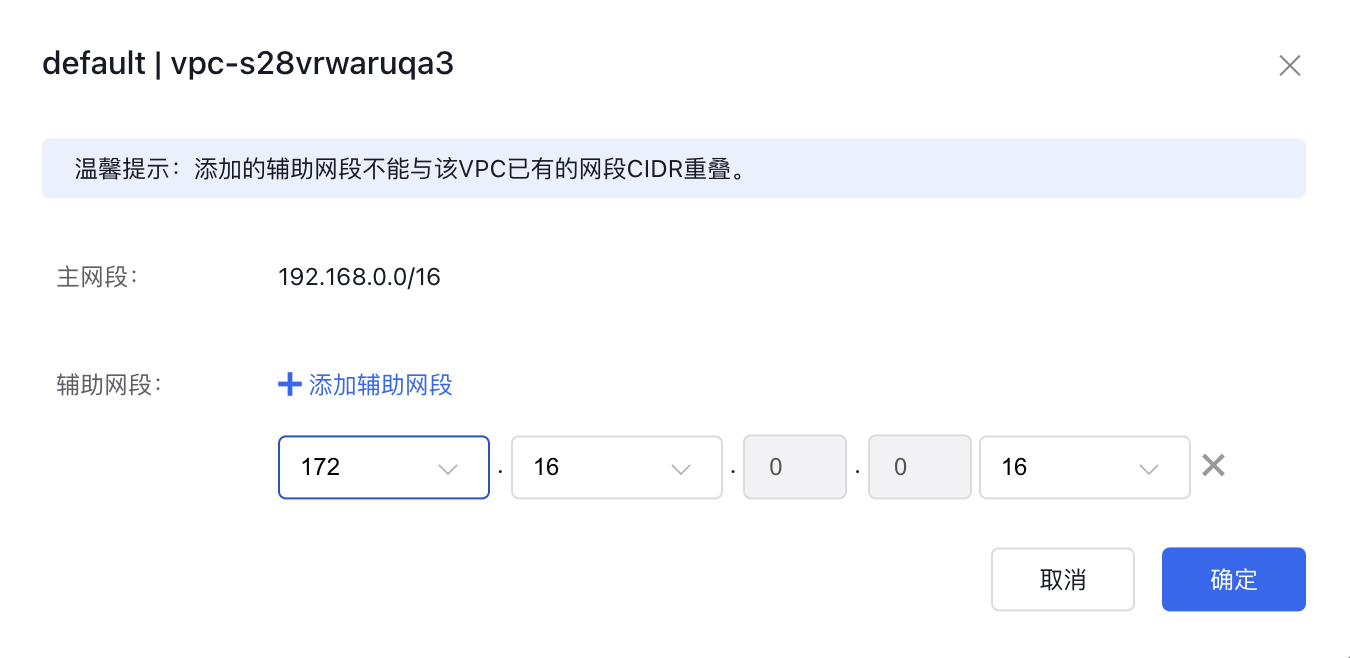
- In the secondary network segment management dialog box, users can:
- Click Add Secondary Network Segment to add a new secondary network segment
- Click × after a secondary network segment to delete it
Description:
- When adding a secondary network segment, ensure that the new segment does not overlap with the existing CIDR of this VPC.
- To delete a secondary network segment, verify that there are no subnets within it.
- A single Virtual Private Cloud can accommodate up to five secondary network segments.
- Click OK to return to the VPC Instance List page and view the configuration changes.
Relay VPC
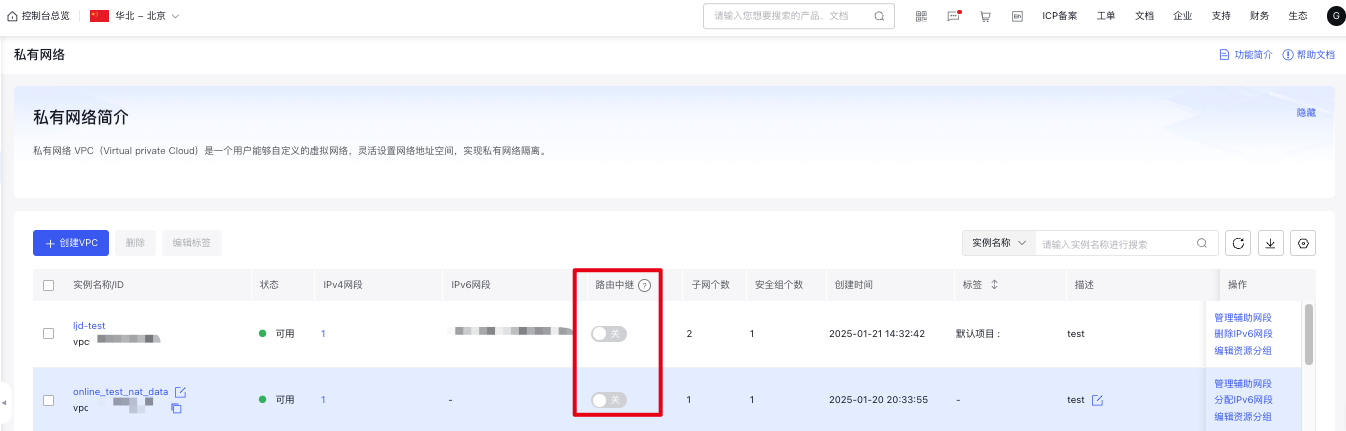
The relay VPC can forward traffic originating from outside this VPC. A custom source segment configuration in the VPC can include any segment, such as 0.0.0.0/0 or non-VPC segments, increasing flexibility for connectivity features like peer connections. To avoid topology loop risks, two directly connected VPCs cannot simultaneously serve as relay VPCs.
When the routing relay function is enabled, this VPC will act as a relay VPC, allowing the route table to forward traffic originating from outside this VPC. Custom source segments can include any range, such as 0.0.0.0/0 or non-VPC segments. This feature is disabled by default, meaning the route table will forward only traffic originating from this VPC. Custom-configured network segments for this route must fall within the subnet range.
- Sign in to the Baidu AI Cloud console.
- Go to Products & Services - Virtual Private Cloud to view the VPC List page.
- Click the Relay Switch from the virtual private cloud list.
Description:
- Instance routes are not affected by the relay switch setting.
- If the route table contains a source segment defined as all zeros or custom segments outside the subnet, the relay switch cannot be turned off.
- When a dedicated gateway is used with the routing relay function enabled, the source segment in the route table corresponding to the VPC containing the gateway must be set to Custom Configuration, and non-local VPC routing entries must be added manually. Otherwise, data transmission will fail.
DHCP Option set
The Dynamic Host Configuration Protocol (DHCP) is a LAN network protocol commonly used in large-scale local area networks, offering a standard mechanism for passing configuration information to TCP/IP network servers.
Baidu AI Cloud's Virtual Private Cloud supports DHCP option set configurations for cloud server instances, including fields like domain names and DNS servers. These configurations apply to all Baidu Cloud Compute instances under the virtual private cloud.
- Sign in to the Baidu AI Cloud console.
- Go to Products & Services - Virtual Private Cloud (VPC), and select Virtual Private Cloud from the left navigation bar to open the VPC List page.
- Click on the VPC instance name to access its details page, where domain names and DNS servers can be configured under Basic Information.
| ConfigMap | Description |
|---|---|
| Domain name | Support up to 5 domain names, separated by commas. The domain name defaults to $region.baidu.internal, representing the default domain suffix for hosts in this region. If customized to another domain name, it will be returned via DHCP and complete hostname queries without the $region.baidu.internal suffix through the search list. |
| Domain name server | Support up to 4 domain names, separated by commas. The DNS server field defaults to empty, indicating the use of default DNS servers of Baidu AI Cloud. If the default DNS is not used, Baidu AI Cloud internal services cannot be resolved by default. It is recommended to configure custom DNS servers to set the next hop to the default DNS server of Baidu AI Cloud. |

Notes Custom hostnames can be configured via Intelligent Cloud DNS - Local DNS service. For detailed configurations, refer to the Local DNS service operation guide.