

Service network interface card
Updated at:2025-10-16
Baidu AI Cloud service network interface card can map external public services such as BOS into the VPC or mount service domains generated by Service Publishing Points, thereby enabling users to securely and conveniently access these services via the intranet within the VPC or hybrid cloud endpoints.
Before Configuration, you should know:
- Each VPC supports up to 20 SNICs.
- A single SNIC is associated with only one subnet, and its IP address must fall within the subnet's CIDR block.
- Each subnet supports only one SNIC for a specific service.
- Local domain services can be connected to the backend of the SNIC.
- The maximum internal bandwidth for a single service network interface card is 50,000 Mbps.
- The total internal bandwidth of all service network interface cards within a single region must not exceed 500,000 Mbps.
Create service network interface card
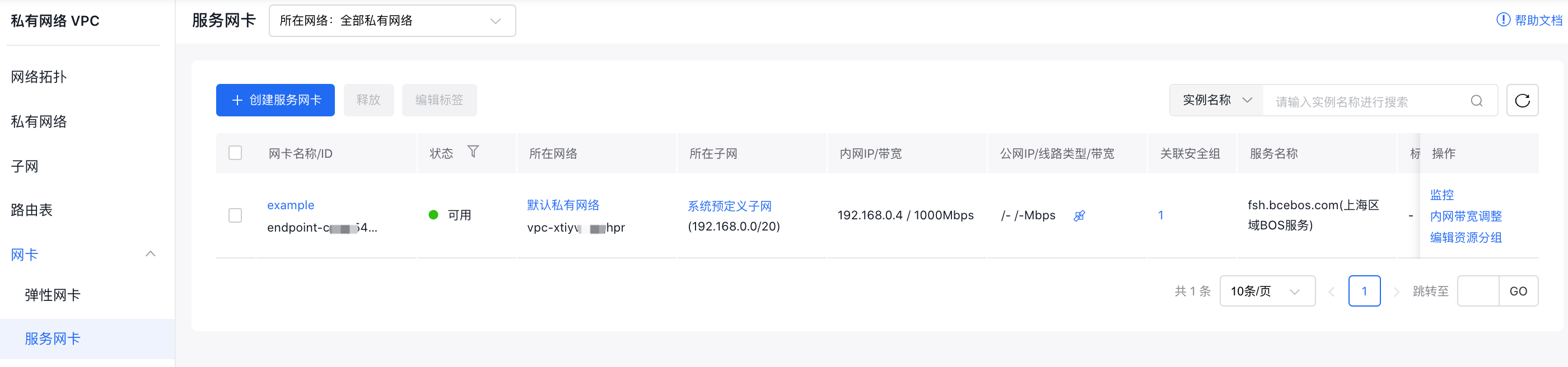
- In the virtual private cloud console, go to Network Interface Card - Service Network Interface Card via the left navigation bar to access the Service Network Interface Card List page.
- Click on Create Service Network Interface Card to bring up the dialog box.
- Fill in the following configuration information:
| ConfigMap | Description |
|---|---|
| Bill type | Select bill type |
| Current region | Supported regions include Beijing, Shanghai, Baoding, Guangzhou, Suzhou, Wuhan, and Hong Kong. You can switch regions using the top-left corner menu. |
| Network interface card name | Set a user-defined name for the service network interface card. |
| Network | Specify the virtual private cloud (VPC) to which the service network interface card belongs. |
| Subnet belonged | The subnet associated with the service network interface card. |
| IP address | By default, IP addresses are assigned automatically, but you can manually enter available IPs within the subnet if needed. |
| Security group | Select security group |
| Mount service | Select the service mounted by the service network interface card |
| Associate resolution addition | Once enabled, DNS resolution is automatically configured in the local DNS service, allowing direct access to the mounted service via its domain name. Note that the local DNS service is a paid, on-demand product. |
| Intranet bandwidth | Select intranet bandwidth |
| Description | Modify the description information for the service network interface card. |
| Configure public network access | Select whether to configure public network access |
| Resource group | Select resource group |
- Review your order and complete the payment to successfully create the service network interface card.
Description:
- Releasing the service network interface card will not affect the resolution records that were added to the local DNS service.
View monitor data
- In the virtual private cloud console, go to Network Interface Card - Service Network Interface Card via the left navigation bar to access the Service Network Interface Card List page.
- After selecting Monitor, a floating monitoring window will appear on the right side of the page.
- Click View More to access the Monitor Of Instance Details page.
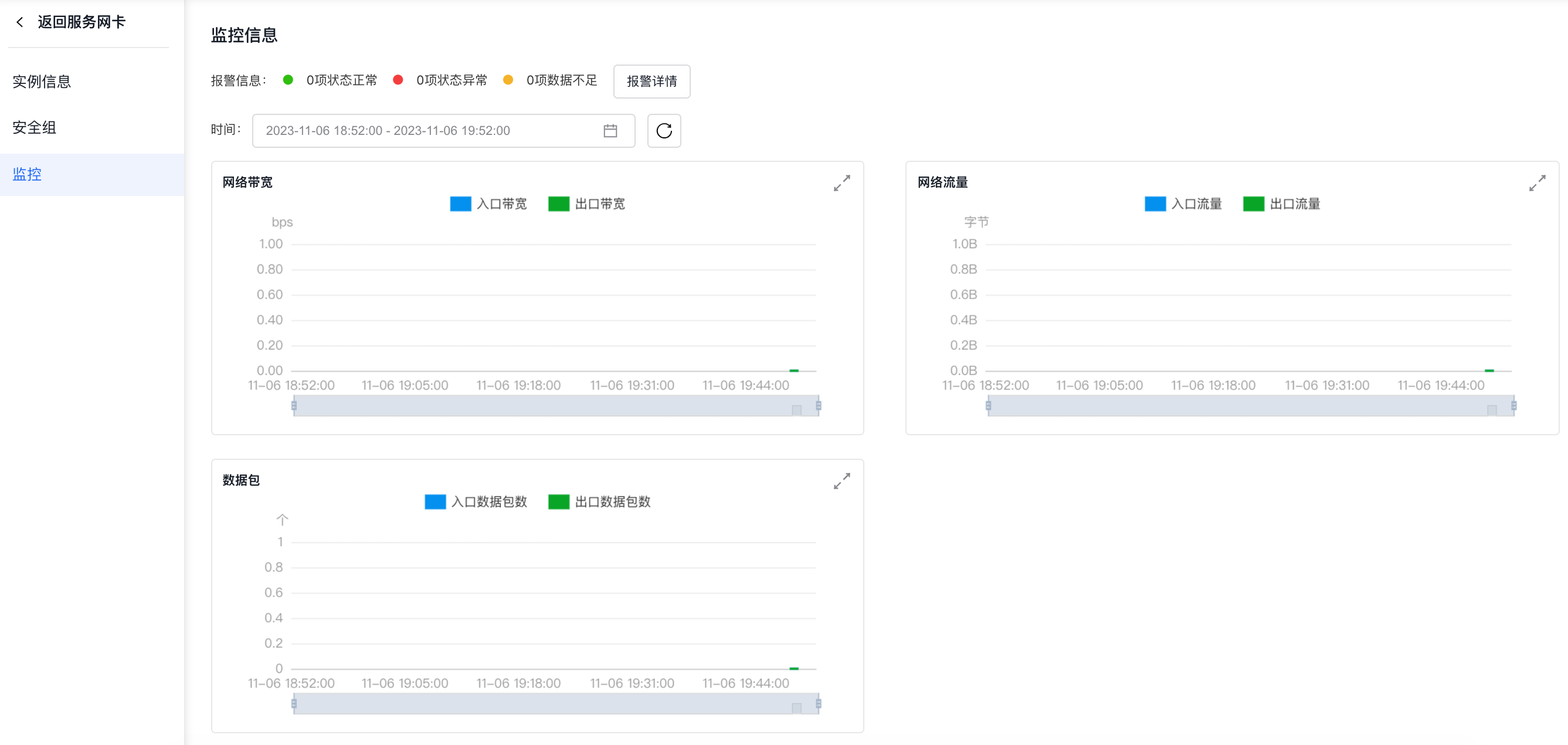
- Click Alarm Details on the Monitor page to enter the alarm policy configuration page, where you can manage the alarm strategy of service network interface card. For detailed operation steps, please refer to [BCM Alarm Management](BCM/Operation guide/Alarm Service/Manage Alarms.md).