

Security Group Configuration Practice (Beginner Level)
Overview
Baidu AI Cloud's security group is a "Stateful Allow List Firewall Service" applied to Baidu AI Cloud. It enforces strict bidirectional IP + port-level security controls on service traffic for multiple cloud services, providing robust security for users and services. This document demonstrates several use cases for applying security group allow lists and stateful firewalls.
Requirement scenarios
Use case 1: Configure different security policies for multiple servers
Users must establish flexible security policies across various modules of the same business system or between different business systems to ensure greater security for their operations.
Example case
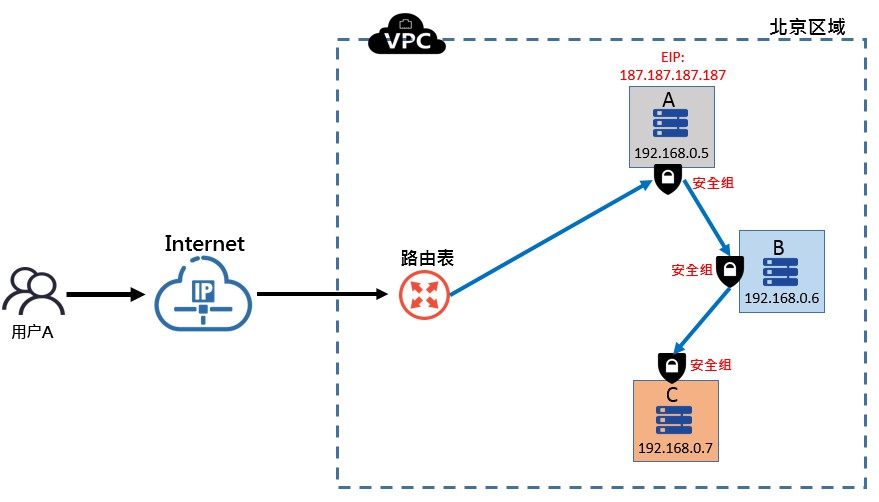
As shown in the figure below, the layered service architecture comprises three types of Baidu Cloud Computes: A, B, and C
- A functions as an access service, which provides external WEB access services with only Ports 80 and 443 exposed
- B functions as an APP server, which responds to business requests from A and can only actively access server C
- C functions as a database service, responding to B's data operation requests but does not actively initiate connections to other services.
To secure this architecture, configure distinct security policies for the three servers, ensuring minimal access permissions for each business.
Operation step
-
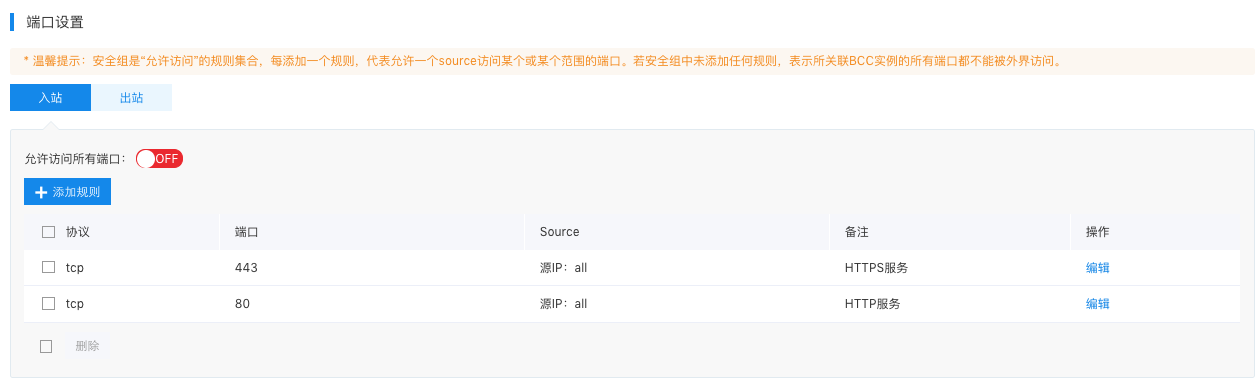
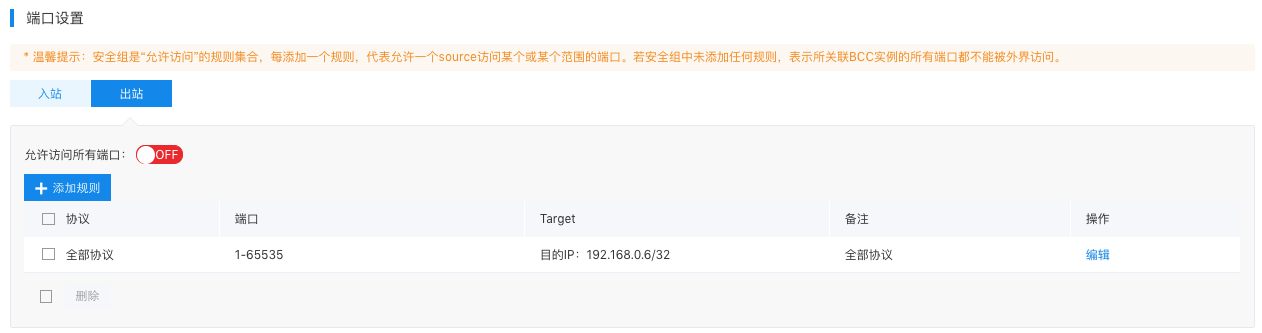
A functions as a WEB server, and only exposes HTTP and HTTPS services to Internet users. Therefore, create a security group (AccessSG) and apply it to server A. The ingress and egress rules for AccessSG are as follows:
- The ingress security policy of AccessSG:
- The egress security policy of AccessSG:
-
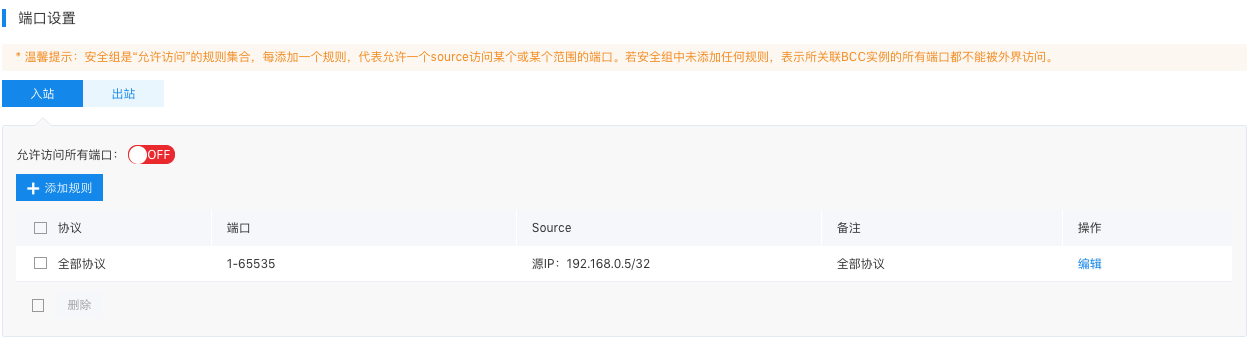
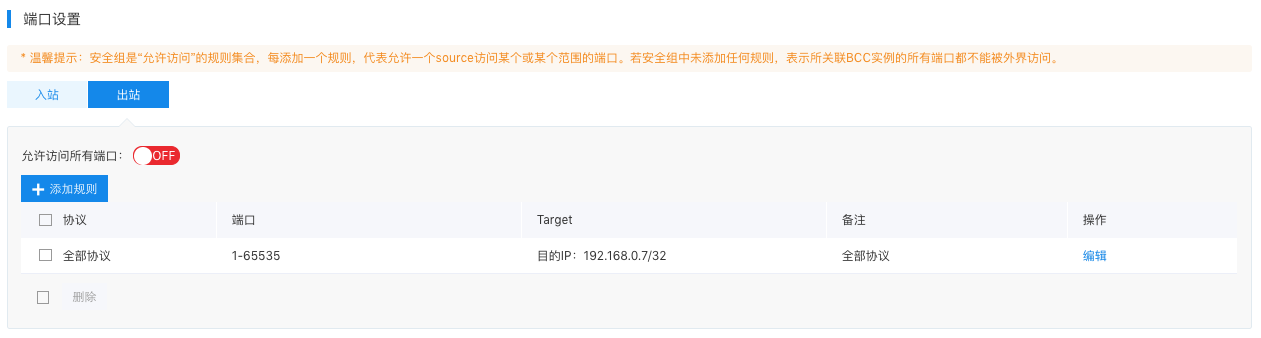
B functions as an APP server and only accepts requests from A and can only actively access server C. Therefore, create a security group (AppSG) and apply it to server B. The AccessSG Configuration (ingress and egress) rules are as follows:
- AppSG ingress security policy:
- AppSG egress security policy:
-
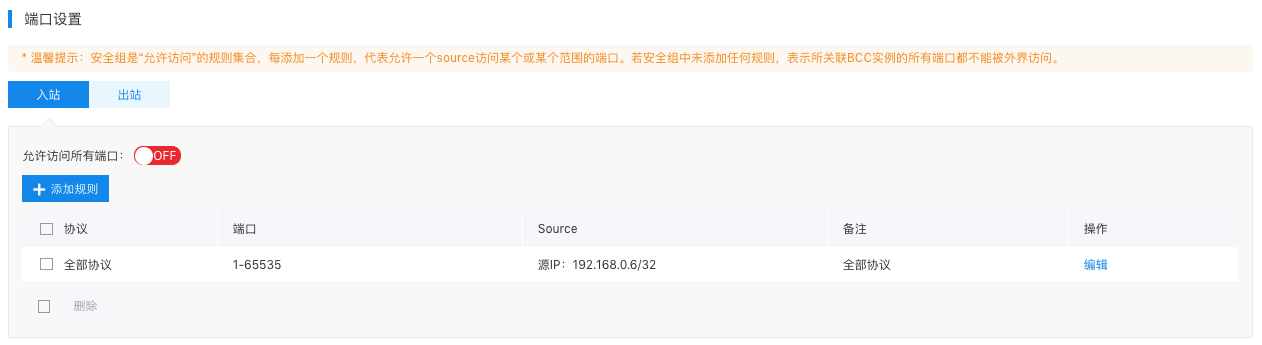
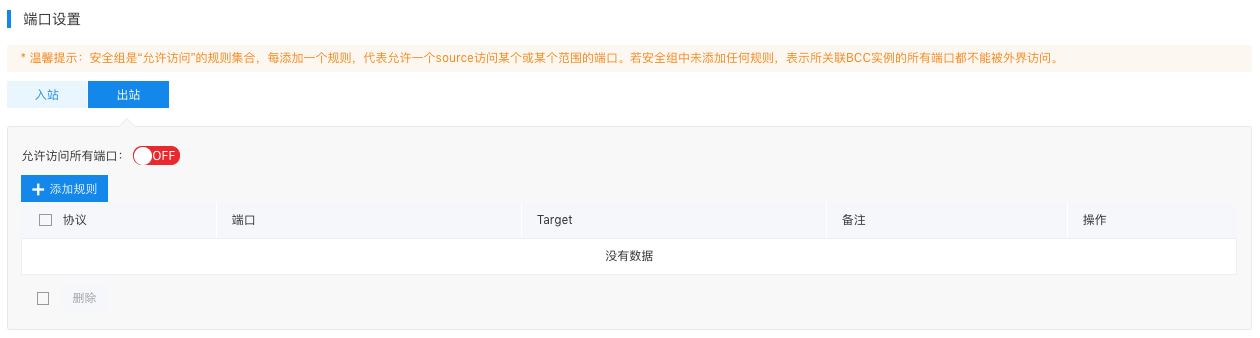
C functions as a DB server and only accepts requests from B and cannot actively access any servers. Therefore, a security group (DbSG) is created and applied to server C. The DbSG Configuration (ingress and egress) rules are as follows:
- DbSG ingress security policy:
- DbSG egress security policy:
By adopting the above methods, achieve vertical segmentation of the system, assigning minimal access permissions to each business layer, thereby significantly enhancing overall system security.
Requirement Case 2: Administrators can sign in to multiple servers for convenient operation and maintenance
Example case
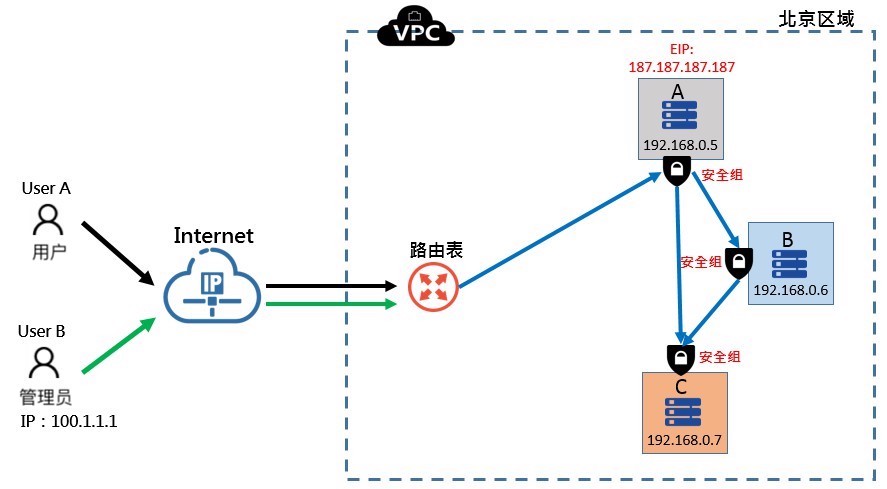
As shown in the figure below, on the basis of [Case 1](#Scenario I), the role of administrator is added:
- A functions as the operations management access server, which supports administrators' daily operations. Administrators can sign in to servers A, B, and C via SSH from the Internet to perform management tasks. Here, security group rules are only set for newly added operation and maintenance permissions. For other access request permissions, refer to [Case 1](#Scenario I).
- As SSH login is utilized, A can actively access ports 22 of B and C over the intranet, while C remains unable to actively access A or B.
To secure this architecture, configure distinct security policies for the three servers, ensuring minimal access permissions for each business.
Operation step
-
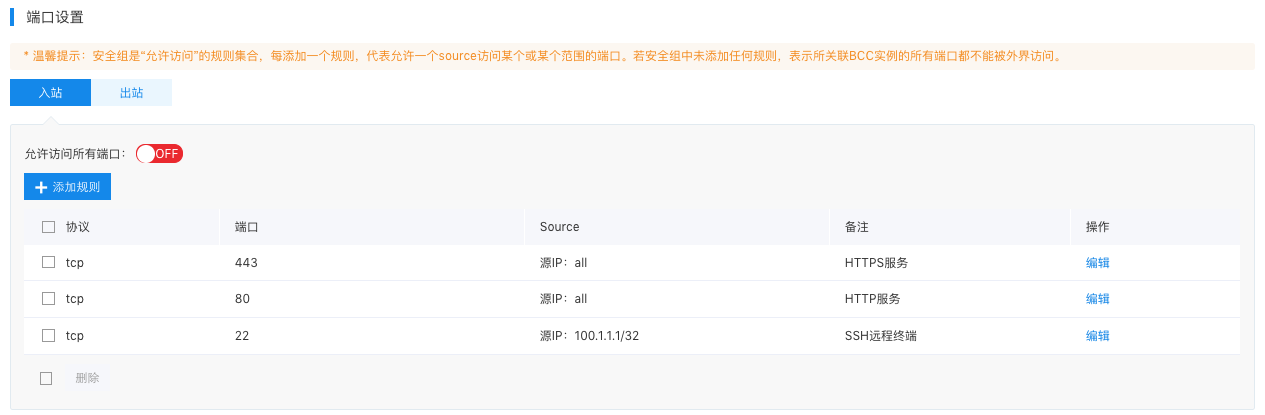
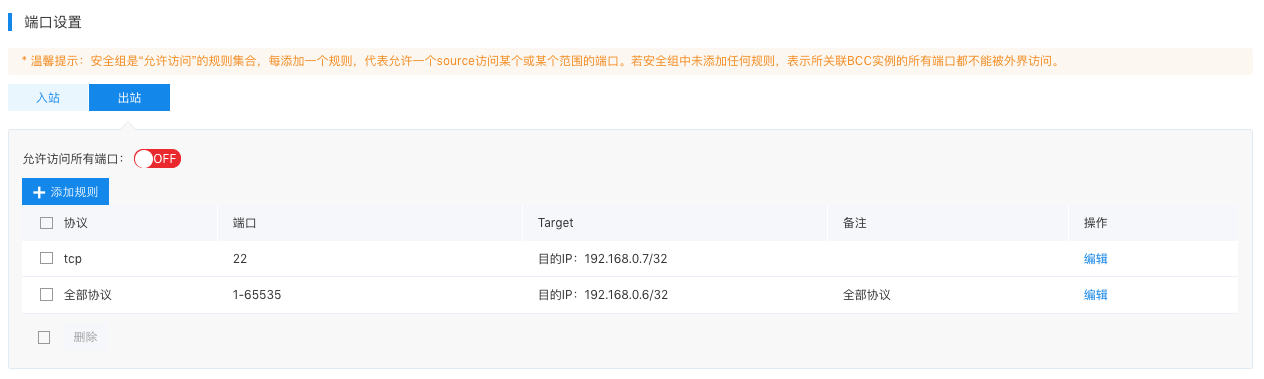
A functions as an operations management access server. The ingress rules are updated to allow access to Port 22 from 100.1.1.1 and egress rules are added to permit access to Port 22 of 192.168.0.7. The configuration rules of AccessSG (ingress and egress) is as follows:
- The ingress security policy of AccessSG:
- The egress security policy of AccessSG:
- Since Server B’s permissions remain unchanged, no modifications to AppSG security rules are required.
-
For server C's ingress security group (DbSG), add a configuration allowing 192.168.0.5 to access Port 22. The egress rules remain unchanged, configured as follows:
- DbSG ingress security policy:

At this stage, A is configured as the operations management access server, allowing administrators to perform maintenance via SSH on all three servers.
Related products
Cloud Server, Dedicated Server, Baidu Taihang·Elastic Baremetal Compute, Load Balancer, Virtual Private Cloud, Service Network Interface Card, Cloud Database RDS for MySQL Edition, Message Queue for RabbitMQ