

Payment Methods Introduction
Overview
Baidu AI Cloud supports two payment methods: bank card and bank transfer remittance, with the default settlement currency in US dollars. This document introduces the usage conditions and operational procedures for each payment method.
Payment Methods Comparison
| Comparison Item | Bank Card | Bank Transfer Remittance |
|---|---|---|
| Applicable Users | Individual/Enterprise Accounts | Enterprise Users Only |
| Addition Process | Fill in card information → Pre-authorization verification | You can visit Baidu AI Cloud bank account to obtain Baidu Smart Cloud's receiving account information for bank transfer |
| Credit Time | Instant | 14 days |
| Payment Trigger | • Reserverd: instant deduction • Pay-as-you-go: automatic deduction when accumulated to 500 USD, on the 1st of the following month |
• Reserverd: instant deduction • Pay-as-you-go: automatic repayment after bill is generated |
Using Bank Card Payment
Baidu AI Cloud supports bank card payment methods from international card organizations such as Visa, Mastercard, AMEX, or JCB. Operational Procedure:
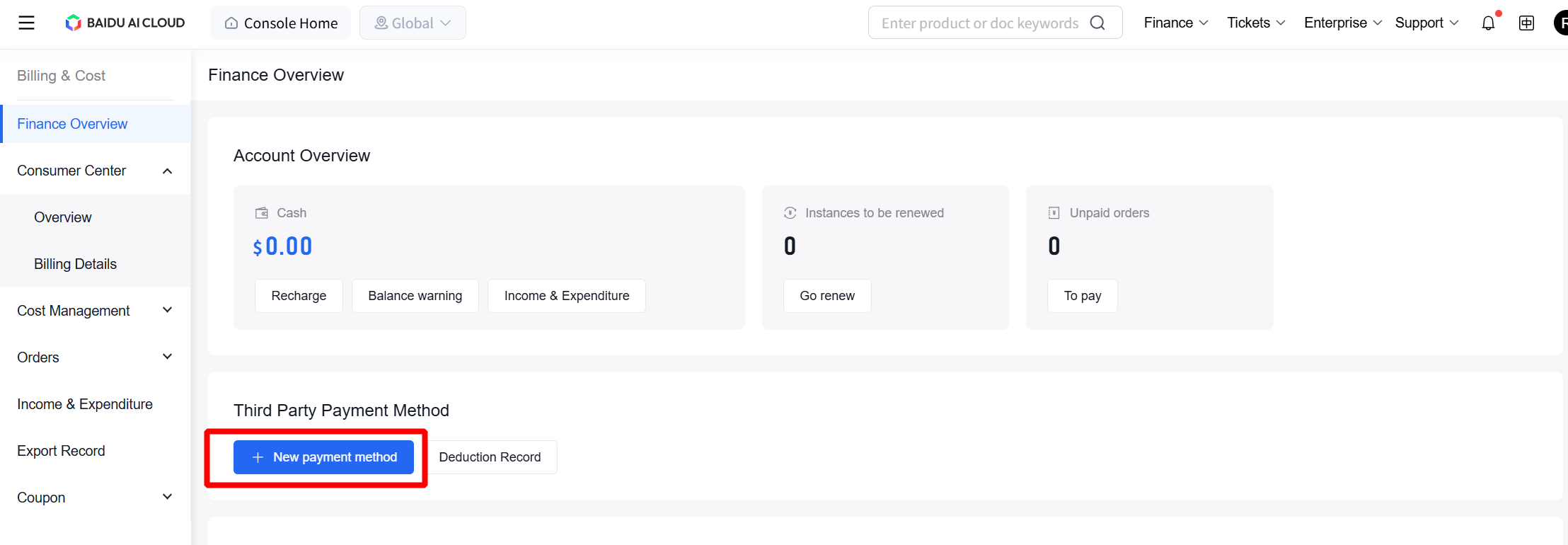
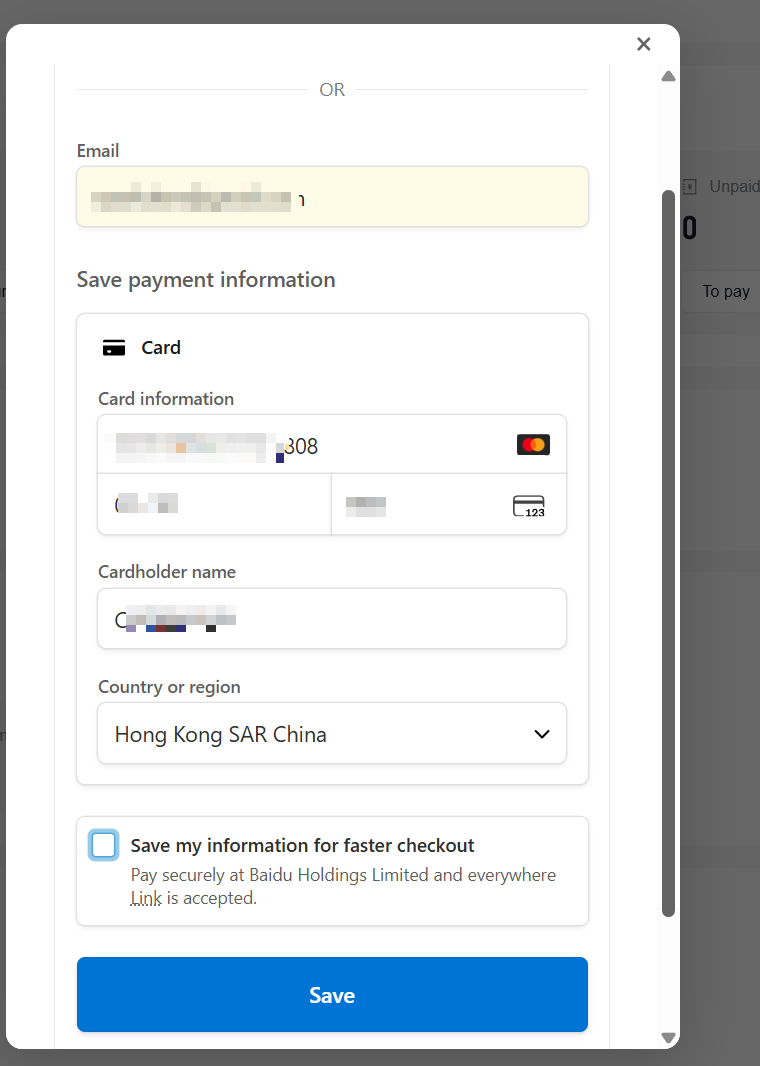
Step 1: Binding cards | You can bind your bank card through Financial Overview at Payment Mothod

Step 2: Pay your bill
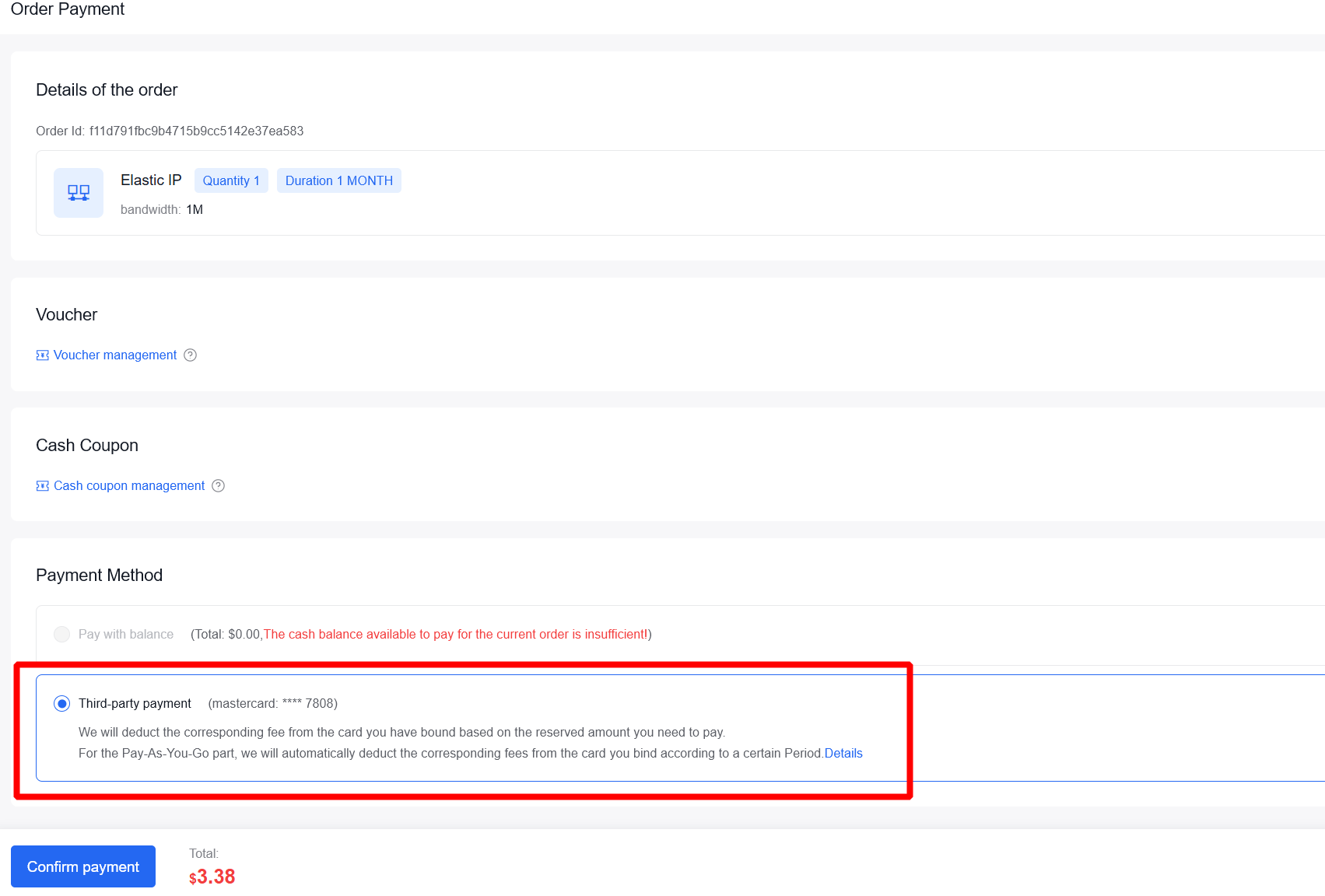
- Reserverd: When purchasing prepaid products, your bound payment method will be displayed by default. After payment, the corresponding amount will be deducted from your bank card.
* Pay-as-you-go: We will continuously issue postpaid bills. On the 1st of each month or when the current accumulated amount reaches a certain threshold, we will deduct the corresponding fees from your bound bank account. Notifications will be sent to your associated email address, please pay attention to your email.
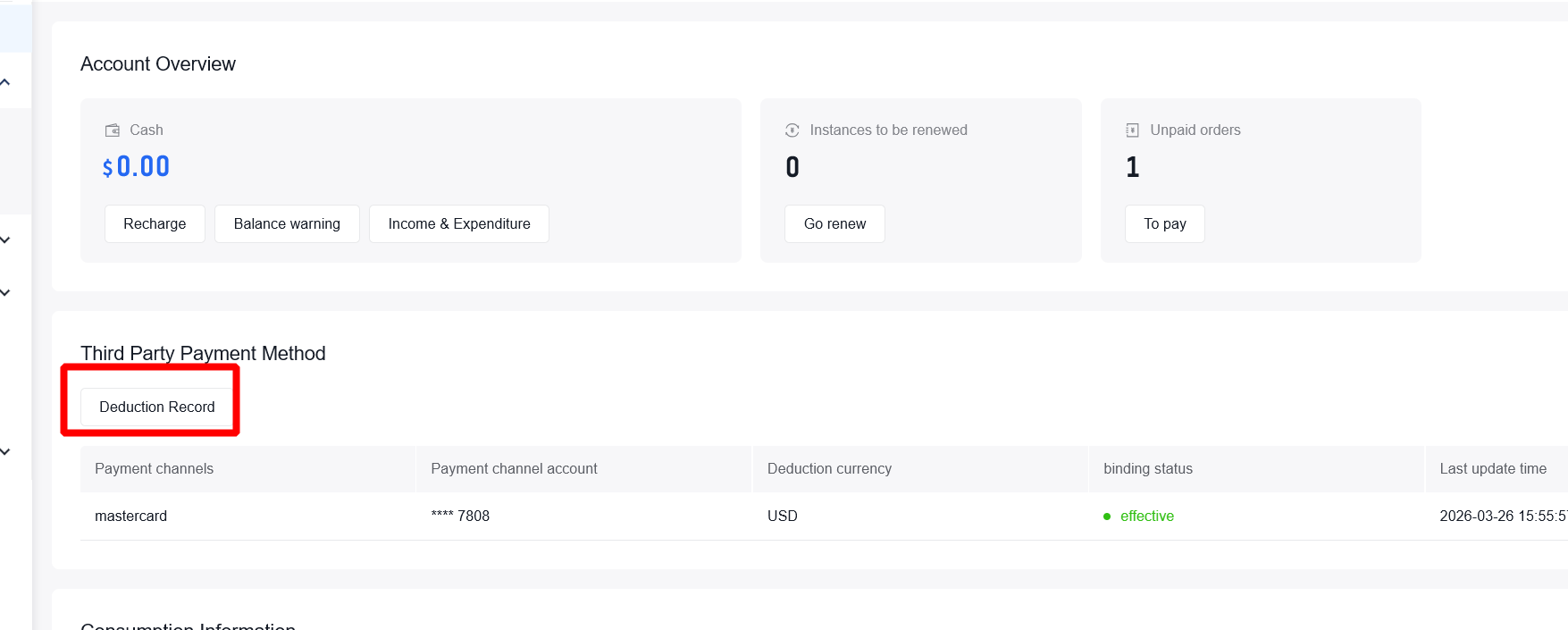
Step 3: Check payment History You can verify the details of each deduction under Deduction Record.
Using Bank Transfer
After remittance, your transferred amount will be added to your Baidu AI Cloud account balance.
For Reserverd products, you can select balance for payment during checkout. For pay-as-you-go products, we will automatically deduct from your balance for payment.
Exception Handling
If you encounter issues with your postpaid payment resulting in deduction failure, upon receiving the payment failure notification, you can view the failed records in your payment history and proceed with manual payment.