Refund Application Process
- You can unsubscribe the purchased cloud service, and the returned amount will return to the Baidu AI Cloud account balance. If you wish to withdraw the cash balance in your account, please refer to Withdrawal Process.
- Before applying for a refund, to learn about information such as refundable products and refund amounts, please refer to Refund Policy
- If you encounter any issues during the refund application process, please first refer to Refund FAQs; if the issue remains unresolved, please Submit a Ticket for consultation.
Refund application process
Refund address
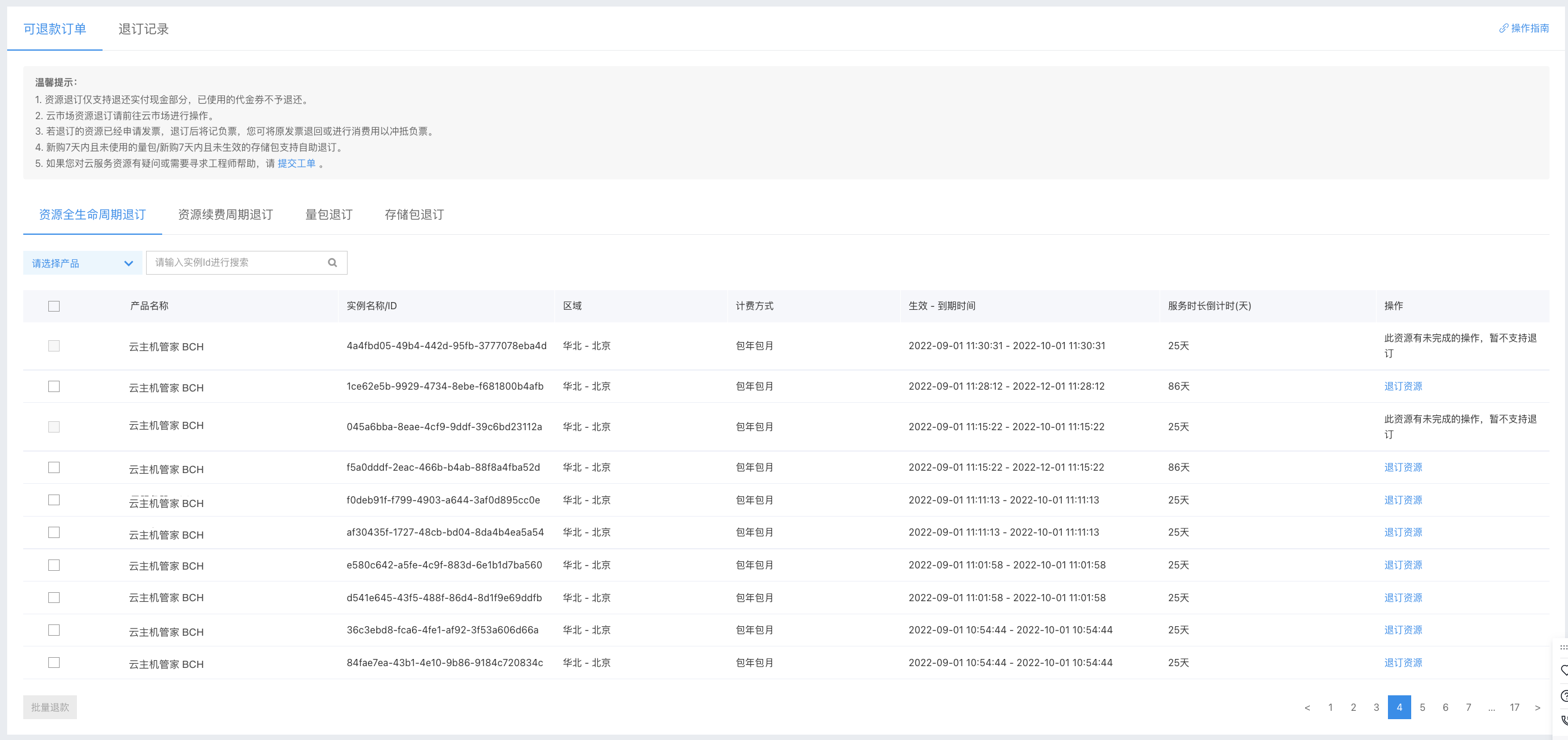
You can sign in to Baidu AI Cloud, click Finance - Unsubscribe Management to access the Unsubscription Management page.
Unsubscribe types
Baidu AI Cloud provides unsubscribe services for various types of resources. You can switch between tabs to select different unsubscribe operation types.
- Full lifecycle resource unsubscribe: Apply for a full difference unsubscribe for the target subscription resource. Once the unsubscribe is successful, the resource will be directly released. Please proceed with caution;
- Resource renewal period unsubscribe: Apply for a full refund for unused and independent renewal period of the target subscription resource. Once the unsubscribe is successful, the resource’s expiration date will be advanced. Please pay close attention to the resource’s expiration date after unsubscribing the renewal period;
- Package unsubscribe: Apply for unsubscribe of usage packages purchased within 7 days and unused. Once the unsubscribe is successful, the package will be fully refunded, and the resource will be directly released. If there are no other available usage packages in your account, we will provide services to you on a post-paid basis. Please pay close attention to the fund status in your account;
- Storage package unsubscribe: Apply for unsubscribe of storage packages purchased within 7 days and not activated. Once the unsubscribe is successful, the storage package will be fully refunded, and the resource will be directly released. If there are no other available storage packages in your account, we will provide services to you on a post-paid basis. Please pay close attention to the fund status in your account.
Unsubscribe operations
1. Filter options
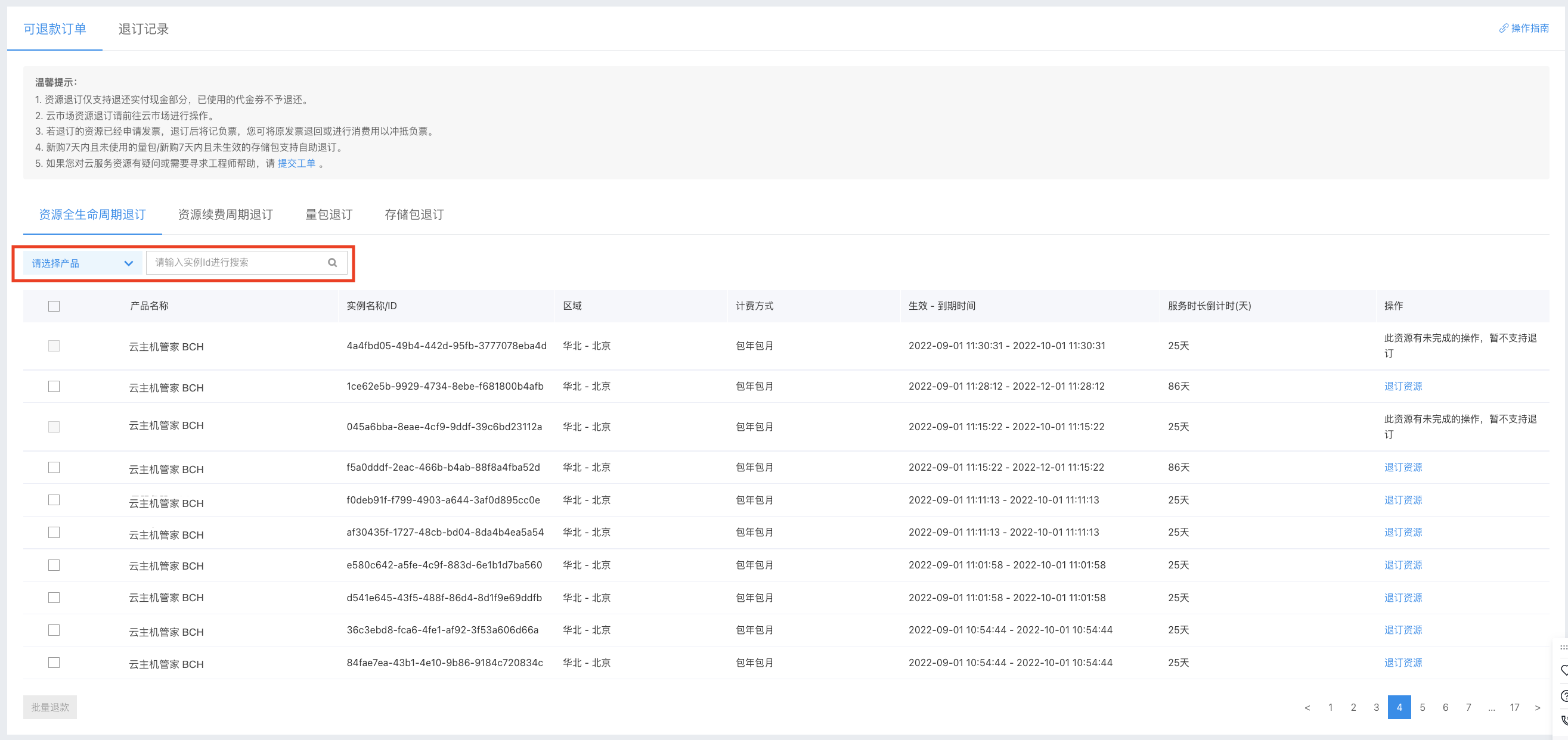
To help you quickly find the resource you want to unsubscribe, you can search for the target resource by filtering products or entering the resource ID.
2. Resource list
| Field | Description |
| Product Name | Product name of the resource |
| Instance name/ID | Unique key for resources, which can be used for precise resource search |
| Region | Region of the resource |
| Charge type | Billing method of the resource, including subscription/usage package/storage package/one-time charge |
| Effective - expiration time | Total lifecycle of the resource
|
| Countdown of service duration (days) | Remaining available days of the resource |
| Operation |
|
3. Resource selection
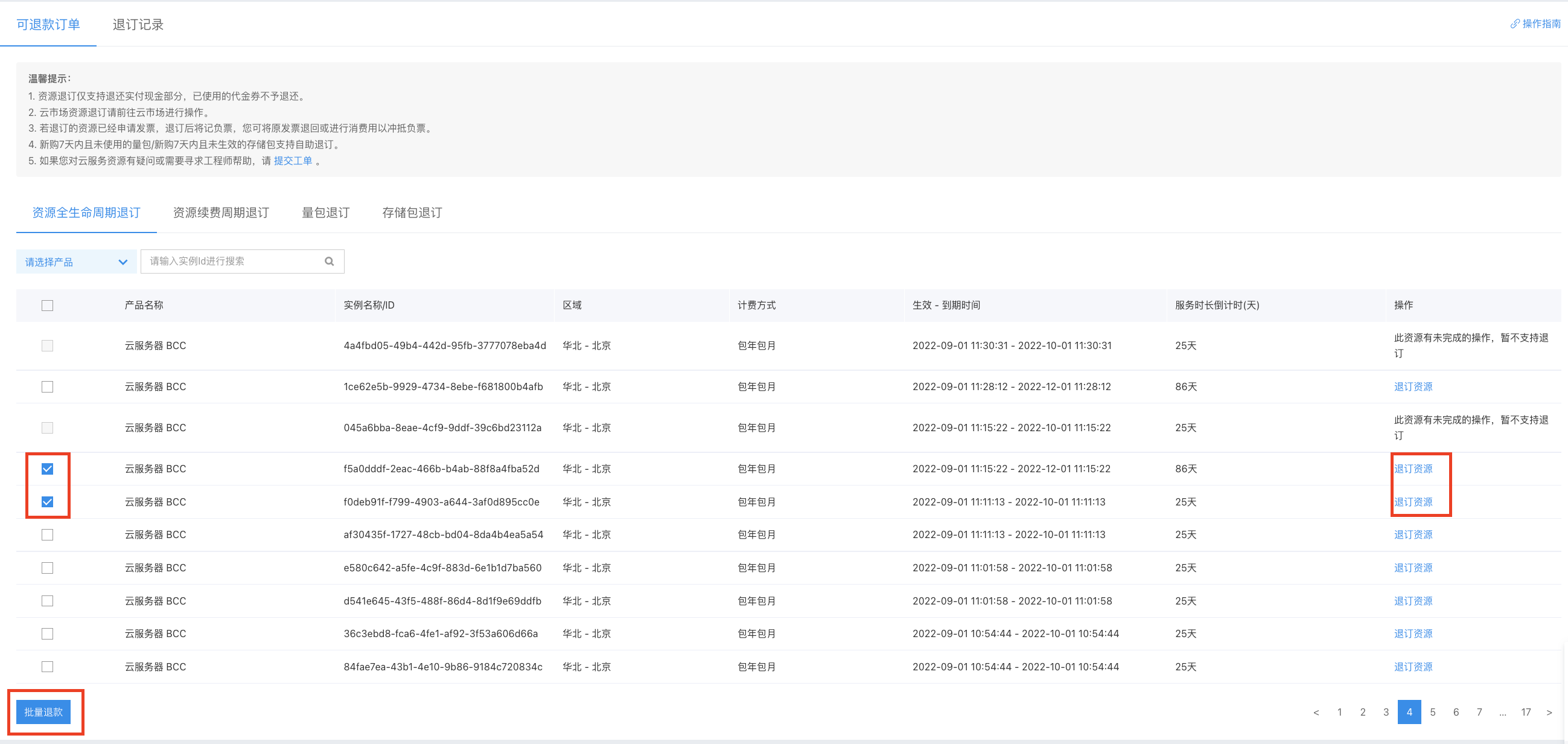
Find the resource you want to unsubscribe in the list, and click the Unsubscribe button in the operation column to enter the Confirm Unsubscribe page; to unsubscribe multiple resources in batch, you can select resources and click the Batch Unsubscribe button in the bottom left corner to enter the Confirm Unsubscribe page
4. Confirm unsubscribe of resources
Unsubscribe resources
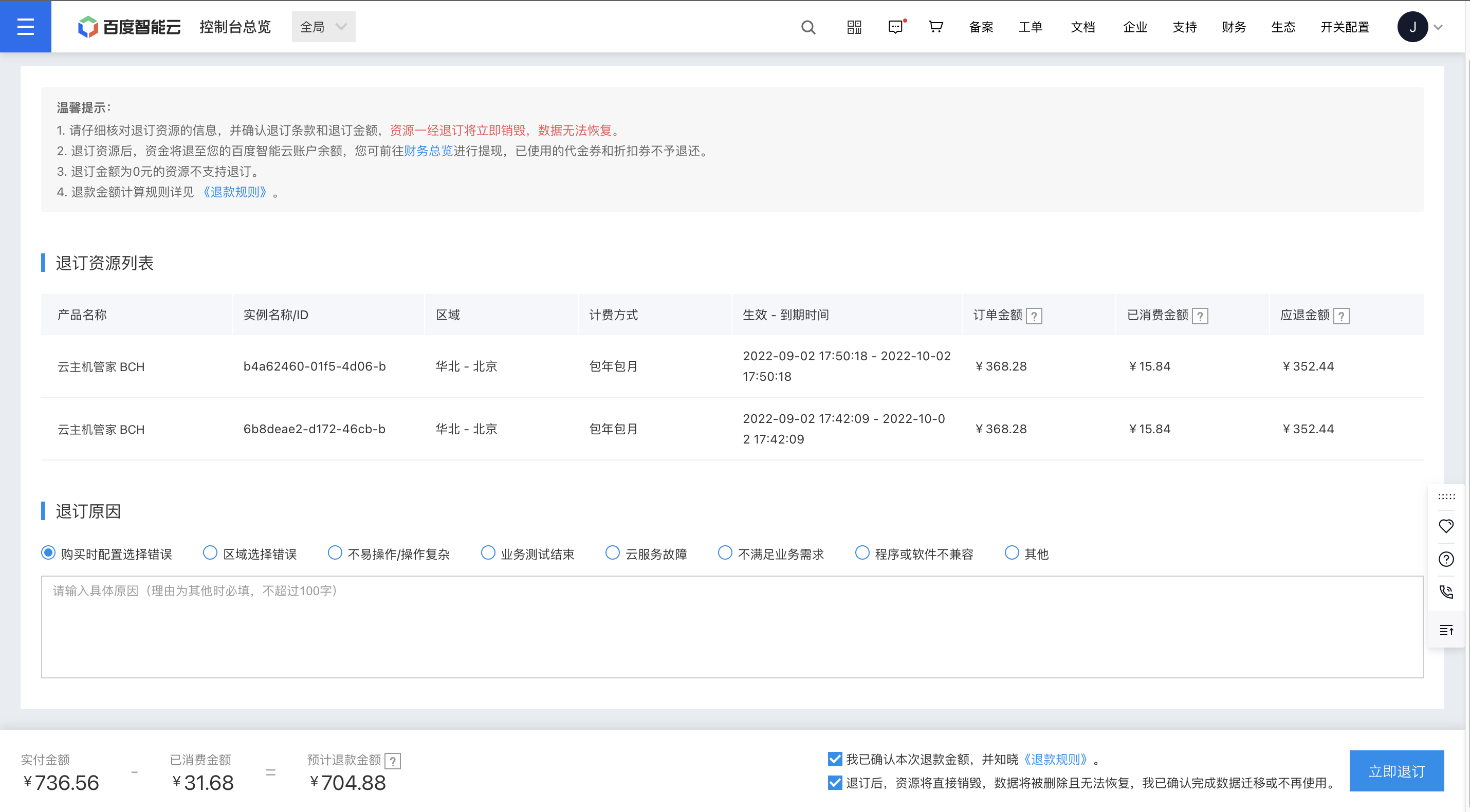
Click Unsubscribe or Bulk Unsubscribe in the previous step, and then you will enter the Confirm Unsubscribe page. On this page, you can view the estimated unsubscribe details of the resources selected for unsubscribe in the previous step. For details on the refund amount calculation rules, please refer to Unsubscription Rule Description
The unsubscribe amounts displayed on this page are the need-pay amounts after deducting discounts such as coupons. The actual refund amount shall be subject to the execution result of the unsubscribe order.
Reason for unsubscribe
To collect information and provide you with better services, please select the reason for this unsubscribe. You can directly choose the options we provide and write down the detailed reasons for your refund in the text box below, which will become valuable suggestions for us to improve our service.
Refund amount
The refund amount displayed at the bottom of the page is the total unsubscribe amount of the selected resources above.
Instructions to users
Check the two instructions to users at the bottom right of the page and click Unsubscribe Now to initiate the unsubscribe.
Refund for Baidu Cloud Compute (BCC)
[Resource-Associated Refund]
If the resources you selected in the previous step include the Baidu Cloud Compute (BCC) or Cloud Disk System (CDS), we will automatically include the bound Cloud Disk System (CDS) or Baidu Cloud Compute (BCC) to ensure the consistency of the lifecycle between the server and its bound Cloud Disk System, and to reduce your resource management costs. You can process the refund for these resources together.
Cloud Disk System (CDS) does not currently support associated refunds; you can refund Cloud Disk System (CDS) independently.
[Refund Quota]
Baidu AI Cloud will calculate your monthly refund quota (points) for Baidu Cloud Compute (BCC) based on the server consumption of your current account from the previous month. Each time you process a refund for Baidu Cloud Compute (BCC), your monthly points will be deducted. Points are updated on the 1st day of every month. For detailed instructions on the quota, please refer to Baidu Cloud Compute (BCC) Refund Rules
If your remaining points are insufficient to cover the points required for the refund of your target server, your refund application will be rejected. You may wait for the monthly credit quota to be refreshed in the following month and then reinitiate the server refund application.
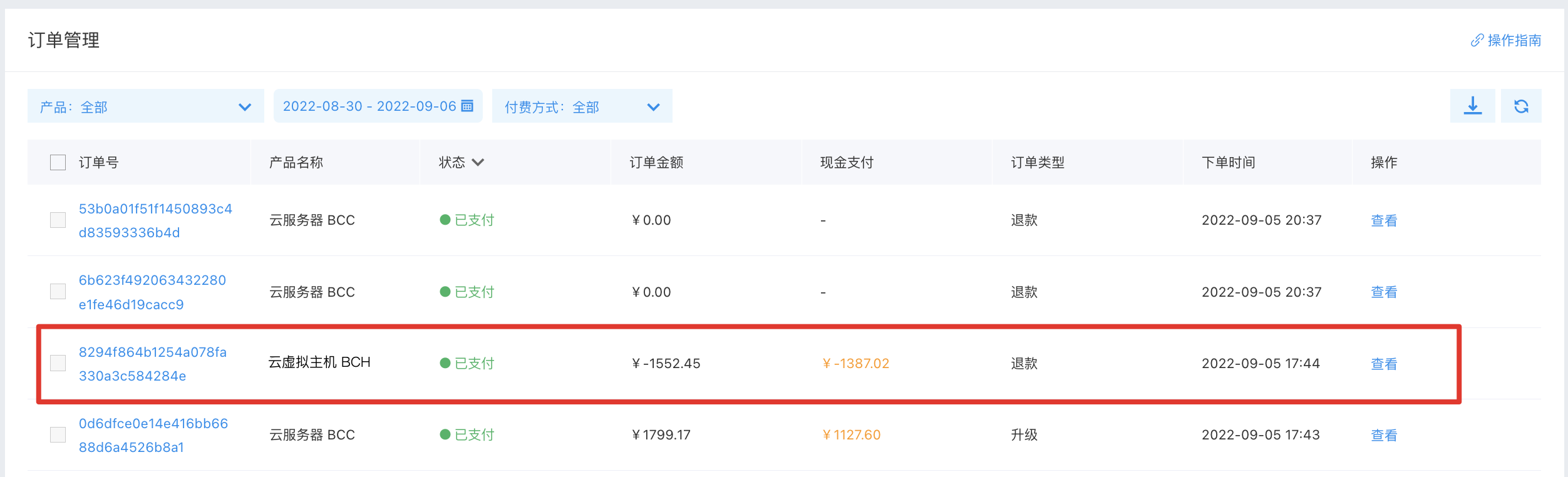
5. Unsubscribe order details
You can go to the Order Management page to view unsubscribe orders. The unsubscribe order details will display relevant information about the actual unsubscribe order, including the resource’s history-associated orders and the actual unsubscribe amount.