

Unified Resource Expiration Time
Introduction
You may have a large number of resources in your account with different expiration times. To facilitate the management of your purchased resources, Baidu AI Cloud provides the "unified expiration date" setting for you. You can set a unified expiration date for your resources, extending the expiration time of some or all of your resources to the expiration date you have set. For resources with the unified expiration date set, you will receive a renewal reminder 7 days before the set unified expiration date.
Setting a unified expiration date
- Sign in to the Baidu AI Cloud management console.
- On the console homepage, navigate to Financial Center -> Renewal Management page.
- If you have not set a fixed unified expiration date for resources, first select the resources you intend to apply the setting to, and then click Unified Expiration Date to set a unified expiration date independently.
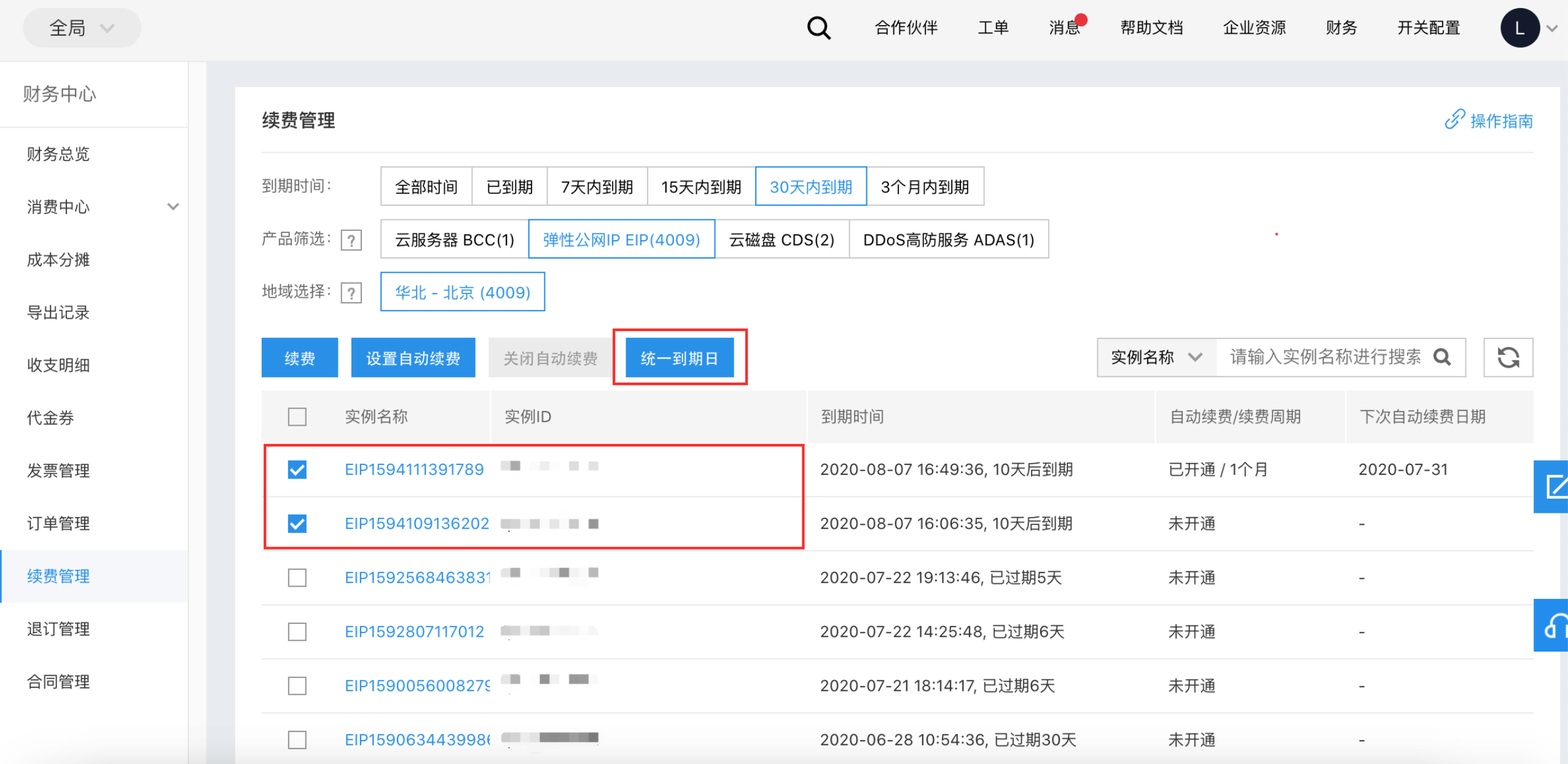
Modify a unified expiration date
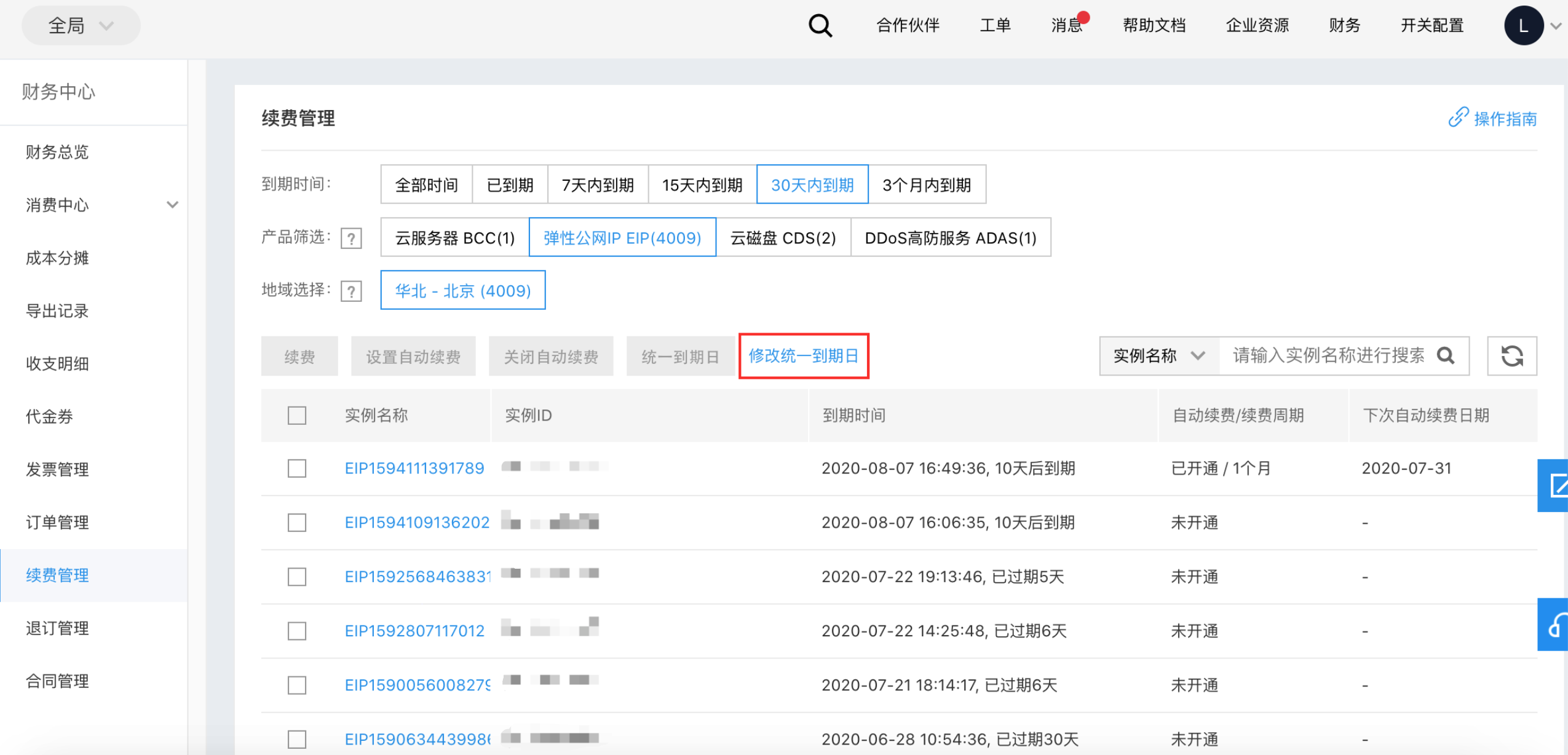
- If you have previously set a fixed unified expiration date for resources and need to modify it, directly click Modify Unified Expiration Date. Modifying the unified expiration date will not affect the expiration time of existing resources.
- In the Modify Unified Expiration Date pop-up window, set the new unified expiration date, and then Click OK
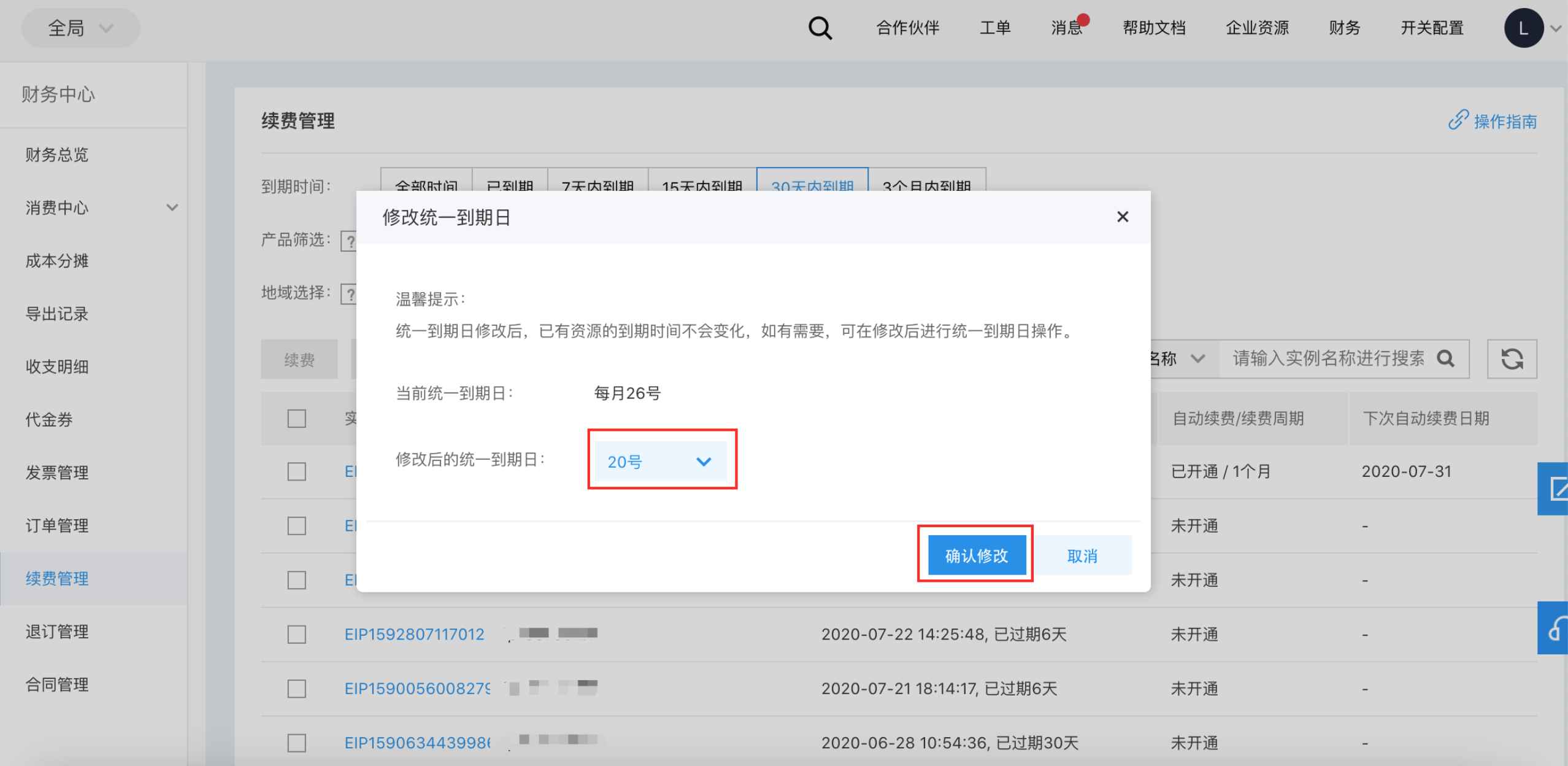
Set a unified expiration date for resources
- After setting a fixed unified expiration date for resources, select the resources you intend to apply the setting to, and extend their expiration time uniformly to the new unified expiration date.
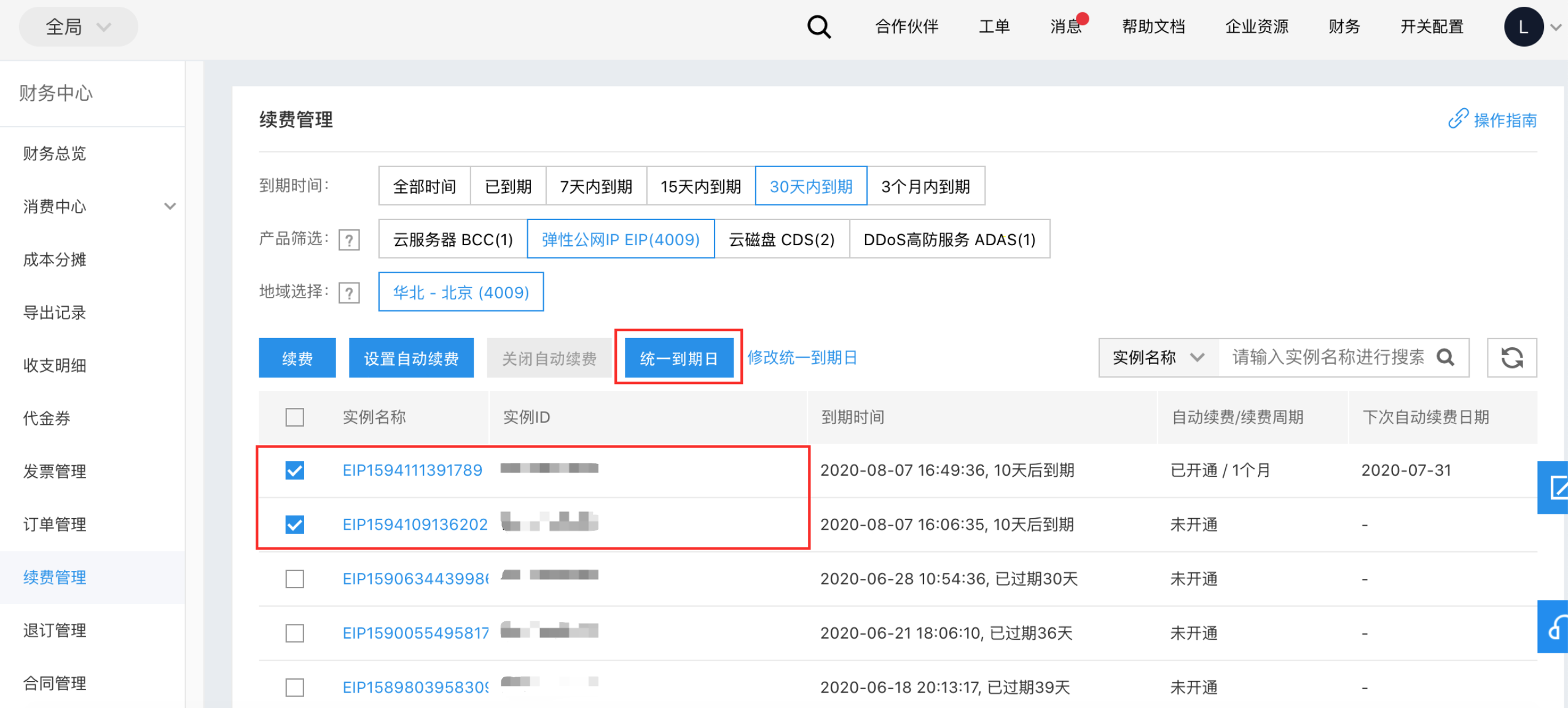
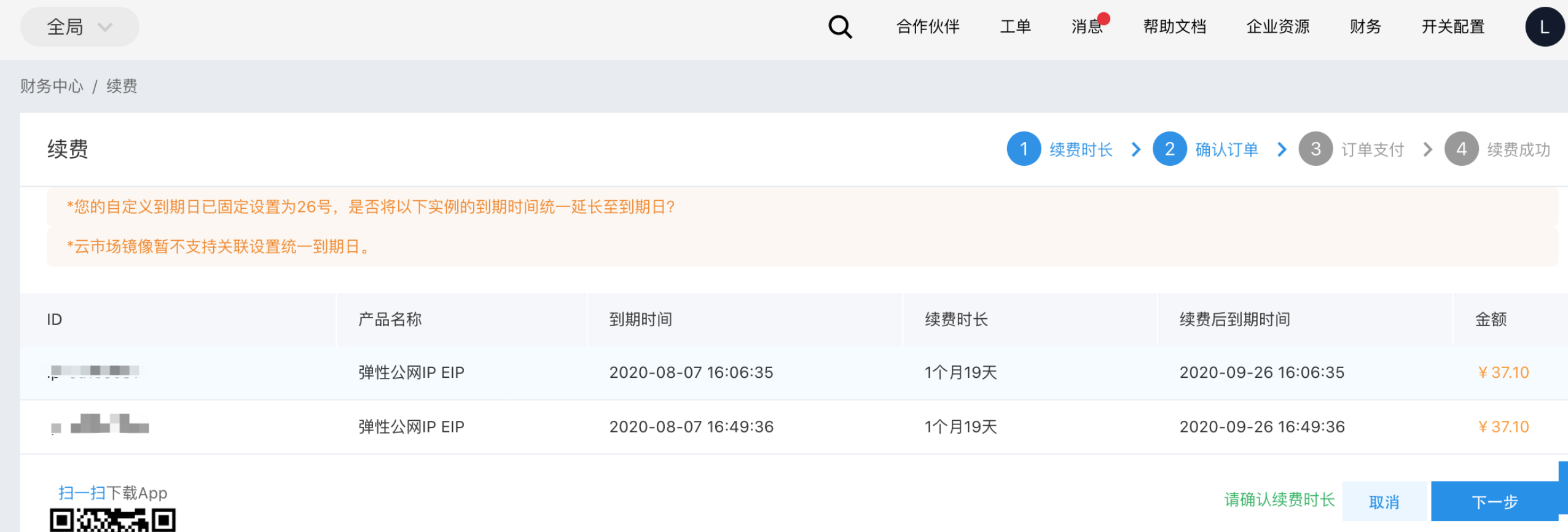
- The renewal period must be more than 1 month. For any portion less than a full month, we will calculate the fee for your renewal days based on the monthly price on a pro-rated basis.
Example: If a resource expires on September 6 with a monthly price of RMB 60, and you need to adjust its expiration date to the 21st of each month (by renewing it until October 21), the total amount you need to pay is RMB 90 (60 + 60 ÷ 30 × 15).