

Resource Package Overview
Updated at:2025-10-27
Overview
The resource package overview records provide a summary of your purchased resource packages, including purchase time, product information, total package count, remaining package count, etc. You can view your resource package information in Management Console - Finance Center - Resource Package Management - Resource Package Overview.
Notes:
- You can check your resource package usage through resource package bills, such as CDN traffic packages, BOS storage package, BCC reserved instance, etc.
- Resource package bills can only be used to verify resource package consumption and do not contain bill amount information. For reconciliation, please visit Consumption Center.
Operation instructions
- Click Resource Package Management in the left navigation of Finance Center to view the overview and deduction status of cloud resource packages.
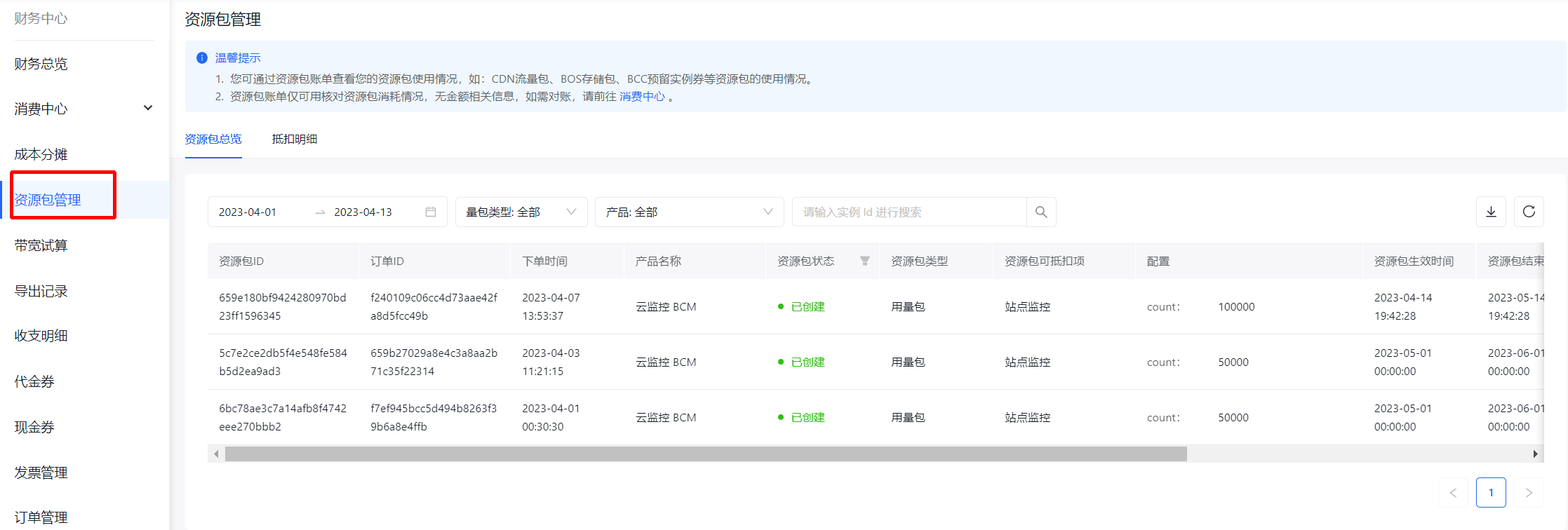
-
You can filter resource package overview records using the following options:
- Order time range: View specified order time ranges. The default range is the current month;
- Package type: View records of All or Specified package types, including usage packages, storage packages, and reserved instances;
- Product: View resource package information for "All" or "Specified" products;
- Instance ID: View overview records for the specified resource package.
- You can also download and export resource package information for filtering in attached sheets:
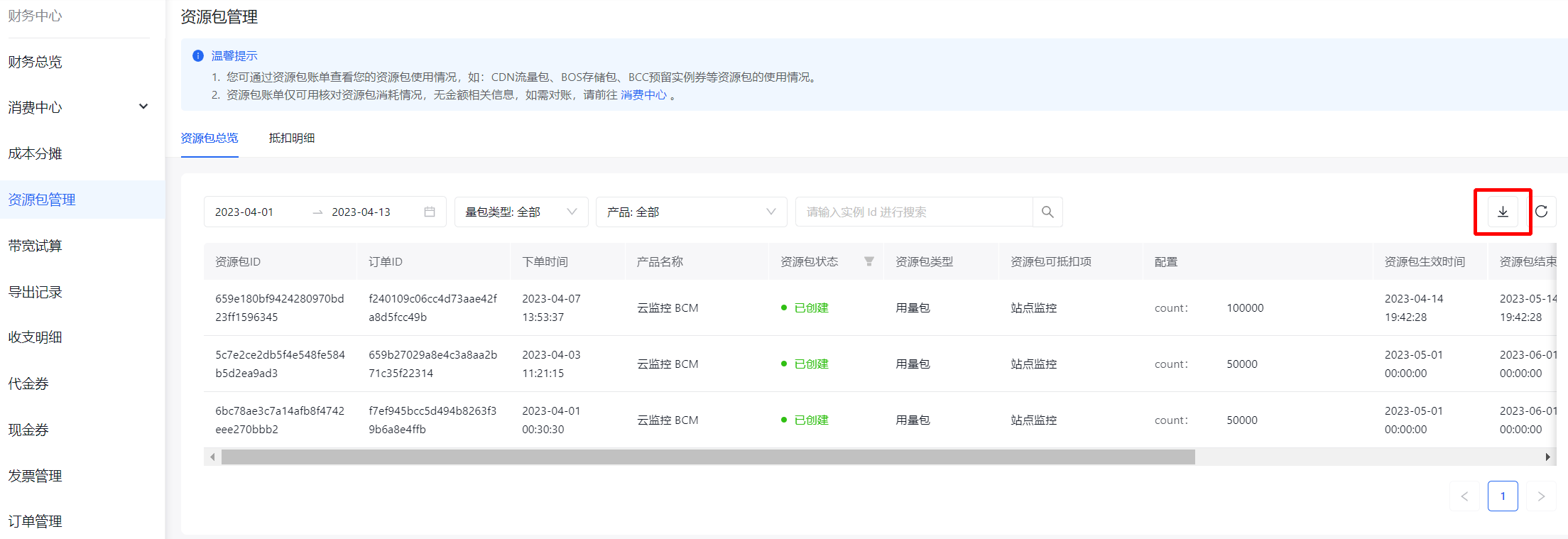
Field description
| Field | Description |
|---|---|
| Package ID | Unique identifier of the resource package. |
| Order ID | Order ID for purchasing or modifying a resource package, based on which you can query other order information in order management. |
| Order time | Order time of the associated order. |
| Product Name | Product name corresponding to the resource package. |
| Resource package status | Created: Unused but unexpired resource packages; Active: Resource packages you are currently using; Expired: Resource packages that have exceeded their validity period; Exhausted: Resource packages you have been used up in advance; Destroyed: Resource packages destroyed due to unsubscription or debt; Arrears: Resource packages you are overdue for payment, typically reserved instances. |
| Resource package type | Usage package: It typically includes call counts, message counts, traffic, and other packages with decreasing remaining usage as counts decrease within a fixed time period; Storage package: It typically includes packages corresponding to the billed items of space usage or quota type, with fixed usage within a specific time period; during the validity period of the package, the usage remains fixed at each moment. The post-paid billing items will only be charged for the portion that exceeds the specified usage; Reserved instance: Products that exist in the form of instances such as cloud servers, container instances, etc. usually come with this reserved instance, which can deduct postpaid instance costs. |
| Deductible items of resource packages | Resource packages can be used to deduct multiple postpaid billing items. |
| Resource package configuration | Configuration information corresponding to the resource package, such as call times, reserved instance specifications, etc. |
| Effective time of resource packages | Effective time of resource packages |
| Expiration time of resource packages | Expiration time of resource packages, after which the resource package will be marked as "Expired". |
| Total capacity | Total capacity of resource packages |
| Usage | Usage of used resource package. |
| Current remaining capacity | Remaining capacity of the resource package at the time of your query. |