

Overview
Updated at:2025-10-27
Users manage expense information through the Finance page, such as viewing bill details and managing orders.
Management age
You can sign in to the Baidu AI Cloud Management Console, navigate to the Finance page, and manage the expense information of your account.

Overview of finance center
On the Finance page, the following information is available for viewing:
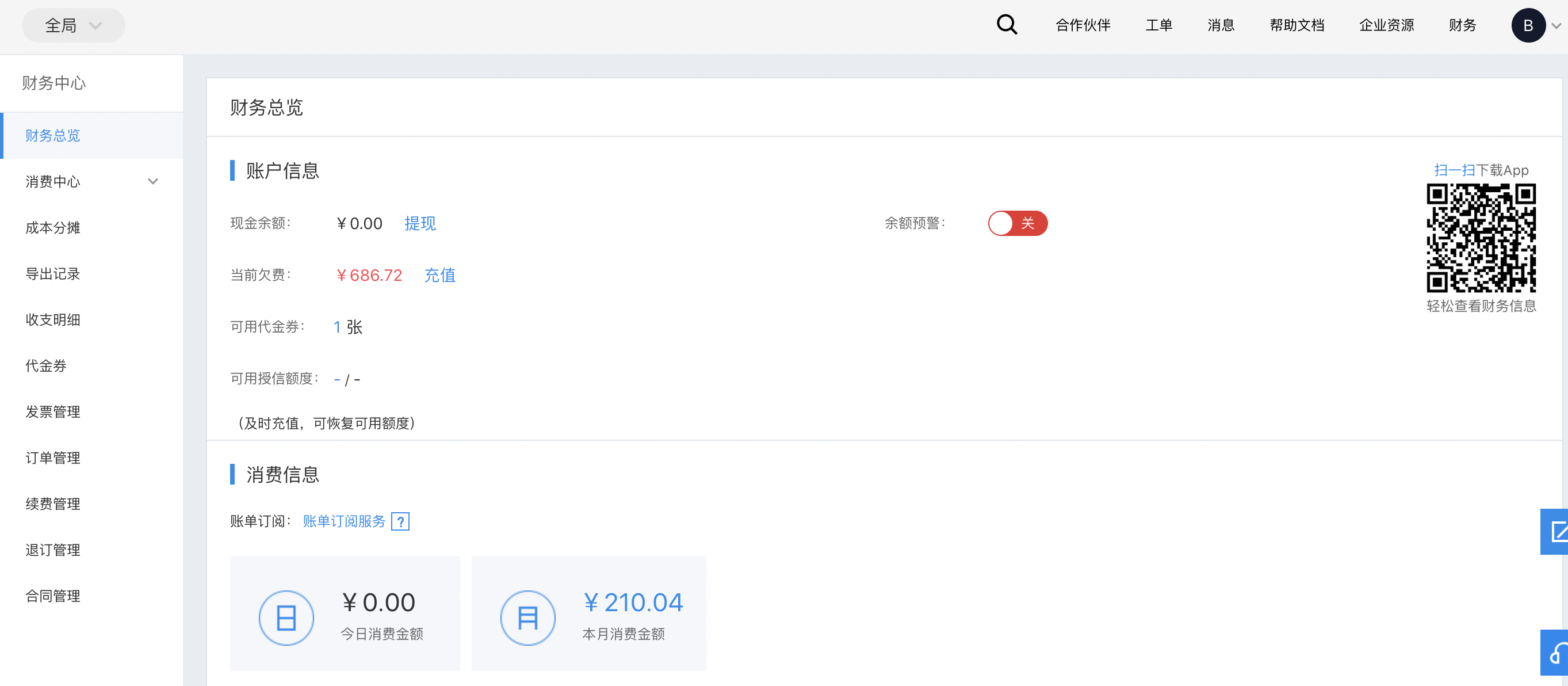
| Item | Overview |
|---|---|
| Financial overview | The financial information overview page, where you can view the basic financial information of your account |
| Consumption center | View all consumption information and bill details of the account |
| Cost allocation | For subscription resources, you can view monthly cycle allocation bills here |
| Export records | The download page for exported files |
| Income and expense details | Records of cash and coupon income and expenses |
| Coupons | A list of all coupons in the account |
| Invoice management | You can manage your invoices on this page, including applying for invoice issuance and viewing the list of issued invoices |
| Order management | You can view all orders of the account here |
| Renewal management | You can perform renewal operations for some resources here, and also adjust the unified resource expiration time on this page |
| Cancellation and refund management | You can process refund requests for some resources here |
| Contract management | You can apply for and download contracts for orders here |