Activating Coupons
Updated at:2025-10-27
If you have a Coupon Issued Without a Designated Recipient, you need to activate it before use. Once activated, the available coupon can be viewed in the coupon list.
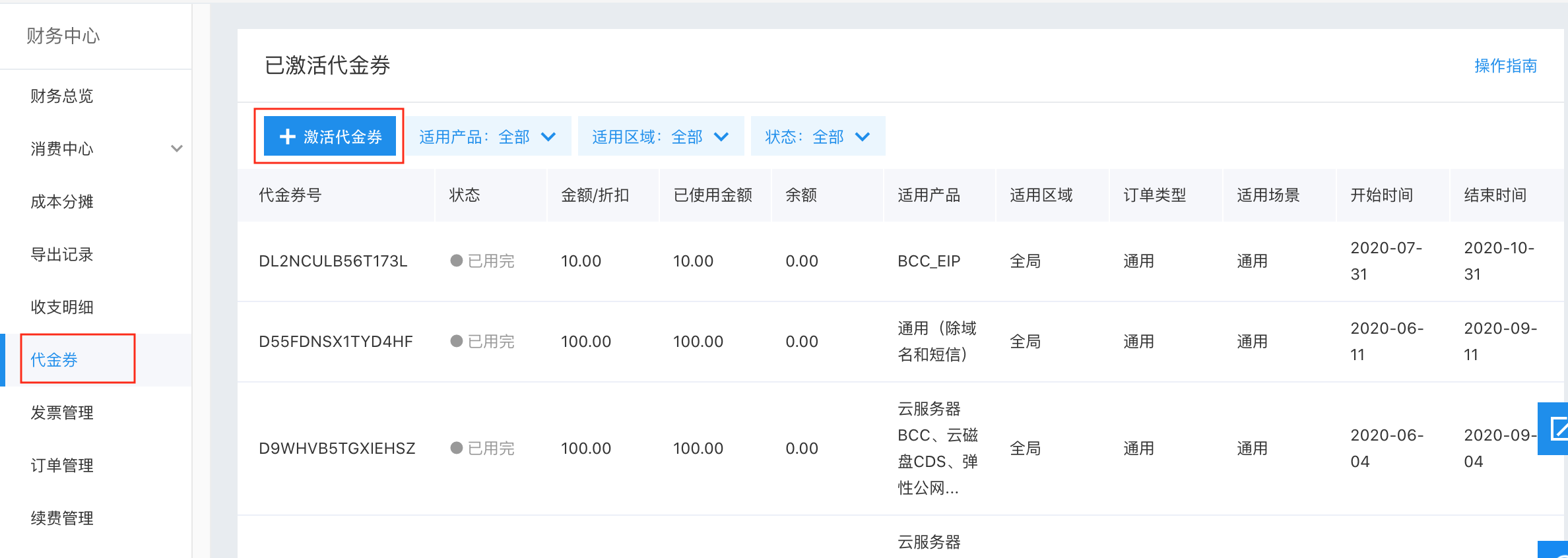
- Sign in to the Management Console, click Finance in the navigation bar in the upper-right corner, and enter the Finance Center.
-
Click Coupons in the left navigation bar, then click the +Activate Coupon button.
-
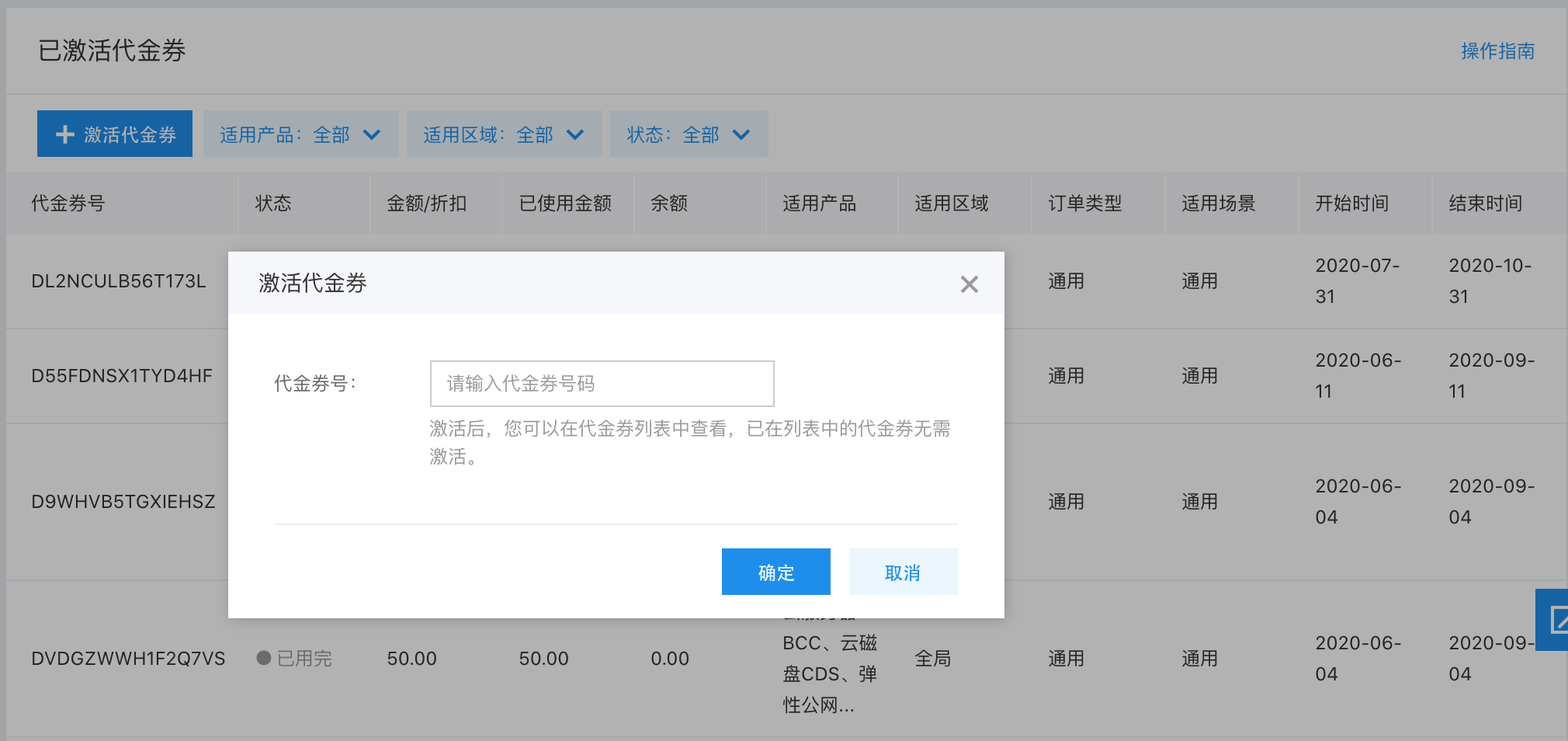
Enter the coupon code, and click OK to activate the coupon.