

Apply for Baidu Intelligent Cloud Invoice
Important notes on invoice issuance
Baidu AI Cloud supports the issuance of electronic invoices, which have the same legal effect as paper invoices. To shorten your waiting time for invoice issuance, we strongly recommend you choose electronic invoices first.
To effectively reduce your doubts about the invoice amount and meet your needs for invoice details, Baidu AI Cloud has launched the invoice issuance function by order/bill since July 15, 2020. You can issue invoices based on order consumption records/monthly bills, or by entering a custom amount, and download the associated consumption details.
The scope of invoices supported by Baidu AI Cloud, tax rates, and instructions on issuable amounts are as follows:
Invoice attributes
Currently, Baidu AI Cloud only supports consumption-based invoice issuance (for other invoice issuance methods, please contact your account manager for consultation).
Invoice medium
| Invoice medium | Inclusive invoice types | Description | Invoice format description |
|---|---|---|---|
| Digital electronic invoice | Special VAT invoice & ordinary VAT invoice | Since July 2, Baidu AI Cloud has supported the issuance of digital electronic invoices. After you submit an application, we will complete the issuance within 3 working days and send it to your reserved email address | 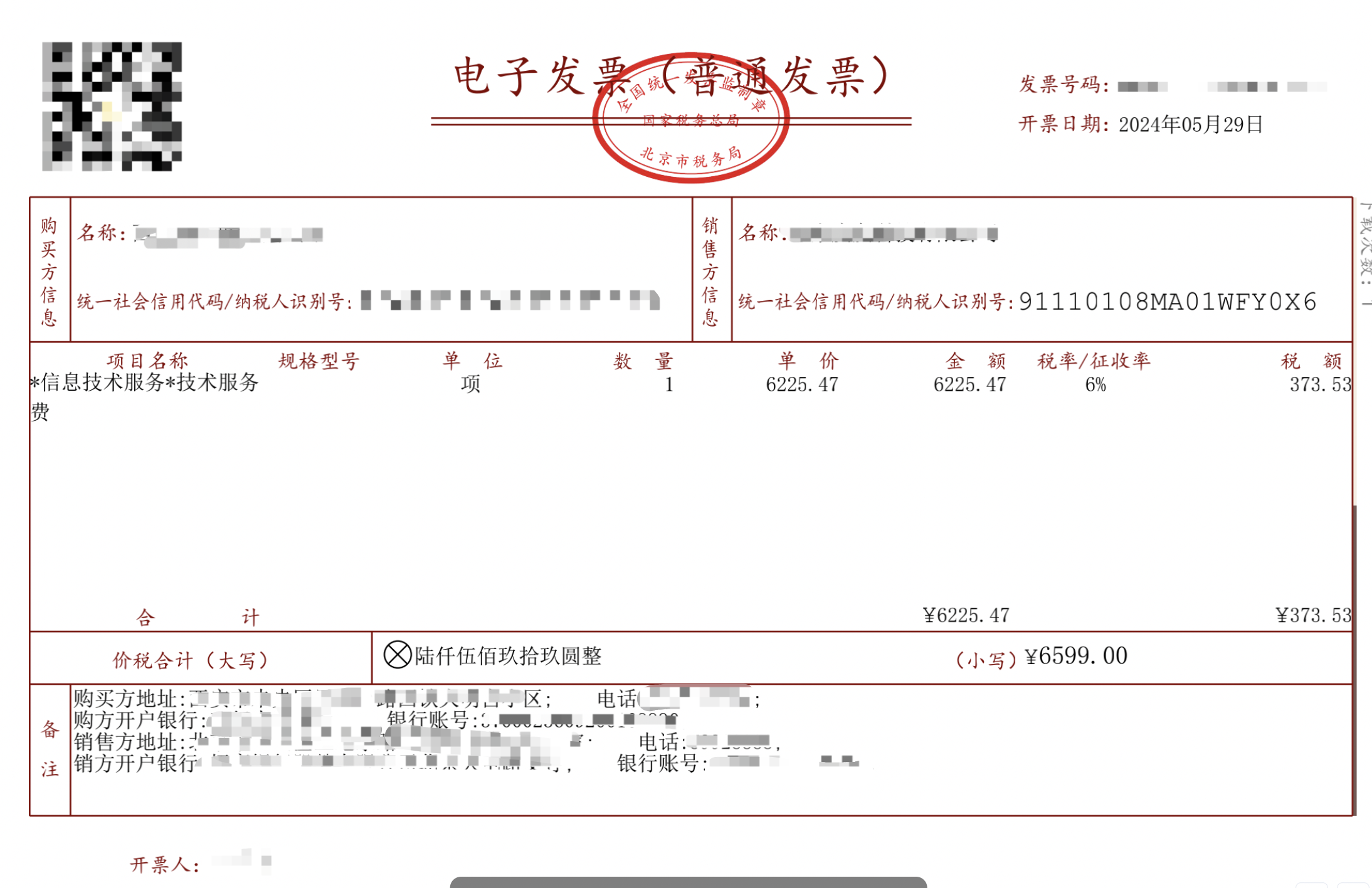 e/image_a241afc.png) e/image_a241afc.png) |
| Electronic invoice | Ordinary VAT invoice | In active response to the national requirements for paperless invoices, Baidu AI Cloud fully promotes the electronization of ordinary invoices. If you need to apply for an ordinary VAT invoice, you can select this medium | 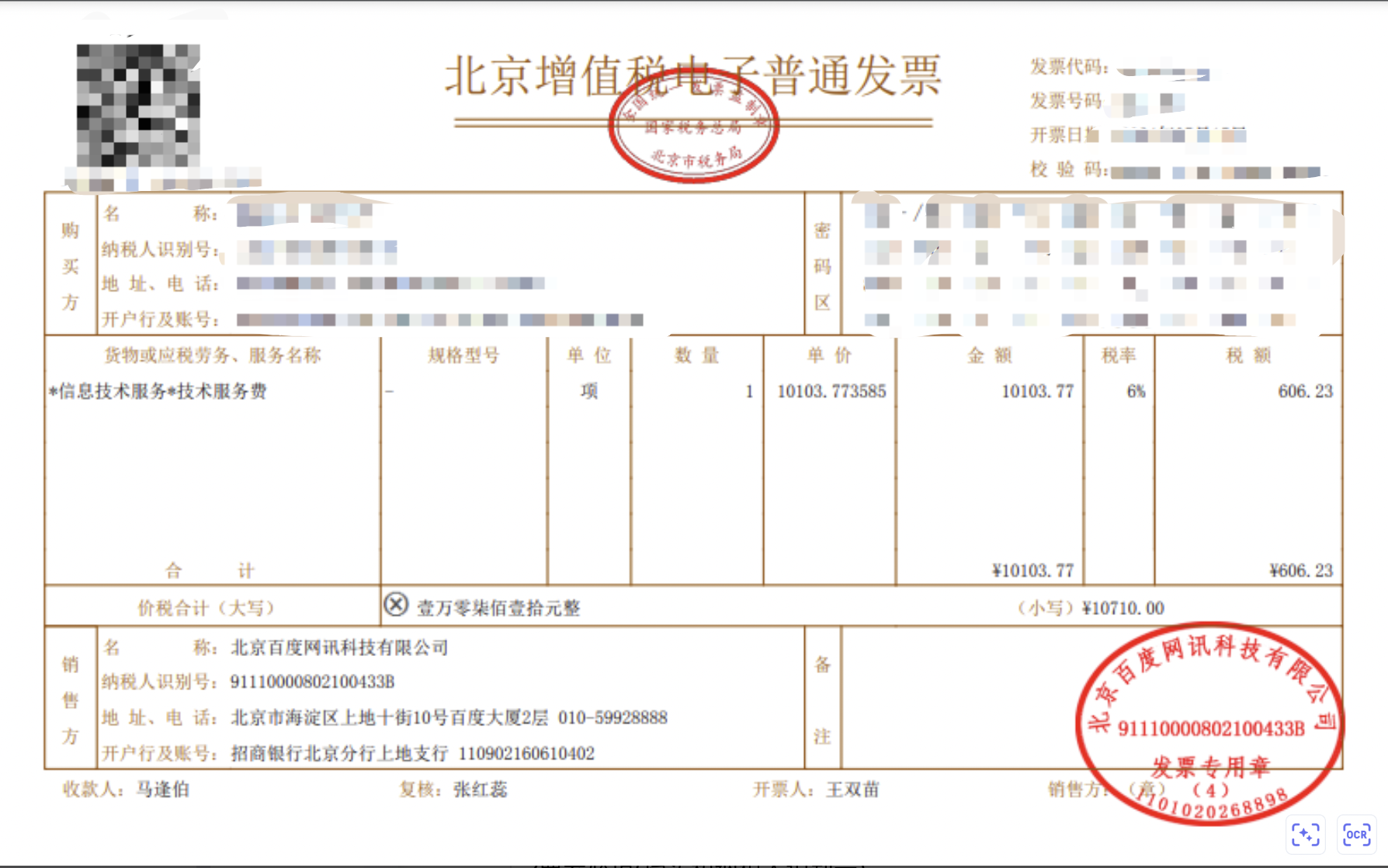 |
| Paper invoice | Special VAT invoice | You can apply for a paper special VAT invoice | 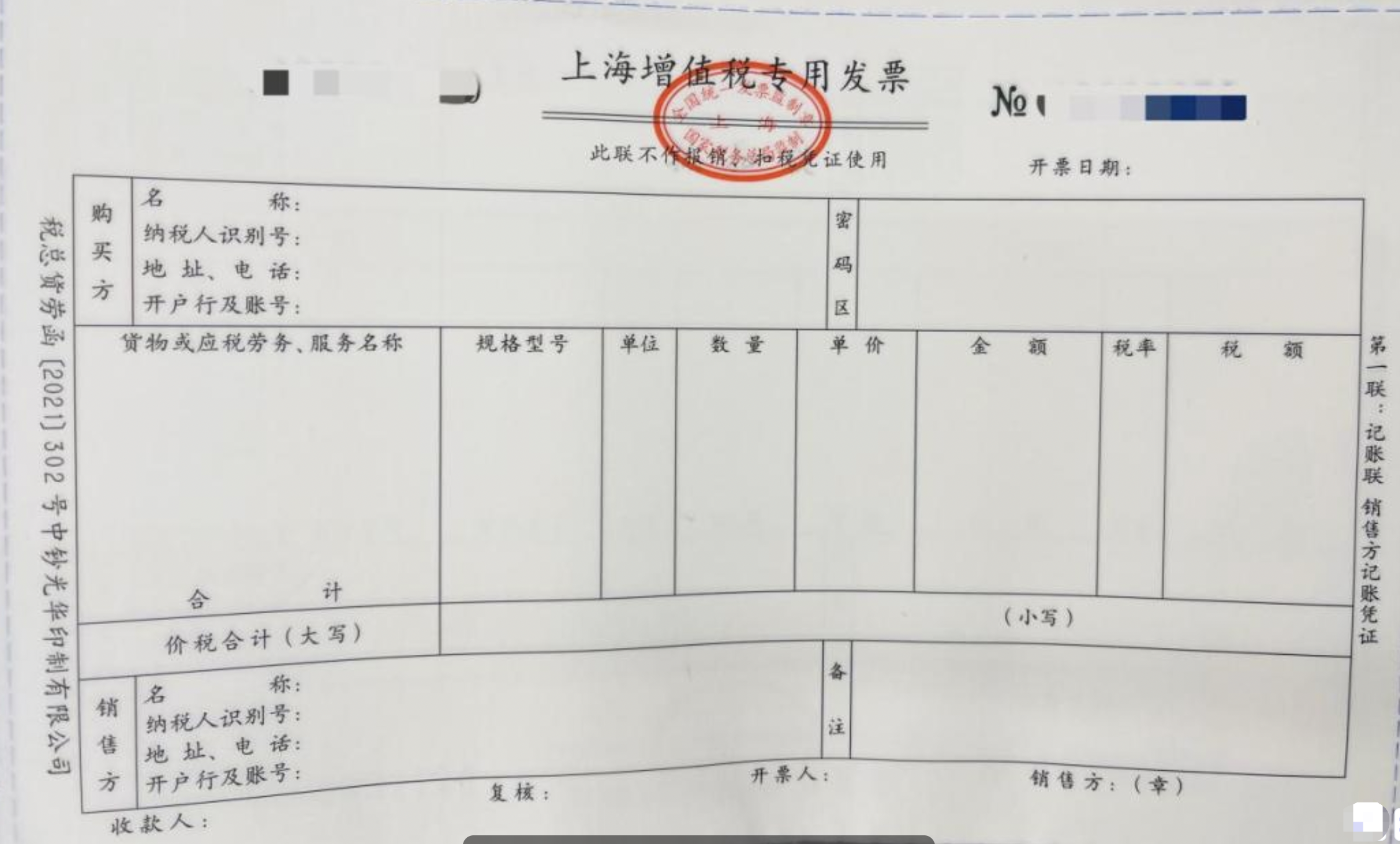 |
Invoice tax rates
Currently, Baidu AI Cloud issues invoices based on the actual products you have consumed. Examples are as follows:
- For cloud servers: The invoice content is “information system services”, the printed abbreviation is “information technology services”, and the tax rate is 6%.
- For the text recognition private deployment package: The invoice content is “general application software”, the printed abbreviation is “software”, and the tax rate is 13%.
Invoice amount
For customers using consumption-based invoice issuance:
- Prepaid consumption in the account (after order payment is completed + order resource creation is successful) will immediately generate issuable invoice records.
- For postpaid consumption bills, issuable invoice records will be generated the day after successful payment.
Total issuable amount = Total amount of the user’s full prepaid consumption + postpaid cash consumption up to yesterday
Description:
- Invoices can only be applied for based on actual cash consumption. The parts paid by coupons, rebate funds, and unused recharge amounts are not eligible for invoice application.
- Currently, only the consumption-based invoice issuance method (i.e., invoice issued after consumption) is supported by default. If you have other invoice issuance needs, please contact your sales manager offline.
- Consumption of cloud market products is not included in the user’s issuable invoice amount.
- There is no minimum amount limit for a single electronic invoice, but the maximum amount cannot exceed RMB 100,000. There is no minimum amount limit for a single paper invoice, but the maximum amount cannot exceed RMB 1 million.
Note
- To ensure the accuracy of invoice information, please complete certification before applying for an invoice.
- Before applying for an invoice, please configure the invoice title, delivery address, and other information in advance on the invoice page to avoid affecting your application process. For specific operations, please refer to Invoice Information Management.
- If you want to apply for an invoice after consuming in the cloud market, you can go to Cloud Market Invoice Issuance.
Invoice issuance
Terminology
| Term | Description |
|---|---|
| Ordinary VAT invoice | Applicable to small-scale taxpayers: Invoices issued cannot be used for input tax deduction. |
| Special VAT invoice | Applicable to general taxpayers: Invoices issued can be used for input tax deduction. |
| Certification type | Baidu AI Cloud account real-name certification type. |
| Invoice template (six essential elements) | The subject-related information (six essential elements) of the invoice applicant, including: invoice title; taxpayer identification number/unified social credit code; name of the opening bank; bank account number; registered address; contact phone number. |
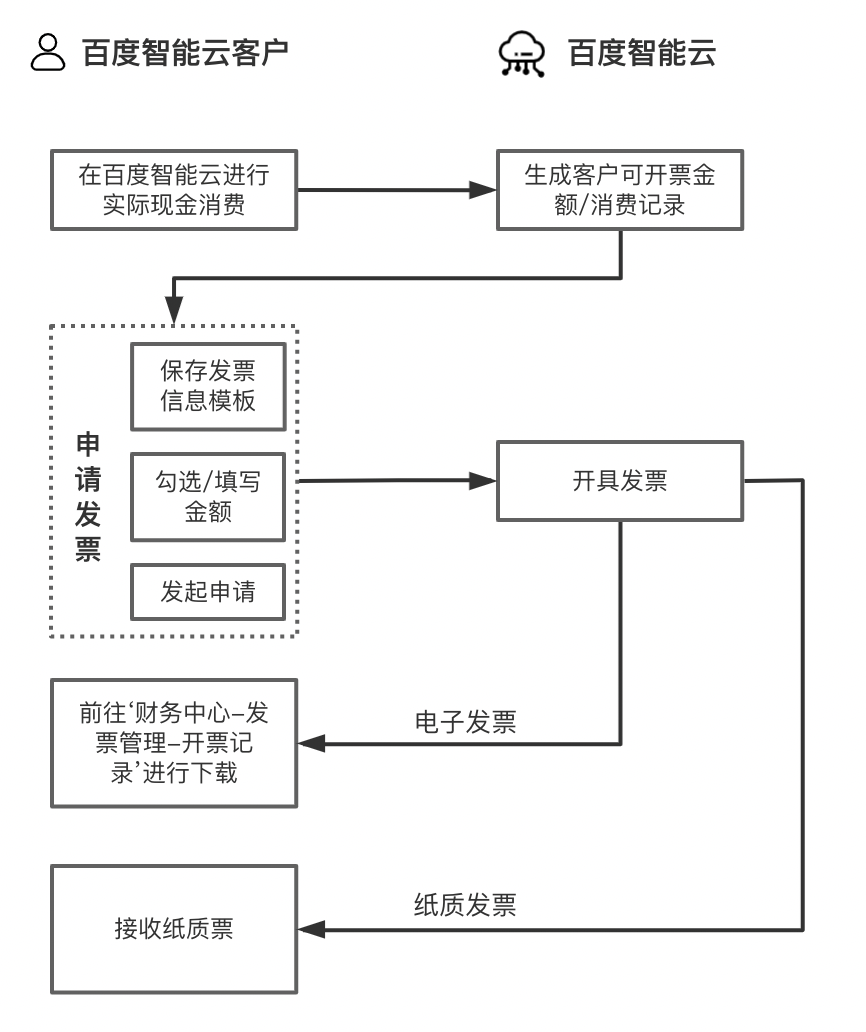
Invoice Application Process Diagram
Invoice information management
Invoice types
Baidu AI Cloud supports the issuance of ordinary VAT invoices and special VAT invoices. For details on user types and eligible invoice types, please refer to the table below:
| Certification type | Eligible invoice types | Title rules | Whether eligible for input tax deduction | Note |
|---|---|---|---|---|
| Users who have not completed certification | Ordinary VAT invoice |
|
No |
|
| Individual certified users | Ordinary VAT invoice |
|
No | |
| Organization/public institution certified users | Ordinary VAT invoice | Can apply for invoices with the certification name of the account; The taxpayer identification number/unified social credit code is optional when applying for invoices | No | |
| Special VAT invoice | Can apply for invoices with the certification name of the account | Yes | ||
| Enterprise certified users | Ordinary VAT invoice | Can apply for invoices with the certification name of the account | No | |
| Special VAT invoice | Can apply for invoices with the certification name of the account | Yes |
Invoice template settings
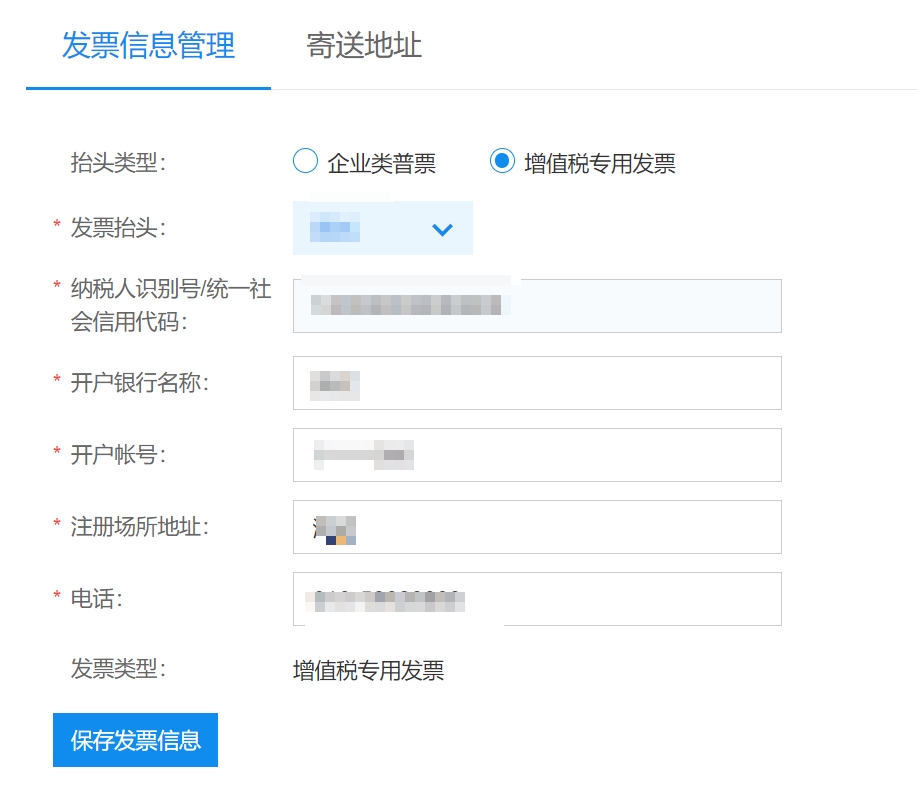
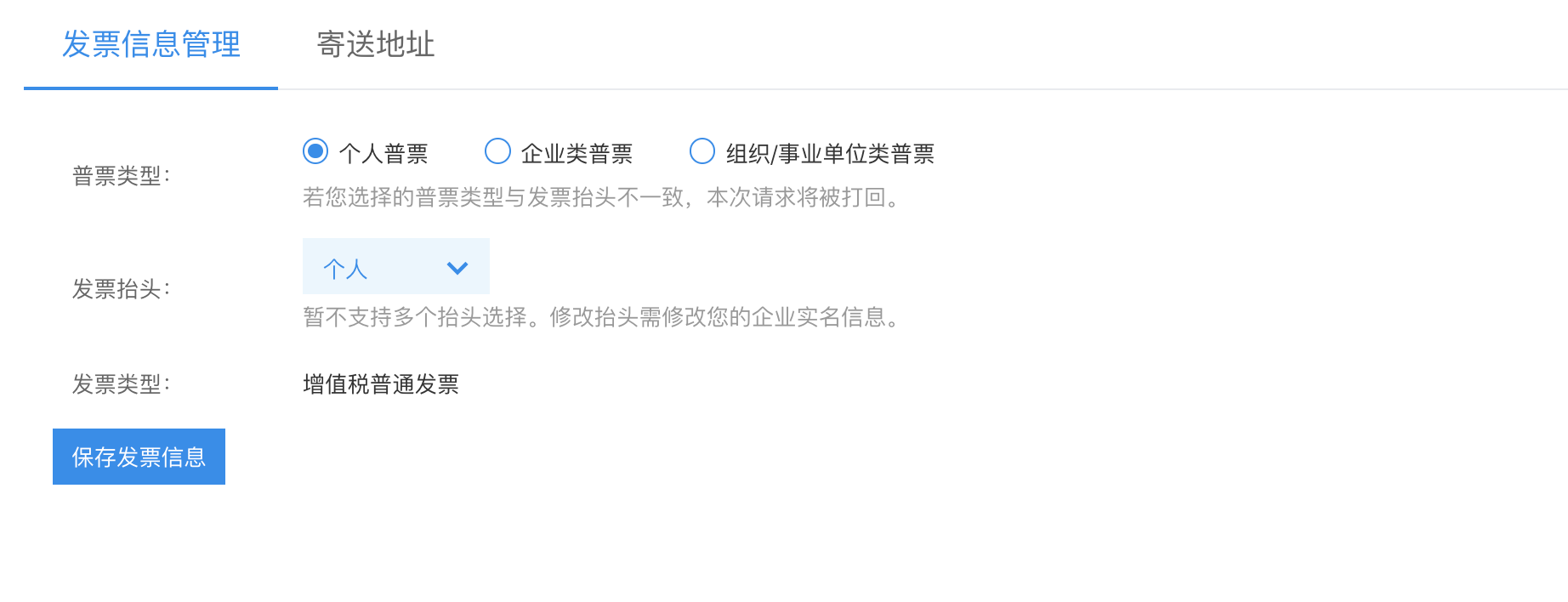
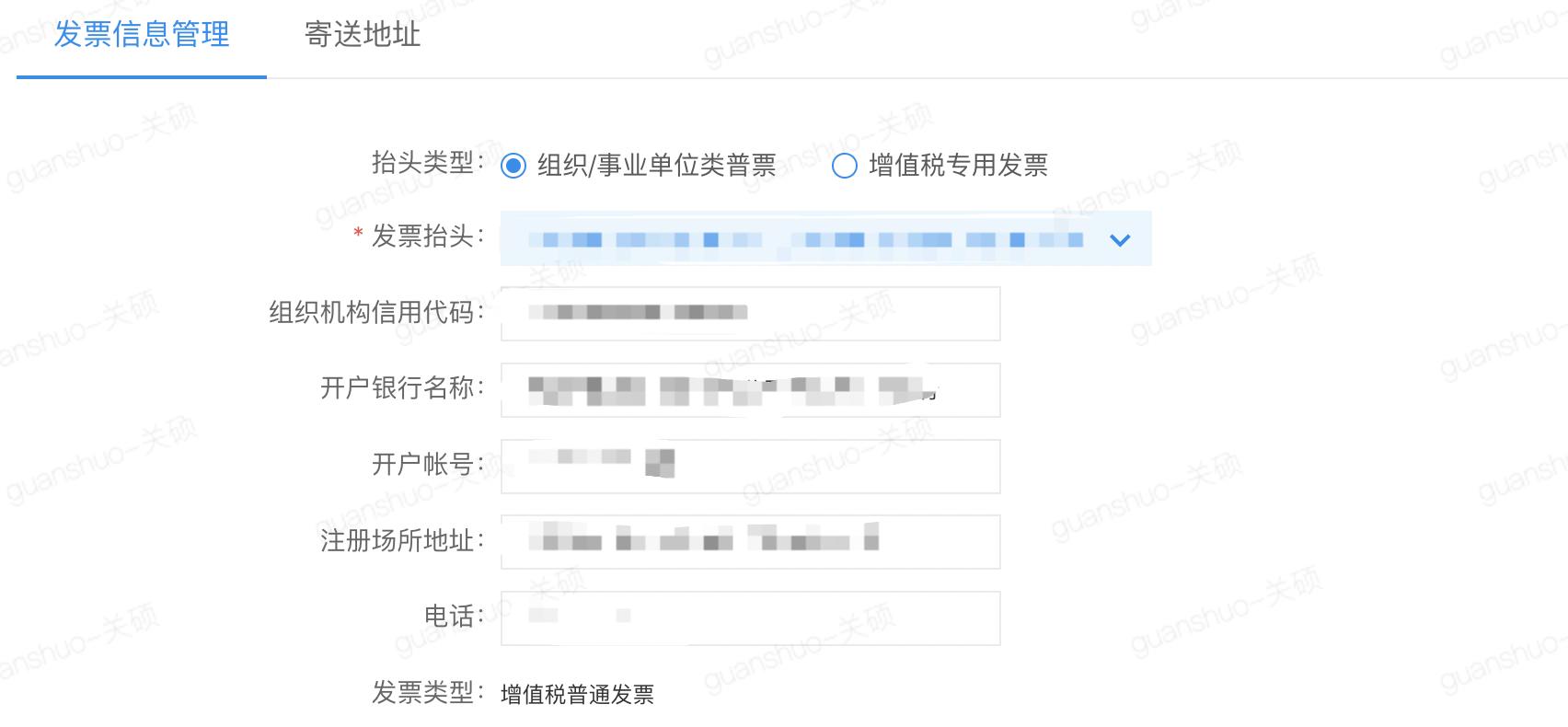
Before applying for an invoice, you need to go to the Invoice Information Management Page to save your invoicing information. This information will become the default template for your subsequent invoice applications on Baidu AI Cloud. The invoice template includes six essential elements, with details as shown in the table below:
| Invoice types | Invoice title | Taxpayer identification number/unified social credit code | Name of the opening bank | Bank account number | Registered address | Telephone |
|---|---|---|---|---|---|---|
| Ordinary VAT invoice | Required |
|
Not required | |||
| Special VAT invoice | Required | |||||
Invoice information interfaces for enterprise certified users:
Invoice information interfaces for users who have not completed certification / individual certified users:
Invoice information interfaces for organization/public institution certified users
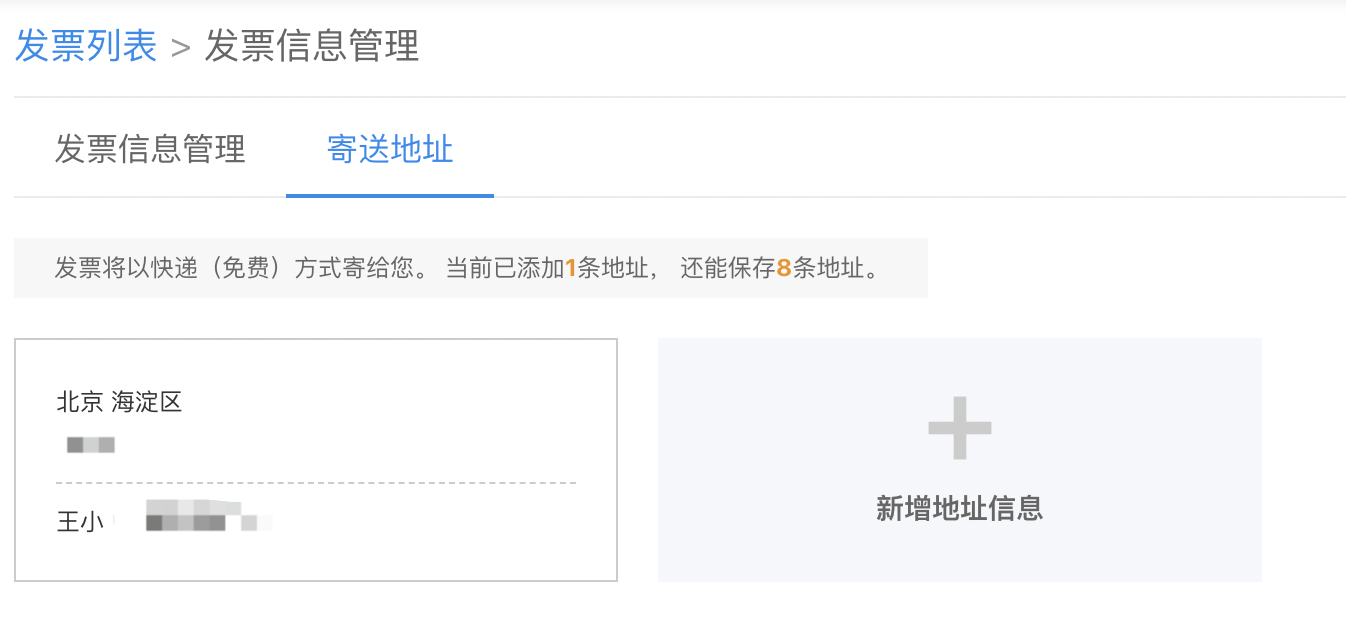
Invoice delivery address
You can set the invoice delivery address on the Invoice Information Management Page.
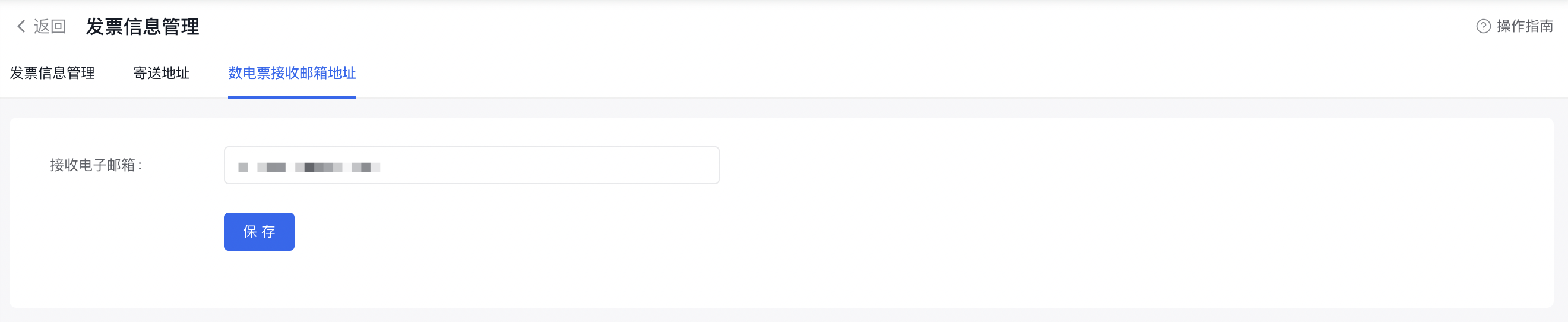
Invoice delivery email
This email address is used for delivering digital electronic invoices. After the invoice is successfully issued, we will send the invoice attachment to your reserved email address via email. Please ensure your reserved email address is accurate and usable.
Invoice application process
After successfully saving your invoicing information, you can proceed to apply for an invoice.
1. Invoice information settings
Before applying for an invoice, please complete the settings of the invoice template and delivery address first. For details, please refer to Invoice Information Management.
2. Access the invoice application page
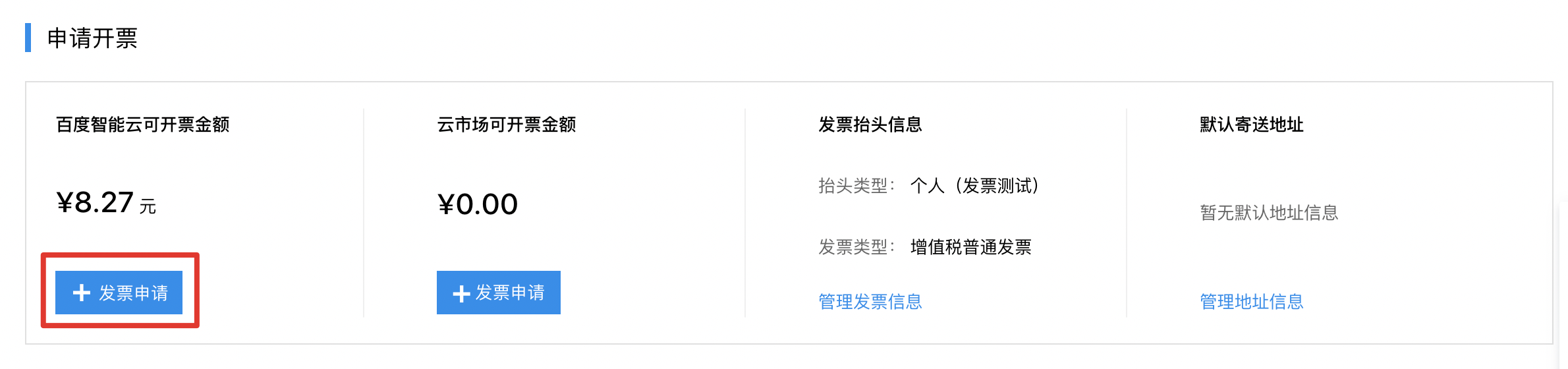
Sign in to the Baidu AI Cloud console. Navigate to Financial Center - Invoice Management. On the Apply for Invoice page, the system will display the issuable amount. Click the Apply for Invoice button to enter the invoice application page.
3. Confirm the invoice application amount
For instructions on the issuable amount, please refer to Invoice Amount.
Issue invoice by order/bill
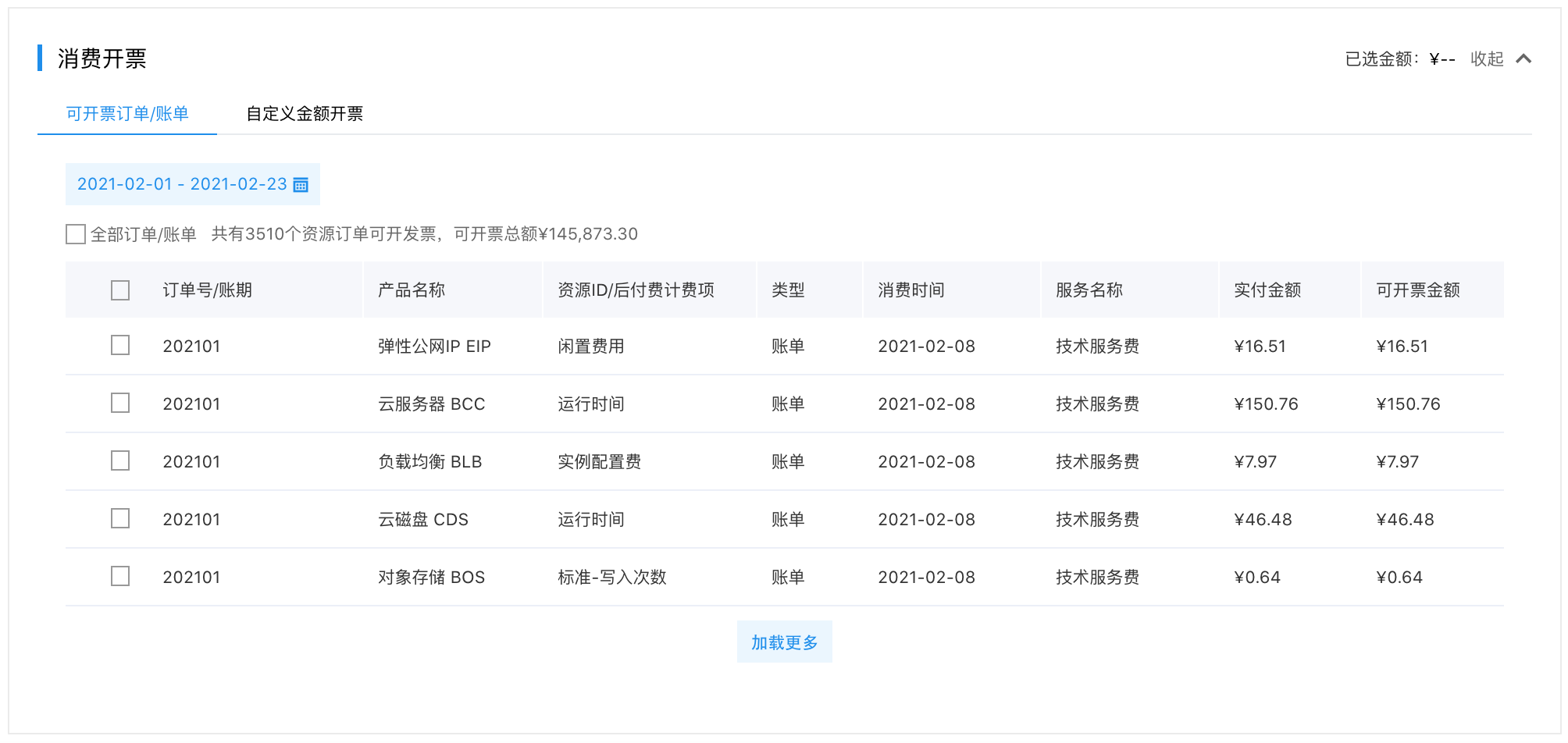
Applicable to scenarios such as “new purchase, renewal, upgrade, refund, etc.” You can apply for an invoice based on the orders/bills you have paid for in cash. Select the orders/bills you want to apply for an invoice for to confirm the invoice amount. The final invoice content will be consistent with the nature of the products you applied for this time.
Issue invoice with custom amount
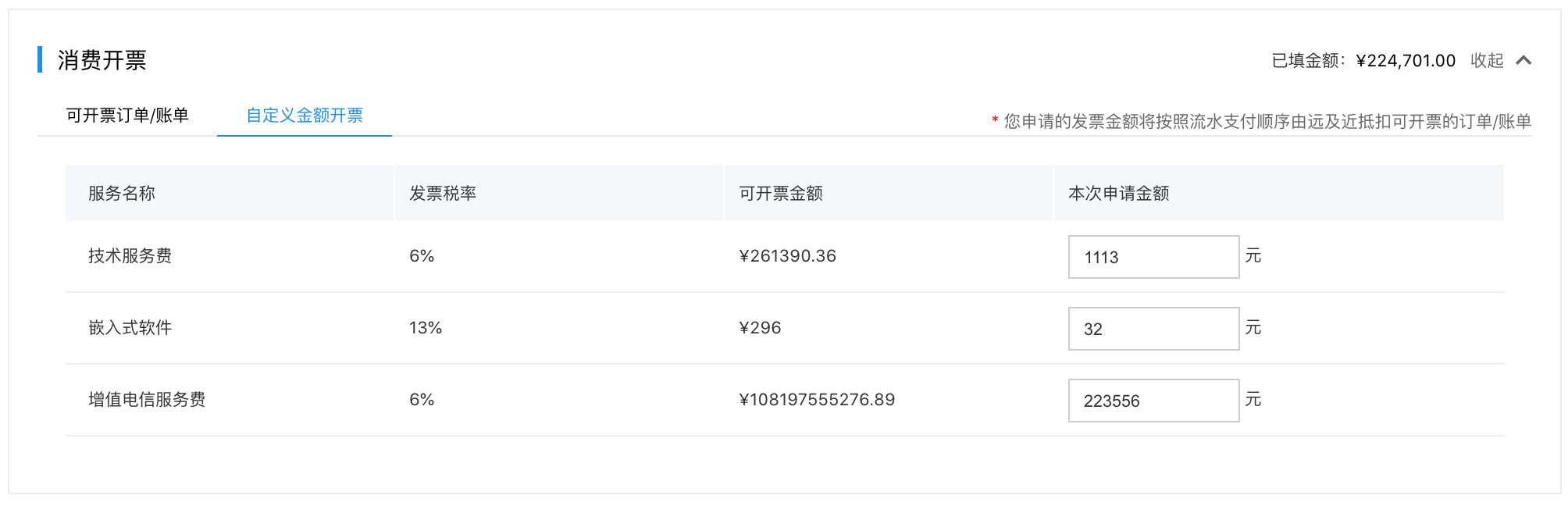
You can apply for an invoice based on the invoicing service name corresponding to the orders/bills you have paid for in cash. Enter the desired invoice amount, and the final invoice content will be consistent with the service name and amount you applied for this time. The system will automatically associate invoices by matching eligible orders/bills in the order of payment history (from oldest to newest).
If you have unpaid invoice amounts before July 1, 2020, they will be recorded as historical issuable amounts, with the invoice content being “information system services” and a tax rate of 6%.
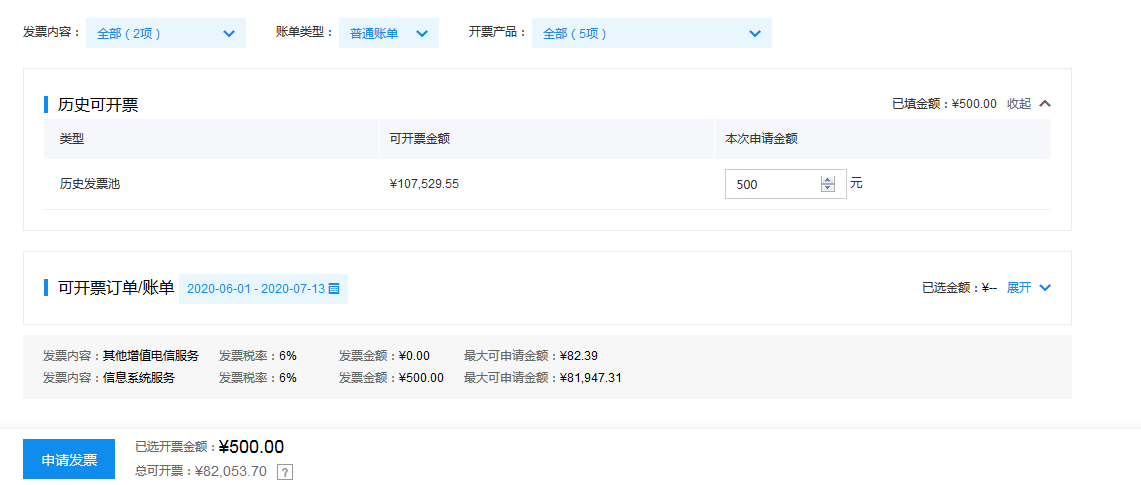
After confirming the invoice amount to be issued and the corresponding tax classification, click the Apply for Invoice button to enter the invoice information confirmation page.
Description:
If you apply for invoices with multiple tax rates at the same time, the system will automatically split them into multiple invoices based on the tax rates. For example, if you apply for RMB 100 with a 6% tax rate and RMB 100 with a 13% tax rate, the system will automatically split them into two invoices of RMB 100 each. The specific number of split invoices depends on the actual applied invoice amount and invoice medium.
4. Invoice information confirmation
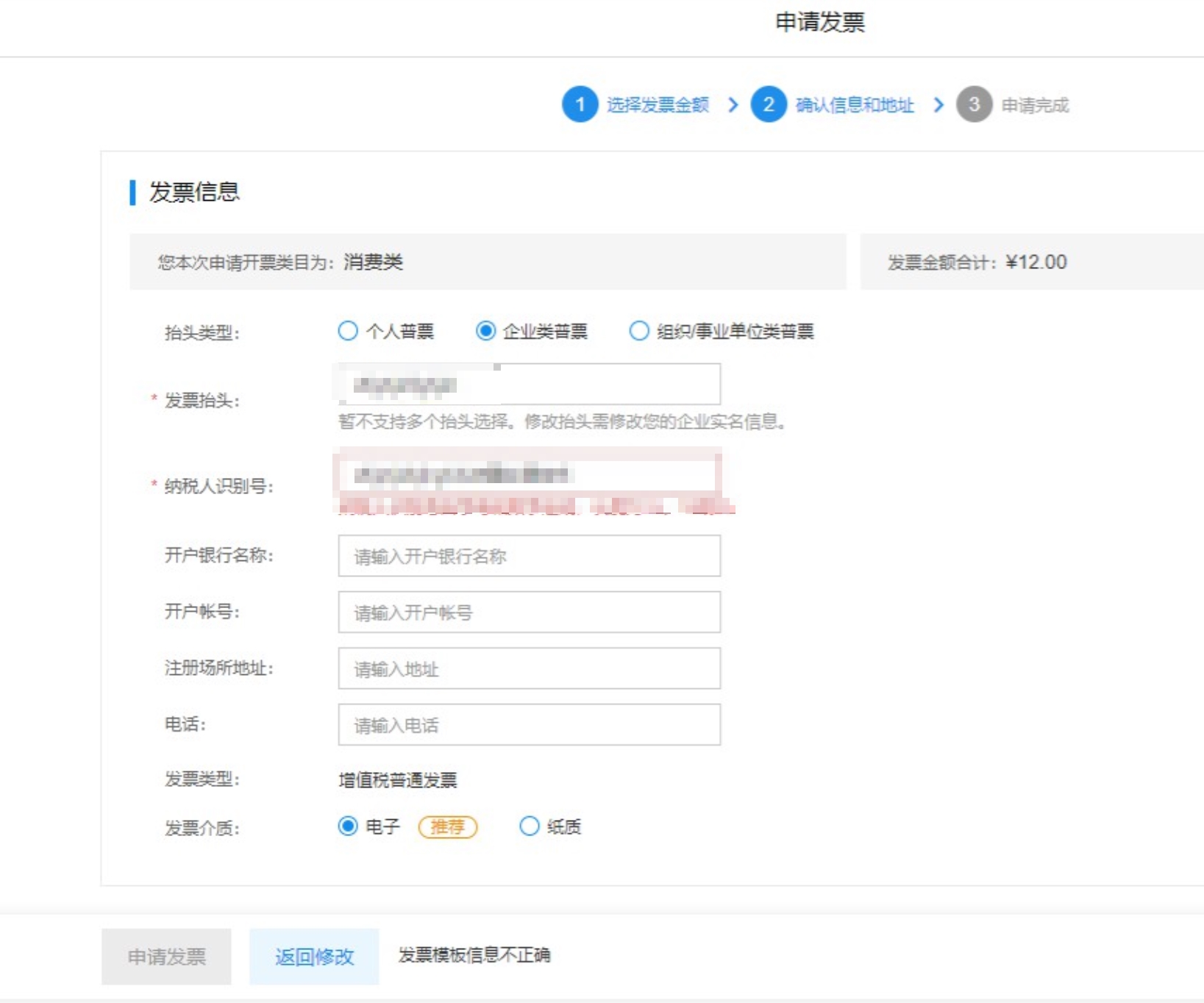
This page includes three parts of confirmation information: invoice template information, invoice medium, and delivery address information (only for paper invoices). Details are as follows:
| Information type | Description |
|---|---|
| Invoice template |
|
| Invoice medium |
|
| Invoice delivery address | If you have set a default address in the delivery address settings, it will be selected by default when applying for an invoice. If no address has been set before, click Add Address Information, enter the invoice receiving address and contact information, then click Confirm. |
5. Successful application
Click Apply for Invoice to complete the application.
For e-invoices: Baidu will issue the invoice within 24 hours after the invoice is approved. After issuance, you can download it in the console.
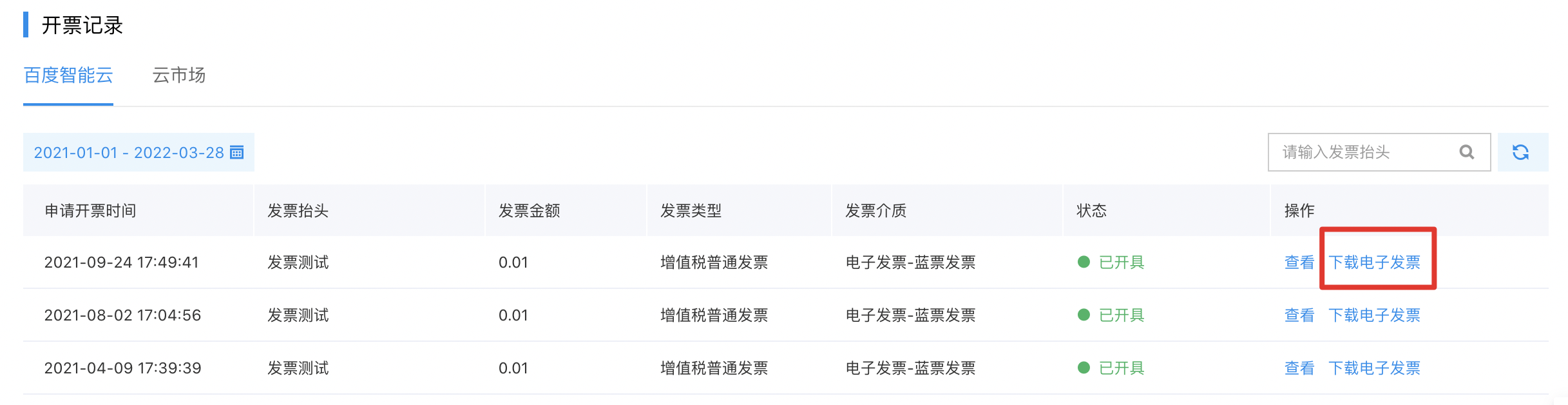
For paper invoices: Baidu will complete the review and issue the invoice within 15 working days, and send it to you by express for free within 3 days after issuance.
Description:
When you receive the invoice package, please check and verify the invoice information before signing for it. If there is any problem, please refuse to sign for it. Once signed, Baidu AI Cloud will not be responsible for issues such as loss.
For digital electronic invoices: Baidu will complete the review and issue the invoice within 3 working days. After issuance, the invoice will be delivered to you via email. Digital electronic invoices do not support console attachment download for the time being. This function is being improved gradually. Please stay tuned.
View applied invoices
Invoice status description
Sign in to the Baidu AI Cloud console, navigate to Financial Center > Invoice Management, and view the status of submitted invoice applications in the Invoice Records list. The status descriptions are as follows:
- Pending review: The invoice application has been submitted but not yet reviewed by the finance department. You can cancel the invoice application in this status.
- Cancelled: The invoice application was cancelled by you before being approved by the finance department.
- Approved: Baidu AI Cloud has approved your invoice application.
- Rejected: Baidu AI Cloud has rejected your invoice application due to errors in certification information, invoice title, etc. The invoice amount will be returned to your issuable invoice balance pool.
- Issued: Baidu AI Cloud has issued the invoice. For paper invoices: Awaiting delivery. For electronic invoices: Ready for immediate download.
- Shipped: The invoice has been shipped.
- Voided: Baidu AI Cloud has voided the invoice offline.
View invoice details
In the Invoice List page, click View in the operation column to check the details of a single invoice application record. The page includes the following information:
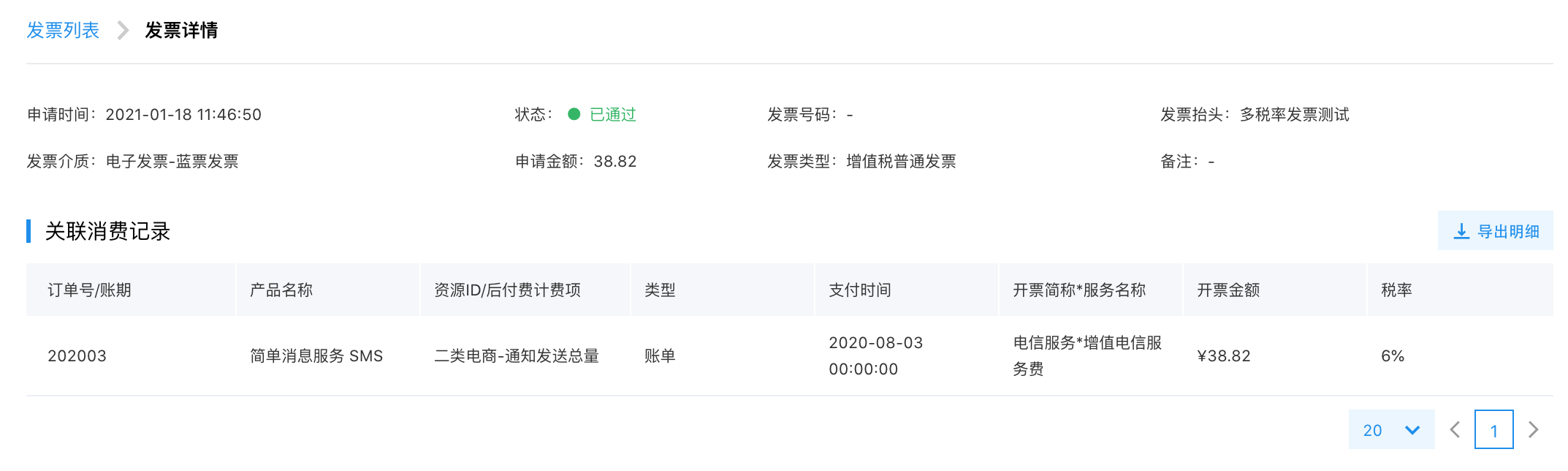
- Application time: The time when you submitted this invoice application.
- Status: Detailed description is the same as above.
- Invoice number: The unique identification number of the invoice.
- Invoice title: The title used for this invoice application.
- Invoice medium: Electronic invoice / paper invoice.
- Application amount: The amount of this invoice.
- Invoice type: Ordinary VAT invoice / special VAT invoice.
- Remarks: The remark information you filled in when applying for this invoice.
-
Associated consumption records: The order/bill details associated with this invoice.
- If you applied for the invoice by selecting orders/bills, this section will display the selected orders/bills after successful submission;
- If you applied for the invoice with a custom amount, this section will display the orders/bills automatically associated by the system after successful submission
For more frequently asked questions about invoices, please refer to [Invoice FAQs](Finance/FAQs/Invoice Issues.md).