

Bill Subscription
Overview
To facilitate customer reconciliation, Baidu AI Cloud has launched the bill subscription function. When bill subscription is enabled, daily incremental bill data will be pushed to the customer's designated BOS by 12:00 the next day, while monthly summary bills will be pushed to your specified Bucket by 12:00 on the 1st of the following month.
Billing types that can be subscribed by Baidu AI Cloud:
- Hour bill: It includes daily incremental hour bills and monthly summarized hour bills
- Resource bill: It includes daily incremental resource bills and monthly summarized resource bills
Notes on Bill Subscription
Before enabling bill subscription, please note:
- Enabling bill subscription requires you to activate the BOS service and create a Bucket for storing bills.
- To ensure the security of your billing data, set the read/write permission of the corresponding Bucket to be Private.
- BOS file system fees incurred by bill storage shall be borne by you.
Bill subscription process
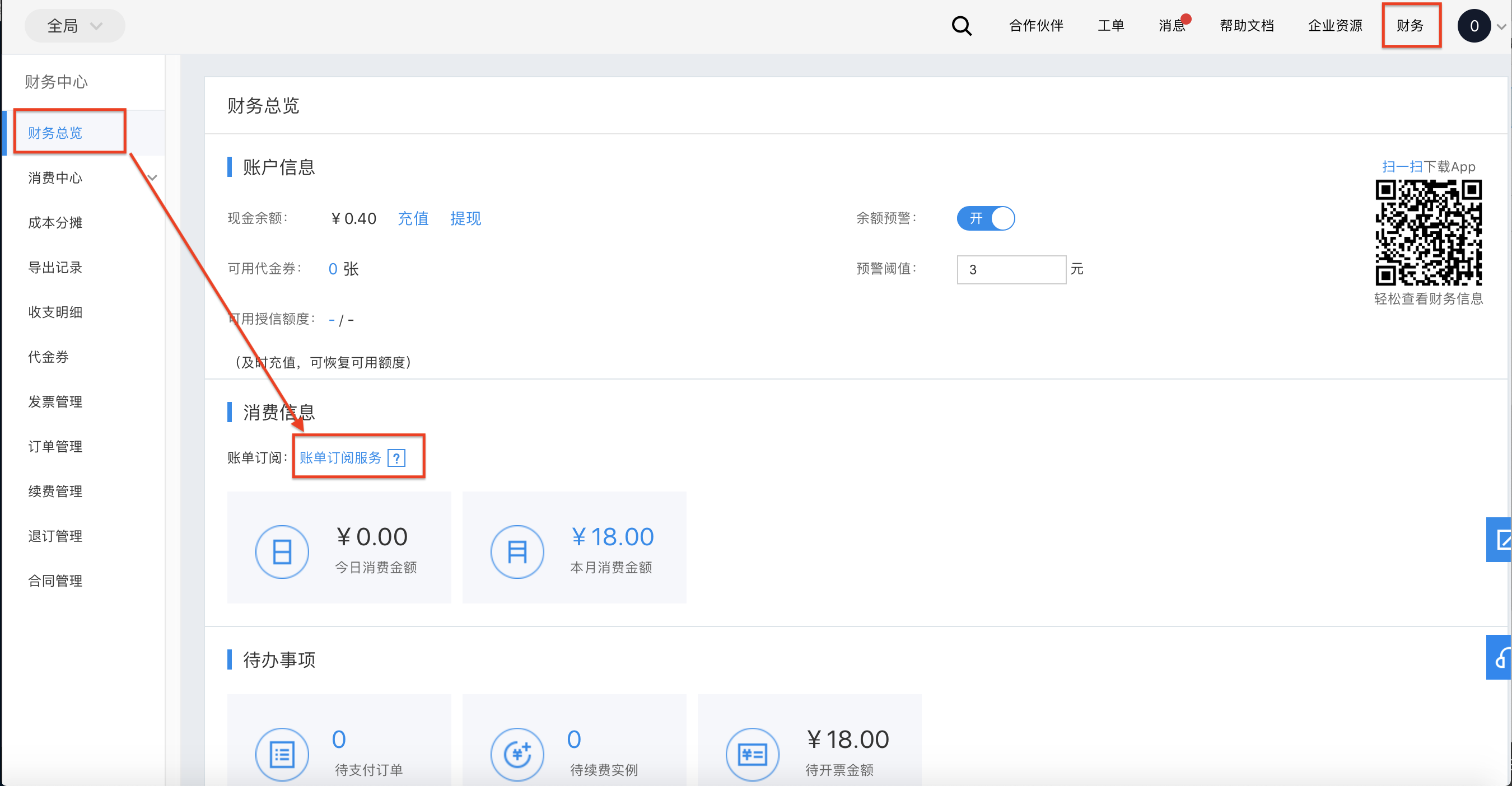
- Sign in to Management Console of Baidu AI Cloud, click Finance in the upper right corner to enter the finance center.
-
Click Financial Overview in the left navigation bar, and then click Bill Subscription Service under Financial Overview Page -> Consumption Information
Description
Enabling bill subscription requires you to activate BOS service and create at least one Bucket for storing bills.
Example for hour bill push file name format: 2023-12-21_charge_item_bill.xlsx, subject to the actual push file name.
Example for resource bill push file name format: ALL_ALL_2023-12-21_resource_day_bills.xlsx, subject to the actual push file name.
-
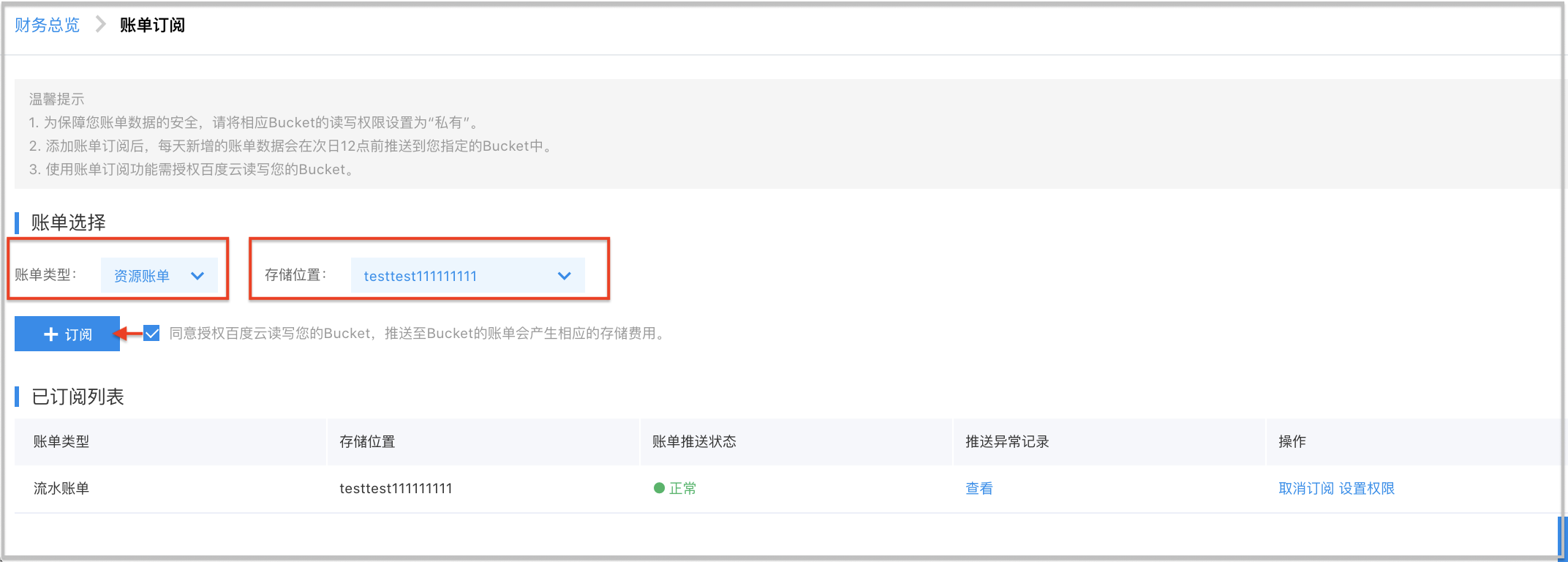
Select the bill type you wish to subscribe and the Bucket where you want to store bills. Authorize Baidu AI Cloud to access your Bucket, then click Subscribe. After successful subscription, a new bill subscription information will be added to the subscribed list.
Note
Each bill type can only be subscribed once.
Field definitions
| Module | Field |
|---|---|
| Bill selection | |
| Subscribed list |
Exception handling
In the push anomaly records, you can view the reasons and times of previous bill push failures. There are four main reasons for bill push failures:
-
Account arrears
If your account is in arrear, BOS services will be suspended, and the system fails to push bill to your BOS.
-
Bucket has been deleted
If you delete the subscribed Bucket in BOS after bill subscription, bills will fail to be pushed to that Bucket.
-
Excessive bill data volume
Please submit a ticket to contact an engineer for resolution.
-
System error
Please submit a ticket to contact an engineer for resolution.