Shift Charge

Finance Finance

  • API Reference
    • Access control
    • Balance Query Related Interfaces
      • Account Balance Query
    • Bill Related Interfaces
      • Appendix
      • Charge Item Bill
      • Python Request Example
      • Resource Month Bill
    • Error response
    • Feature Update Records
    • General Description
    • Interface Specifications
    • Introduction
  • Bill Management
    • Bill Details
    • Bill Subscription
    • Consumption Information Subscription Guide
    • Consumption Overview
    • How to View
    • Tag-Based Billing
  • Charge
    • Billing & Configuration Changes
      • Configuration Upgrade Or Shrinkage
      • Shift Charge
    • Charge type
    • On-Demand Billing
    • Pay-as-you-go
    • Subscription billing
  • Contract
    • Apply for Electronic Contract
    • Overview
  • Cost Management
    • Cost Allocation
    • Cost Splitting
  • Disclaimer
  • Enterprise Organization Financial Management
  • FAQs
    • Bill and Debt
    • Billing Issues
    • Common Questions Overview
    • Contract Issues
    • Coupon Issues
    • Dedicated Account Remittance Issues
    • Invoice Issues
    • Order Issues
    • Recharge Issues
    • Refund Issues
    • Renew Issues
    • Withdrawal Issues
  • Invoice
    • Apply for Baidu Intelligent Cloud Invoice
    • Return or Exchange Baidu Intelligent Cloud Invoice
  • Multi-Account Multi-User Financial Management
    • Enterprise Organization - Financial Management
    • Multi-User Access Control - Financial Permission
    • Unified Finance
  • Order Management
  • Overview
  • Partner Deposit Payment
  • Purchase Guide
    • Coupon
      • Activating Coupons
      • Coupon Overview
      • Using Coupons
      • Viewing Coupons
    • Income and Expense Details
    • Purchase
    • Recharge
      • Exclusive Account Wire Transfer
      • Recharge Operations
      • Viewing Balance
    • Refund and Compensation
      • Product Compensation Standards
      • Refund Application Process
      • Refund policy
      • Unsubscribe Overview
      • Unsubscribe Rule Description
    • Renew
      • Auto-renewal
      • Renew Overview
      • Unified Resource Expiration Time
    • Withdrawal
  • Resource Package Management
    • Resource Package Deduction Details
    • Resource Package Overview
  • SDK
    • Java-SDK
      • Bill
      • BillingClient
      • Exception handling
      • Install SDK
      • Overview
      • Version Update Description
All documents
menu
No results found, please re-enter

Finance Finance

  • API Reference
    • Access control
    • Balance Query Related Interfaces
      • Account Balance Query
    • Bill Related Interfaces
      • Appendix
      • Charge Item Bill
      • Python Request Example
      • Resource Month Bill
    • Error response
    • Feature Update Records
    • General Description
    • Interface Specifications
    • Introduction
  • Bill Management
    • Bill Details
    • Bill Subscription
    • Consumption Information Subscription Guide
    • Consumption Overview
    • How to View
    • Tag-Based Billing
  • Charge
    • Billing & Configuration Changes
      • Configuration Upgrade Or Shrinkage
      • Shift Charge
    • Charge type
    • On-Demand Billing
    • Pay-as-you-go
    • Subscription billing
  • Contract
    • Apply for Electronic Contract
    • Overview
  • Cost Management
    • Cost Allocation
    • Cost Splitting
  • Disclaimer
  • Enterprise Organization Financial Management
  • FAQs
    • Bill and Debt
    • Billing Issues
    • Common Questions Overview
    • Contract Issues
    • Coupon Issues
    • Dedicated Account Remittance Issues
    • Invoice Issues
    • Order Issues
    • Recharge Issues
    • Refund Issues
    • Renew Issues
    • Withdrawal Issues
  • Invoice
    • Apply for Baidu Intelligent Cloud Invoice
    • Return or Exchange Baidu Intelligent Cloud Invoice
  • Multi-Account Multi-User Financial Management
    • Enterprise Organization - Financial Management
    • Multi-User Access Control - Financial Permission
    • Unified Finance
  • Order Management
  • Overview
  • Partner Deposit Payment
  • Purchase Guide
    • Coupon
      • Activating Coupons
      • Coupon Overview
      • Using Coupons
      • Viewing Coupons
    • Income and Expense Details
    • Purchase
    • Recharge
      • Exclusive Account Wire Transfer
      • Recharge Operations
      • Viewing Balance
    • Refund and Compensation
      • Product Compensation Standards
      • Refund Application Process
      • Refund policy
      • Unsubscribe Overview
      • Unsubscribe Rule Description
    • Renew
      • Auto-renewal
      • Renew Overview
      • Unified Resource Expiration Time
    • Withdrawal
  • Resource Package Management
    • Resource Package Deduction Details
    • Resource Package Overview
  • SDK
    • Java-SDK
      • Bill
      • BillingClient
      • Exception handling
      • Install SDK
      • Overview
      • Version Update Description
  • Document center
  • arrow
  • FinanceFinance
  • arrow
  • Charge
  • arrow
  • Billing & Configuration Changes
  • arrow
  • Shift Charge
Table of contents on this page
  • Overview
  • Prepay to postpay
  • Postpay-to-prepay

Shift Charge

Updated at:2025-10-27

Overview

To meet users' service needs, Baidu AI Cloud provides convenient billing mode switching services. You can flexibly switch between on-demand billing (postpaid) and subscription billing (prepaid).

For prepaid services

  • Before expiration, the billing method can be switched. After the billing method is changed, it will take effect after the current order expires, and the expiration time will be based on the financial order.
  • No billing changes are allowed after expiration.

Prepay to postpay

Description of shift charge:

  1. To switch a prepaid service to a postpaid billing method, the change must be made before the prepaid resource expires. The switched billing method will take effect after the service expires.
  2. This function is only supported for resources not enrolled in auto-renewal. If auto-renewal is enabled, please navigate to the Renewal Management to disable it.
  3. Baidu AI Cloud currently supports switching the billing method of unexpired prepaid instances (for products including BCC, CDS, and EIP) to postpaid mode.

Note: When performing prepaid to postpaid operations and when the prepaid period expires, the sum of the available balance of the account and the coupon must not be less than RMB 100 to successfully convert. If it is not enough, the order will fail and become invalid, and the billing method switch will fail.

Operation step

Taking the EIP as an example, the process of changing from prepaid to postpaid operation is as follows:

  1. Sign in to the console and navigate to Product Services -> EIP. Select the EIP instance for which you want to modify the billing method.
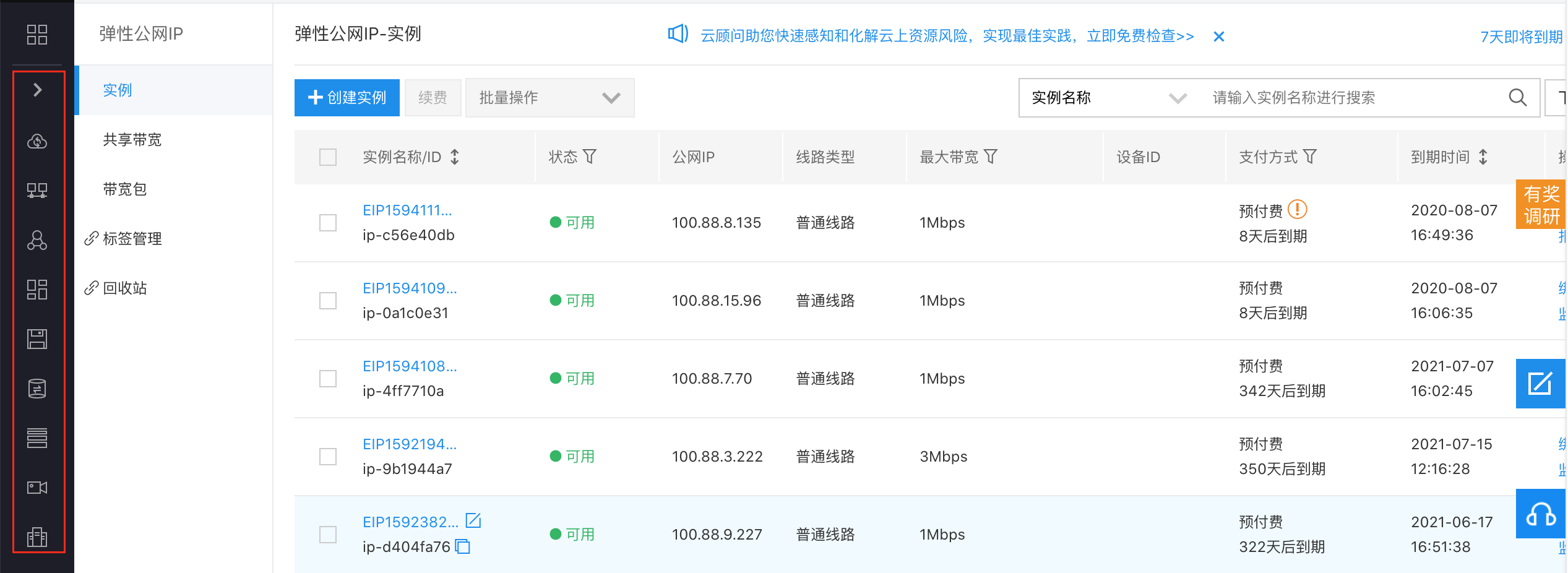
image.png

  1. Check one or more prepaid EIP instances and select Shift Charge under Batch Operations.
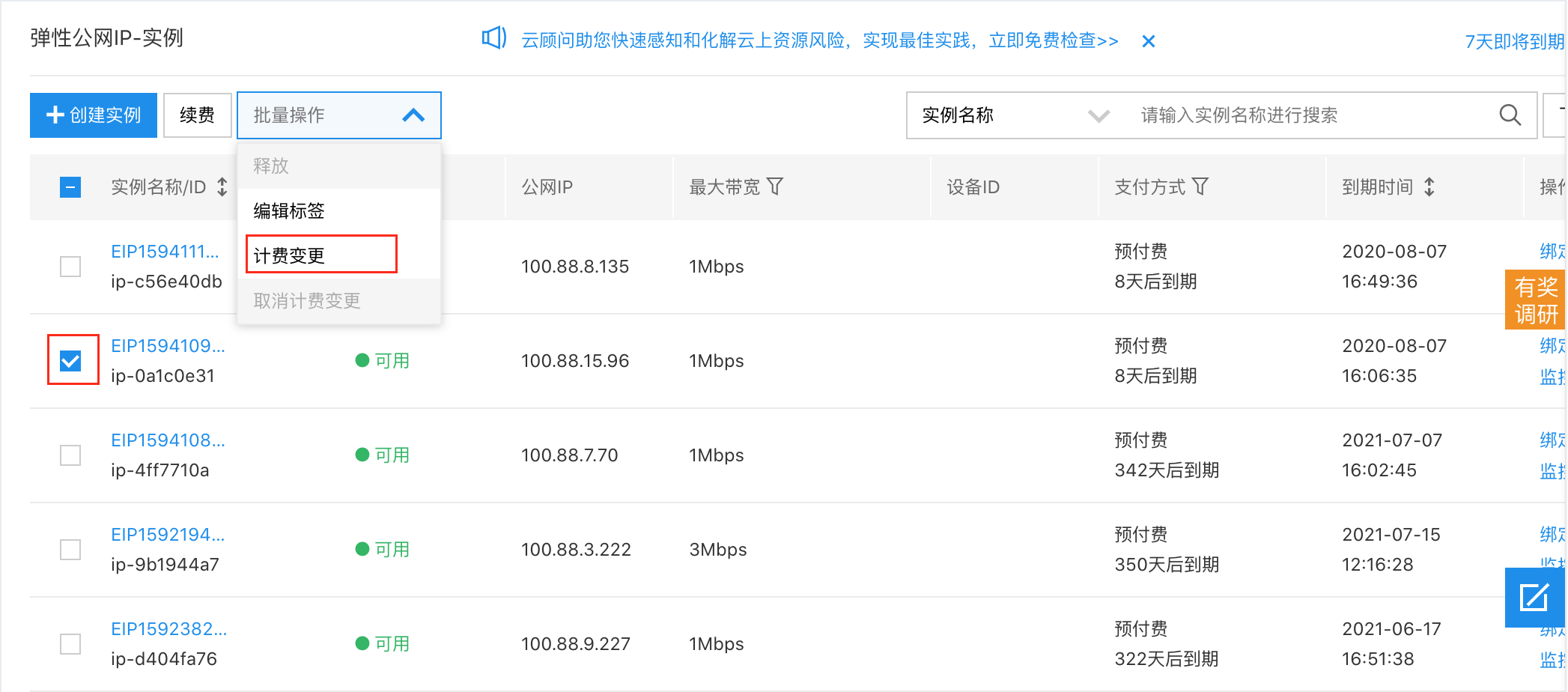
image.png

  1. Confirm the purchase information and click Next.
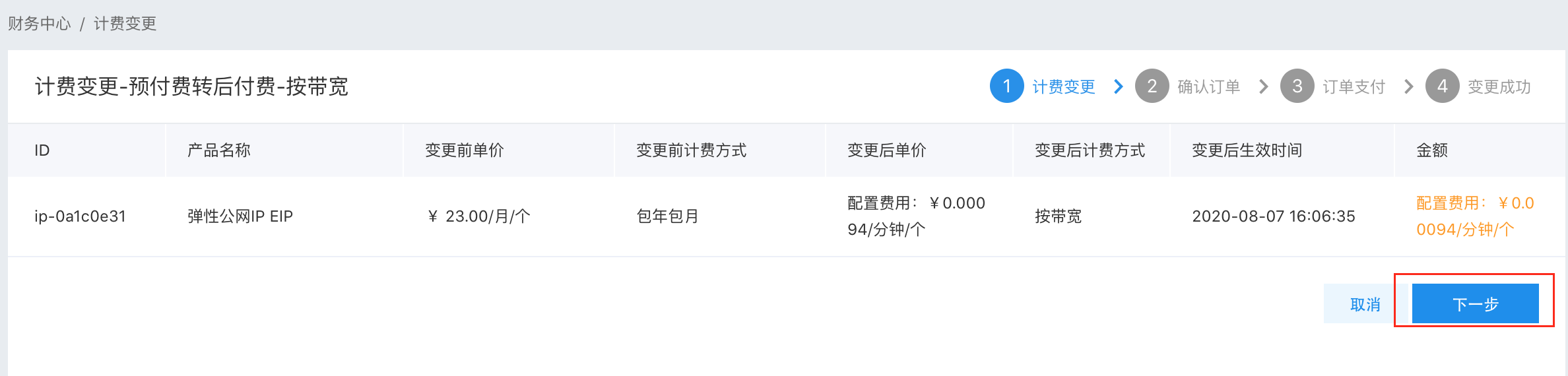
image.png

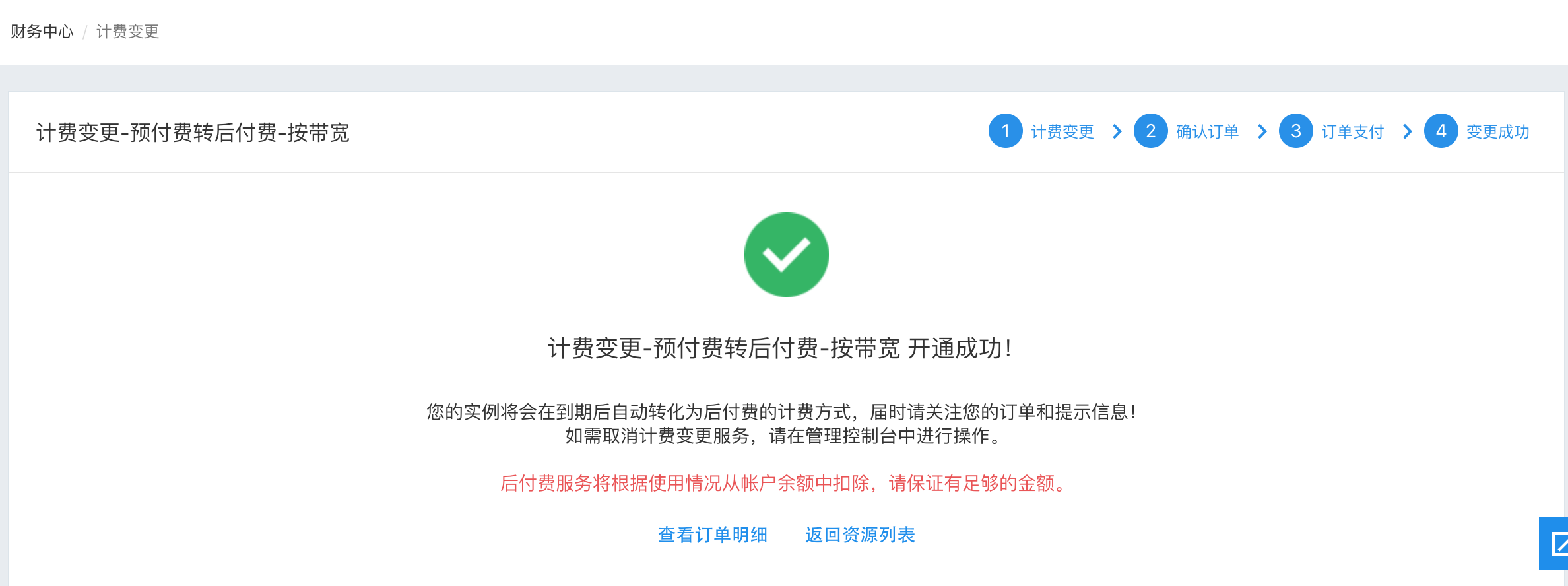
  1. Click Proceed to Payment to complete the billing method change for the EIP instance.
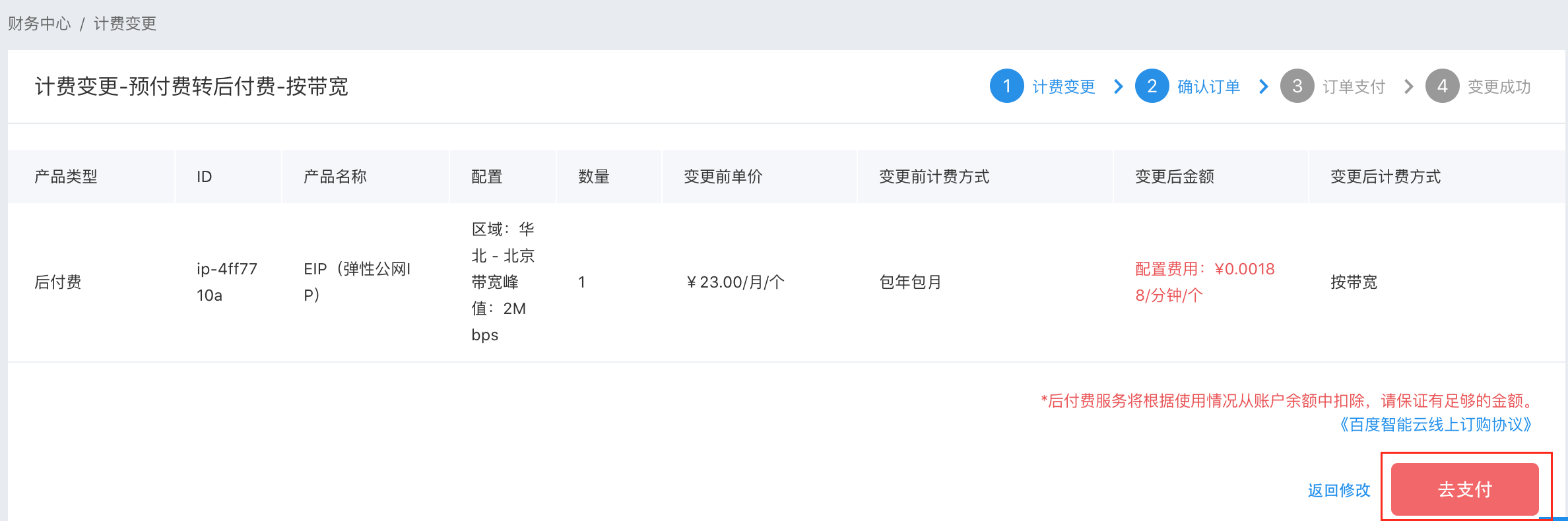
image.png

image.png

Postpay-to-prepay

Operation step

Taking EIP as an example, the process of changing from postpaid to prepaid operation is as follows:

  1. Sign in to the console and navigate to Product Services -> EIP. Select the EIP instance for which you want to modify the billing method.

image.png

  1. Check one or more prepaid EIP instances and select Shift Charge under Batch Operations.
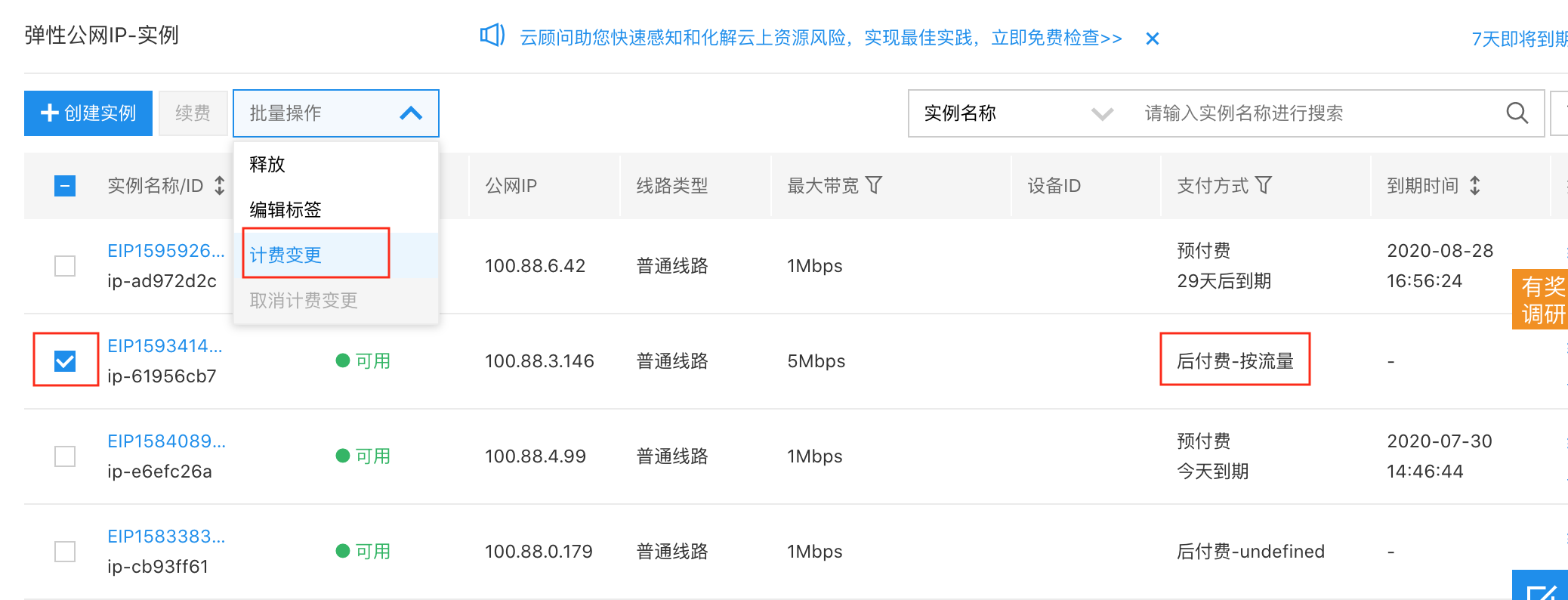
image.png

  1. Customize the required public network bandwidth in the pop-up window and select the prepaid purchase duration.
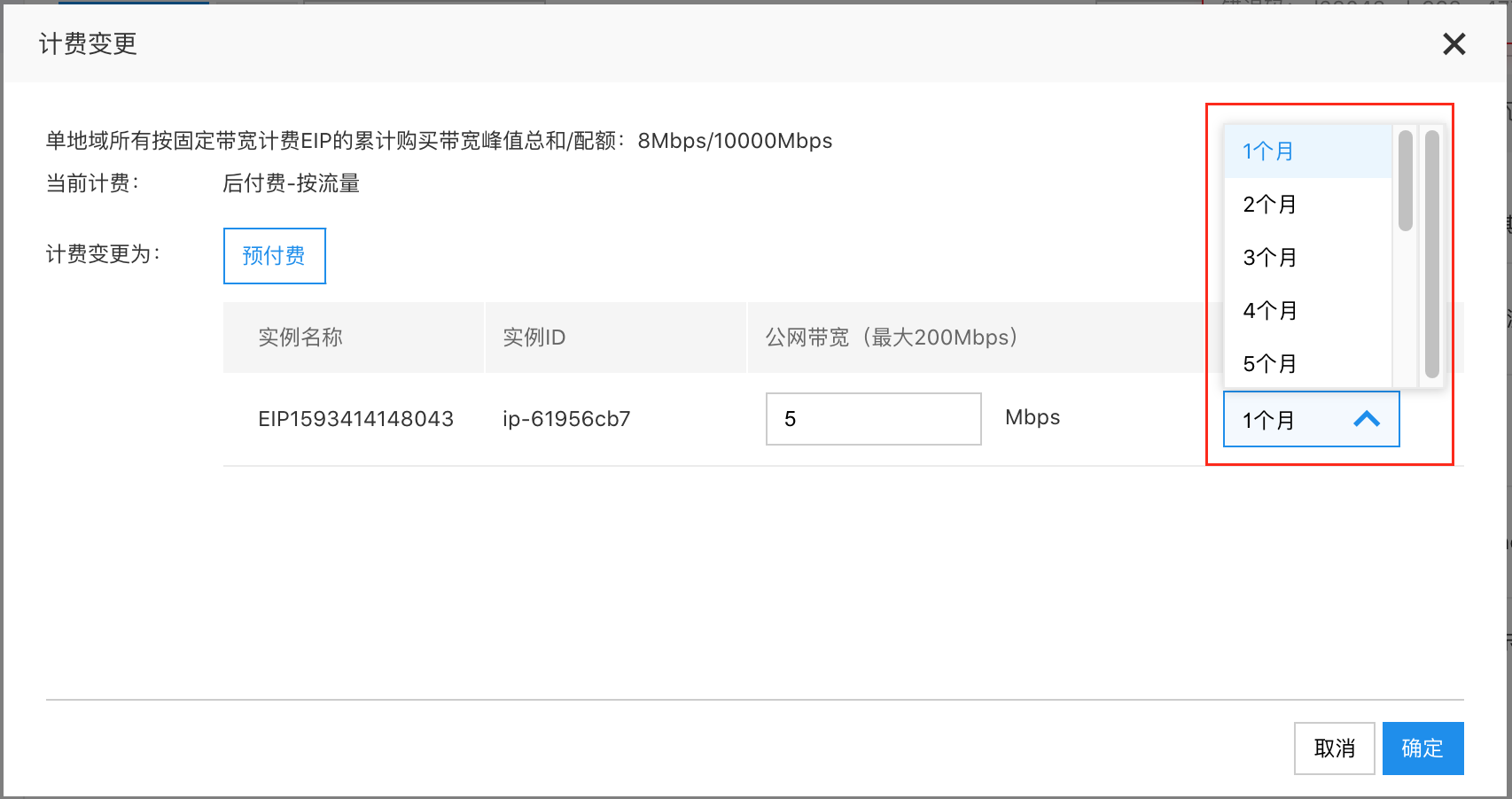
image.png

  1. Click Next to enter the payment process.
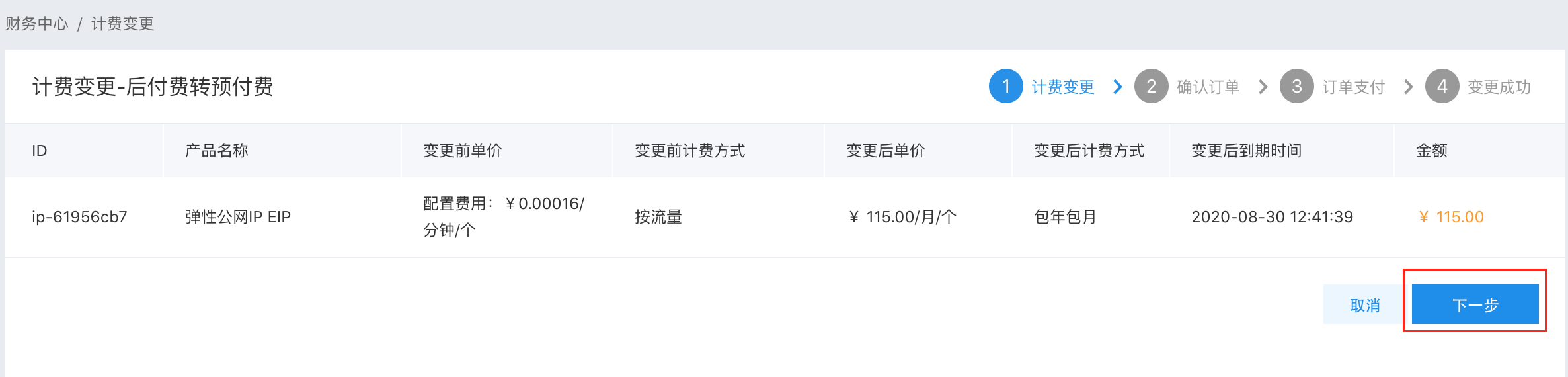
image.png

  1. After successful payment, the new billing method will take effect immediately.

Previous
Configuration Upgrade Or Shrinkage
Next
Charge type