

Cross-region replication
Overview
Since snapshots are region-specific, the snapshots you create can only be used within the same region. To share snapshot data across regions, use the Cross-Region Replication (CRR) feature. After successful replication of a snapshot using CRR, you can create new cloud disk servers in other regions based on the replicated data.
Description:
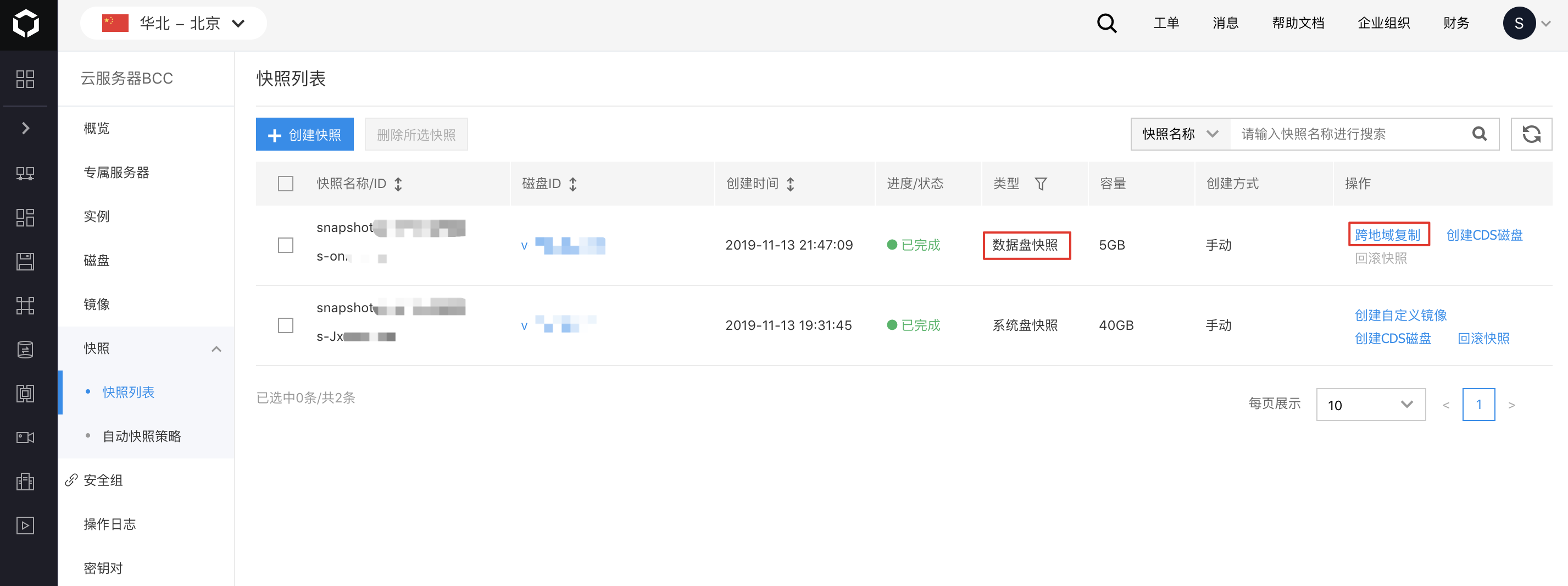
- Only snapshots created from data disks support Cross-Region Replication (CRR), while snapshots from system disks do not support this feature.
Operation steps
1. Sign in to the Baidu AI Cloud
Sign in to Baidu AI Cloud official website.
- If you have not registered, you must first [register an account](UserGuide/Register an account.md#Register a Baidu Account).
- If you have already registered, directly Sign in.
2. Log in to BCC Console
Select Product Service > Baidu Cloud Compute (BCC) in the left navigation bar of the console to access the BCC Instance List page. Click "Snapshot" on the left side to enter the Snapshot list page.
3. Select Snapshot
Select the snapshot to be used for Cross-Region Replication (CRR) from the list, then click Cross-Region Replication in the operation bar to start the replication process.
4. Select the Target Region for Replication
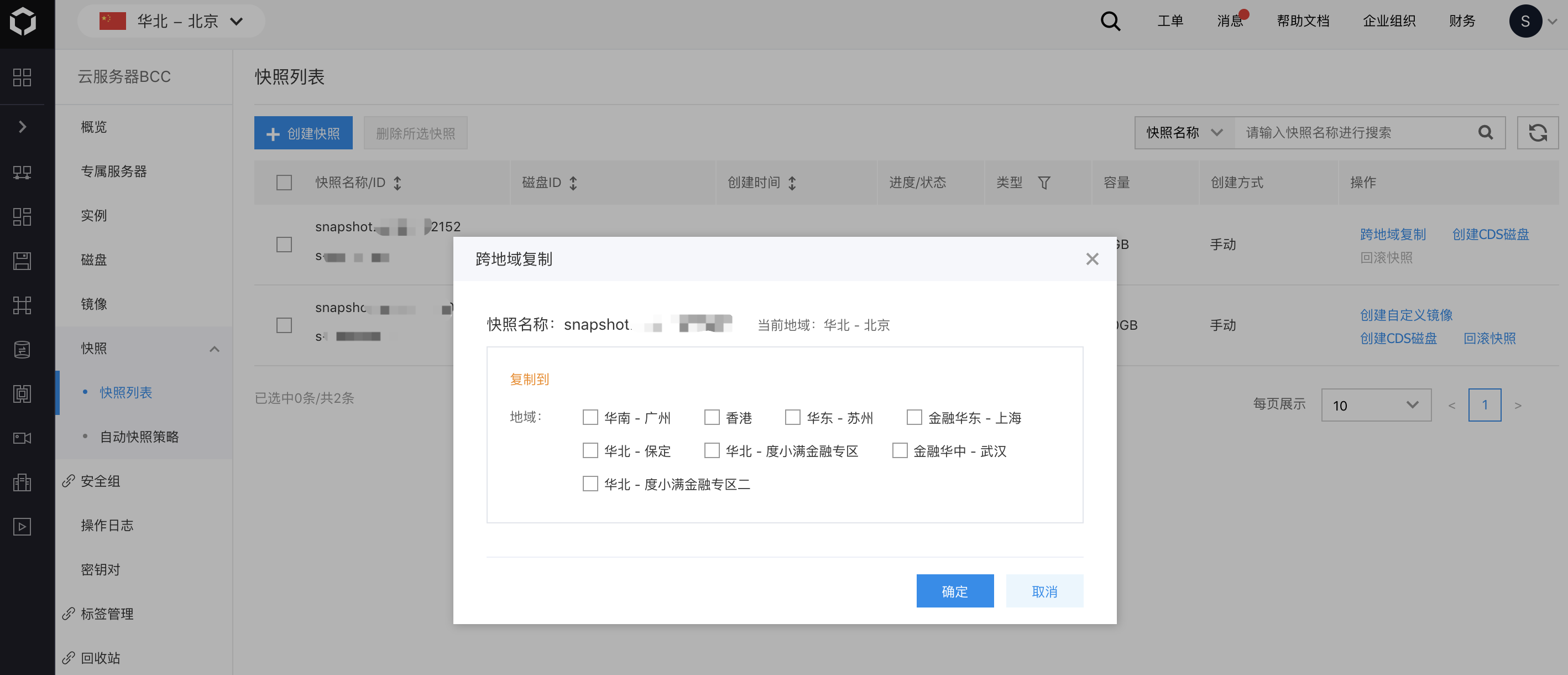
After clicking Cross-Region Replication (CRR), choose the target region for replication in the pop-up window.
5. View Snapshot
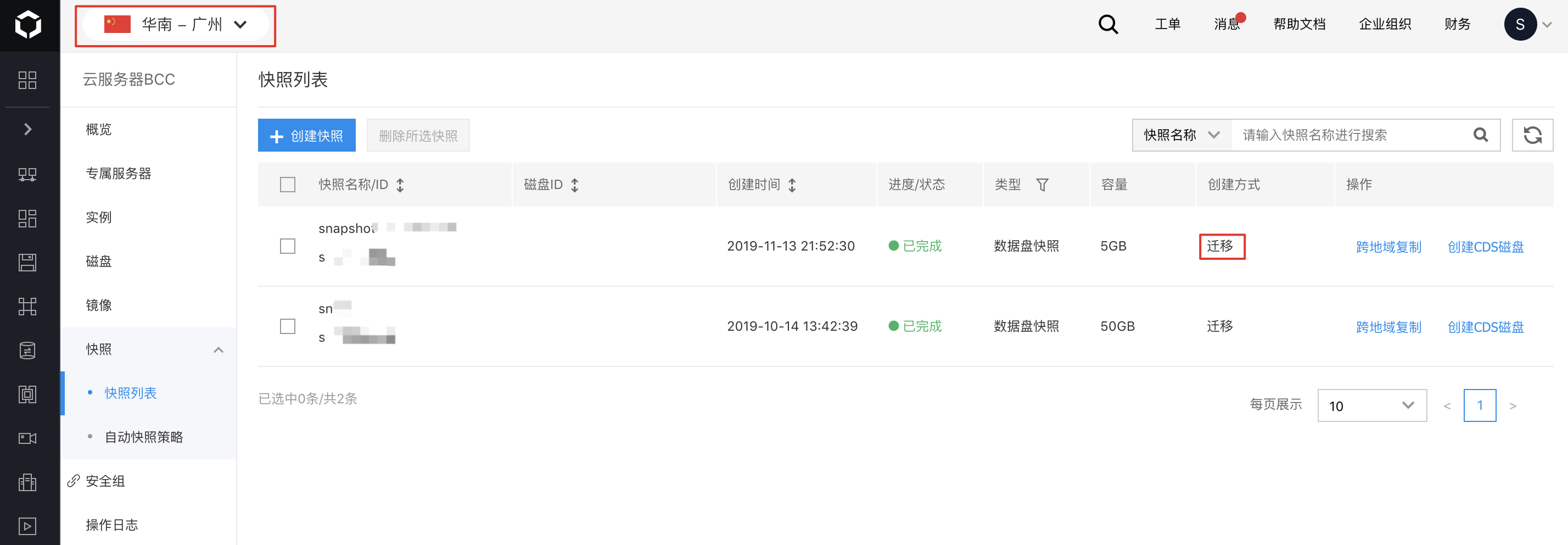
Once Cross-Region Replication (CRR) is completed, you can view the replicated snapshot in the snapshot list of the target region. Replicated snapshots will show "Migration" in the creation method field.
6. Follow-up Operations
In the new region, you can perform new operations on the replicated snapshots, such as creating new cloud disk drives.