

Create a custom image
Overview
A custom image is created from a snapshot of the Baidu Cloud Compute system disk at a specific point in time. This saves the current system disk as a private image visible only to the account owner.
Users can craft custom images when redeploying complex initialization systems, repeatedly setting up servers with identical configurations, or performing large-scale testing and rapid deployment of proprietary software developed by software teams.
Create custom images specifically for system disks.
Operation steps
1. Sign in to the Baidu AI Cloud
Sign in to Baidu AI Cloud official website.
- If you have not registered, you must first [register an account](UserGuide/Register an account.md#Register a Baidu Account).
- If you have already registered, directly Sign in.
2. Log in to BCC Console
Navigate to Product Service > Baidu Cloud Compute (BCC) in the console's left navigation bar to reach the BCC Instance List page. Then click "Snapshot" on the left side to access the Snapshot List page.
3. Create a custom image
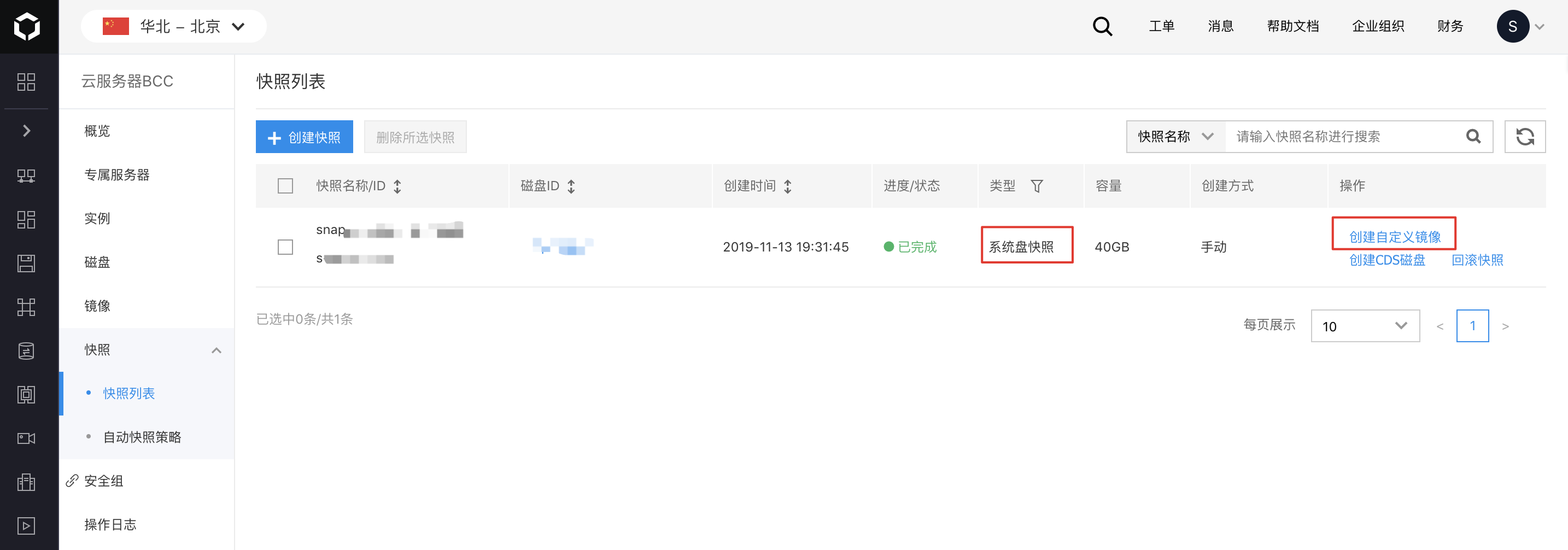
3.1 Choose the System Disk Snapshot you'd like to use for creating a Custom Image, then click "Create Custom Image" in the actions bar.
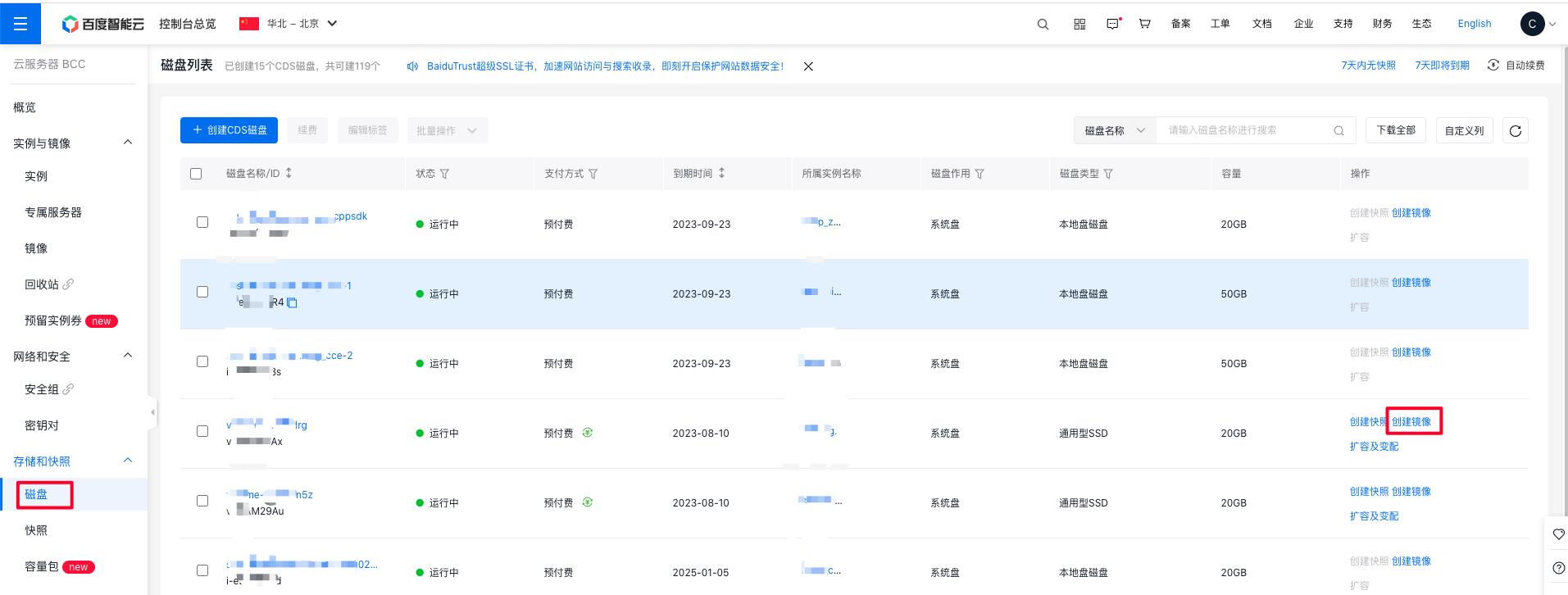
 3.2 Custom Images can also be created directly from disks. Select the System Disk for which you want to create a Custom Image, then click the "Create Image" button in the action bar to create the Custom Image.
4. Enter the Image Name
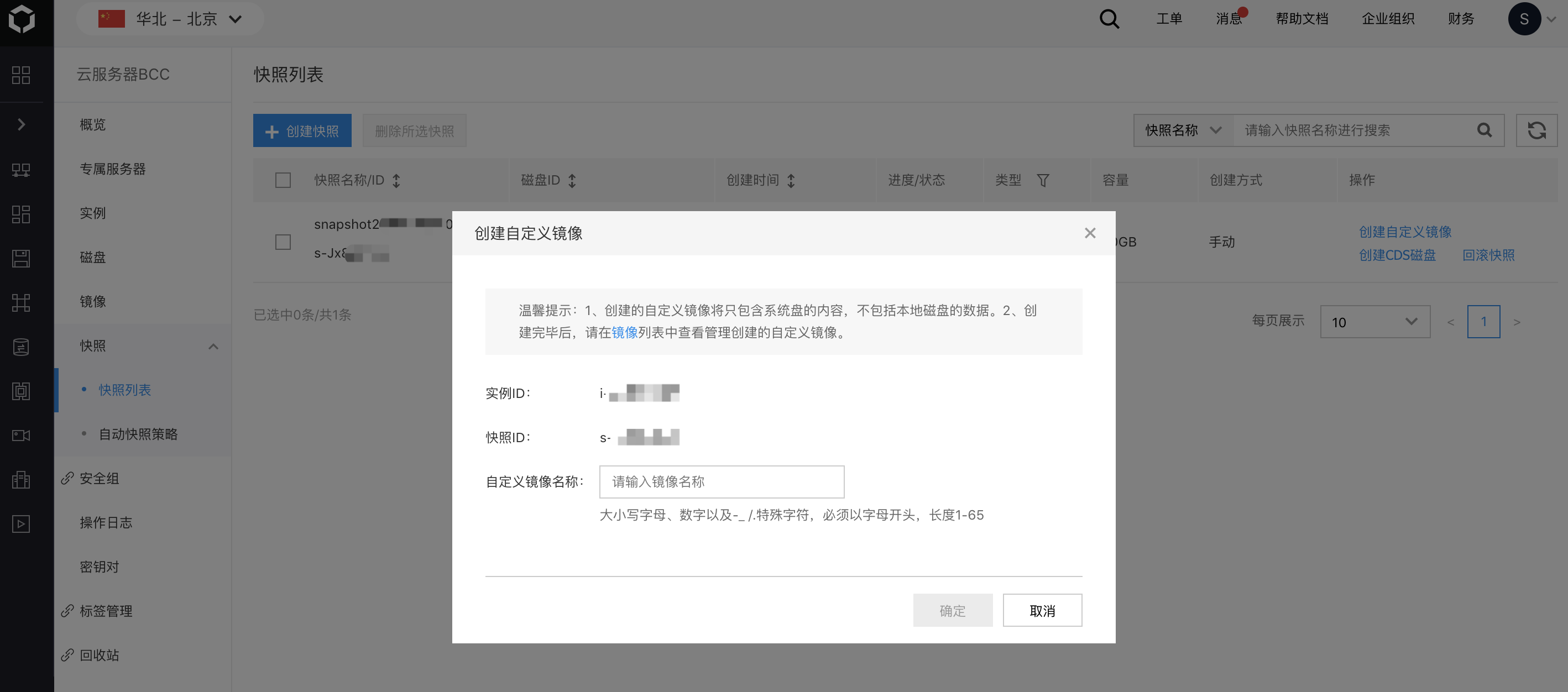
Description:
- The Custom Image name must be between 1-64 characters long, containing only numbers, letters, and hyphens "-", and must begin with a letter.
5. Create an Image
Input a new image name and start the image creation process, which typically takes 1-10 minutes.
6. View an Image
Click "Image" in the left navigation menu. Under the "Custom Image" tab, confirm whether the image's "Status" is listed as "Creating" or "Completed."
7. Follow-up Operations
Once the custom image is successfully created, navigate to the custom image tab and select "Create Instance." When creating an instance using a custom image, the system will default to the custom image as the instance image, although you can opt for a public image or other service-integrated images as needed.