

Create CDS disk from snapshot
Overview
You can opt to create a CDS cloud disk using a snapshot. If multiple snapshots have already been created, you can directly use one to create a CDS disk, often for data recovery or backup.
Operation guide
1. Sign in to the Baidu AI Cloud
Sign in to Baidu AI Cloud official website.
- If you have not registered, you must first [register an account](UserGuide/Register an account.md#Register a Baidu Account).
- If you have already registered, directly Sign in.
2. Log in to BCC Console
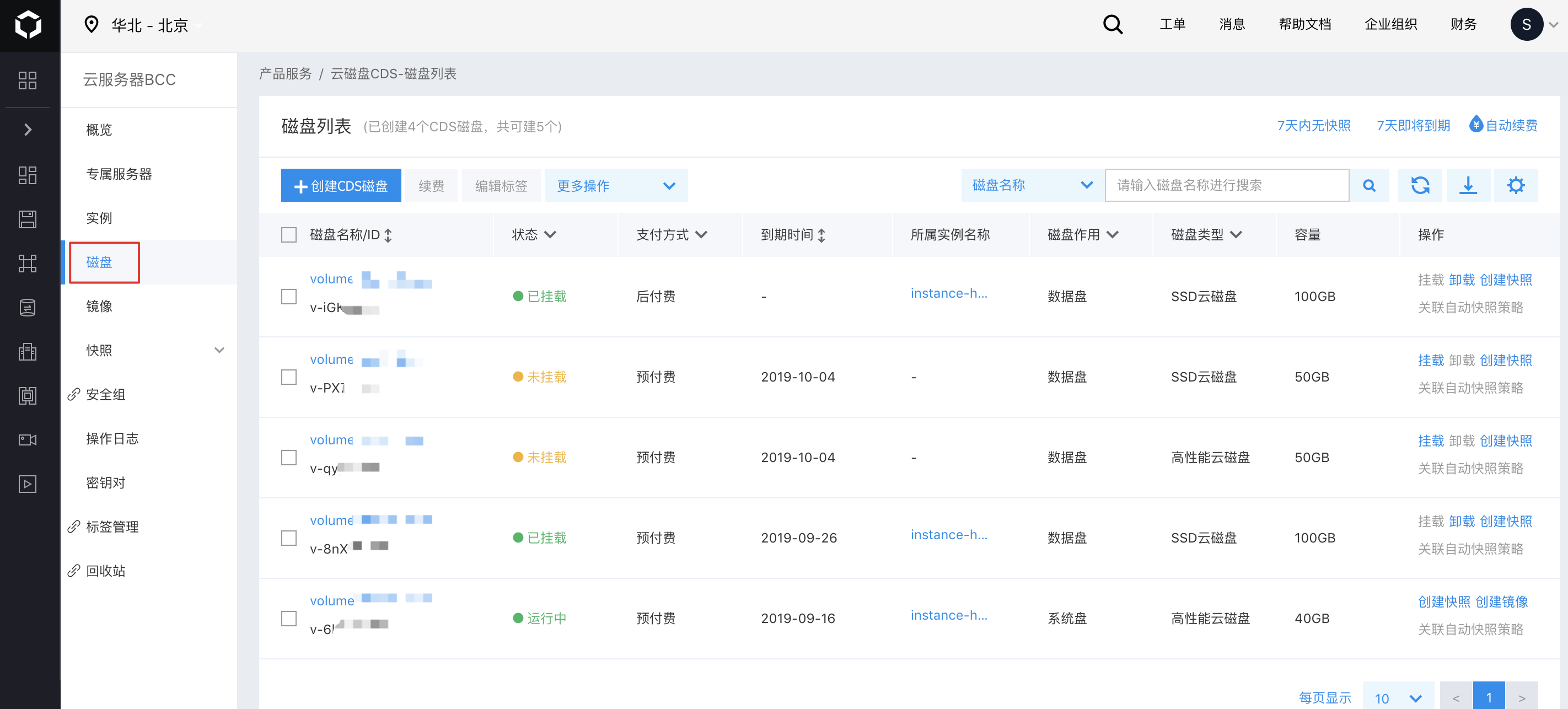
To access the Cloud Disk Server list page, navigate to the BCC Instance List page by selecting Product Service > Baidu Cloud Compute (BCC) from the console's left navigation bar. Then, click "Disk" on the left side of the page.
Alternatively, after logging in, you can directly access the CDS disk list page by selecting "Product Services > Cloud Disk Server" from the left navigation menu.
3. Create the disk
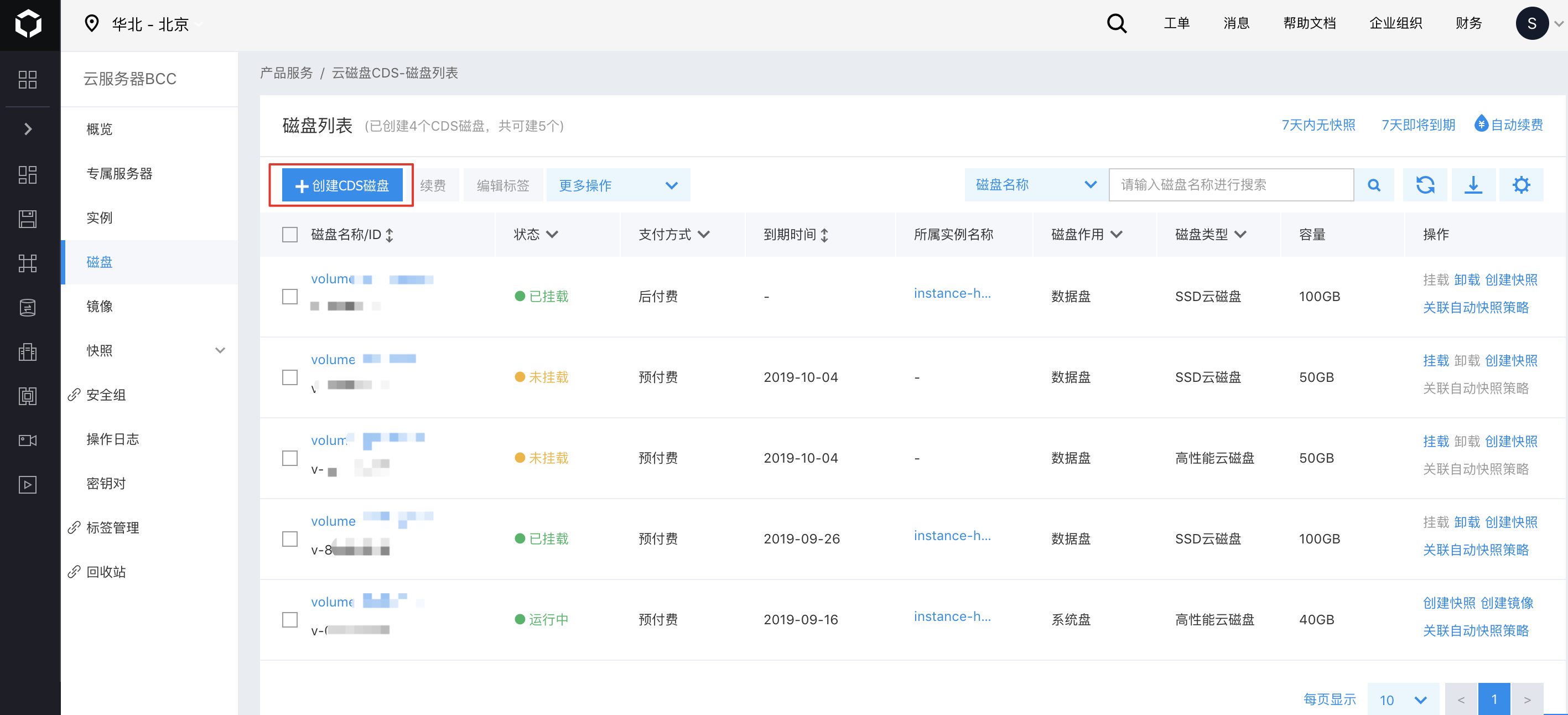
Click "Create CDS Disk" to enter the "Create Disk" page.
4. Select Configuration Information
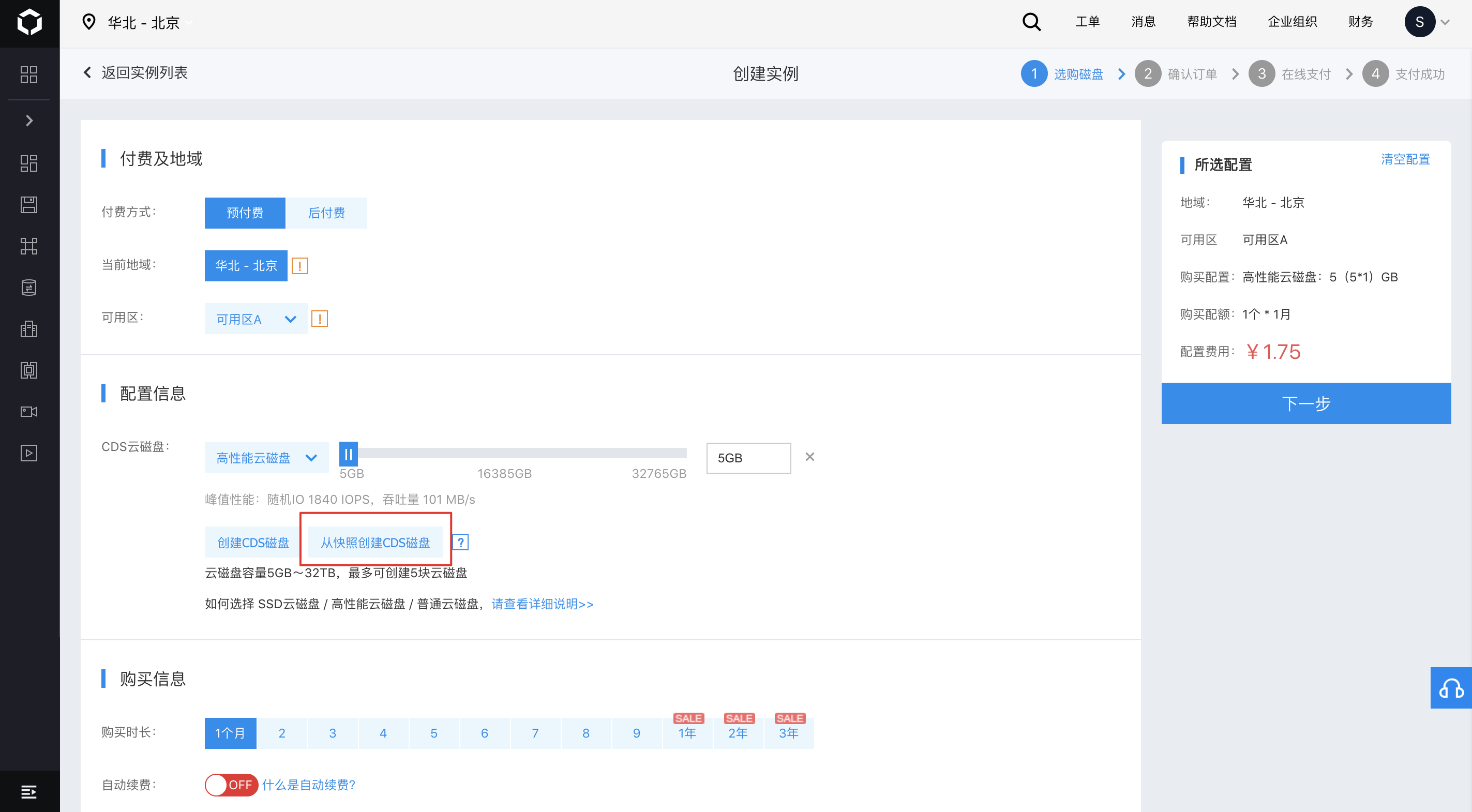
Note: When creating a disk from a snapshot, avoid changing the Region on the redirected order page; otherwise, the creation process will fail.
5. Select to create a CDS disk from a snapshot
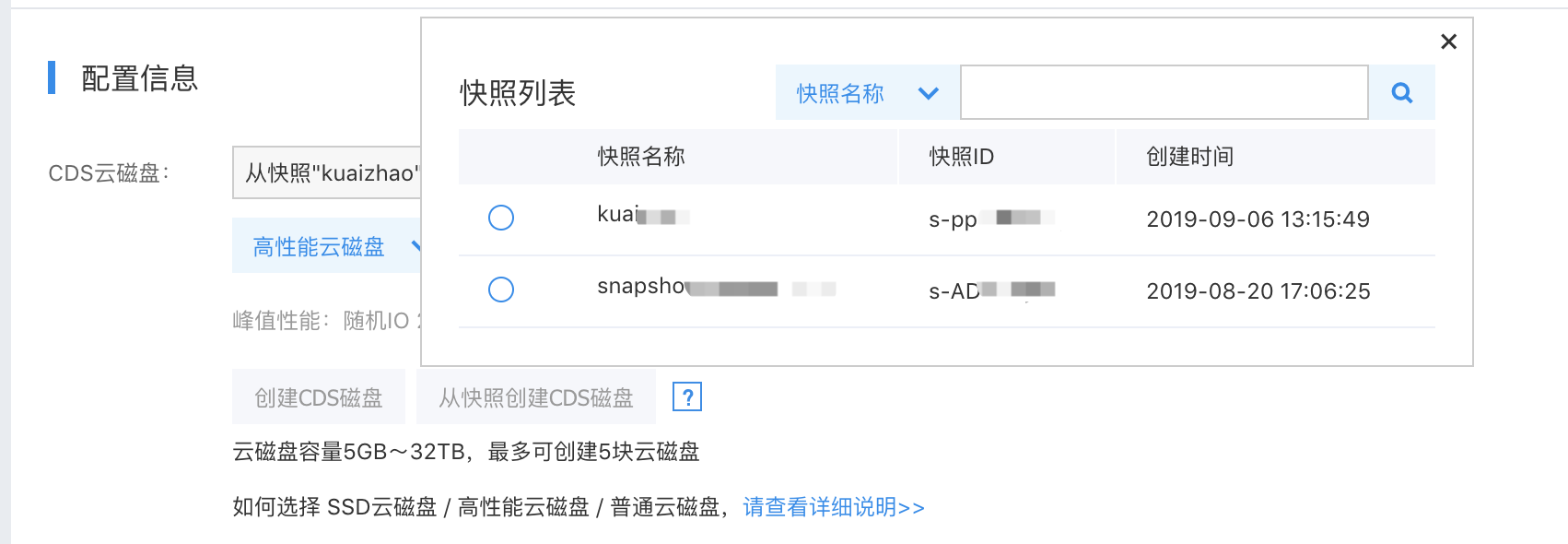
In the pop-up dialog box, select the desired snapshot. Newly created disks must have a capacity equal to or greater than the size of the snapshot.
6. Select Purchase Period
If you select the prepay option, specify the Purchase Period and decide whether to enable auto-renewal.

7. Confirm order and pay
Click "Next," carefully review your order, and complete the payment. The disk will typically be created within approximately 5 minutes.