Instance snapshots
This document introduces the method of "creating instance snapshots for BCC" (including instructional video) of Baidu AI Cloud. Users can refer to key steps in the video to use Baidu AI Cloud products or self-solve issues. Click here to watch Create Instance Snapshots on BCC
Description:
If the interface elements or operation methods shown in the video guidance are updated, please rely on the AI Cloud console interface for the most accurate information. The video aims to demonstrate the functional operation process, and minor interface changes will not affect the overall functionality or presentation.
Overview
A Snapshot is generally a data backup operation for a single disk. You can create a Snapshot for one disk to enable manual or automatic backups of crucial data. However, for critical backup scenarios, users might need to create Snapshots for all disks (System Disk and Data Disk) on Baidu Cloud Compute simultaneously, to achieve a full-machine Snapshot. Similarly, during data recovery, users may prefer to roll back all disks to a specific point in time for consistency across data states. Instance Snapshots can be used in the following scenarios:
- Instance-level backup: A full backup of all disk data (including System Disk and all mounted Data Disks) of Baidu Cloud Compute BCC at a specific moment
- Instance-level disaster recovery: When switching the OS of a Baidu Cloud Compute Instance or performing major updates, snapshots should be created for all disks under the server to prevent accidental data loss;
- Instance-level data recovery: If Baidu Cloud Compute operations fail, users can roll back all disks associated with the Instance to a specific point in the past.
Instructions for use
Instance Snapshot operations include creating, rolling back, and deleting snapshots.
Instance Snapshot Creation
You can create Instance Snapshots for a Baidu Cloud Compute Instance, with each snapshot generating corresponding IDs and names. An Instance Snapshot is a virtual concept and does not represent actual snapshot data. The purpose of Instance Snapshots is to help identify and differentiate snapshots taken at different times for various Baidu Cloud Compute Instances. Creating an Instance Snapshot simultaneously snapshots the System Disk and all mounted Data Disks of that Instance, which are unified under a single Instance Snapshot ID for management.
When creating a snapshot for a disk, you can choose whether to create an Instance Snapshot for the BCC instance containing the disk. You can also directly initiate Instance Snapshot creation for a specific Baidu Cloud Compute instance.
Usage restrictions
- To create an Instance Snapshot, the System Disk of the Baidu Cloud Compute Instance must be in the "Running" state, and Data Disks must be in the "Mounted" state. To ensure data continuity and security, disks in statuses such as "Snapshot in Progress" or "Resize Expansion in Progress" cannot initiate Instance Snapshot creation. In such cases, please wait until the operations are complete.
- When your account is in debt status, Instance Snapshot creation is not permitted;
- When you create an Instance Snapshot, the corresponding System Disk and Data Disk snapshots will be displayed synchronously in the disk list. You can still perform corresponding operations on the disk Snapshot, such as creating a new CDS disk, rolling back or cross-region replication, etc. However, to maintain the integrity of full-system data backups, disk snapshots cannot be deleted independently.
Instance Snapshot Deletion
If an Instance Snapshot is no longer needed, you can delete it. Deleting an Instance Snapshot will simultaneously delete all associated System Disk Snapshots and Data Disk Snapshots. The deletion option can be found in the Instance Snapshot list.
Note:
- Deleted Instance Snapshots cannot be restored. Please verify carefully before proceeding with deletion.
Instance Snapshot Rollback
Instance Snapshot rollback involves restoring the System Disk and all Data Disk snapshots associated with the Instance Snapshot. After the rollback, all data on the Baidu Cloud Compute Instance's disks can be reverted to a previous state.
Instance Snapshot Rollback Conditions
- For Instance Snapshots, all corresponding Data Disks must remain undeleted and in a "Detached" state
- Instance Snapshots correspond to Baidu Cloud Compute Instances in the "Stopped" state (where Data Disks can be mounted or unmounted) or in the "No charge for stopped instances" state.
If the Cloud Disk Server/Baidu Cloud Compute instance is not in these states (e.g., corresponding disk deleted, disk undergoing resize/expansion, account in debt), an Instance Snapshot rollback cannot be performed. If the associated disk Snapshot is no longer required, you can delete the Instance Snapshot.
Note:
- For the security of data in your disks, we recommend creating Snapshotsfor corresponding disks before Instance Snapshot rollback;
- System Disk snapshots and Data Disk snapshots associated with an Instance Snapshot can be rolled back independently. Even after rollback, Instance Snapshots can still be used for further rollback operations.
Operation guide
1. Sign in to the Baidu AI Cloud
Sign in to Baidu AI Cloud official website.
- If you have not registered, you must first [register an account](UserGuide/Register an account.md#Register a Baidu Account).
- If you have already registered, directly Sign in.
2. Log in to BCC Console
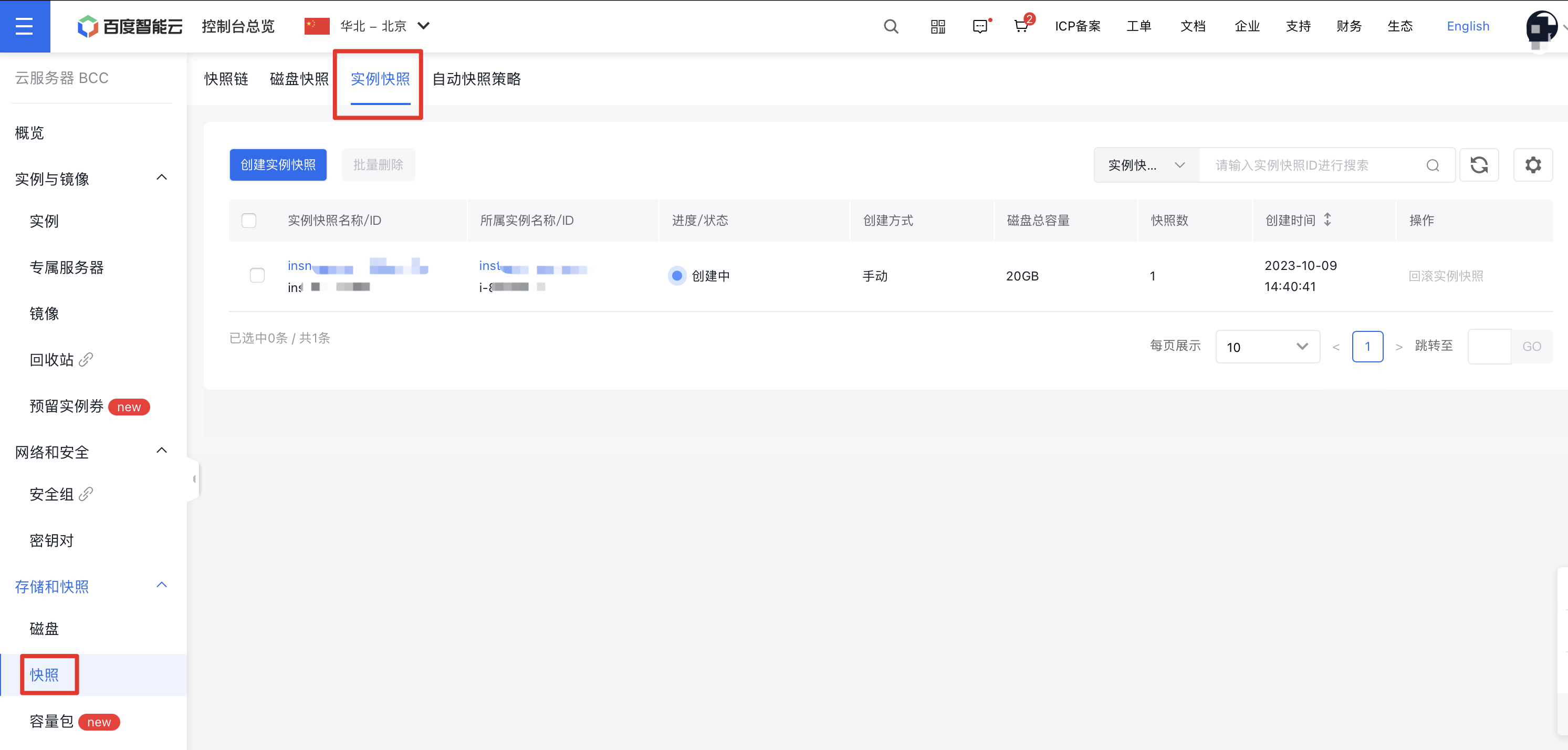
To access the BCC Instance List page, navigate to Product Service > Baidu Cloud Compute (BCC) in the left menu of the console. Then, click "Snapshot" in the navigation menu to access the Instance Snapshot page, where complete Instance Snapshot information is displayed.
3. Create Instance Snapshot
On the Instance Snapshot list page, click the "Create Instance Snapshot" button at the top to initiate snapshot creation. Just like disk snapshots, Instance Snapshots are region-specific. The pop-up Baidu Cloud Compute list will only display services in the current Region.

Note:
- The disk information table shows the status of all Cloud Disk Servers. Instance Snapshots can only be created when the Baidu Cloud Compute (BCC) System Disk status is "Running" and the Data Disk status is "Mounted". If a disk is in another state (e.g., "Snapshot in Progress" or "Resize Expansion in Progress"), wait for the current process to complete before creating an Instance Snapshot.
- Each CDS disk supports up to 256 Automatic Snapshots and 256 Manual Snapshots. Instance Snapshots consume the Manual Snapshot quota. If the Manual Snapshot quota for a disk is full, please delete unnecessary Manual Snapshots before creating an Instance Snapshot.
4. View Instance Snapshot Details
Clicking on an Instance Snapshot name opens a side panel displaying all associated System Disk and Data Disk snapshot details.
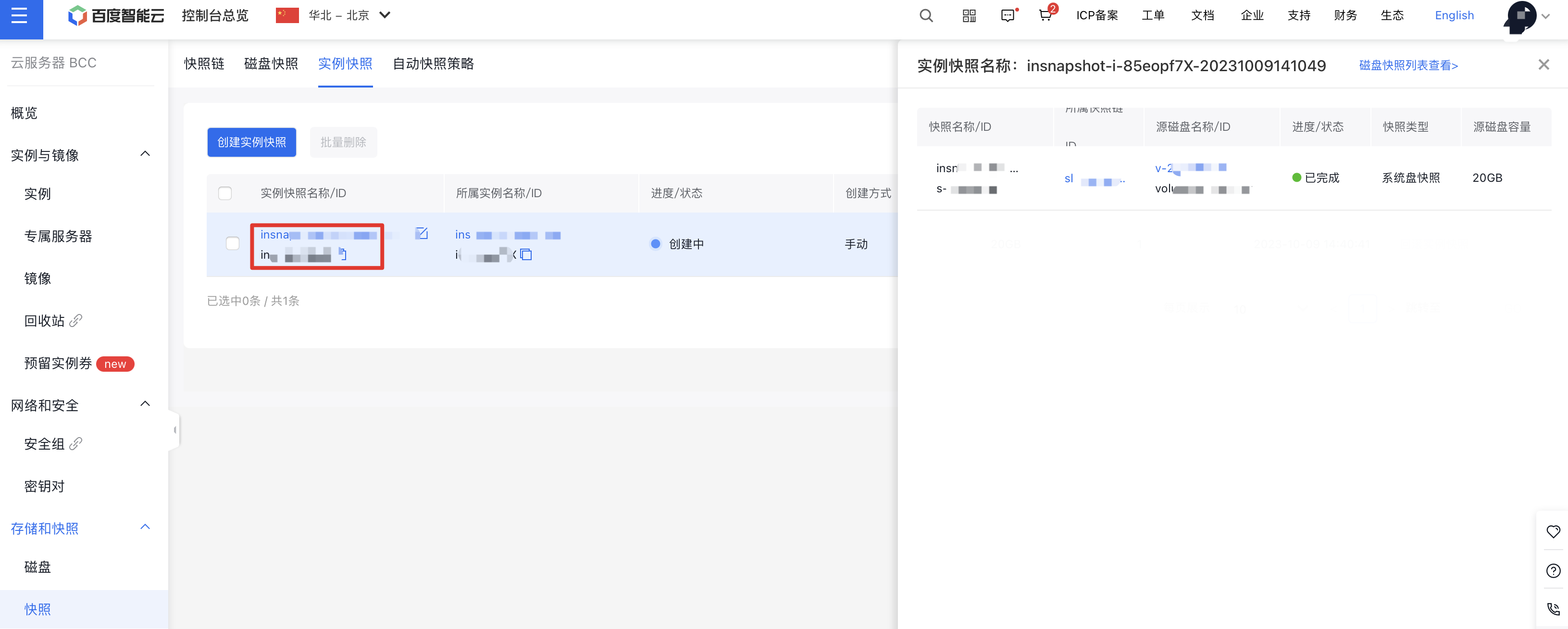
Click "View Snapshot List" at the top of the page to see detailed information about associated System Disk and Data Disk snapshots in the disk snapshot list. You can also perform new operations on disk snapshots as needed, but to maintain data backup integrity, associated disk snapshots cannot be deleted independently.
5. Instance Snapshot Rollback
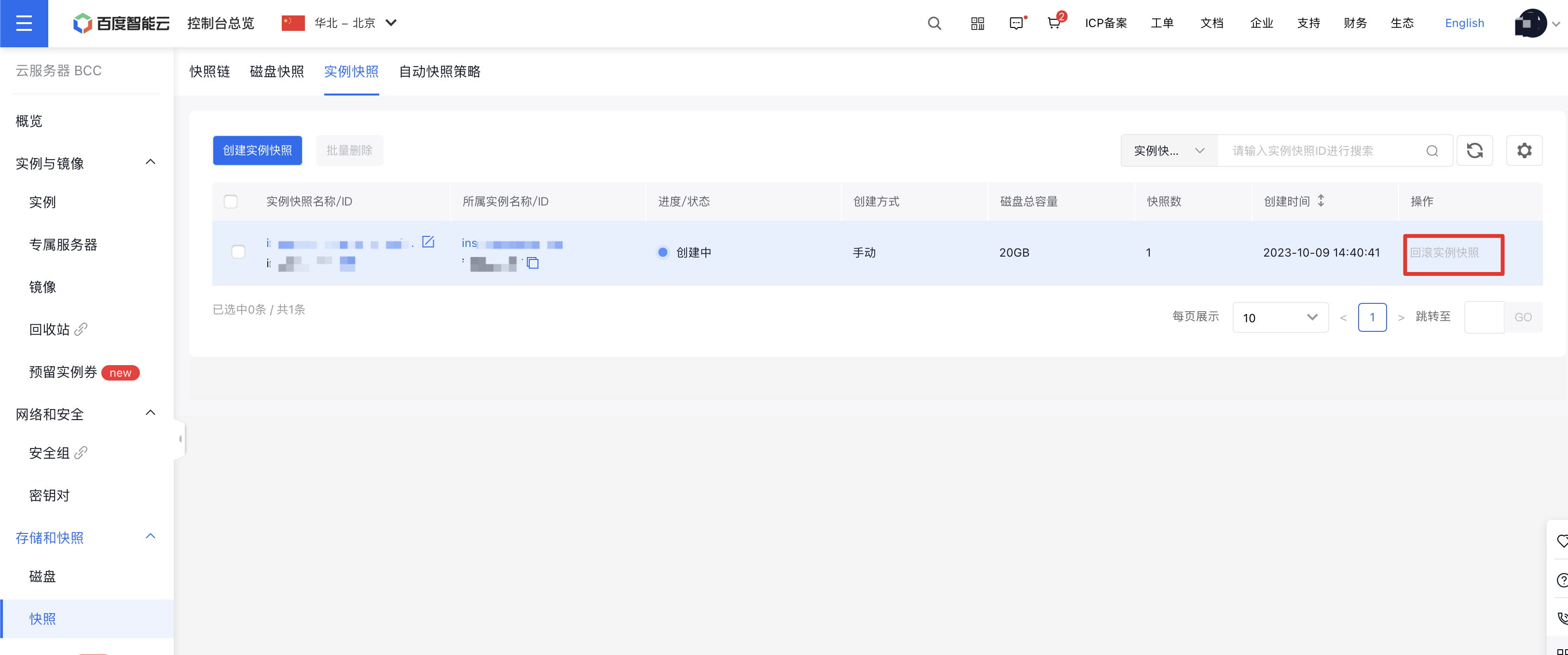
After ensuring that the rollback conditions for Instance Snapshots are met (refer to "Instructions for Use → Instance Snapshot Rollback Conditions" in this document), you can initiate a rollback operation for the Instance Snapshot.
6. Instance Snapshot Deletion
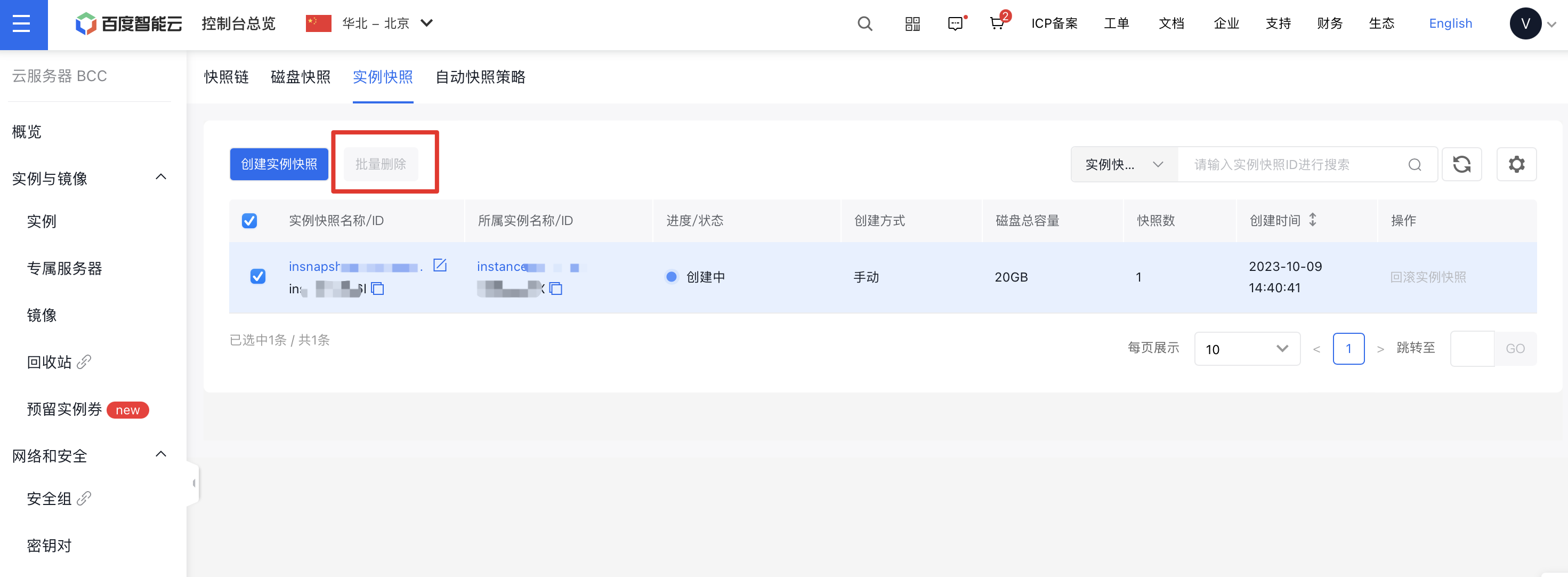
You can batch delete unnecessary Instance Snapshots. Select the desired Instance Snapshots, then click the "Batch Delete" button at the top of the page to proceed with deletion.